Perchance AI Character Generation Guide: Text Prompts to 3D Workflows
Learn the complete procedural character creation workflow in this Perchance AI tutorial. Master prompt syntax, 2D generation, and rapid image-to-3D conversion.
Generating characters procedurally demands specific controls over text-to-image generation and subsequent asset integration. For production teams and independent creators, moving an asset from a raw text prompt to an engine-ready file dictates the project schedule. This document outlines the step-by-step process of using Perchance AI for 2D character concepting, identifies common areas where pipelines stall during asset conversion, and demonstrates how to process flat images into usable 3D meshes.
Controlling variables and syntax in text generation allows for reproducible character outputs. Integrating these 2D outputs into 3D environments requires specific conversion steps to ensure the geometry and textures load correctly into standard rendering software without requiring extensive manual retopology.
Understanding Text-Based Concept Generation Foundations
Using Perchance AI effectively requires configuring basic lists and setting up syntax rules. This section breaks down how to construct the generation environment and control the output parameters for predictable concept art.
The Perchance platform functions as a rules-based text engine. It relies on syntax configurations to output variations within constraints. Generating character descriptions predictably means configuring core lists and assigning distinct variables for each character trait.
Setting Up Your First Generator Environment
The platform separates the coding input from the generation output. Starting a generator involves outlining the data lists the system references when constructing a prompt.
- Open the main editor and delete the placeholder text.
- Define the primary output variable, commonly labeled as
output. - Build sub-lists based on specific character parameters. Configure distinct text groups for
species,class,clothing, andenvironment. - Reference these specific sub-lists within the primary output using bracket formatting, structured like
[species] [class] wearing [clothing].
Structuring the data this way builds a functional prompt foundation. It allows the system to pull distinct visual traits based on the exact parameters defined in your lists without breaking the prompt structure.
Mastering Syntax and Randomization Variables
Prompt accuracy depends on specific text operators. The engine uses predetermined characters to adjust output frequency and text formatting.
- Curly Brackets
{}: Indicates inline options. Inputting{red|blue|green}distributes the selection evenly across the three colors. - Caret Symbol
^: Adjusts the selection frequency of a specific item. Formatting a line aslegendary armor ^0.1reduces its appearance rate compared tobasic leather armor ^5. - Title Case Formatting: Adding
.titleCaseto a list item automatically capitalizes the output, formatting the text block cleanly for subsequent image generator inputs.
Configuring these operators controls the variability of the output. This produces exact text descriptions that translate directly into visual reference inputs for the image generation phase.
Step-by-Step Guide to Visualizing 2D Characters
Converting structured text into character concepts involves the integrated image generator. This phase requires specific prompt structuring and iterative parameter adjustments to lock in the visual details.

After confirming the text configurations operate as intended, the text strings are routed into the internal image generator. This interface translates the descriptive text variables into visual character concepts.
Crafting Effective Prompts for Character Avatars
Generating functional character concepts requires specific text sequencing. The image engine processes data most effectively when inputs are sorted by subject, clothing, lighting, and technical formatting.
A functional sequence typically orders variables as follows: [Subject Definition], [Detailed Attire], [Lighting Conditions], [Art Style], [Technical Parameters].
Replacing a basic input like "warrior" with a sequence such as "A towering elven warrior, wearing intricate obsidian plate armor, cinematic rim lighting, dark fantasy concept art style, 8k resolution, highly detailed" produces more actionable reference material.
Specifying the rendering format—such as orthographic, cell-shaded, or physically based rendering (PBR)—establishes the baseline shading behavior for the asset, standardizing the visual output across different generation batches.
Fine-Tuning Outputs and Iterative Adjustments
First-pass generations typically require parameter tuning to meet pipeline requirements. Adjusting specific constraints corrects rendering errors.
- Negative Prompting: Applying the
[negative: ...]tag dictates what the system should exclude from the render. Standard exclusions for character concepting involve[negative: overlapping geometry, asymmetrical armor, low resolution, multiple weapons]. - Aspect Ratios: Defining the frame dimensions via the shape parameter, using
shape=portraitfor standard avatars orshape=landscapefor wide-angle environmental references, changes how the subject fits the canvas. - Seed Values: Identifying a successful output and copying its generation seed number fixes the underlying noise pattern. This keeps the character's core facial geometry and proportions static while allowing you to change minor text variables, such as swapping out a piece of equipment in the prompt text.
Overcoming Common Creative Pipeline Bottlenecks
Standard 2D images present immediate integration problems in game engines. Progressing past the concept phase requires acknowledging the structural limitations of flat image generation and evaluating how to convert them into usable 3D formats.
Utilizing text generators speeds up the initial concept phase, but moving those visual files into standard project environments exposes immediate compatibility issues.
Why Flat 2D Outputs Limit Game and Project Workflows
Generated 2D files are entirely flat pixel grids. They contain zero depth information, polygonal mesh data, or functional material maps. Within standard production environments using Unreal Engine, Unity, or Maya, a standard image file cannot process real-time lighting calculations or function as a rotating character model within a scene.
Attempting to create orthographic turnarounds by prompting the system to generate the side or back of the same character usually fails. Text-to-image systems frequently drop structural details, mix up armor placement, or alter the character proportions when generating alternative viewing angles of a complex front-facing concept.
Bridging the Gap Between Concept Art and Spatial Assets
The standard workflow relies on passing the flat concept image to 3D artists for manual recreation. This process introduces significant schedule delays. Building the base mesh, completing high-poly sculpting, handling manual retopology for edge flow, and unwrapping UVs requires substantial hours per asset.
When a project relies on fast initial concepting, routing every flat asset through a standard manual modeling schedule cancels out the early time savings. Keeping the asset pipeline moving necessitates a direct method for processing the flat image data into base geometric meshes without the extended manual modeling phase.
Upgrading Your Pipeline: Transitioning to 3D Creation
Integrating 3D generation tools directly addresses the modeling backlog. Using Tripo AI allows for the immediate conversion of flat concepts into base geometric meshes, automating the transition into standard 3D formats.
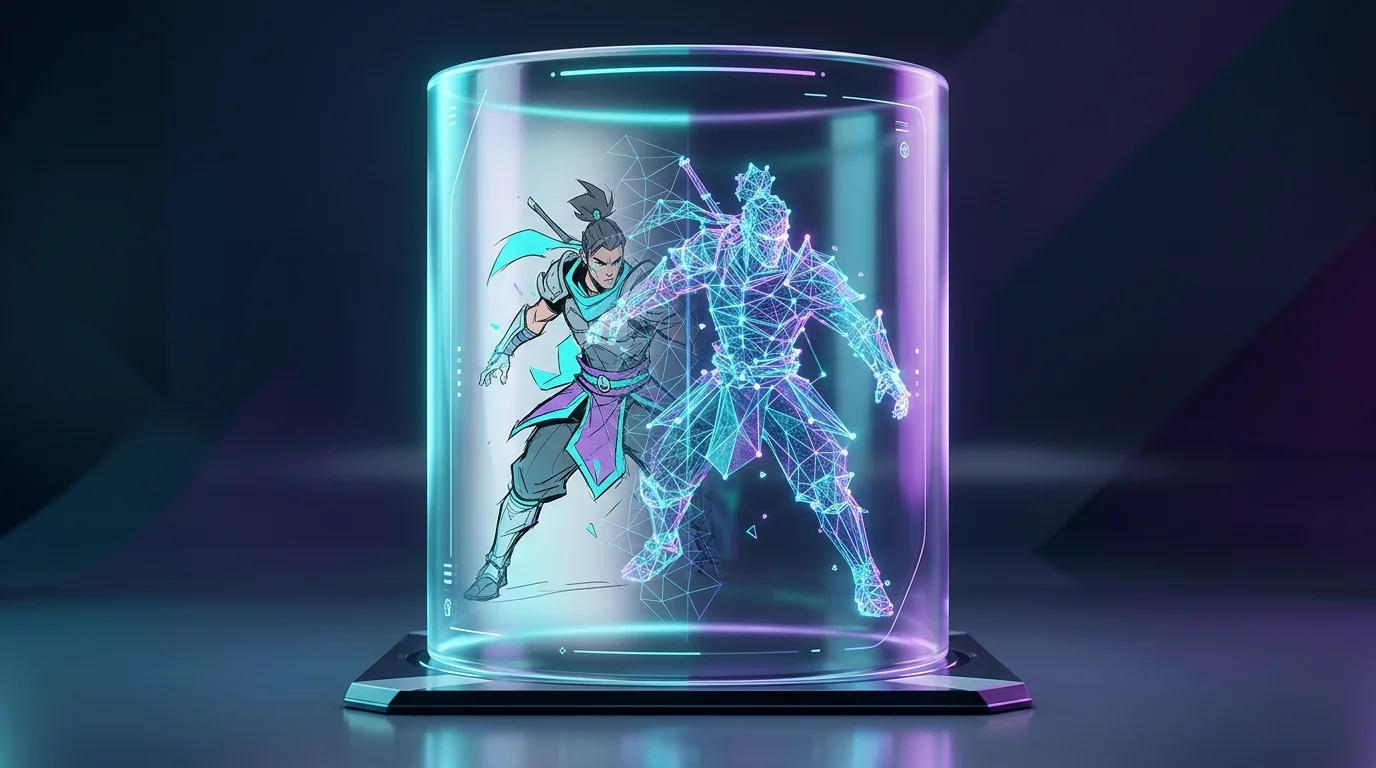
To solve the mesh generation delay, pipelines can incorporate rapid image-to-3D conversion software. Processing the flat output from Perchance through dedicated 3D models translates the visual reference straight into manipulatable polygonal geometry.
Rapid Image-to-3D Conversion Techniques
A highly direct method for processing these flat files involves Tripo AI. This system operates on Algorithm 3.1, utilizing over 200 Billion parameters processed against a substantial volume of standardized 3D mesh files to interpret 2D shapes into spatial geometry.
The conversion process follows strict steps:
- Save the concept image from the Perchance output window. Using an image with a neutral, solid-color background yields the cleanest geometry.
- Upload the file into the Tripo interface.
- Within roughly 8 seconds, the system evaluates the image data and generates a draft 3D model with corresponding base textures.
- For files requiring higher polygon counts and tighter texture mapping, running the refinement process updates the draft into a denser mesh in approximately 5 minutes.
Handling the conversion this way shifts the baseline prototyping phase from a multi-day task to a process requiring minutes, minimizing geometry generation errors.
Automating Animation for Your Conceptualized Characters
Creating the unrigged mesh covers the modeling phase; integrating the character into an engine requires a functional armature. Building the skeleton and handling weight painting across the mesh vertices to prevent clipping during movement is technically exacting work.
To streamline the rigging phase, Tripo AI includes an automated skeletal binding tool. Following the mesh generation, the tool analyzes the topology, maps a standard bipedal rig to the geometry, and tests the weighting with built-in animation cycles. This applies standard movement controls to the static asset, outputting a file with standard bone hierarchies ready for direct import into animation states.
Exporting Formats for Game Engines and Printing
A model requires the correct file extension to load into rendering software. File compatibility standardizes the handoff between generation and implementation. Tripo AI outputs assets in the specific formats required by standard industry software.
Operators can download their finished meshes directly as FBX, OBJ, STL, GLB, USD, or 3MF files. These formats contain the necessary mesh, texture, and armature data to be imported directly into project folders, opened in secondary 3D modeling programs for further vertex adjustments, or processed through slicing software for hardware printing.
FAQ
1. How do I maintain consistency across multiple generation prompts?
Visual matching in 2D requires fixing the text prompt values and reusing the exact seed number from a prior output. For 3D consistency, skipping multi-angle text generation and processing a single solid front-facing image into a 3D mesh locks the actual vertex data, ensuring the proportions match perfectly regardless of the camera angle in your scene.
2. Can I export AI-generated characters directly to game engines?
Text-to-image systems export standard PNG or JPEG files. These function strictly as interface graphics or 2D sprites. Loading a functional character asset requires processing that image into polygonal formats like FBX or GLB, which hold the required topology and UV mappings.
3. What is the most efficient way to upgrade 2D art into 3D models?
Routing flat images into dedicated 3D generators handles this fastest. Submitting the image allows the system's algorithm to calculate the missing depth coordinates based on existing spatial data, returning a textured draft mesh in seconds and removing the need to block out the base geometry manually.
4. Are there commercial rights limitations for AI-generated avatars?
Licensing depends entirely on the specific tier and platform generating the asset. When processing assets through Tripo AI, users on the Free plan receive 300 credits per month, but models generated on this tier are strictly for non-commercial use. Users requiring commercial rights must upgrade to the Pro tier, which provides 3000 credits per month and permits full commercial implementation of the exported 3D meshes in production projects.
