How to Create 3D Body Models in Minutes: 2026 Workflow Guide
Master the modern 3D character generation pipeline. Learn how to convert text and images into fully rigged 3D body models in minutes.
Producing production-ready 3D human models previously demanded extensive vertex adjustments and anatomical blocking. Current workflows replace manual base mesh construction with automated procedural generation. This guide details a standard operational procedure for generating 3D bodies, focusing on prompt-driven drafting, automated retopology, and skeletal binding using Tripo AI.
Understanding the 3D Body Generation Pipeline
Before opening modeling software, defining the technical specifications and target output formats determines the entire production pipeline, from initial topology drafting to final engine integration.
The traditional bottleneck: Manual sculpting vs. rapid prototyping
Historically, character artists spent days blocking out primary forms. Creating an anatomical base mesh required extruding primitive shapes and aligning edge loops to match muscle flow. This step consumed excessive project hours. Current rapid prototyping methods replace manual blocking with algorithmic generation. By using prompt inputs to output a base mesh, technical artists redirect their hours toward fine detail sculpting, UV optimization, and shader setup rather than foundational topology construction.
Defining your use case: Game assets, digital avatars, or medical visualization
The target application dictates the polygon budget and topological flow of the 3D body.
- Game Assets: Need strict polygon limits and baked normal maps to maintain steady frame rates in Unreal or Unity.
- Digital Avatars: Require specific edge loops around facial features and joints to support blendshapes and motion capture retargeting.
- Medical Visualization: Demand accurate internal volumes. Projects focusing on clinical accuracy often rely on 3D human anatomy visualization datasets to secure exact physiological scale, a requirement distinct from standard entertainment assets.
Essential prerequisites before starting your character build
Establish production guidelines before initiating the build. Collect orthogonal reference sheets (front and side profiles) or draft specific text prompts detailing character proportions, body mass, and apparel. Confirm your target export formats—such as FBX for skeletal data in game engines or GLB for web-based viewers—to maintain pipeline compatibility. Keep in mind that platforms like Tripo restrict supported exports to USD, FBX, OBJ, STL, GLB, and 3MF.
Step 1: Generating the Base Human Mesh

Transitioning from manual anatomical blocking to prompt-based generation accelerates the initial modeling phase, allowing artists to iterate on foundational silhouettes within seconds.
Traditional approach: Blocking out anatomy in standard software
The conventional modeling phase starts in ZBrush or Blender, where artists build a ZSphere armature and overlay it with primitive geometry. Technical artists apply traditional 3D modeling techniques to establish major muscle groups like the deltoids and pectorals. While this method grants vertex-level control, the time cost is severe, frequently requiring multiple shifts to finalize a workable humanoid base mesh without intersecting geometry.
Modern workflow: Using text and image prompts for instant draft generation
Current production standards utilize multimodal parameter models to skip the manual blocking phase. By integrating an AI 3D body generation pipeline, artists input text descriptions or upload 2D concept art. Tripo processes these inputs via Algorithm 3.1, which is trained on over 200 Billion parameters. The engine outputs a textured base mesh in under ten seconds. This quick drafting function supports rapid iteration during the initial look-dev phase. Tripo offers a Free tier providing 300 credits/mo (strictly for non-commercial use) and a Pro tier at 3000 credits/mo.
Evaluating proportions, scale, and initial silhouette
After the system delivers the initial draft, review the structural scale. Check the character silhouette against a flat background to measure head-to-body ratios, clavicle width, and limb placement. If the measurements deviate from the concept art, adjust the text prompt parameters rather than moving individual vertices. The objective here is strictly securing the correct macro proportions before moving to subdivision.
Step 2: Refining Details and High-Resolution Texturing
Converting a base draft into a production asset involves automated upscaling, procedural UV mapping, and enforcing quad-based geometry to prevent rendering artifacts.
Upgrading base drafts to high-definition professional assets
The initial output acts as a placeholder prototype. For final render integration, the mesh requires topological refinement. Current generation systems include automated retopology functions that increase the resolution of the initial draft. In standard pipelines, this computation takes a few minutes, resulting in a dense, cleanly textured asset that holds up during close-up camera angles without visible faceting.
Applying realistic or stylized textures (Voxel, Lego-style, etc.)
Texturing assigns the surface properties of the 3D body. Throughout the refinement pass, the system handles UV unwrapping procedurally. Artists specify whether the shader should use physically based rendering (PBR) maps for realistic skin or adapt to specific art styles. Current engines support procedural style conversions, turning a standard humanoid mesh into a Voxel grid or Lego-style figure. This function helps maintain visual consistency across project assets without rebuilding the underlying mesh.
Ensuring clean topology for flawless surface rendering
Shading errors typically stem from poor topological flow. The refinement output must deliver quad-dominant geometry, minimizing N-gons that cause pinching during light calculations. Procedural optimization algorithms align the polygon edge loops with standard anatomical deformation lines, ensuring that UV maps and textures remain undistorted when the model bends or stretches during animation.
Step 3: Rigging and Animating the Character
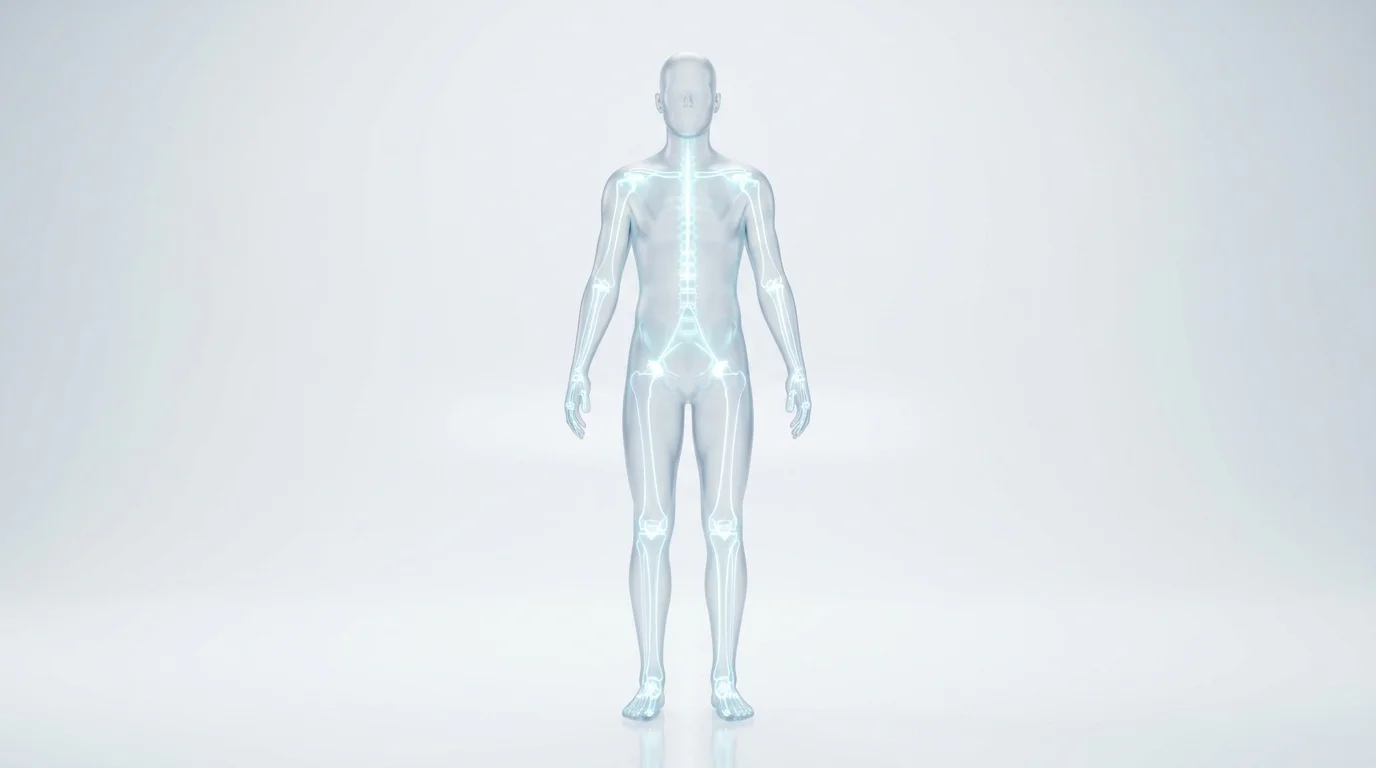
Automated rigging systems bypass manual joint placement and vertex weight assignment, immediately preparing static meshes for skeletal animation and motion capture retargeting.
Why manual skeletal binding and weight painting is obsolete
Standard rigging involves positioning joints inside the mesh volume and painting influence weights to control vertex movement. This stage is notoriously technical, often leading to volume loss in joints or intersecting polygons. Assigning weights manually consumes massive engineering hours, directly impacting the project release schedule.
Utilizing automated skeletal binding to bring models to life
Current pipelines implement automated skeletal binding. By scanning the mesh volume, the engine identifies anatomical pivot points—like the patella, elbows, and cervical spine—and drops in a standard bipedal rig. The system calculates and assigns vertex weights procedurally. This operation readies the static mesh for immediate animation input, reducing the rigging phase from days to seconds.
Testing movement and joint flexibility in real-time
Following the automated rig setup, run a baseline stress test. Input common motion capture files—such as a walk cycle or a crouch—to check joint rotation limits. Inspect the shoulder and hip joints, as these areas commonly experience texture stretching or mesh clipping. Procedural rigging handles standard ranges of motion effectively, usually requiring only minor corrective blendshapes for extreme poses.
Step 4: Exporting and Engine Integration
Matching the output file format to the target engine ensures the preservation of skeletal hierarchies, PBR textures, and polygon data without material loss.
Selecting the correct file formats for your pipeline (FBX, USD)
The destination platform dictates your export settings.
- FBX (Filmbox): The standard format for Unreal Engine and Unity. It packages the base mesh, rig, animation data, and material links.
- USD: The required format for complex scene descriptions and Apple AR applications, ensuring proper scaling in spatial environments.
- GLB: The compressed format used for web viewports, handling geometry and textures in a single package.
- OBJ / STL / 3MF: Formats strictly used for static rendering or physical manufacturing.
Importing into game engines and 3D printing slicers
Upon loading an FBX or GLB into an engine, check the material nodes to ensure base color, roughness, and normal maps correctly link to the master shader. For physical outputs, exporting the model as an STL or 3MF allows direct import into slicing software. If the generated model utilizes a dense Voxel or Lego style, the blocky geometry often prints without requiring complex support struts.
Final asset optimization checklist
Run a standard quality check before committing the asset to the repository:
- Polygon Count: Confirm the vertex total matches the allocated engine budget.
- Normal Orientation: Check for inverted faces; all normals must point outward.
- Texture Resolution: Scale down 4K maps to 1024x1024 or 2048x2048 for mobile deployment.
- Rig Hierarchy: Verify the root node sits at the absolute zero coordinates (0,0,0) in world space.
FAQ
Review these common technical specifications regarding generation speed, anatomical requirements, and engine compatibility for 3D body models.
1. What is the fastest method to create a fully textured 3D character?
Prompt-based procedural generation yields the fastest results. Feeding concept art or text descriptions into Tripo AI utilizes Algorithm 3.1 to process over 200 Billion parameters, delivering a textured base mesh in under ten seconds, which is then passed to an automated refinement queue.
2. Do I need advanced anatomy knowledge to build functional 3D bodies?
No. While building a mesh vertex-by-vertex demands strict knowledge of muscle origins and insertions, procedural tools handle anatomical scaling internally based on their training datasets. This removes the necessity for manual proportion checks during the drafting phase.
3. How can I ensure my 3D human model is ready for animation?
A model supports animation when it has quad-dominant edge loops, optimal vertex counts, and an active skeletal rig. Automated rigging modules bind the mesh to a standard skeleton and calculate vertex weights, permitting direct import of FBX motion capture files.
4. Which file format is best for augmented reality (AR) character displays?
The USD and GLB formats provide optimal performance for augmented reality applications. They compile the mesh geometry, PBR maps, and skeletal animations into a streamlined package that maintains scale and lighting data within real-time rendering environments.
