
Auto UDIM Mapping for AI 3D Character Movie Closeups
Bridging AI Generation and Professional VFX Texturing Pipelines
High-quality media production demands absolute photorealism, yet transitioning algorithmically generated characters into advanced visual effects pipelines often introduces a critical friction point: texture resolution limits during tight camera proximity.
Automating the image to 3D model process significantly reduces the time and effort required to create detailed 3D models from simple photographs.
However, when cameras capture micro-details like skin pores and fabric threads, standard single-tile UV mapping inevitably fails.
By adopting automated UDIM workflows, studio artists seamlessly translate base meshes into cinematic-grade assets capable of supporting massive texture fidelity.
Key Insights
- Single UV tiles max out at 4K or 8K resolutions, creating severe pixelation during closeups on theatrical screens.
- Automated UDIM mapping distributes texture density across multiple coordinate tiles, ensuring consistent micro-details across the entire character model.
- Pre-processing generated topology via automated retopology is mandatory before assigning complex UDIM coordinates for animation.
- Standardized export formats ensure seamless integration between generative platforms and advanced render engines like Arnold or Redshift.
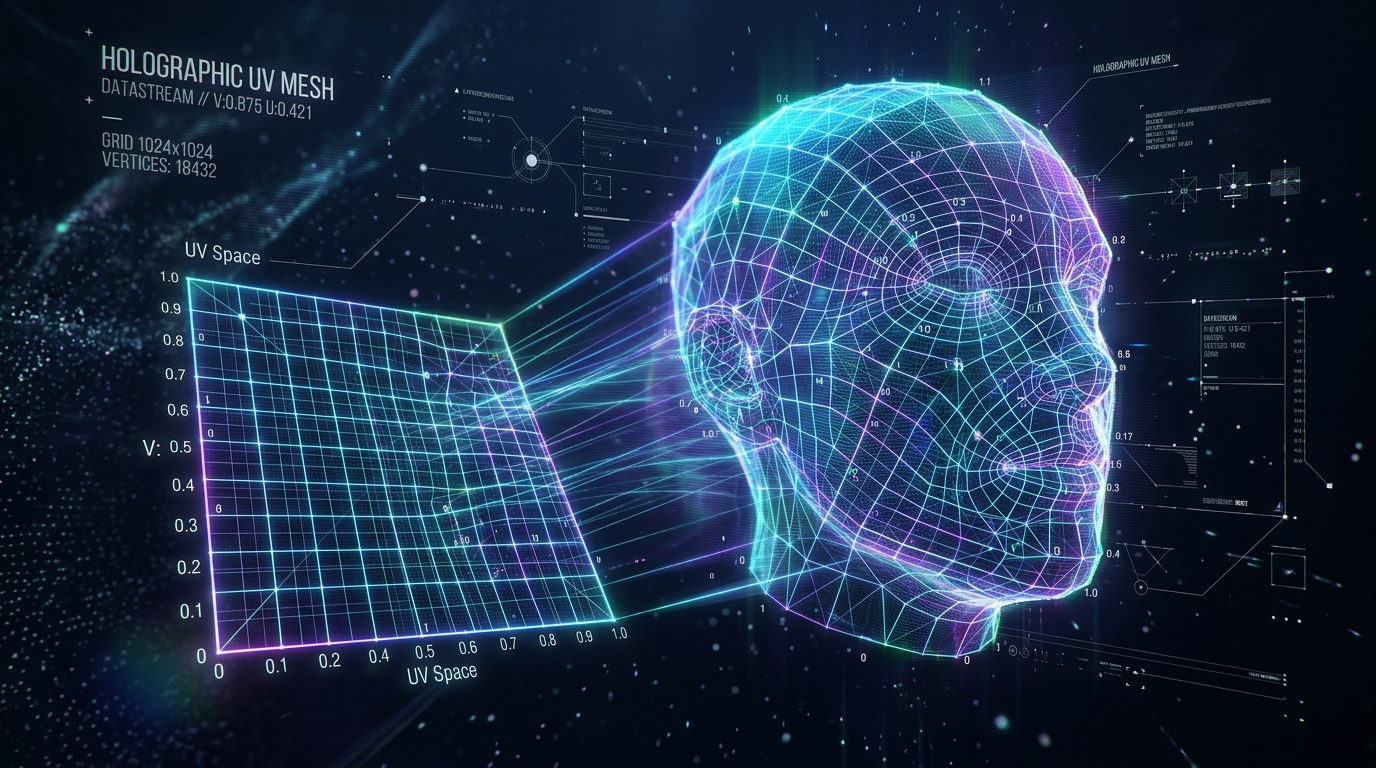
Why Movie Closeups Demand UDIM Mapping for AI Models
Cinematic closeups require significant texture resolution that a single UV space cannot provide. Automated UDIM workflows allow AI-generated characters from Tripo to maintain micro-details like skin pores and fabric threads without tedious manual UV unwrapping.
The Resolution Limits of Single UV Tiles in VFX
In standard 3D asset creation, all texture coordinates are packed into a single 0-to-1 UV space. While this approach is highly efficient for real-time applications and background assets, it completely breaks down under the scrutiny of cinematic closeups. A standard 4K or even 8K texture map distributed across an entire humanoid character means that the face might only receive a fraction of the total pixel density. When that character's face fills a massive forty-foot theatrical screen, the lack of texel density becomes glaringly obvious. Specular highlights lose their sharpness, subsurface scattering maps blur, and diffuse textures display visible pixelation, immediately destroying the photorealistic illusion.
To circumvent this limitation, the visual effects industry relies heavily on UDIM mapping. Instead of forcing all UV islands into one square, the UDIM workflow expands the coordinate system horizontally and vertically. This allows artists to assign a dedicated 4K or 8K texture map strictly to the character's face, another to the torso, and separate maps for the hands and limbs. For highly detailed assets generated by modern platforms, implementing this multi-tile approach is a mathematically viable method to preserve the integrity of the generated micro-details during tight camera proximity.
Preparing Tripo AI Topology for Cinematic Texturing
Before any multi-tile UV mapping can occur, the underlying geometry must be optimized for cinematic production. When the underlying generation algorithms analyze the input data, utilizing advanced systems with over 200 Billion parameters, the resulting base meshes capture exceptional anatomical accuracy. However, raw generated topology is inherently dense and unstructured, optimized for shape retention rather than animation deformation or complex texture mapping. Preparing this topology requires routing the mesh through an automated retopology pipeline. This process converts the dense, triangulated surface into a clean, quad-based structure with proper edge loops around critical deformation areas like the eyes, mouth, and joints.
A structured quad mesh is essential for automated UV unwrapping algorithms to function correctly. Without clean edge flow, automated seam placement will generate jagged, irregular UV islands that waste texture space and cause visible artifacts across UDIM tile boundaries. Once the retopology is complete, the character is structurally prepared to receive high-density texture coordinates.
Step-by-Step: Implementing Automated UDIM Workflows
Detail the exact pipeline for taking a Tripo AI generated mesh and applying automated UDIM mapping. This involves exporting the base mesh in industry formats, utilizing auto-retopology tools, and distributing UV islands across multiple high-res tiles.
Exporting Base Meshes from Tripo (USD, FBX, OBJ)
Initiating the UDIM pipeline requires exporting the generated asset with strong structural fidelity. Industry standard visual effects pipelines require specific file types for seamless interoperability across various software packages. Supported formats include USD, FBX, OBJ, STL, GLB, and 3MF. Selecting the correct format is paramount; for instance, USD is rapidly becoming the standard for complex scene descriptions, while FBX remains highly reliable for character rigs and geometry.
Depending on the specific requirements of the studio's pipeline, technical artists may utilize a dedicated 3D file converter to standardize the geometry and ensure that any existing basic UV coordinates remain intact. Proper export settings guarantee that the scale, orientation, and vertex order of the model are preserved. This strict adherence to formatting prevents structural errors when importing the asset into dedicated UV mapping and texturing applications.
AI-Assisted Seam Placement and UV Unwrapping
Once the clean, retopologized mesh is imported into the UV mapping environment, the next phase is defining where the 3D surface will be cut to lay flat in 2D space. Historically, manual seam placement was a highly tedious process requiring artists to individually select edge loops. Modern automated workflows utilize computational geometry algorithms to analyze the surface curvature, identifying optimal locations for seams. These algorithms automatically hide cuts in areas less visible to the camera, such as behind the ears, along the inner arms, and under the jawline.
After the seams are placed, the automated unwrapping function flattens the geometry into UV islands. Advanced algorithms calculate the tension and distortion of these islands, automatically relaxing the vertices to ensure uniform texel density. This means that a square texture projected onto the 3D model will remain perfectly square, without stretching or compressing over complex curves. Uniform texel density is critical for cinematic models, as any stretching in the UVs will cause the high-resolution displacement and bump maps to warp unnaturally during closeups.
Distributing Texture Maps Across UDIM Tiles for Maximum Density
The defining characteristic of the UDIM workflow is the distribution of these flattened UV islands across multiple coordinate tiles. The UDIM system operates on a grid starting at 1001, moving horizontally to 1010, and then wrapping up to the next row starting at 1011. Automated packing algorithms analyze the scale and importance of each UV island, sorting them into these tiles based on user-defined parameters.
For a cinematic character, the algorithm will isolate the head and face islands and scale them up to completely fill tile 1001 and potentially 1002. The torso might be assigned to 1011, while the arms and legs are packed into subsequent tiles. By automating this distribution, technical artists ensure that the most critical areas of the character receive the highest possible texture resolution. This multi-tile arrangement guarantees that when the character is rendered in a closeup, the rendering engine can pull data from multiple 8K maps simultaneously, resulting in exceptional photorealism.
Optimizing AI 3D Characters for Cinematic Render Engines
Outline how to connect automated UDIM textures to industry-standard renderers. By correctly naming texture sequences, VFX artists can seamlessly render Tripo AI character models with remarkable fidelity for photorealistic movie closeups.
UDIM Texture Naming Conventions (1001, 1002)
Generating massive amounts of high-resolution texture data requires strict adherence to naming conventions. Render engines rely on specific file naming structures to automatically parse and assign multi-tile textures to the correct coordinates on the 3D model. The standard naming convention requires appending the UDIM tile number directly before the file extension. For example, a base color map for the face would be named Character_BaseColor.1001.exr, while the map for the torso would be Character_BaseColor.1011.exr.
Automated texturing software handles this sequence generation natively, exporting dozens of maps across various channels—such as displacement, roughness, subsurface scattering, and specular—with perfect numerical alignment. If the naming convention is broken by even a single character, the render engine will fail to locate the texture for that specific tile, resulting in a black or untextured square on the final rendered model. Maintaining this precise nomenclature is essential for pipeline stability.
Shading Network Setup for Professional VFX
Connecting these multi-tile texture sequences within a cinematic render engine, such as Arnold, V-Ray, or Redshift, involves configuring specific shading networks. Instead of importing each texture tile manually and connecting them through complex math nodes, artists utilize a single image node programmed to read the UDIM sequence. By replacing the explicit tile number in the file path with a <UDIM> token (e.g., Character_BaseColor.<UDIM>.exr), the render engine automatically loads the entire sequence into memory.
The shading network must then be optimized to handle the massive data throughput required by these high-resolution maps. Technical artists configure the material properties to interpret the linear data of EXR files correctly, particularly for displacement and normal maps, ensuring the micro-details generated during the initial creation phase physically alter the geometry at render time. Proper configuration of the shading network ensures that the light interacts accurately with the multi-tile textures, producing the robust fidelity required for theatrical closeups.
FAQ
Q: Can Tripo AI export models with pre-configured UDIM tiles? A: Tripo AI focuses on generating the core structural volume and exports standard, single-tile UVs embedded within industry formats like FBX, OBJ, and USD. Because UDIM distribution is highly specific to the requirements of individual cinematic shots and studio pipelines, the platform leaves this multi-tile configuration to specialized external pipeline tools. Technical artists must import the base mesh into dedicated UV mapping software to distribute the coordinates across the 1001-1010 grid system.
Q: How does automated UDIM mapping handle raw AI mesh topology? A: While an advanced AI 3D model generator creates highly accurate volumes, the raw topology often consists of dense, unstructured polygons. Automated UDIM algorithms require clean, quad-based geometry to calculate accurate seams and minimize texture distortion. Therefore, the raw mesh must undergo an auto-retopology process prior to UDIM mapping. This intermediate step ensures clean edge flow, which is crucial for both seamless texture projection and realistic facial deformation during closeups.
Q: What is the optimal texture format for UDIMs in movie workflows? A: For professional movie workflows, it is highly recommended to utilize high-bit-depth formats such as 32-bit EXR or 16-bit TIFF for UDIM sequences. These formats contain significantly more data than standard 8-bit JPEGs or PNGs, which is critical for preserving the micro-details of displacement and normal maps across multiple tiles. Using high-bit-depth maps ensures that the subtle variations in skin texture and fabric weave remain perfectly sharp and artifact-free when subjected to advanced cinematic lighting and camera proximity.
