
AI 3D EXR Passes for Professional Nuke Compositing
Integrating Generative 3D Assets into Professional VFX Workflows
Professional visual effects and media production pipelines in 2026 have shifted from traditional manual modeling toward a hybrid approach where generative assets meet high-end compositing. The primary friction point in this evolution is the translation of AI-generated geometry into a multi-channel EXR workflow that Nuke artists can manipulate with surgical precision. By bridging the gap between rapid AI 3D model generator outputs and the technical requirements of a ScanlineRender node, artists can achieve cinematic integration without the historical overhead of manual asset creation.
Key Insights
- Multi-channel EXR files serve as the essential bridge between AI-generated 3D assets and photorealistic Nuke compositing.
- Proper geometry preparation and texture management in ACES color space are non-negotiable for professional-grade AI asset integration.
- Advanced workflows utilizing Normal and Position passes allow for dynamic relighting of AI models directly within the compositing interface.
- Strategic use of industry-standard formats like USD ensures that AI-generated metadata and UV layouts remain intact throughout the VFX pipeline.
Integrating Tripo AI 3D Elements into Nuke
Integrating Tripo AI models into Nuke requires selecting the right export formats. By utilizing industry-standard formats like USD, FBX, OBJ, STL, GLB, or 3MF, VFX artists can seamlessly import AI-generated geometry and textures into Nuke's 3D workspace to prepare for custom EXR pass rendering.
The integration process begins with the structural integrity of the asset. When working within a professional online 3D studio, the choice of export format dictates how much manual cleanup will be required once the asset reaches the Nuke environment. While OBJ is a reliable fallback for static geometry, the modern preference in 2026 is USD (Universal Scene Description). USD allows Nuke to interpret not just the mesh, but also complex material assignments and hierarchical data that AI generators frequently produce.
Preparing AI Geometry for VFX Pipelines
AI-generated geometry often presents unique topological challenges, such as dense, non-uniform triangles that can cause shading artifacts during the render phase. Before these elements are ready for Nuke's 3D system, artists must ensure the mesh is optimized for the ScanlineRender or RayRender nodes. In many cases, performing a quick decimation or retopology pass is necessary to maintain viewport performance. However, the most critical step is verifying the UV layout. Professional AI tools now generate coherent UV maps that allow for high-resolution texture projection.
Texture Management and ACES Color Space Setup
For an AI asset to sit convincingly alongside live-action footage, it must exist within the same color science framework. Most professional VFX houses operate in ACES (Academy Color Encoding System). When importing textures from an AI texturing workflow, the diffuse or base color maps often arrive in sRGB or linear-raw formats. The compositor must use Nuke's OCIOColorSpace nodes to transform these maps into ACEScg. This ensures that light interaction within the 3D scene behaves predictably.
Generating and Exporting Multi-Channel EXR Passes
Exporting EXR passes from your imported AI 3D elements involves routing the geometry through Nuke's ScanlineRender or a connected DCC. This process extracts critical multi-channel data like diffuse, specular, normals, and Z-depth into a robust 32-bit linear EXR file for comprehensive compositing control.
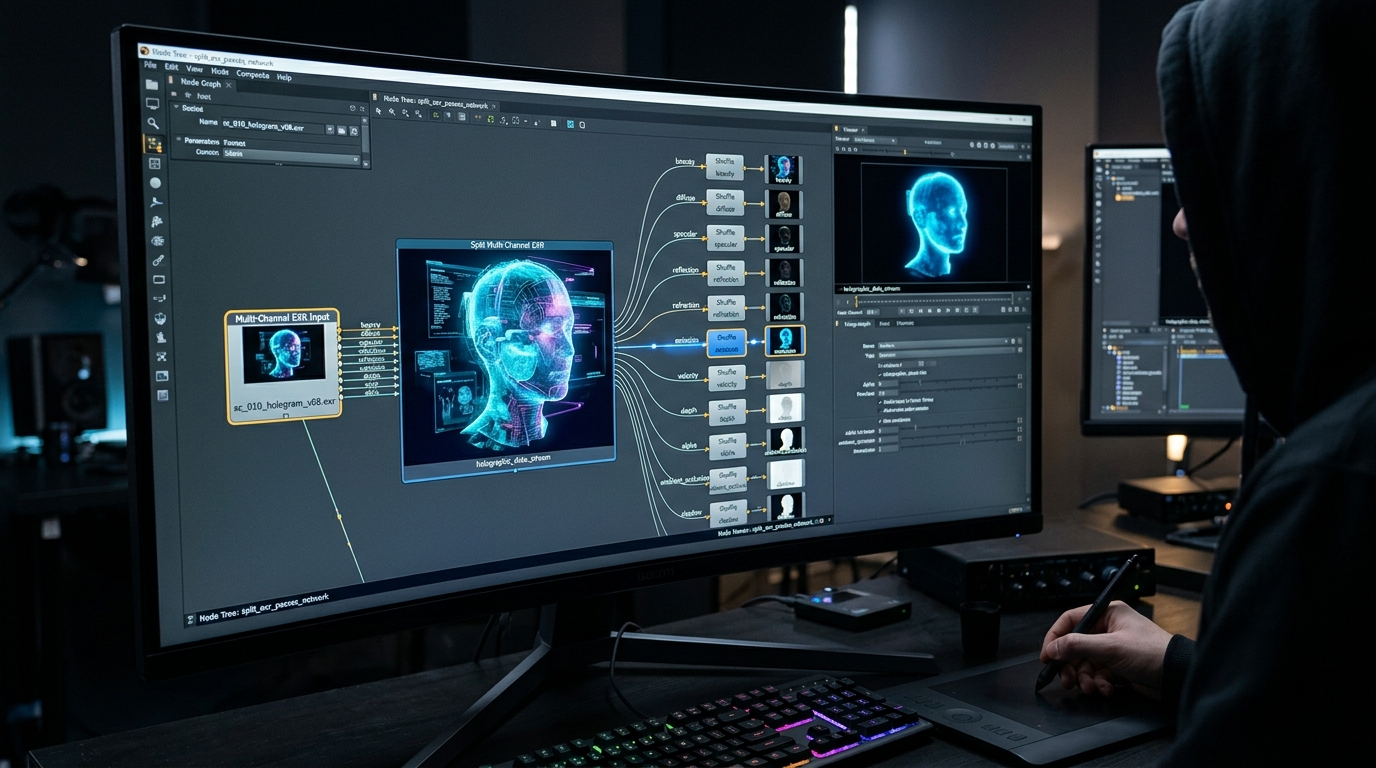
The power of the EXR format lies in its ability to store an almost unlimited number of channels within a single file. For AI-generated assets, this is transformative. Instead of being stuck with a 'flat' render, the compositor can break the asset down into its constituent physical properties. By piping the AI geometry through a ScanlineRender node and utilizing the 'shader' input, artists can generate specific passes that describe how the AI model occupies 3D space.
Extracting Utility Passes (Z-Depth, Normals, Position)
Utility passes are the 'DNA' of the 3D asset in a 2D environment. The Z-depth pass allows for the application of realistic depth-of-field using the ZDefocus node, which is vital for matching the lens characteristics of the background plate. The Normal pass (G-channel) provides a vector map of the model's surface orientation, while the Position pass (P-channel) gives the absolute XYZ coordinates of every pixel in 3D space. When dealing with AI models, these passes are often used to 'fix' areas where the geometry might be slightly softer than traditionally modeled assets.
Advanced Nuke Compositing Workflows with AI Assets
Advanced Nuke compositing with AI assets relies on explicitly shuffling out your EXR passes to rebuild the beauty render. This non-destructive node workflow enables precision relighting, deep atmospheric integration, and flawless color matching between Tripo AI 3D elements and live-action plates.
The 'Back-to-Beauty' workflow is the highly recommended standard in professional compositing. Instead of using the combined render, the artist uses Shuffle nodes to separate the Diffuse, Specular, Reflection, and Indirect lighting passes. These are then combined using Merge nodes (typically set to 'Plus'). For AI assets, this workflow is particularly advantageous because it allows the compositor to compensate for any 'AI-style' lighting baked into the textures.
Relighting AI Geometry Using Normal and Position Data
Perhaps the most advanced technique in the 2026 workflow is the use of ReLight nodes. By taking the Normal and Position passes generated from the AI geometry, Nuke can calculate how a 2D image should be lit by a 3D light source. This allows for 'post-render' lighting. If the director decides a scene needs a rim light on the AI asset, the compositor doesn't need to go back to the 3D software. By using the Normal pass as a coordinate system, a new light can be placed in Nuke that creates a highlight along the edge of the AI model.
FAQ
Q: How do I fix artifacting in Normal passes from AI-generated 3D models? A: Artifacting in Normal passes often stems from the triangulated nature of AI geometry. To resolve this, use a 'Bilateral' blur in Nuke, which can smooth out the micro-bumps on the surface while preserving the sharp edges of the model. Additionally, applying a 'Normalize' node after any blur ensures that the vectors remain mathematically valid.
Q: Can I extract Cryptomatte data from Tripo AI 3D elements? A: Yes, though it requires a preparation step. Since Cryptomatte relies on names or IDs, you should ensure that your AI asset is exported with distinct naming conventions for different parts (e.g., 'Head', 'Torso', 'Armor').
Q: What is the best Tripo AI export format for Nuke's 3D system? A: For maximum compatibility with Nuke's ScanlineRender and subsequent EXR multi-pass generation, USD or FBX are highly recommended. USD is superior for maintaining complex scene hierarchies and metadata.
