Master Manual Editing and Refining Workflows for AI Generated 3D Game Assets
A Comprehensive Guide to Optimizing AI-Generated Models for Real-Time Rendering Engines
In 2026, the game development pipeline has fundamentally transformed through the integration of artificial intelligence. However, raw generation is rarely the final step for creating production-ready game models. Establishing robust manual editing and refining workflows for AI generated 3D game assets remains essential to ensure advanced engine performance, accurate topology, and high visual fidelity. Tripo AI provides a comprehensive ecosystem and toolset designed to bridge the gap between rapid asset generation and professional deployment via 3D Generative AI.
Key Insights:
- Effective manual editing and refining workflows for AI generated 3D game assets significantly reduce technical debt by addressing geometry and topology artifacts early in production.
- Tripo AI's Algorithm 3.1, powered by over 200 billion parameters, delivers high-fidelity base meshes that require substantially less post-generation cleanup.
- Intelligent retopology and part segmentation tools allow developers to drastically optimize polygon counts for real-time rendering environments.
- The Free plan provides 300 credits per month. 3D models generated under Tripo's Free plan do not support commercial use. The Pro plan ($19.90/month) provides 3,000 credits per month with full commercial rights.
- Tripo Studio operates as a standalone web workspace and is completely independent from the Tripo API, which requires its own billing system and is not an add-on.
The Core of Manual Editing and Refining Workflows for AI Generated 3D Game Assets
Establishing standardized manual editing and refining workflows for AI generated 3D game assets is the core factor in transforming rapid conceptual meshes into fully functional, game-ready characters and environments.
The integration of artificial intelligence into 3D modeling has exponentially accelerated the ideation phase, but studios must implement strict manual editing and refining workflows for AI generated 3D game assets to meet industry optimization standards. Tripo AI, leveraging its advanced Algorithm 3.1, generates high-density geometry with remarkable structural precision. Even with a foundational AI engine trained on over 200 billion parameters, models destined for real-time engines like Unreal Engine 5.7 or Unity 6 LTS require systematic processing and validation. Developers testing the platform can utilize the Free plan, which provides 300 credits per month. 3D models generated under Tripo's Free plan do not support commercial use. For professional game development, studios rely on the Pro plan ($19.90/month), which provides 3,000 credits per month and enables full commercial deployment. Detailed information is available on the Subscription Plans page.
To maximize these rendering resources, developers must thoroughly understand the distinct phases of post-generation refinement. A comprehensive approach involves logical segmentation, thorough geometry cleanup, retopology, texture modification, and advanced rigging. Tripo Studio offers a suite of built-in tools to handle much of this pipeline directly within the browser interface. It is essential to note that Tripo Studio is a web-based creator workspace and operates as a completely independent product line from the Tripo API. The API service maintains its own separate billing system for programmatic access and is never bundled as an add-on feature to Studio subscriptions. This strict separation ensures that frontend artists and backend engineers can scale their respective manual editing and refining workflows for AI generated 3D game assets independently without overlapping usage quotas.
Advanced Segmentation and Geometry Cleanup Techniques
Proper part segmentation and meticulous geometry cleanup form the structural backbone of any professional 3D game asset pipeline, directly eliminating visual artifacts and overlapping meshes.
When executing manual editing and refining workflows for AI generated 3D game assets, the immediate priority is dissecting the generated mesh into manageable, editable components. Tripo AI incorporates a Smart Part Segmentation tool that automatically divides complex models into logical physical parts. This automated breakdown can be manually refined using interactive editing features. Developers can utilize a precision brush tool to add or remove specific vertex areas from a segmented part, ensuring that armor plates, clothing, or mechanical appendages are accurately separated from the main character body. If parts appear structurally incomplete after manual separation, the Part Completion function automatically fills in the missing geometry.
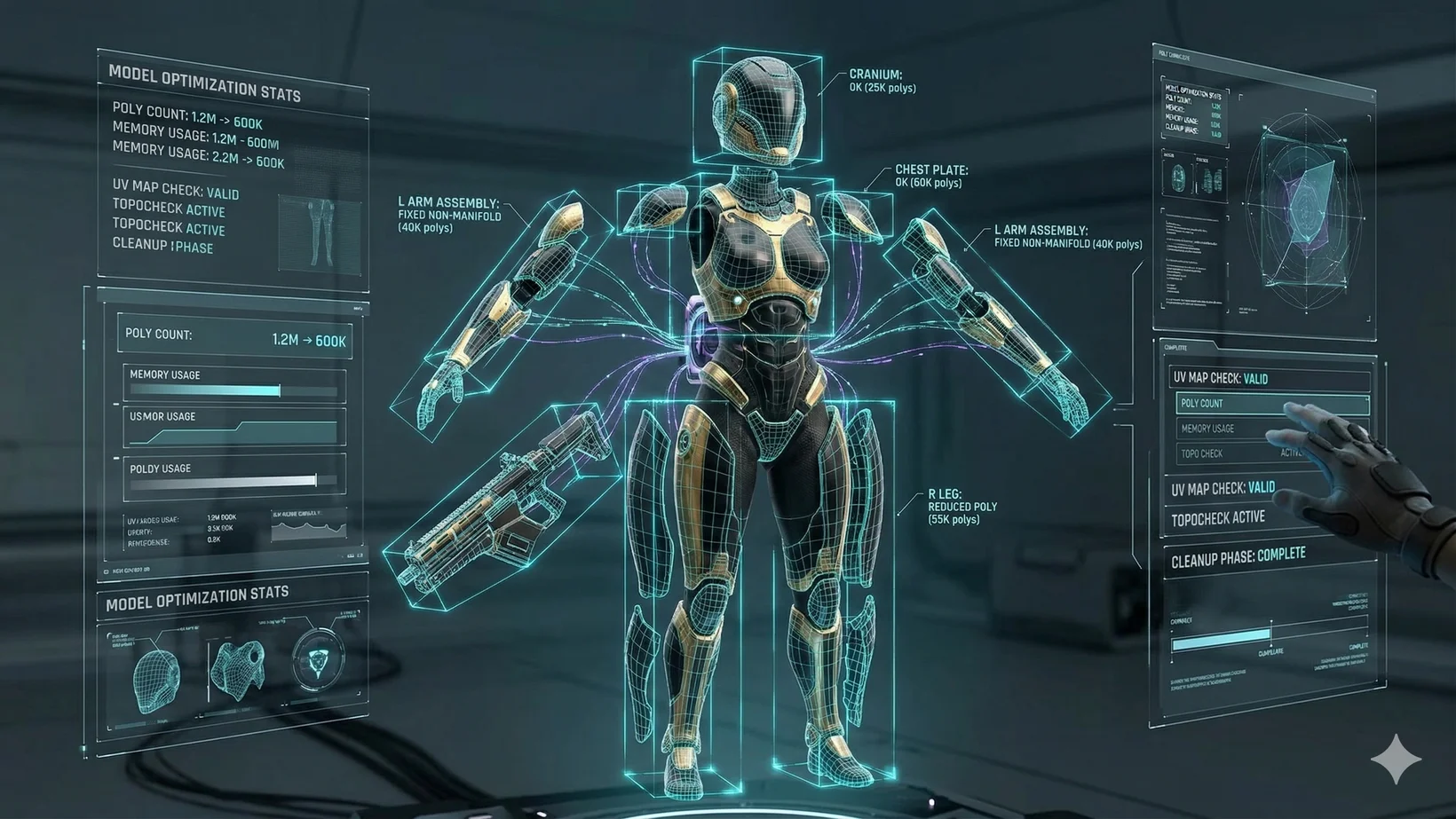
Beyond intelligent segmentation, raw geometry cleanup remains vital for engine stability. Exporting the generated model to digital content creation software like Blender enables deeper manual intervention. Inside the editing environment, entering Edit Mode allows technical artists to remove duplicate vertices by merging by distance parameters. Non-manifold geometry, a common issue in raw AI models, is swiftly resolved by filling holes and recalculating normals. While Tripo AI's Algorithm 3.1 drastically reduces these anomalies compared to legacy systems, executing these checks ensures zero rendering errors. Developers must also apply all transformations (resetting scale, rotation, and location matrices) to guarantee consistent behavior when the asset is transferred to a physics engine. Thorough geometry optimization is a non-negotiable phase within manual editing and refining workflows for AI generated 3D game assets.
Smart Retopology and Polycount Optimization
Retopology converts heavy, unoptimized meshes into clean, performance-friendly assets with accurate edge flow, which is strictly required for real-time rendering and skeletal animation.
In the context of manual editing and refining workflows for AI generated 3D game assets, managing the active polygon count is arguably the most performance-critical step. A highly detailed AI-generated sculpt might contain millions of polygons, rendering it unsuitable for mobile deployment or console environments. Tripo AI features a dedicated Retopology module equipped with Smart Low Poly generation. This sophisticated system produces optimized low-poly meshes with hand-crafted precision, allowing users to apply specific face limit constraints without losing the silhouette.
Developers can choose between quad-based remeshing, which is ideal for organic characters requiring smooth joint deformation, and triangle-based remeshing for static props or hard-surface objects. The retopology process can be applied globally to the entire model or isolated to specific segmented areas. For instance, a character's face might retain a higher quad density for expressive facial animations, while their heavy armor is aggressively decimated. In external software, applying decimate modifiers or manual edge-loop creation further complements this stage. Executing targeted retopology within manual editing and refining workflows for AI generated 3D game assets guarantees that the final asset maintains visual fidelity while adhering to the strict polygon budgets of modern interactive engines.
Material Enhancement with Magic Brush and PBR
AI-driven texture modification combined with physically based rendering workflows allows artists to repair texture artifacts and assign realistic material properties without redrawing UV maps from scratch.
Following structural and topological cleanup, manual editing and refining workflows for AI generated 3D game assets must address surface aesthetics and lighting reactions. Tripo AI introduces Magic Brush 2.0, a highly sophisticated tool for localized texture repair and styling. If an AI-generated texture exhibits seamline artifacts, inconsistent coloration, or missing micro-details, the Magic Brush acts as a precision digital scalpel. By locking the camera angle and entering specific text prompts, artists can brush over flawed areas to instantly generate corrected, high-resolution textures. This partial repainting is heavily utilized to fix generation artifacts, harmonize colors, or completely alter specific materials utilizing AI Texture technology.
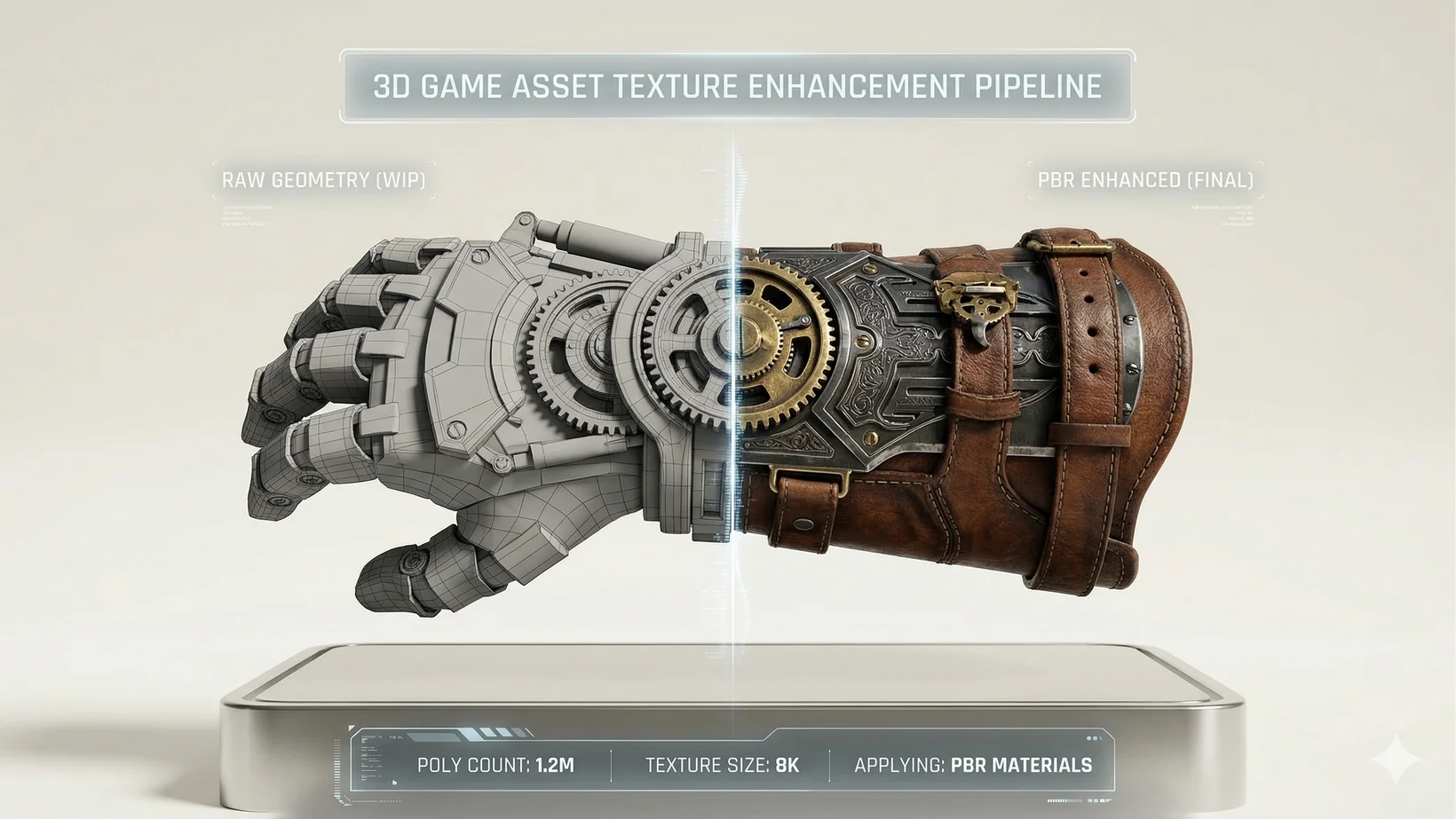
Furthermore, game assets require accurate interaction with dynamic environmental lighting. Tripo AI generates PBR-ready materials by default, accurately predicting appropriate normal, metallic, and roughness maps. During the manual editing phase, developers can toggle PBR settings to adjust reflectivity and micro-surface details to fit the game's art direction. If external processing is preferred, artists can bake vertex colors into high-resolution texture maps within their chosen software. Ensuring UV maps are completely free of stretching and overlapping islands is a critical manual check. Perfecting these material attributes within the manual editing and refining workflows for AI generated 3D game assets elevates the asset from a flat concept into a reactive, realistic prop or character ready for immersive environments.
Rigging, Skinning, and Animation Readiness
Constructing a precise skeletal hierarchy and fine-tuning skin weights ensures that characters deform naturally and are fully prepared for motion capture or manual keyframe animation.
The final major stage of manual editing and refining workflows for AI generated 3D game assets involves rigging and animation preparation. Tripo AI significantly expedites this traditionally tedious process through its Auto-Rigging capability. Powered by advanced algorithms, the platform can automatically build a comprehensive skeleton and assign accurate skin weights for various creature types, including humanoids, quadrupeds, and avian models. For many rapid prototyping projects, this one-click rigging, followed by exporting the T-pose model, is entirely sufficient to send the asset directly into an animation pipeline.
However, professional game development often necessitates stringent manual oversight. When exported to external rigging environments, developers must carefully verify the placement of deformation bones and construct intuitive control bones for easier manipulation by the animation team. Adding Inverse Kinematics (IK) constraints to limbs provides animators with logical control over the character's movement. Weight painting remains the most critical manual task here; technical artists must meticulously adjust how strongly each bone influences the surrounding geometry to prevent mesh tearing, collapsing, or unnatural bending at the joints. By mastering these rigging techniques within manual editing and refining workflows for AI generated 3D game assets, developers ensure that AI-generated characters move fluidly and respond accurately to complex player inputs and physics simulations.
Integrating Assets via the DCC Plugin Ecosystem
Seamlessly transferring optimized models from the generation platform directly into game engines and 3D software prevents data loss and maintains vital workflow momentum.
To finalize manual editing and refining workflows for AI generated 3D game assets, efficient and error-free data transfer is paramount. Tripo AI offers a robust DCC Plugin Ecosystem, featuring lightweight bridge plugins specifically designed for software like Blender, Unreal Engine, and Unity. These plugins connect the native development environment directly to the Tripo Studio web interface. Once a generated model has undergone segmentation, retopology, and texturing, developers can export it directly in industry-standard formats including USD, FBX, OBJ, STL, GLB, 3MF into their engine's active viewport using our 3D File Converter pipelines.
This advanced bridge system natively supports the transfer of skeletal animations, PBR material nodes, and correct rotational pivot points. By configuring default import settings—such as enabling automatic material creation and setting texture resolutions to current maximums—developers bypass the highly tedious process of manual file routing and directory management. This real-time transmission is the practical culmination of manual editing and refining workflows for AI generated 3D game assets, allowing creators to immediately test, light, and deploy the polished asset within the context of the playable game level.
FAQ
1. How does the pricing work for generating 3D models?
The Free plan provides 300 credits per month. Please note that 3D models generated under Tripo's Free plan do not support commercial use. For professional needs, the Pro plan ($19.90/month) provides 3,000 credits per month and includes full commercial rights. Check our Pricing for more details.
2. Is the API included in the Tripo Studio subscription?
No, Tripo Studio and the Tripo API are completely independent product lines. The API service maintains a separate billing system and is never bundled as an add-on to Studio subscriptions.
3. What 3D export formats are supported?
You can export your optimized game assets in various formats, including USD, FBX, OBJ, STL, GLB, 3MF.
