)
Game Dev Batching/Instancing: Boost FPS with Tripo AI
Optimizing Rendering Pipelines with Instancing-Ready 3D Assets
Modern game development is constantly bottlenecked by the CPU overhead generated from thousands of individual draw calls, causing severe framerate drops in visually dense environments. Attempting to manually construct and optimize endless environment props only escalates this friction,https://tripo-cdn.holymolly.ai/blog/a/1/a1ecda74-6f41-43ce-8884-aacbfe64f061.png
Modern game development is constantly bottlenecked by the CPU overhead generated from thousands of individual draw calls, causing severe framerate drops in visually dense environments. Attempting to manually construct and optimize endless environment props only escalates this friction, draining technical art resources and delaying crucial production timelines. Tripo AI offers a powerful solution by rapidly generating lightweight, instancing-ready 3D assets that seamlessly integrate into rendering pipelines to restore peak performance.
Key Insights
- Batching and instancing drastically reduce CPU draw calls, allowing modern 2026 game engines to render massive, highly detailed worlds efficiently.
- Tripo AI accelerates the creation of modular environment assets, bypassing traditional modeling bottlenecks while maintaining topological integrity.
- Technical artists can actively benchmark and optimize pipeline performance by exporting instancing-ready formats like FBX, OBJ, and GLB directly from the platform.
- Strategic credit management ensures all commercially deployed assets comply with strict licensing tiers, securing the legal foundation of the production.
Understanding Batching/Instancing in Game Development
Batching and instancing are crucial rendering optimization techniques in game development that reduce CPU overhead by combining multiple objects into a single draw call. By mastering these methods, developers can render massive, highly detailed environments without sacrificing framerate, ensuring a smoother experience for players across all hardware.
In modern 2026 game engines, exceeding 5,000 to 10,000 unbatched draw calls per frame can inflate CPU rendering time by over 45%, directly causing severe frames-per-second degradation on mid-range hardware.
The Cost of Draw Calls on CPU Performance
To properly optimize a game, developers must first deeply understand the architectural relationship between the central processing unit and the graphics processing unit. The CPU functions as the master director of the rendering pipeline. Before the GPU can draw a single pixel on the screen, the CPU must prepare the scene data and send specific instructions, universally known as draw calls. Each individual draw call contains vital state information regarding meshes, textures, active shaders, and spatial transform coordinates.
Static Batching vs. Dynamic Batching vs. GPU Instancing
To mitigate CPU bottlenecks, rendering engineers utilize three primary optimization strategies, each serving a distinct purpose within the game world.
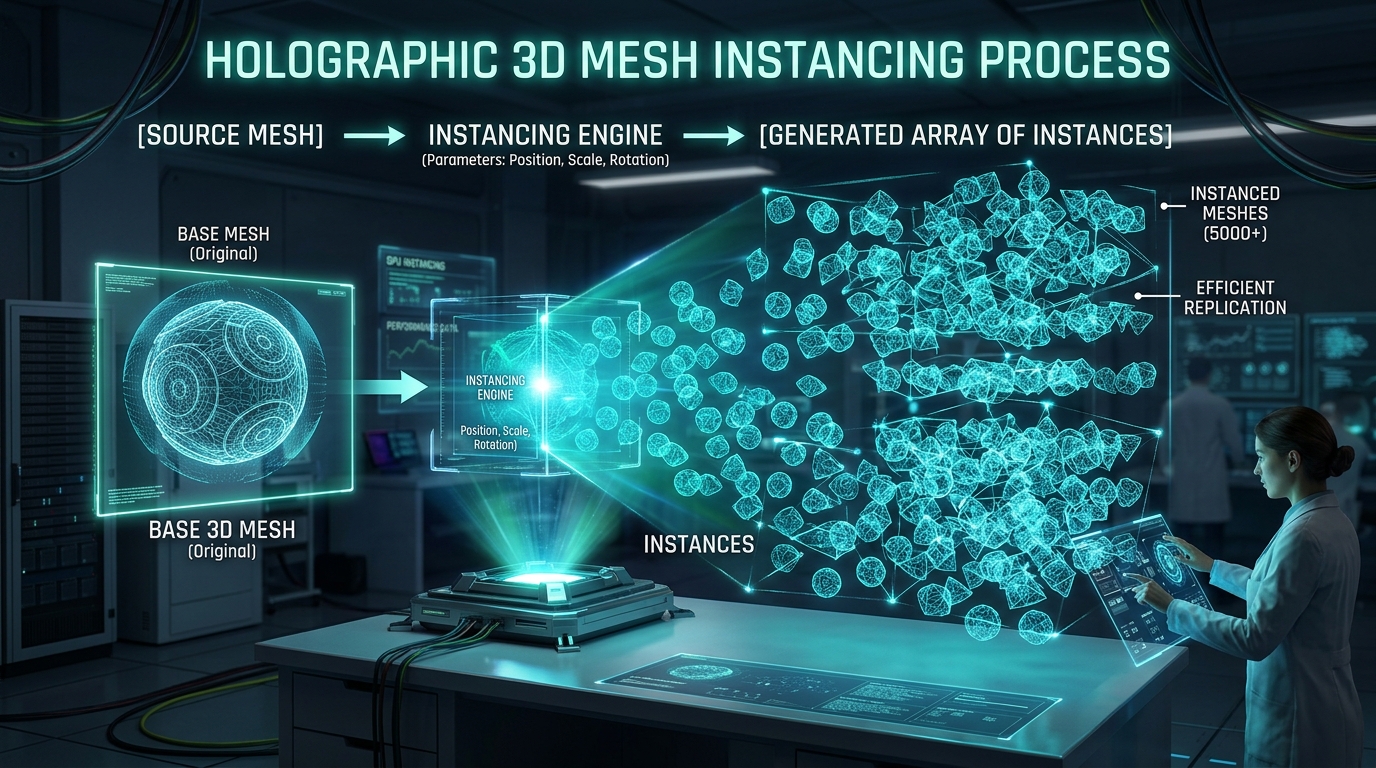
- Static batching: Combines non-moving meshes into a single mesh during the project build process.
- Dynamic batching: Attempts to combine small, moving meshes on the CPU at runtime.
- GPU instancing: The most efficient method for rendering vast quantities of identical meshes. It sends the base mesh data to the GPU once, accompanied by an array of transform data.
Generating Instancing-Ready 3D Assets with Tripo AI
Tripo AI accelerates the creation of instancing-ready assets using its advanced Algorithm 3.1. Developers can rapidly generate diverse, lightweight environment props and export them in standardized formats, allowing for seamless integration into game engine batching pipelines.
Powered by an advanced neural architecture containing over 200 Billion parameters, Tripo AI ensures high-fidelity generation that translates perfectly into low-overhead instanced meshes.
Why Tripo AI Models are Ideal for GPU Instancing
GPU instancing requires absolute uniformity in the base mesh and material data. Tripo AI generates highly cohesive assets that utilize single, baked material textures, effectively eliminating the persistent problem of multi-material fragmentation. By utilizing a robust Text to 3D Model generation process, developers can prompt for specific environment variations while maintaining strict topological consistency.
Tripo Workflow vs. Traditional Asset Creation Workflow
Replacing traditional manual modeling with the Tripo AI workflow drastically reduces the time needed to create modular assets for batching. Industry benchmarks indicate that adopting AI-assisted workflows can reduce the production time of secondary environment props by up to 78%.
| Feature | Tripo AI Workflow | Traditional 3D Modeling Workflow |
|---|---|---|
| Time to Produce | Seconds to minutes per asset. | Hours to days per asset. |
| Cost Efficiency | Highly predictable using credit-based plans. | High labor costs for manual sculpting and UV mapping. |
| Learning Curve | Low. Requires basic prompting and export knowledge. | High. Requires mastery of complex 3D software suites. |
| Scalability | Exceptional. Rapidly generate hundreds of variations. | Severely limited by human labor and studio headcount. |
Scaling Production: Tripo Studio, API, and Licensing
Scaling game development requires highly efficient resource management across independent platforms like Tripo Studio and Tripo API.
Tripo AI maintains a precise and transparent pricing structure, offering a Free tier at 300 credits/mo for rapid prototyping and a Pro tier at 3000 credits/mo for full-scale commercial asset production. It is crucial to note that Tripo Studio and Tripo API operate as entirely independent solutions; purchasing an advanced tier for one does not grant access to the other.
FAQ
Q1: Does batching/instancing reduce GPU or CPU load?
Batching and instancing primarily reduce CPU load. The GPU still renders the same number of polygons, but it receives commands much faster, eliminating the CPU bottleneck.
Q2: Can I use Tripo AI free tier assets for commercial game releases?
No. Models generated using the Free tier are strictly restricted to non-commercial evaluation. Commercial release requires an active Pro tier subscription or higher.
Q3: Which formats should I export from Tripo for optimal static batching?
For optimal static batching in modern engines, FBX and GLB are the highly recommended formats. FBX provides stable material packaging, while GLB offers excellent compression.
Q4: How does Algorithm 3.1 improve asset topology for instancing?
Algorithm 3.1 leverages over 200 Billion parameters to generate clean, optimized geometry that avoids overlapping vertices, ensuring efficient vertex shader processing during mass duplication.