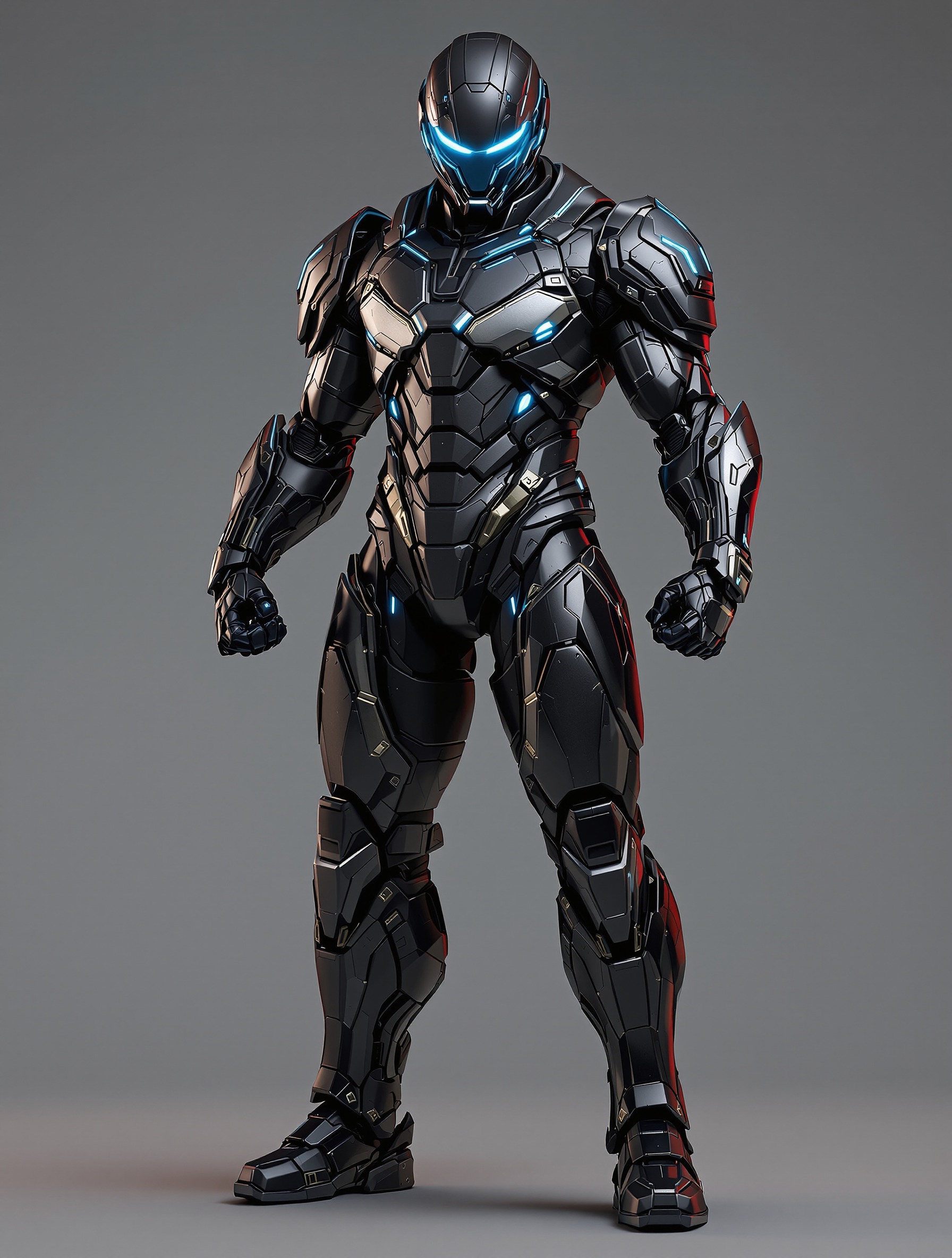
AI 3D Tools for Generating Game Props from Reference Images
Streamlining Game Asset Production with Advanced Image-to-3D Pipelines
In the 2026 game development landscape, the demand for high-fidelity background props has shifted from manual labor-intensive modeling to automated, AI-driven pipelines. Traditional modeling of environmental assets often consumes a disproportionate amount of a project's budget and timeline. AI 3D Model Generator addresses this industry bottleneck by providing a generative framework that transforms 2D reference images into production-ready 3D meshes in seconds. By leveraging large-scale neural networks, developers can now maintain creative flow while delegating the repetitive geometry construction to intelligent systems.
Key Insights:
- Rapid Prototyping: Standard models are generated in approximately 20 seconds, allowing for near-instant iteration of background props.
- High-Fidelity Geometry: The transition to Algorithm 3.1 enables precise recovery of geometric details and industry-leading texture clarity.
- Seamless Pipeline Integration: Direct bridges to Blender, Unreal Engine, and Unity ensure that AI-generated assets fit into existing professional workflows. Models can be exported in USD, FBX, OBJ, STL, GLB, 3MF.
- Scalable Production: Utilizing over 200 billion parameters ensures that the AI understands complex shapes and material properties from a single reference image.
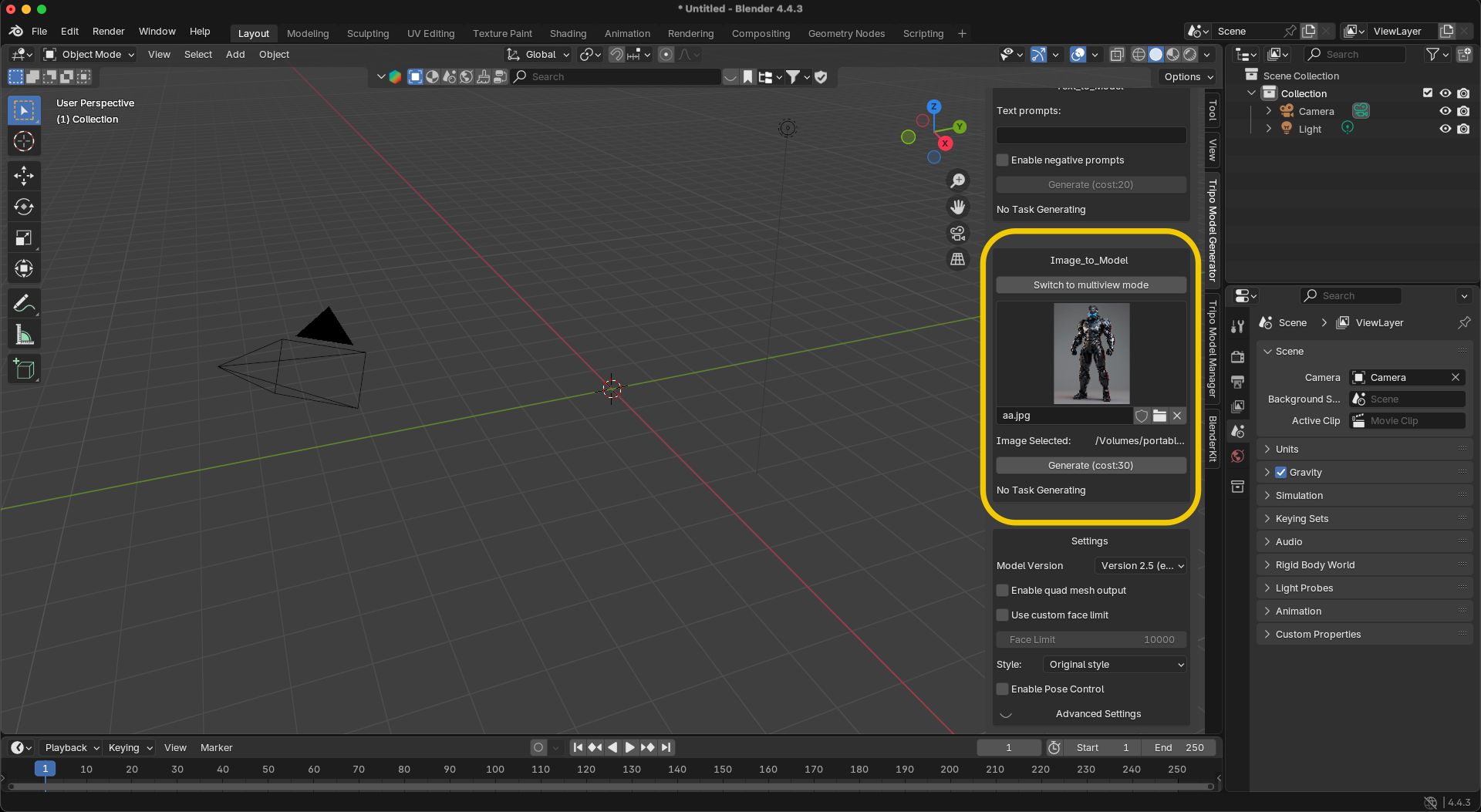
The Image-to-3D Workflow with Tripo AI Tripo AI enables the transformation of single or multiple reference images into full 3D meshes by utilizing a specialized Image to 3D Model interface within its Studio and Plugin environments. This process begins with the selection of a clear, high-resolution image of the desired game prop. The AI analyzes the visual data to infer depth, volume, and occluded surfaces, constructing a manifold mesh that reflects the source material's proportions. To achieve optimal results when generating background props, industry standards suggest using images with neutral lighting and clean backgrounds. Within the Online 3D Studio interface, users can upload their reference and trigger the generation process, which typically yields a draft model in under half a minute. For more complex props, the system allows for the adjustment of "face count" or style settings to ensure the output aligns with the specific aesthetic requirements of the game world. Once the initial generation is complete, the tool provides preview capabilities to inspect the mesh for any artifacts before committing to a final high-resolution export.
Technical Specifications of Algorithm 3.1 The foundation of Tripo AI’s 3D generation is Algorithm 3.1, a massive neural network architecture featuring over 200 billion parameters designed for geometric precision and material accuracy. This iteration represents a significant leap from previous versions, focusing on "Anti-Drift" geometry—ensuring that the generated model does not lose its structural integrity during the conversion from 2D pixels to 3D voxels. The scale of over 200 billion parameters allows the AI to recognize a vast library of real-world objects and architectural styles. This intelligence is critical for generating background props like furniture, machinery, or debris, as the AI correctly interprets how light should interact with different surfaces. Furthermore, Algorithm 3.1 is optimized for the Tripo Studio platforms, ensuring that even "standard white models" generated in 20 seconds possess the structural soundness required for further refinement in DCC (Digital Content Creation) tools.

Professional DCC Integration: Blender and Unreal Engine Tripo AI provides dedicated plugins for Blender and Unreal Engine, facilitating a direct bridge that eliminates the need for manual file imports and texture re-linking. For Blender users, the Tripo-Blender Plugin allows creators to enter API keys and generate models directly within the viewport. This integration supports both Text to 3D Model and image-to-3D methods, placing the generated asset immediately into the local scene for scale and lighting checks. In the context of Unreal Engine, the Tripo DCC Bridge supports version 5.7, offering an editor-mode connection for real-time model transfer. While the current bridge primarily supports model transmission during Editor mode rather than Play mode, it significantly reduces the time required to populate large game environments with unique props. For developers using custom builds or different engine versions, the inclusion of scripts like BuildPlugin.bat allows for manual compilation, ensuring the toolset remains flexible across diverse studio environments.
Optimization and Post-Processing for Game Engines Successful integration of AI-generated props into game engines requires specific post-processing steps, including polygon reduction, UV re-unwrapping, and material calibration. While AI generates the initial form, background props must be optimized to maintain high frame rates. Polygons act as the building blocks of the model; while higher counts provide more detail, they can negatively impact performance in interactive environments. For web-based platforms or mobile games, 3D Format Conversion to standard formats is recommended. Models can be exported in USD, FBX, OBJ, STL, GLB, 3MF. GLB packages textures and geometry into a single, efficient file. For high-end PC or console titles, .FBX remains the standard for maximum compatibility across different software suites. Developers should utilize tools like Blender's "3D-Print Toolbox" or internal Tripo refinement settings to check for "clean" meshes—ensuring there are no visible artifacts, holes, or manual linking errors when the texture is applied. In Unity specifically, if a model appears purple upon import, it typically indicates a shader mismatch that must be corrected to align with the project’s Render Pipeline.
Subscription Models and Commercial Usage Rights Tripo AI offers a tiered subscription model where commercial usage rights are strictly tied to paid plans. The Free plan provides 300 points per month. 3D models generated under Tripo's Free plan do not support commercial use. For professional studios and independent developers looking to monetize their projects, the Pro plan ($19.90/month) provides 3,000 points per month and grants the necessary Commercial Rights to use generated assets in commercial products. Tripo Studio (the web-based generation tool) and Tripo API are two completely independent product lines. The API service has its own separate billing and access system.
