Build a Searchable AI 3D Asset Library with Tripo and Zilliz
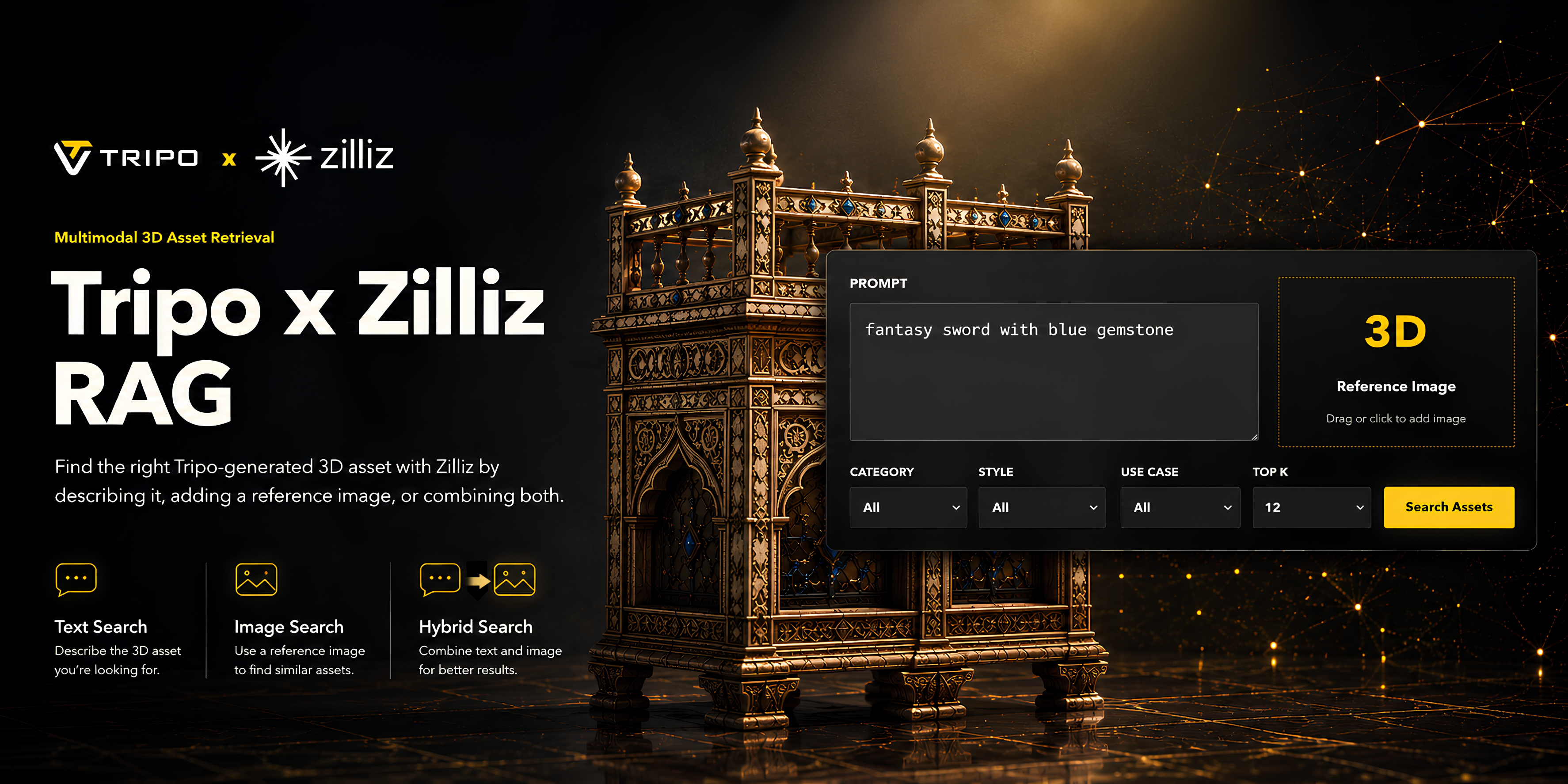
AI 3D generation is making it dramatically easier for teams to create 3D assets at scale. With Tripo, creators can generate high-quality 3D models from text prompts or reference images, making it useful for game development, e-commerce visualization, marketing production, concept design, and internal creative workflows.
But once the number of generated assets grows, a new problem appears.
How do you find the right 3D asset quickly?
When a team only has a few models, folder names and manual browsing might be enough. But once there are hundreds or thousands of generated assets, the traditional file-management approach starts breaking down. Designers may generate similar assets repeatedly. Game teams may lose track of useful character or prop variations. Marketing teams may spend more time searching for assets than using them.
That is where a searchable AI 3D asset library becomes valuable.
In this workflow, Tripo generates 3D assets, while Zilliz Cloud acts as the retrieval layer for multimodal vectors and metadata. It stores the embeddings that represent each render image and connects them with useful fields such as category, style, color, object type, use case, and source file. The result is a lightweight multimodal retrieval system where users can search with text, a reference image, or both, and get back matching Tripo-generated render images with structured metadata.
Zilliz is an AI data infrastructure company and the creator of Milvus, the open-source vector database behind this workflow. Milvus is built for production AI use cases such as RAG, AI agents, multimodal search, recommendation systems, enterprise knowledge bases, semantic search, and content deduplication. It is also a Linux Foundation AI & Data graduate project with 44,000+ GitHub stars and over 100 million Docker pulls, giving teams a familiar foundation for storing and retrieving vector embeddings of unstructured data.
This matters for Tripo users because each 3D asset is more than a single file. Each model can be connected to a render preview, an input reference image, a caption, tags, categories, colors, use cases, project IDs, and URLs. Zilliz Cloud makes these signals searchable together, so a growing library of AI-generated models can become a reusable production asset system rather than a folder of one-off outputs.
Why Build a Searchable 3D Asset Library
AI 3D tools are great at production speed. A single creator can now generate multiple character concepts, product mockups, props, environment elements, or stylized assets in a very short time.
However, speed creates volume. Volume creates management problems.
A searchable 3D asset library helps solve several common issues:
- Teams can quickly find existing assets instead of generating duplicates.
- Designers can search by concept, style, color, object type, or use case.
- Developers can reuse 3D assets across projects more efficiently.
- Creative teams can build an internal library of approved, reusable visual materials.
- E-commerce or marketing teams can organize product-like 3D assets by category and style.
Instead of treating AI-generated 3D files as one-off outputs, this workflow turns them into a reusable asset system.
Why Zilliz Cloud Fits Multimodal 3D Asset Search
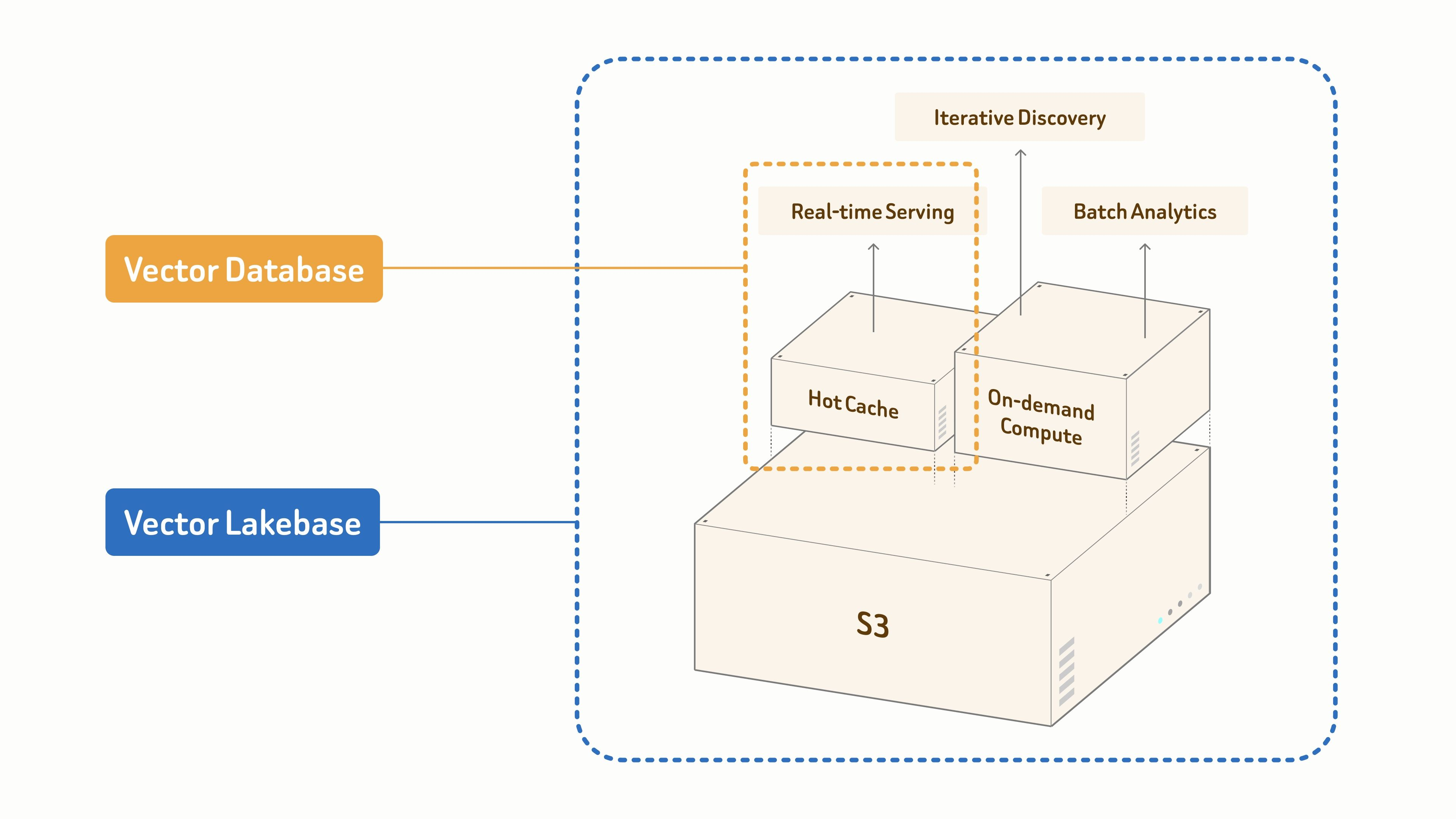
Zilliz Cloud is a fully managed Vector Lakebase platform built by the creators of Milvus. At its core is a production-grade vector database for high-throughput, low-latency vector search at 100-billion scale. Around that core, Zilliz Cloud extends vector search with the openness, scalability, and economics of multimodal data lakes, giving teams one platform to search, analyze, and govern unstructured data for production AI.
This fits a Tripo asset library because the data is multimodal by nature. A searchable 3D catalog may need to work with render images, reference images, text captions, generated metadata, team ownership fields, and project-specific tags at the same time. Zilliz Cloud connects those signals through vector search and metadata retrieval, so users can find assets by meaning, visual similarity, structured filters, or a combination of all three.
Zilliz explains this product evolution in From Vector Database to Vector Lakebase and Why We Built Vector Lakebase. The key idea is that modern AI systems need more than nearest-neighbor search. They also need a data foundation for real-time serving, iterative discovery, batch analytics, and governance over fast-growing unstructured datasets. Those needs map directly to AI 3D libraries, where teams want to retrieve today's best result and keep improving the catalog over time.
Workflow Overview
This demo uses three types of local data:
- The CSV file stores metadata for each 3D asset, such as category, style, object type, color, use case, file name, and related project information.
- The milvus_render_images/ folder stores the rendered preview images of Tripo-generated assets. These render images are the main retrieval targets.
- The milvus_input_images/ folder stores the reference images used during image-to-3D generation. These are mainly used as metadata and as optional query references.
In simple terms: this setup allows users to describe what they need, upload a visual reference, or combine both inputs to find relevant assets from the library.
Prerequisites
Before you start, make sure you have the following in place:
- A Zilliz Cloud account. Zilliz Cloud is a fully managed Vector Lakebase platform built by the creators of Milvus. It combines a production-grade vector database with a lake-native foundation for multimodal data, so you can store embeddings and structured metadata without operating vector infrastructure yourself. The free tier is enough to follow along. Sign up for Zilliz Cloud, create a free cluster, and grab its URI and token.
- An OpenRouter API key for the Gemini multimodal embedding model used below.
- Python 3.10+ with the Milvus Python SDK installed (
pip install -U pymilvus). See the PyMilvus install guide if you are new to it. - A set of Tripo-generated 3D assets — render preview images and, optionally, the reference images used for image-to-3D generation.
Step 1: Prepare Tripo-Generated 3D Asset Data
The first step is to prepare the data generated through Tripo.
Each asset should have at least:
- A render preview image
- A metadata row in the CSV
- Optional input/reference image information
- Category, style, use case, object, and color fields where available
For example, one asset might include metadata like this:
| Field | Example Value |
|---|---|
| Category | Character |
| Style | Fantasy |
| Object Type | Female warrior |
| Color | Blue, Silver |
| Use Case | Game asset |
| File Name | warrior_female_01.webp |
This metadata is important because vector search alone is not always enough. In a real asset library, users often want to combine semantic search with filters.
For example:
- Find a "female character" in the "game asset" use case.
- Find "fantasy sword with blue gemstone" under the "weapon" category.
- Find assets in a specific visual style, such as realistic, cartoon, sci-fi, or low poly.
The better your metadata structure, the more useful your asset library becomes.
Image Format Constraint for Embedding
Render images and input reference images are stored in .webp format for storage efficiency.
However, the Gemini embedding model (gemini-embedding-2-preview) only reliably supports PNG and JPEG inputs. WebP images may cause embedding failures depending on the API backend.
Therefore, a preprocessing step is required to convert images to PNG or JPEG before generating embeddings.
Step 2: Create a Zilliz Cloud Collection
In Zilliz Cloud, each record in the collection represents one Tripo-generated 3D asset.
This is where the Vector Lakebase model becomes useful. A traditional vector database is excellent for real-time similarity search. A Vector Lakebase keeps that retrieval path while adding a shared, lake-native data foundation for multimodal data, batch analytics, iterative discovery, and governance. In this demo, we use it in a lightweight way, but the same structure can grow with a much larger Tripo asset library.
The collection stores both structured metadata and a multimodal vector. The key vector field is multimodal_vector. In this demo, the vector dimension is 3072, and COSINE is used as the similarity metric.
Because text, image, and text-plus-image queries are embedded into the same vector space, the system can search all assets using one unified vector field.
Here is the simplified schema setup:
from pymilvus import MilvusClient

client = MilvusClient(uri=ZILLIZ_URI, token=ZILLIZ_TOKEN)

schema = client.create_schema(auto_id=False, enable_dynamic_field=False)
schema.add_field("asset_id", datatype=DataType.VARCHAR, max_length=64, is_primary=True)
schema.add_field("project_id", datatype=DataType.VARCHAR, max_length=64)
schema.add_field("operator_id", datatype=DataType.VARCHAR, max_length=64)
schema.add_field("caption", datatype=DataType.VARCHAR, max_length=1024)
schema.add_field("llm_category", datatype=DataType.VARCHAR, max_length=256)
schema.add_field("llm_style", datatype=DataType.VARCHAR, max_length=256)
schema.add_field("llm_object_type", datatype=DataType.VARCHAR, max_length=256)
schema.add_field("llm_color", datatype=DataType.VARCHAR, max_length=256)
schema.add_field("llm_use_case", datatype=DataType.VARCHAR, max_length=256)
schema.add_field("generation_mode", datatype=DataType.VARCHAR, max_length=64)
schema.add_field("render_image_path", datatype=DataType.VARCHAR, max_length=1024)
schema.add_field("input_image_path", datatype=DataType.VARCHAR, max_length=1024)
schema.add_field("multimodal_vector", datatype=DataType.FLOAT_VECTOR, dim=3072)
Then create the vector index:
index_params = client.prepare_index_params()
index_params.add_index(
    field_name="multimodal_vector",
    index_type="AUTOINDEX",
    metric_type="COSINE"
)
After defining the schema and index, run:
client.create_collection(
    collection_name="tripo_asset_library",
    schema=schema,
    index_params=index_params
)
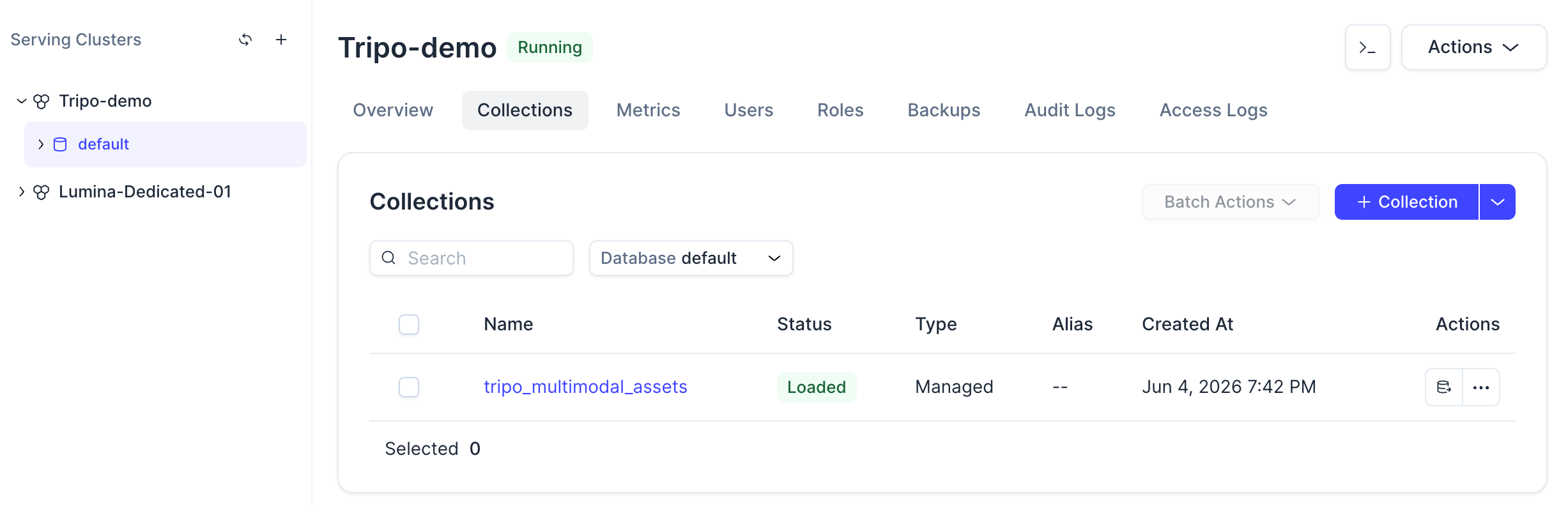
Once the command is complete, you should be able to see the collection in the Zilliz Cloud console.
Click the collection, you can also view its status, schema, loaded entities, and vector field configuration.
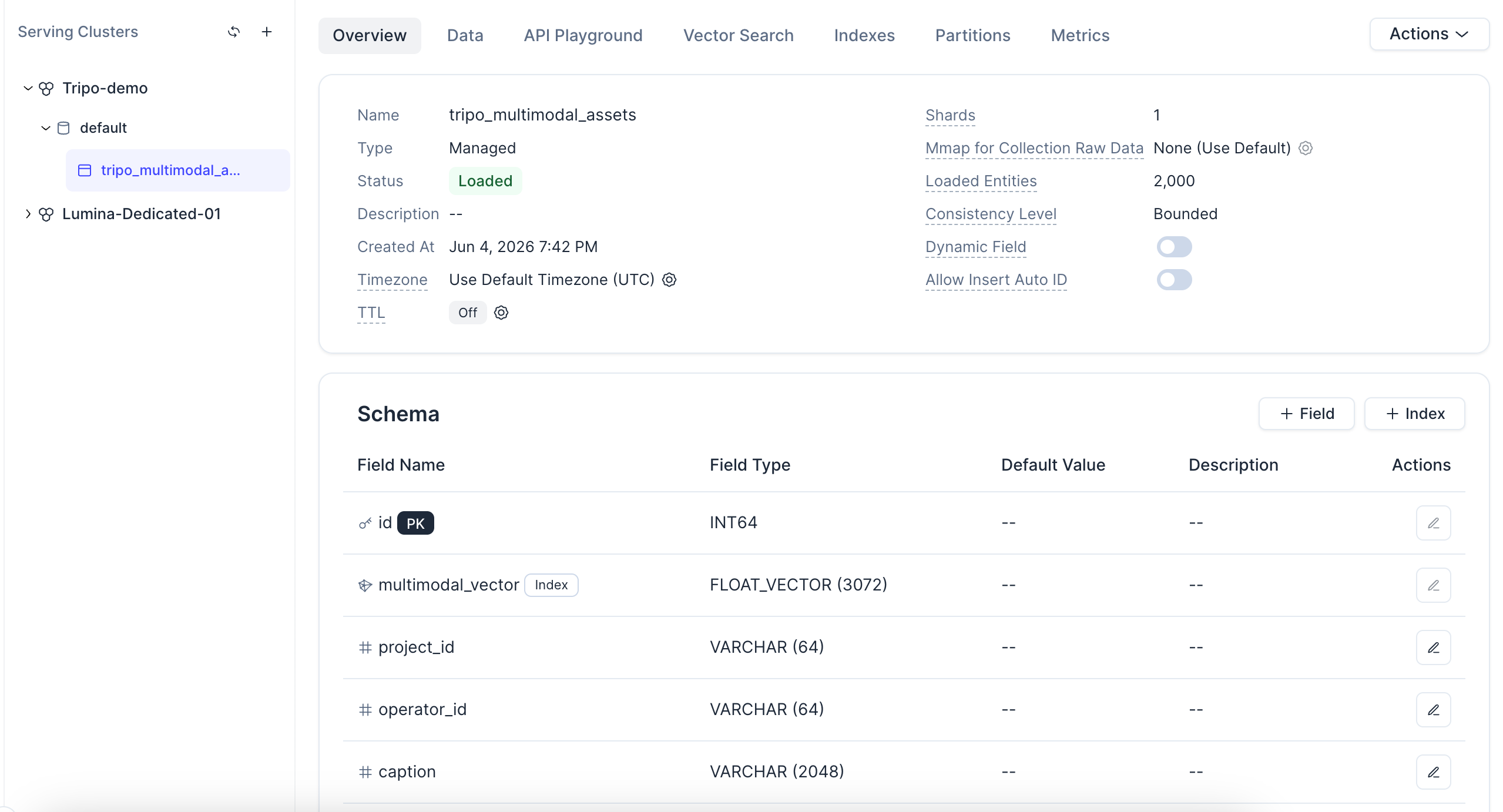
A note on the index: this demo uses AUTOINDEX, which lets Zilliz Cloud choose and tune the vector index for you based on your data — no hand-picking index types or parameters. The COSINE metric type matches the L2-normalized embeddings generated in the next step. And because each record is one entity in a managed collection, the same setup scales from hundreds of assets to millions without re-architecting.
Step 3: Generate Embeddings for Render Images
Next, generate embeddings for the Tripo render preview images.
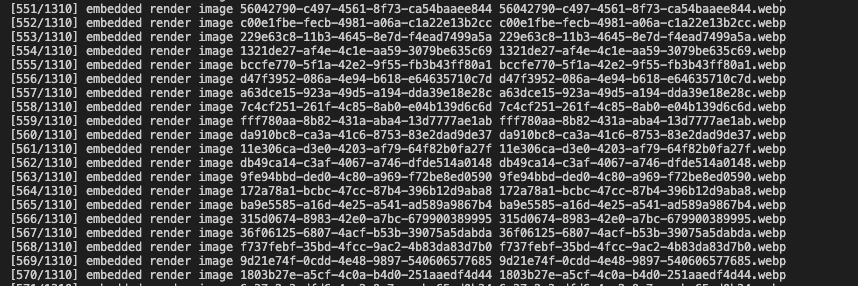
In this workflow, the render images are converted into base64 data URLs and sent to an embedding model. The returned vectors are normalized so they can be used with COSINE similarity search.
Here is the core logic:
import requests
import base64

def get_image_embedding(image_path: str) -> list[float]:
    with open(image_path, "rb") as f:
        b64 = base64.b64encode(f.read()).decode("utf-8")
    data_url = f"data:image/png;base64,{b64}"

    response = requests.post(
        "https://openrouter.ai/api/v1/embeddings",
        headers={"Authorization": f"Bearer {OPENROUTER_API_KEY}"},
        json={
            "model": "google/gemini-embedding-2-preview",
            "input": [{"data": data_url, "type": "image"}]
        }
    )
    embedding = response.json()["data"][0]["embedding"]
    norm = sum(x*x for x in embedding) ** 0.5
    return [x / norm for x in embedding]
To build the embedding cache for the full dataset, run:
import csv, json

embedding_cache = {}
with open("asset_metadata.csv") as f:
    reader = csv.DictReader(f)
    for row in reader:
        render_path = row["render_image_path"]
        embedding_cache[render_path] = get_image_embedding(render_path)

with open("embedding_cache.json", "w") as f:
    json.dump(embedding_cache, f)
The cache step is useful because embedding generation can be time-consuming and API-dependent. Instead of generating embeddings every time you import data, you can build the cache once and reuse it during the import process.
Step 4: Import Data into Zilliz Cloud
After generating the embedding cache, each row in the CSV is converted into one Zilliz Cloud entity.
Each entity includes:
- Asset ID
- Project ID
- Operator ID
- Caption
- LLM-generated metadata
- Generation mode
- Render image file information
- Input image file information
- Multimodal vector
Here is a simplified version of the entity conversion function:
def csv_row_to_entity(row: dict, embedding_cache: dict) -> dict:
    render_path = row["render_image_path"]
    return {
        "asset_id": row["asset_id"],
        "project_id": row["project_id"],
        "operator_id": row["operator_id"],
        "caption": row["caption"],
        "llm_category": row.get("category", ""),
        "llm_style": row.get("style", ""),
        "llm_object_type": row.get("object_type", ""),
        "llm_color": row.get("color", ""),
        "llm_use_case": row.get("use_case", ""),
        "generation_mode": row.get("generation_mode", ""),
        "render_image_path": render_path,
        "input_image_path": row.get("input_image_path", ""),
        "multimodal_vector": embedding_cache.get(render_path, [])
    }
Then import the full dataset:
entities = []
with open("asset_metadata.csv") as f:
    reader = csv.DictReader(f)
    for row in reader:
        entities.append(csv_row_to_entity(row, embedding_cache))

client.insert(collection_name="tripo_asset_library", data=entities)
After the import is complete, open the Zilliz Cloud console and check the Data tab. You should see the imported asset records, including metadata fields and vector information.
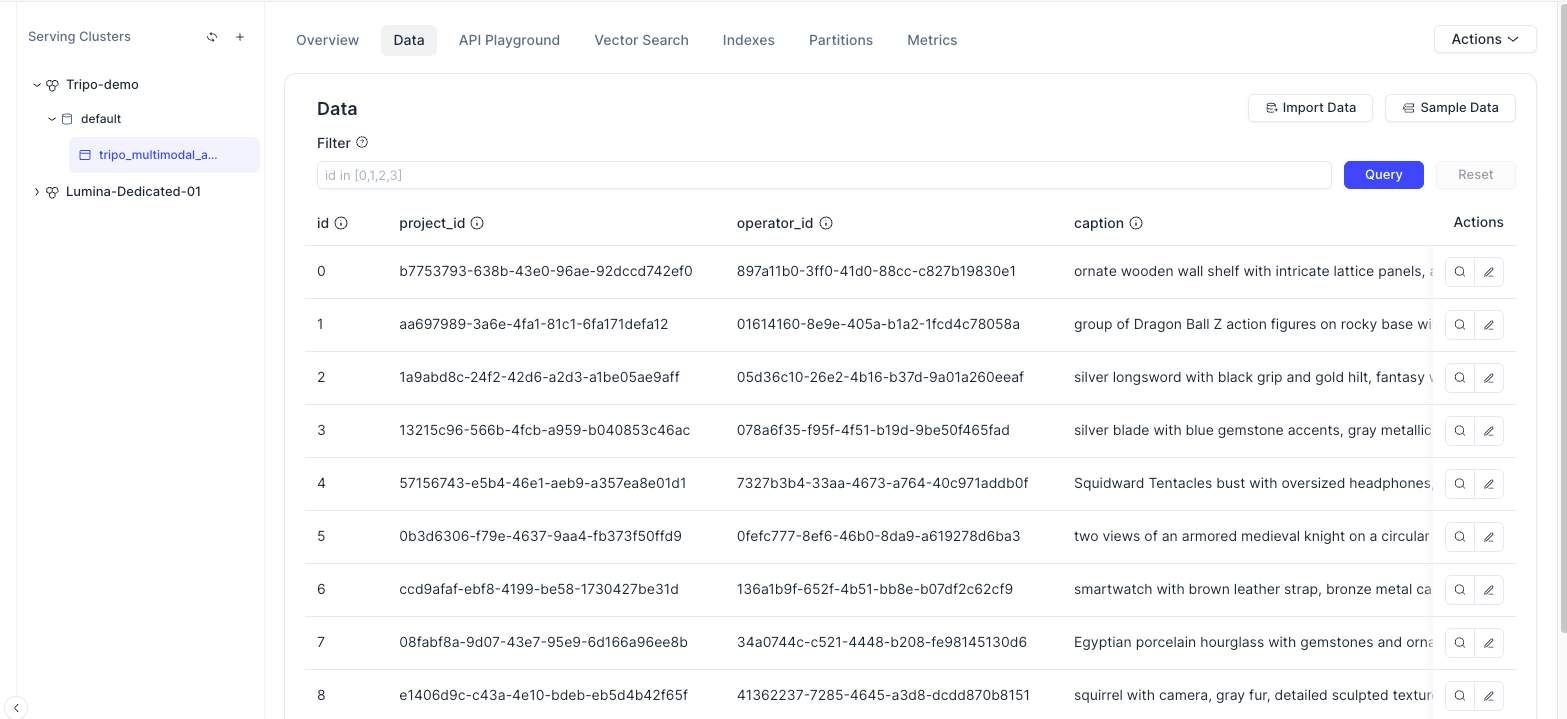
At this point, the Tripo-generated 3D assets are no longer just local files. They are now searchable entities in a vector database.
Step 5: Search the 3D Asset Library
The search system supports three query modes:
- Text Search — search by semantic description
- Image Search — search by visual similarity
- Text + Image Search — combine both for more precise retrieval
All three query types are converted into vectors using the same multimodal embedding model. Then the query vector is searched against the multimodal_vector field in Zilliz Cloud.
Text Search
Text search is useful when the user already knows what they want.
Example query: "A female character with blue and silver armor"
The system embeds the text query, searches the collection, and returns the closest render images with metadata.
This is especially useful for creative teams that want to search by semantic intent instead of exact file names. For example, a designer does not need to remember whether a file is named char_f_warrior_01 or f_warrior_blue. They can simply search: "female warrior blue armor". That is the difference between a file archive and an actual asset retrieval system.
Image Search
Image search is useful when the user has a reference image and wants to find visually similar 3D assets.
For example, a game artist might upload a reference image of a stylized shield and search for similar Tripo-generated props in the existing library. Instead of manually browsing through hundreds of images, the system can retrieve assets that match the visual structure, style, or object concept of the uploaded reference.
Text + Image Search
Text-plus-image search is the most flexible option. It lets the user combine semantic intent with visual guidance.
For example, the user might upload a sword reference image and add a text query: "fantasy sword with blue gemstone". The image provides visual reference, while the text narrows the search intent. This makes retrieval more specific than using either input alone.
Here is the simplified search logic:
def search_assets(query_embedding: list[float], filter_expr: str = "", limit: int = 12):
    return client.search(
        collection_name="tripo_asset_library",
        data=[query_embedding],
        anns_field="multimodal_vector",
        filter=filter_expr,
        limit=limit,
        output_fields=[
            "asset_id", "caption", "llm_category",
            "llm_style", "llm_use_case", "render_image_path"
        ]
    )
The returned results include both similarity scores and metadata, making it possible to display the matched asset previews in a front-end interface.
Notice that search is not limited to pure vector similarity. Because every asset also carries structured metadata (category, style, use case, and more), you can combine semantic similarity with metadata conditions in a single request — for example, search for "female" but restrict results to llm_use_case == "game asset". This is filtered search, and it is what turns a bucket of vectors into a queryable asset catalog. If you later want to match on multiple signals at once, Zilliz Cloud also supports multi-vector hybrid search across multiple embeddings per asset.
Example 1: Search by Text and Use Case
In the demo, one example query uses the text "female" with the use case filter llm_use_case == "game asset" and sets limit=12.
This retrieves the top 12 matching assets that are semantically related to "female" and belong to the game asset use case.
This type of search is useful for game development pipelines where teams need to quickly locate character concepts, NPC designs, stylized avatars, or humanoid assets from a large internal library.
Example 2: Search by Text and Reference Image
Another example combines a text query with a reference image.
The text query is: "Fantasy style weapon with detailed ornamentation and glowing effects". The query also includes a visual reference image. The system then generates one joint embedding for the text and image together, searches the same vector field, and returns the most relevant render images.
This is useful when the user's intent is too specific for text alone. For visual asset search, "similar to this, but more like that" is often exactly how creators think.
Why This Workflow Matters
The real value here is not image search alone — it is reusable AI 3D asset infrastructure. Tripo handles fast generation; Zilliz Cloud handles vector storage, similarity search, metadata retrieval, and the data layer behind multimodal search. Together they turn isolated 3D outputs into an organized, searchable, reusable library, which directly improves production efficiency for teams creating 3D content at scale.
Because Zilliz Cloud is built for production AI, the same pattern can start small and scale with the team. Game studios can locate character, prop, and environment variations; e-commerce teams can organize product models by category, color, or material; marketing teams can reuse existing visuals instead of regenerating them; and creative-ops teams can maintain a central, searchable store of approved assets across projects.
Conclusion
AI 3D generation is now fast enough that creation is no longer the only bottleneck. The next challenge is what happens after a model is generated — how it is stored, found again, governed, and reused instead of disappearing into a folder.
This workflow connects Tripo and Zilliz Cloud to solve exactly that: Tripo generates high-quality assets from text or reference images, and Zilliz Cloud adds the retrieval layer — render images, multimodal embeddings, structured metadata, and scalable vector search. In other words, Tripo becomes the 3D creation engine, while Zilliz Cloud becomes the AI data infrastructure that keeps those creations searchable, reusable, and ready for the next project.
Try It Yourself
AI 3D generation is only the first step — the payoff comes from turning generated assets into a structured, searchable system that scales across teams and projects. With Tripo, you generate high-quality 3D assets from text prompts or reference images. With Zilliz Cloud, you organize and retrieve them through multimodal vector search across text and images, backed by a managed Vector Lakebase designed for production AI workflows.
- Sign up for Zilliz Cloud and follow this tutorial end to end on the free tier.
- Generate your 3D assets with Tripo
