From Image to 3D: A Smarter Workflow with Flowith Canvas and Tripo
Most 3D workflows break at the handoff between ideation and production.
You may start with a rough concept, generate a few references, refine the direction, and only then move into 3D. But in many tools, those steps happen across disconnected interfaces. Visual exploration lives in one place. Model generation happens in another. Context gets lost, variants get buried, and iteration slows down.
A better workflow is to keep ideation visible from the beginning, then move into 3D only when the image direction is already clear.
That is where Flowith and Tripo work especially well together.
Flowith gives creators a canvas-based workspace for generating and refining visual ideas.
Tripo then turns those ideas into 3D models.
How this workflow looks like
1. Explore and generate visual concepts in Flowith
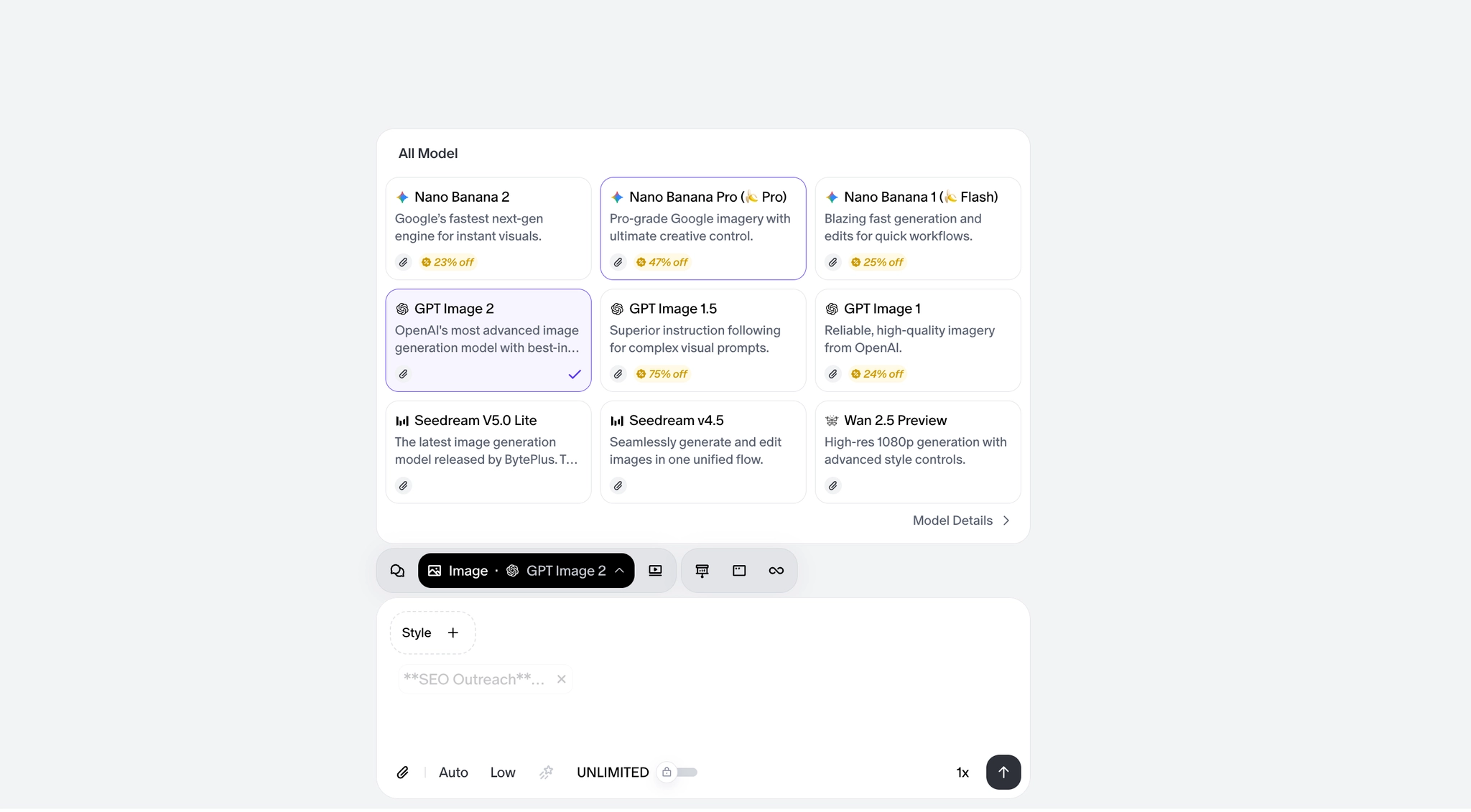
Before making a 3D model, you first need to decide on the shape, material, details, and overall style to avoid extra work later. In Flowith, you just pick a format (like text, image, video, or Agent Neo) and choose from top-tier models (like GPT Image 2 or Nano Banana Pro/2) to generate images instantly.
2. Use the canvas for A/B testing and editing
Unlike normal chat-based AI tools, Flowith uses a visual canvas interface. Instead of getting lost in long chat histories, you can run multiple models at the same time in one workspace. By organizing your ideas into visible nodes and branches, you can easily track and compare different designs (like shapes, materials, and sizes) to develop your concept naturally.
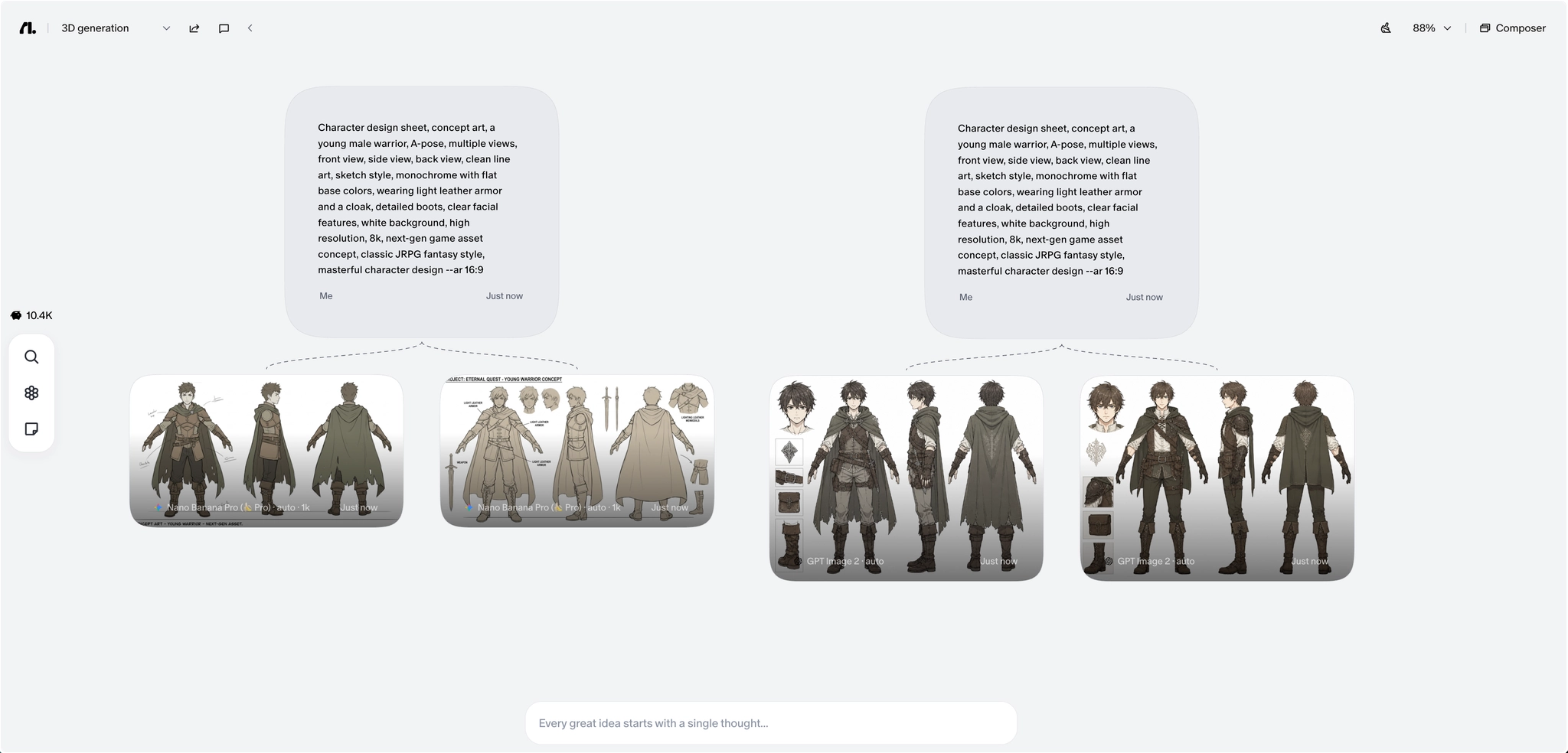
3. Pick the best image for 3D modeling and move smoothly to Tripo
Because the canvas shows all your ideas clearly, you can easily look back and choose the best image for 3D conversion. The ideal image should have: a clear shape, easy-to-read details, stable sizes, strong outlines, and a clear structure.
Once you find the image, you can directly upload to Tripo.
At this point, the workflow can branch in two directions depending on what kind of asset is needed next.
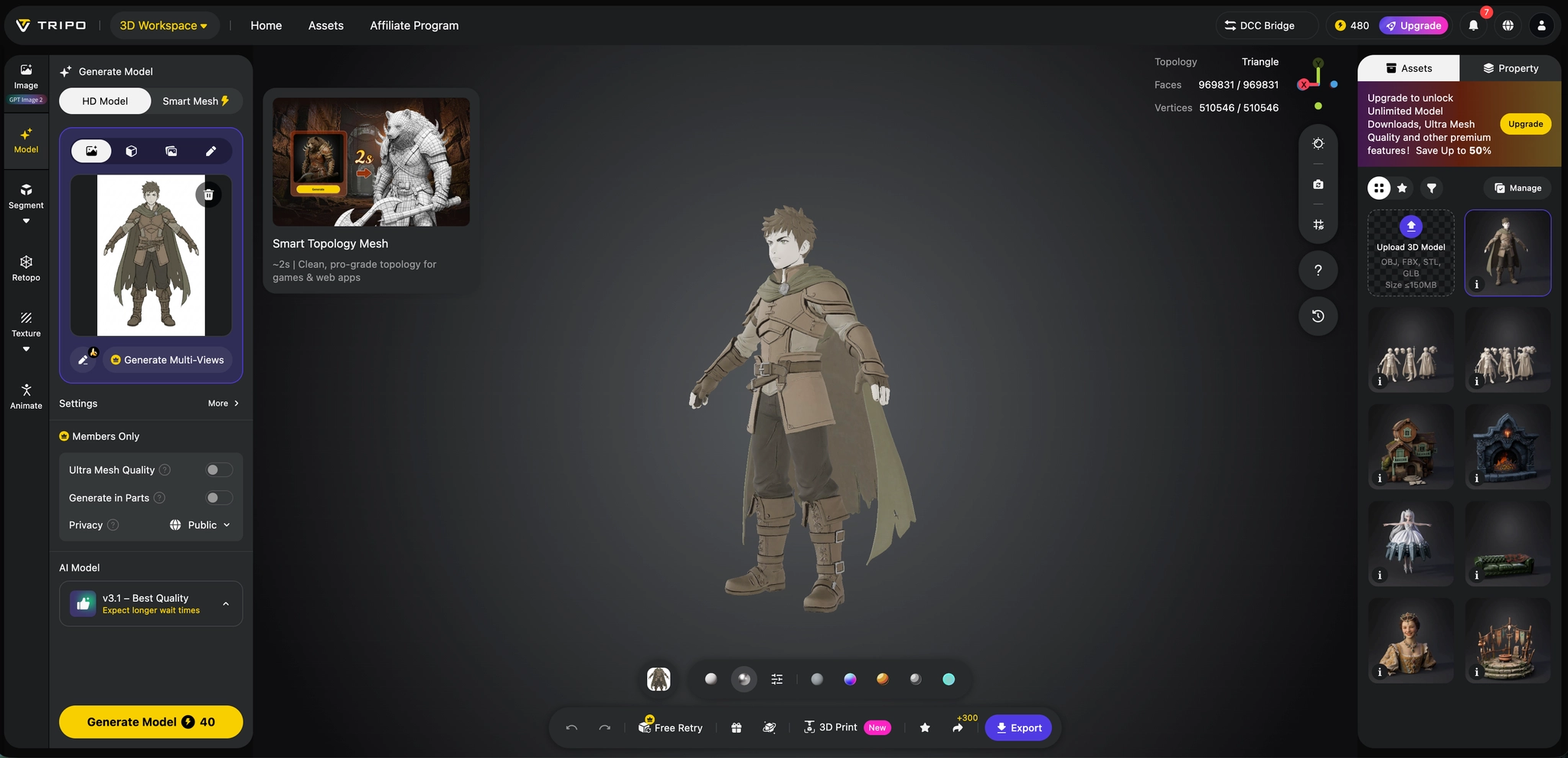
Path one: HD Model H3.1 for high-fidelity 3D output
If the goal is a high-quality hero asset, close-up render, marketing visual, or a result that benefits from more detail and precision, HD Model H3.1 is the right choice.
The core value of H3.1 is high precision and high fidelity. This model is designed for scenarios where creators want stronger detail retention and more polished output, rather than just a fast draft.
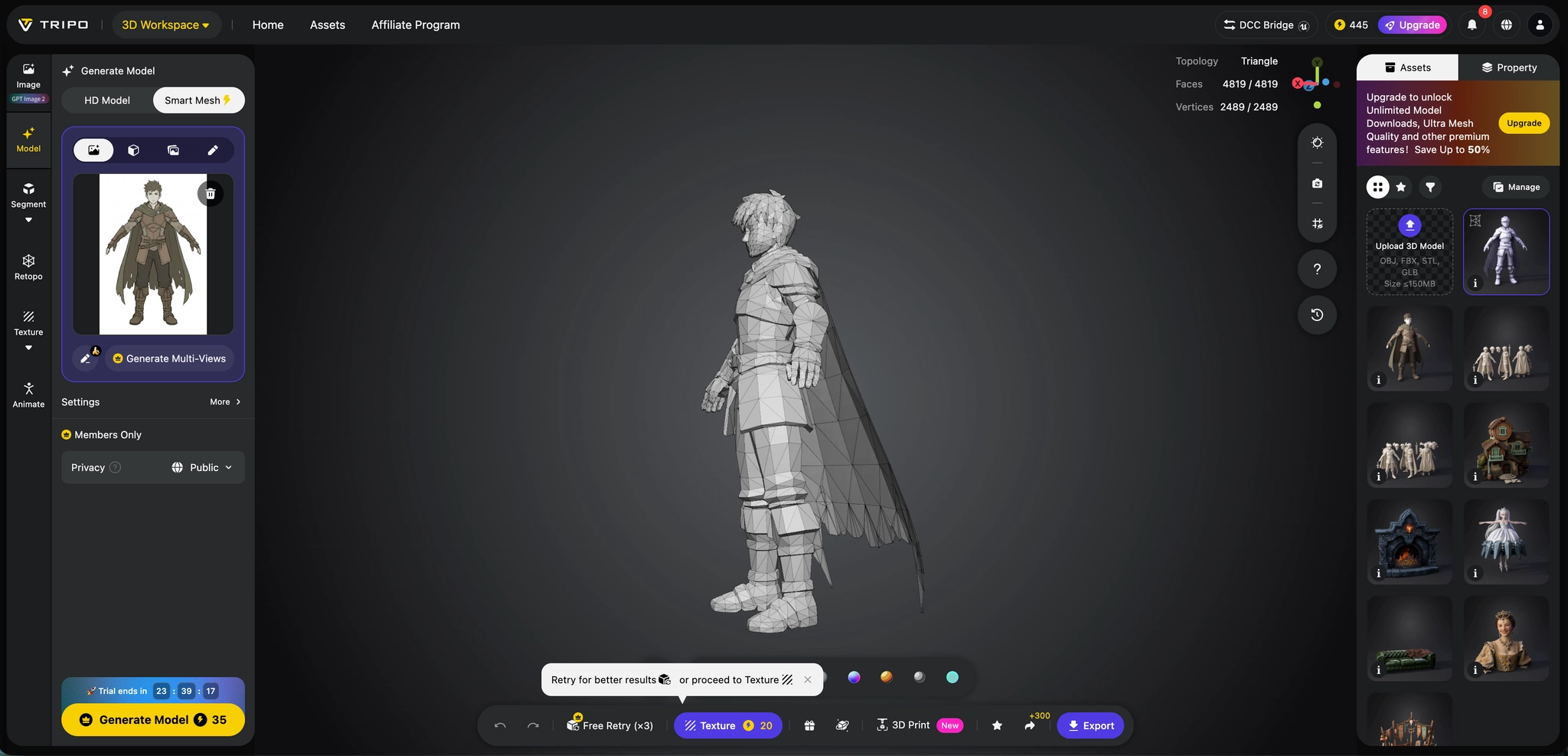
Path two: Smart Mesh P1.0 for fast low-poly generation
If the goal is speed, rapid prototyping, or real-time-ready assets, Smart Mesh P1.0 is the stronger option.
The core value of Smart Mesh P1.0 is speed and usability. Its most important capability is the ability to generate low-poly meshes quickly, typically in around 2 to 5 seconds. That makes it especially useful for workflows where the team needs a lightweight model fast, whether for games, XR, interactive experiences, web 3D, or early asset testing.
If H3.1 is about pushing quality higher, Smart Mesh P1.0 is about pushing iteration faster.
Why this workflow works
The reason this Flowith + Tripo workflow feels practical is that it maps well to how creative work actually happens.
Ideas do not start as finished meshes. They start as visual directions.
Flowith handles that stage especially well by making image generation more explorable, comparable, and trackable.
Then, once the direction is clear, Tripo gives creators two clear production paths
That combination makes the workflow flexible enough for both quality-first and speed-first teams.
The future of AI 3D creation
The future of AI 3D creation will not be defined by generation alone, but by how smoothly ideas move from intent to usable assets. The most effective workflows will connect concept exploration, visual refinement, and 3D production into one continuous process. Instead of forcing creators to choose between speed and quality too early, next-generation tools will make both possible: high-fidelity models when precision matters, and fast, production-friendly meshes when iteration matters more. With the support of a personal AI agent, creators will be able to move through these stages more intuitively, refining ideas, selecting the right generation mode, and preparing assets for real production without breaking their creative flow. In that future, AI 3D creation becomes less about isolated outputs, and more about giving creators a flexible system for thinking, making, and shipping.