
2D Floor Plan to 3D: Exact Scale Architectural Models
Automating Architectural Spatial Generation and CAD Integration with AI
Translating standard architectural blueprints into spatial visualizations has historically required hours of manual extrusion and drafting. To overcome these challenges, professionals are adopting modern ai 3d home design solutions to streamline workflows. This manual workflow introduces severe friction when client demands require rapid design iterations and precise spatial scaling. By implementing advanced artificial intelligence, architectural teams can automate this 2D to 3D conversion process, generating exact scale models instantly to accelerate design validation and client approvals.
Key Insights
- Automated extrusion eliminates hours of repetitive drafting by instantly recognizing structural boundaries and wall thicknesses.
- Mathematical precision ensures that generated models maintain exact proportional accuracy relative to the original architectural schematic.
- Seamless integration with industry-standard CAD pipelines allows for immediate texturing, lighting, and high-fidelity rendering.
- Intelligent recognition systems accurately interpret standard architectural symbols, from load-bearing walls to complex staircases.
The Evolution of Architectural 2D Floor Plan to 3D Workflows
Modern artificial intelligence fundamentally transforms traditional flat architectural blueprints into immersive, fully realized 3D spatial models. This technological shift addresses the critical need for speed and precision in contemporary home design, allowing architectural firms to deliver highly accurate spatial presentations and iterate on client feedback without the delays of manual drafting.
Challenges of Manual 3D Extrusion
For decades, the standard procedure for creating spatial visualizations involved importing a flat schematic into computer-aided design software and manually tracing every line. Draftsmen and junior architects spent countless hours drawing vector lines over raster images, defining wall thicknesses, and manually extruding these shapes along the Z-axis to create basic structural walls. This method is inherently flawed due to its reliance on constant human input. A single misaligned vertex or an unclosed spline can result in non-manifold geometry, leading to rendering errors or boolean operation failures later in the process. Furthermore, the manual workflow struggles significantly when design revisions occur. If a client requests a minor adjustment to a room's dimensions, the architect must often rebuild the affected 3D geometry from scratch to ensure mathematical accuracy. This constant back-and-forth between flat drafting and spatial modeling creates a bottleneck in the production pipeline, increasing overhead costs and delaying project timelines. The cognitive load required to translate flat lines into a comprehensive spatial understanding also leaves room for interpretative errors, where structural nuances intended by the lead architect might be lost during the modeling phase.
How Tripo AI Automates Spatial Generation
To resolve the inefficiencies of manual drafting, modern generative systems utilize complex neural architectures to process visual data. As a sophisticated AI 3D model generator, Tripo AI fundamentally alters this workflow by automating the spatial generation phase. Rather than relying on manual tracing, the system treats the uploaded schematic as a complex dataset of spatial relationships. It scans the visual input, identifying solid lines as boundaries and negative space as habitable areas. Because this process relies heavily on advanced generation algorithms and massive compute power, the underlying technology must be exceptionally robust. Tripo AI achieves this through Algorithm 3.1, which operates with over 200 Billion parameters to analyze the spatial geometry of flat schematics. This substantial processing capacity allows the neural network to differentiate between structural elements and mere annotations. It automatically calculates the correct height for extrusions based on standard architectural practices and generates a watertight, mathematically clean mesh in seconds. By automating the core generation phase, the system frees architectural professionals to focus on material selection, lighting, and spatial aesthetics rather than repetitive geometric construction.
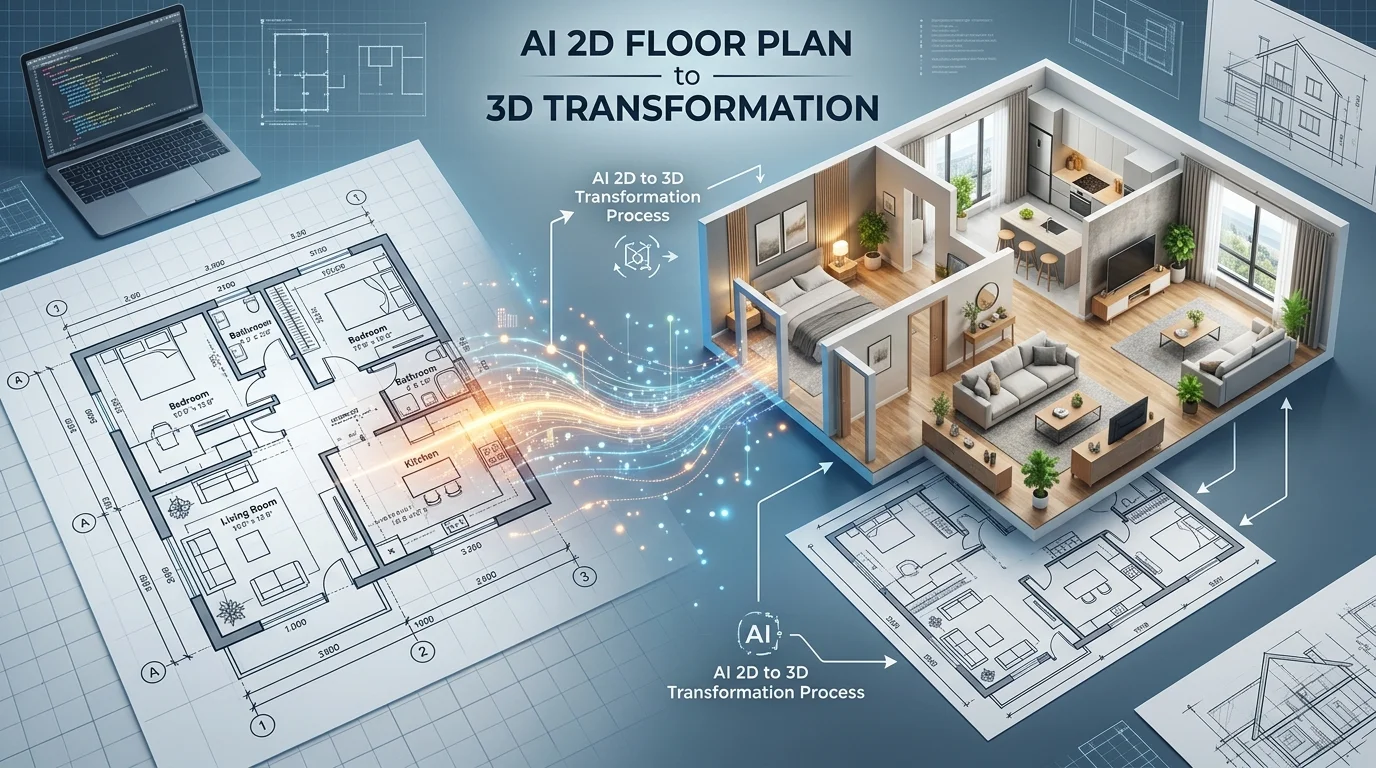
Delivering Exact Scale 3D Models from 2D Layouts
The technical process of translating dimensional data directly from schematics relies on interpreting wall thickness, room area, and structural boundaries. Advanced systems process these variables to construct mathematically precise, exact scale 3D models, ensuring that the original architectural integrity remains accurately preserved throughout the entire generation phase.
Interpreting Architectural Symbols and Measurements
Architectural blueprints are densely packed with specialized symbols, hatching patterns, and annotations that convey critical structural information. A thick solid line might indicate a load-bearing brick wall, while a thinner double line represents an interior partition. Arcs indicate door swings, and crossed rectangles often denote structural columns. For an automated system to be effective, it must possess the visual intelligence to decode this specialized language accurately. Advanced recognition models are trained on millions of professional floor plans, enabling them to categorize these symbols with high accuracy. When processing a new file, the system systematically identifies doors, windows, and structural openings, ensuring that the resulting mesh features the correct boolean cutouts for these elements. It distinguishes between fixed structural components and movable furniture layouts, ensuring that the generated architecture remains clean and unoccupied. This level of interpretation guarantees that the transition from a flat drawing to a spatial model does not result in the loss of critical structural data.
Ensuring Proportional Accuracy in Home Design
Visualizing a space requires more than just creating a rough approximation of a floor plan; it demands strict adherence to proportional accuracy. In architectural design, scale is a critical metric. If a generated model distorts the scale—even slightly—it can lead to disastrous miscalculations during the interior design phase. Furniture might appear too large for a room, or ceiling heights might feel oppressive in a virtual walkthrough. To maintain exact scale, the generation engine calculates the relative distances between all identified geometric points on the schematic. It establishes a unified scaling factor, ensuring that the width of a hallway maintains its exact mathematical relationship to the square footage of the master bedroom. By locking these proportions in place, the resulting structural model serves as a reliable foundation for subsequent design work. Interior designers can confidently import real-world furniture models into the digital space, knowing that the physical clearances and traffic flows represented in the render will accurately match the final constructed environment.
Integrating 3D Models into Professional CAD Pipelines
Architects can seamlessly transition generated exact scale models from Tripo AI directly into professional rendering engines and Building Information Modeling environments. This workflow guarantees that critical structural data and topological geometry remain completely intact across various software platforms, eliminating the need for extensive mesh cleanup and technical troubleshooting.
Exporting for Industry Standards (USD, FBX, OBJ, STL, GLB, 3MF)
The essential value of an automated generation tool lies in its interoperability with established industry software. Architectural firms utilize a wide array of programs—from Autodesk Revit and SketchUp for structural planning to Unreal Engine and Blender for photorealistic visualization. A generated model trapped within a closed ecosystem is virtually useless to a professional pipeline. Therefore, ensuring smooth 3D format conversion and export capability is a primary technical requirement. To facilitate this integration, the system supports comprehensive file exporting in USD, FBX, OBJ, STL, GLB, and 3MF formats. These industry-standard file types carry specific advantages depending on the next step in the pipeline. An FBX file, for instance, accurately preserves complex geometric hierarchies and is ideal for importing into professional rendering engines. An OBJ file provides a universally accepted, lightweight mesh for quick conceptual reviews. By offering these specific formats, the platform ensures that the generated architecture can be immediately slotted into any firm's existing workflow without requiring intermediate conversion software or topological repair.
Streamlining the Client Visualization Process
Once the foundational geometry is successfully imported into a professional rendering environment, the architectural team can elevate the model from a basic structural mesh to a photorealistic presentation. The clean topology generated by the AI ensures that UV mapping and material application proceed without visual artifacts. Designers can apply Physically Based Rendering (PBR) textures—such as hardwood flooring, matte wall paint, and reflective glass—directly to the surfaces. This streamlined pipeline drastically reduces the time required to produce high-quality client deliverables. Instead of waiting weeks for a visualization department to build a scene from scratch, lead architects can present immersive spatial concepts within days of finalizing a floor plan. Adding High Dynamic Range Imaging (HDRI) environments and calculating accurate sunlight trajectories allows clients to understand exactly how natural light will interact with the proposed space. This immediate visual feedback loop fosters better communication, reduces client hesitation, and ultimately accelerates the project approval timeline.
FAQ
Q: How does the system handle complex architectural symbols like curved staircases in 2D floor plans?
A: Advanced recognition algorithms are trained to identify standard architectural indicators. When encountering symbols for curved staircases, the AI parses the specific linework and automatically extrudes the corresponding spatial geometry.
Q: Can I seamlessly export the generated exact scale 3D home model into my preferred rendering software?
A: Yes. The platform allows architects and designers to export models in USD, FBX, OBJ, STL, GLB, and 3MF formats, which are ready for immediate import into standard rendering engines.
Q: What happens if the source architectural 2D floor plan lacks explicit numerical measurements?
A: The system intelligently infers relative scale by analyzing standard architectural elements (like doorway widths or counter depths) to calculate exact proportional ratios.
