
Mastering the Long-Tail Query: Generating AI 3D Models for Printing
A Comprehensive Guide to Optimizing AI 3D Models for Printing with Tripo AI
In 2026, the digital manufacturing industry demands rapid, high-fidelity asset generation, making the process of creating AI 3D models for printing highly critical for developers and designers alike. By leveraging advanced platforms, creators can seamlessly translate a specific long-tail query into a tangible, printable asset within seconds. This guide provides a comprehensive breakdown of the modern workflow required to generate, optimize, and finalize AI 3D models for printing.
Key Insights:
- Generating AI 3D models for printing reduces design time from days to seconds by interpreting precise text prompts or image inputs.
- The foundational AI architecture now utilizes over 200 billion parameters with Algorithm 3.1, ensuring advanced geometric accuracy.
- Tripo Studio (the web-based generation tool) and Tripo API are two completely independent product lines. The API service has its own separate billing and access system.
- The Free plan provides 300 points per month. The Pro plan ($19.90/month) provides 3,000 points per month.
- Strict mesh repair, retopology, and proper slicer configurations remain essential steps before physical fabrication.
Unlocking the Power of AI 3D Models for Printing
AI 3D models for printing represent a paradigm shift in additive manufacturing, allowing users to bypass complex manual modeling software by utilizing sophisticated generative algorithms to produce precise, print-ready meshes. The creation of AI 3D models for printing has fundamentally altered the landscape of digital design. Traditionally, constructing a printable object required extensive knowledge of computer-aided design (CAD) software and countless hours of meticulous vertex manipulation. Today, users can input a descriptive long-tail query into an AI 3D Model Generator to instantly generate high-quality AI 3D models for printing. The core technology driving this innovation has matured significantly by 2026. The underlying foundation model now boasts over 200 billion parameters, enabling the system to understand intricate spatial relationships, complex textures, and the physical constraints necessary for additive manufacturing.
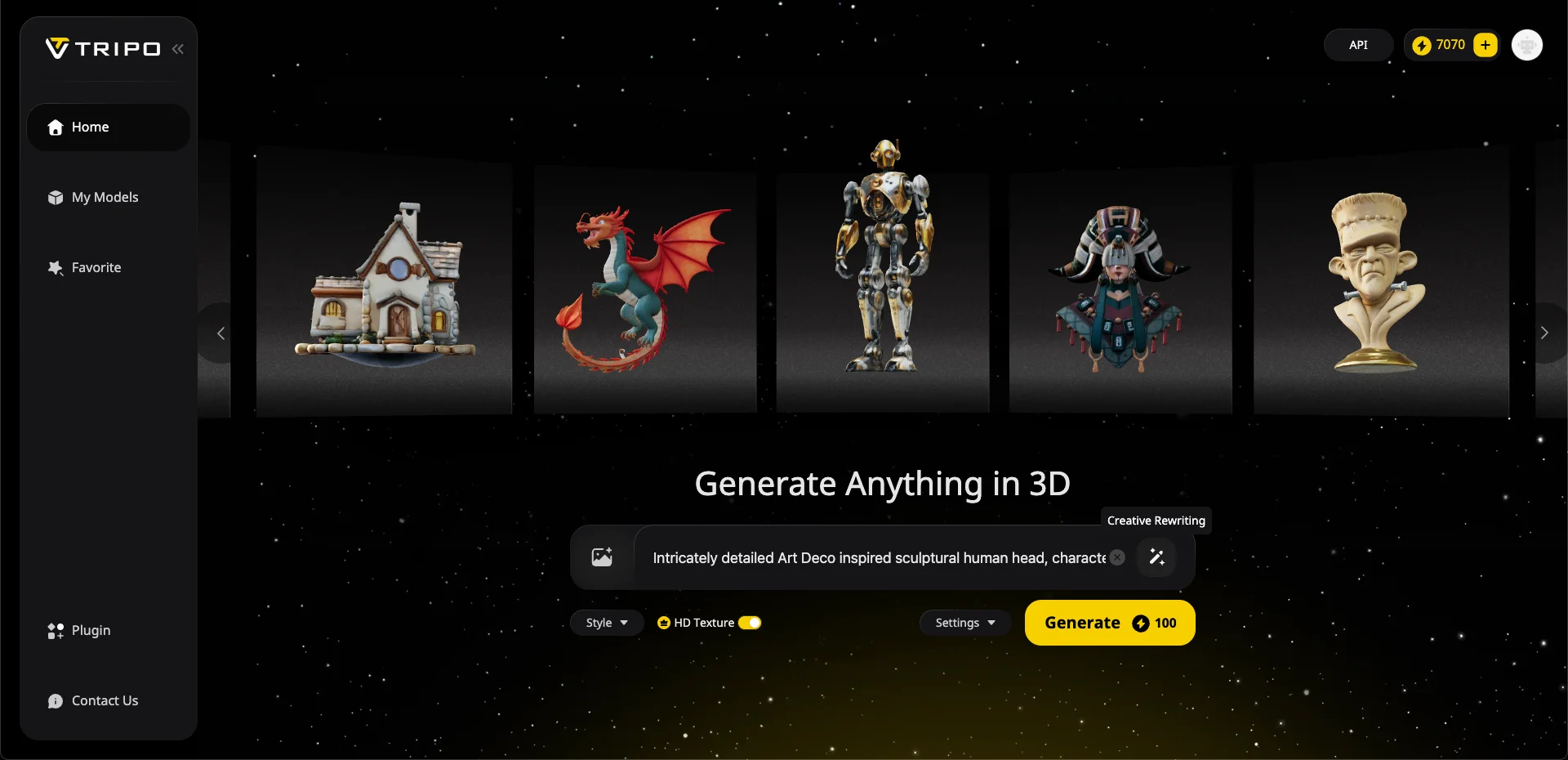
Furthermore, the recent deployment of Algorithm 3.1 has exponentially improved the reliability and speed of generating AI 3D models for printing. With Algorithm 3.1, the generation of a standard white model takes mere seconds, maintaining an accurate geometric topology that translates perfectly to physical reality. Whether artists are looking to produce AI 3D models for printing based on functional mechanical parts or organic sculptural forms, the algorithm adapts to the specific structural requirements. The platform effortlessly handles text-to-3D and Image to 3D Model conversions, cementing its status as a professional engine for AI 3D models for printing in the modern era.
Exploring Studio and Independent API Capabilities
Tripo Studio (the web-based generation tool) and Tripo API are two completely independent product lines. The API service has its own separate billing and access system. When developing AI 3D models for printing, understanding the available product ecosystem is paramount. Tripo Studio serves as a comprehensive web-based workspace designed for interactive 3D content creation. It provides tools for segmenting, retopologizing, texturing, and preparing AI 3D models for printing. The Free plan provides 300 points per month, which offers an excellent entry point for generating basic AI 3D models for printing; however, it is crucial to note that 3D models generated under Tripo's Free plan do not support commercial use. For professionals seeking to monetize their AI 3D models for printing, they should review the Pricing options. The Pro plan ($19.90/month) provides 3,000 points per month along with full commercial rights. Simultaneously, enterprise developers integrating the generation of AI 3D models for printing into their own applications must utilize the API. The API is entirely distinct from the Studio. It possesses its own dedicated billing infrastructure and cannot be accessed via a Studio subscription tier. This separation ensures that high-volume enterprise generation of AI 3D models for printing operates on a stable, scalable architecture independent of the consumer-facing web application. Both platforms, however, utilize the exact same engine with over 200 billion parameters and the Algorithm 3.1 framework to deliver high-quality AI 3D models for printing.
How to Optimize AI 3D Models for Printing
Optimizing AI 3D models for printing requires rigorous mesh validation, uniform wall thickness calibration, and strategic orientation adjustments using dedicated slicing software. While generating complex AI 3D models for printing is streamlined, physical fabrication demands specific structural prerequisites. The initial export of AI 3D models for printing supports universal formats including USD, FBX, OBJ, STL, GLB, 3MF. Before sending these AI 3D models for printing to a physical machine, the digital mesh must be verified to be completely manifold, or "watertight." Non-manifold edges, intersecting faces, and inverted normals will cause slicing software to misinterpret the geometry, leading to failed prints. Advanced retopology features within the Studio assist in cleaning up the mesh of AI 3D models for printing, but manual inspection in programs like Fusion 360 or Blender remains a practical practice.
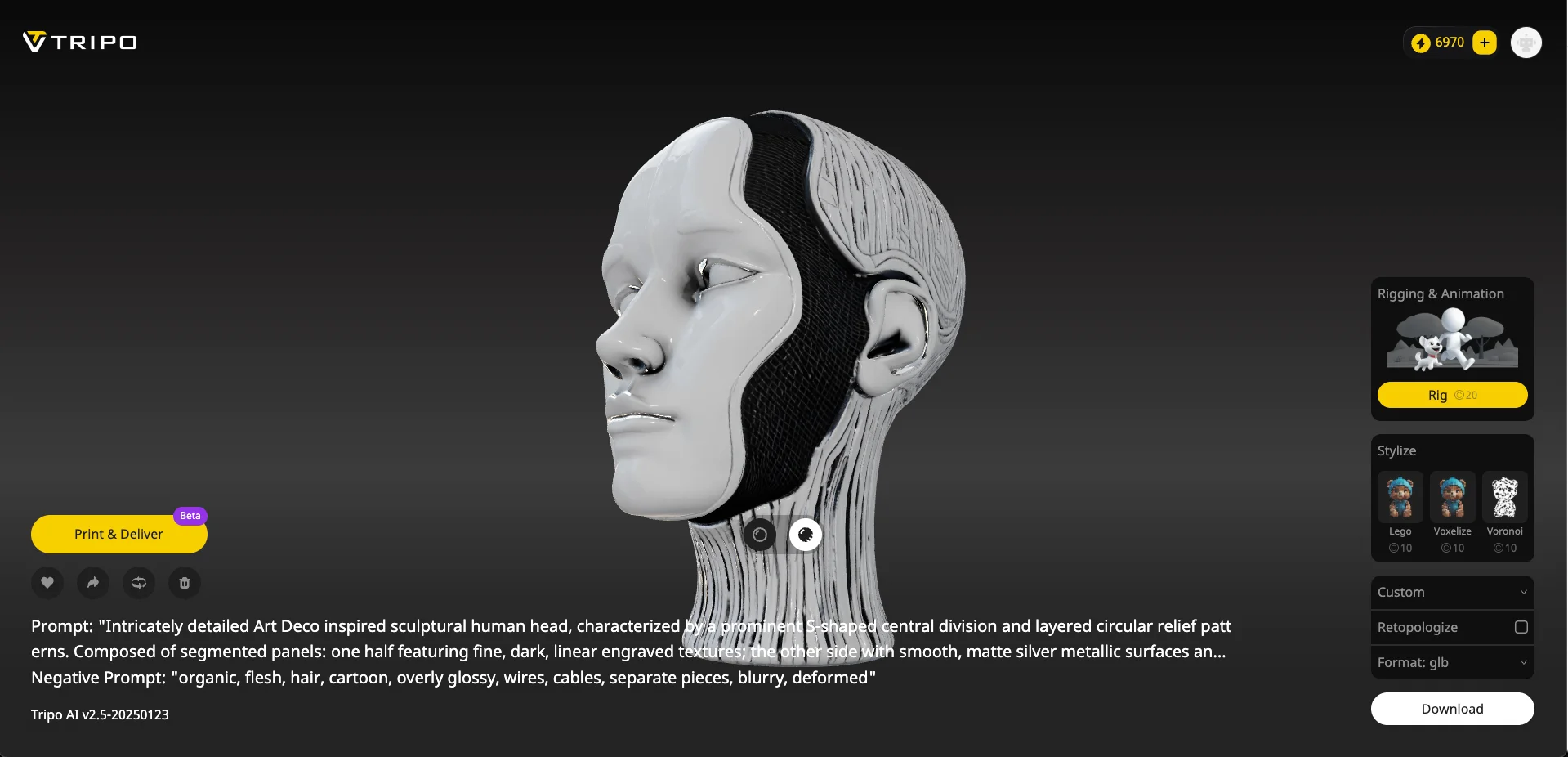
Additionally, AI 3D models for printing must be scaled appropriately and checked for wall thickness. Most fused deposition modeling (FDM) machines require a minimum wall thickness of 1 to 2 millimeters. If the AI 3D models for printing contain elements thinner than the printer's nozzle diameter, those features will simply not materialize. Once the geometry of the AI 3D models for printing is verified, the file is imported into slicing software. Here, operators define layer height (commonly 0.1mm to 0.3mm), infill density (15% to 25%), and generate necessary support structures for overhangs exceeding 45 degrees. Proper orientation of AI 3D models for printing on the virtual build plate minimizes the need for supports and significantly enhances the structural integrity of the final object.
Advancing Accuracy with a Specific Long-Tail Query
Utilizing a highly specific long-tail query during the Text to 3D Model generation phase drastically improves the algorithm's output, resulting in AI 3D models for printing that require far less manual post-processing. The precision of AI 3D models for printing is directly correlated to the quality of the user's input. When interacting with the AI, relying on broad terms often yields generic results. Conversely, deploying a well-structured long-tail query provides the engine with over 200 billion parameters the exact contextual data needed to construct optimal AI 3D models for printing. A successful long-tail query should detail the subject, structural style, material properties, and specific geometric features. For instance, instead of requesting a "robot head," a creator should input a long-tail query such as: "Intricately detailed Art Deco inspired sculptural human head, characterized by a prominent S-shaped central division, smooth matte silver metallic surfaces, and an elongated cylindrical base." This level of detail in the long-tail query activates the full potential of Algorithm 3.1. When the system processes such a comprehensive long-tail query, it automatically factors in geometric constraints that make the resulting AI 3D models for printing more robust. Furthermore, creators should always utilize the negative prompt feature to exclude unwanted elements that might complicate the printing process. By mastering the formulation of the long-tail query, designers guarantee that their AI 3D models for printing bridge the gap between imagination and physical reality with remarkable speed and accuracy.
