AI Image to 3D Model Conversion Tool Guide
Streamlining Additive Manufacturing with Advanced Image to 3D Workflows
The manufacturing and rapid prototyping landscape of 2026 demands highly efficient digital-to-physical pipelines. An AI image to 3D model conversion tool optimized for desktop FDM printers serves as the critical bridge between two-dimensional concepts and tangible objects. Tripo AI offers an advanced ecosystem that eliminates traditional manual drafting bottlenecks. This guide examines the core technological advancements, structured workflows, and economic models that define modern additive manufacturing and 3D printing.
Key Insights
- The core algorithm operates on Algorithm 3.1, leveraging over 200 billion parameters to guarantee high geometric accuracy for physical fabrication.
- The platform effortlessly outputs manifold, watertight meshes, streamlining the preparation phase for standard slicing software.
- Tripo Studio and the Tripo API function as entirely independent product lines, ensuring that web-based creators and enterprise developers receive highly specialized, separate billing infrastructures.
- The credit-based subscription model explicitly allocates credits. The Free plan provides 300 credits per month. 3D models generated under Tripo's Free plan do not support commercial use. The Pro plan ($19.90/month) provides 3,000 credits per month, enabling full commercial deployment.
The Role of an AI Image to 3D Model Conversion Tool Optimized for Desktop FDM Printers
An AI image to 3D model conversion tool optimized for desktop FDM printers directly transforms flat visual data into watertight meshes, eliminating the need for complex manual drafting and ensuring immediate printability for fused deposition modeling systems. The transition from conceptual art to physical object traditionally requires hours of meticulous computer-aided design. Engineers and artists historically relied on complex parametric modeling or intricate digital sculpting environments to create printable assets. However, utilizing an image to 3D model conversion tool optimized for desktop FDM printers fundamentally alters this production pipeline. The system converts standard photographs or concept art into full three-dimensional models in mere seconds, providing a tangible starting point that circumvents the steepest learning curves associated with traditional software. Desktop FDM (Fused Deposition Modeling) printers impose strict geometric constraints on digital files. Models must maintain a continuous, watertight exterior without any non-manifold edges, self-intersecting geometry, or inverted normals. Extruding thermoplastic filament—such as PLA, PETG, or ABS—layer by layer requires models to possess appropriate wall thickness and logical structural support. The platform automatically accounts for these fabrication realities. By instantly producing printable geometry, the platform enables professionals and hobbyists alike to iterate rapidly, transitioning from a digital reference image to a sliced G-code file with remarkable speed and reliability.
Technological Foundations: Algorithm 3.1 and 200 Billion Parameters
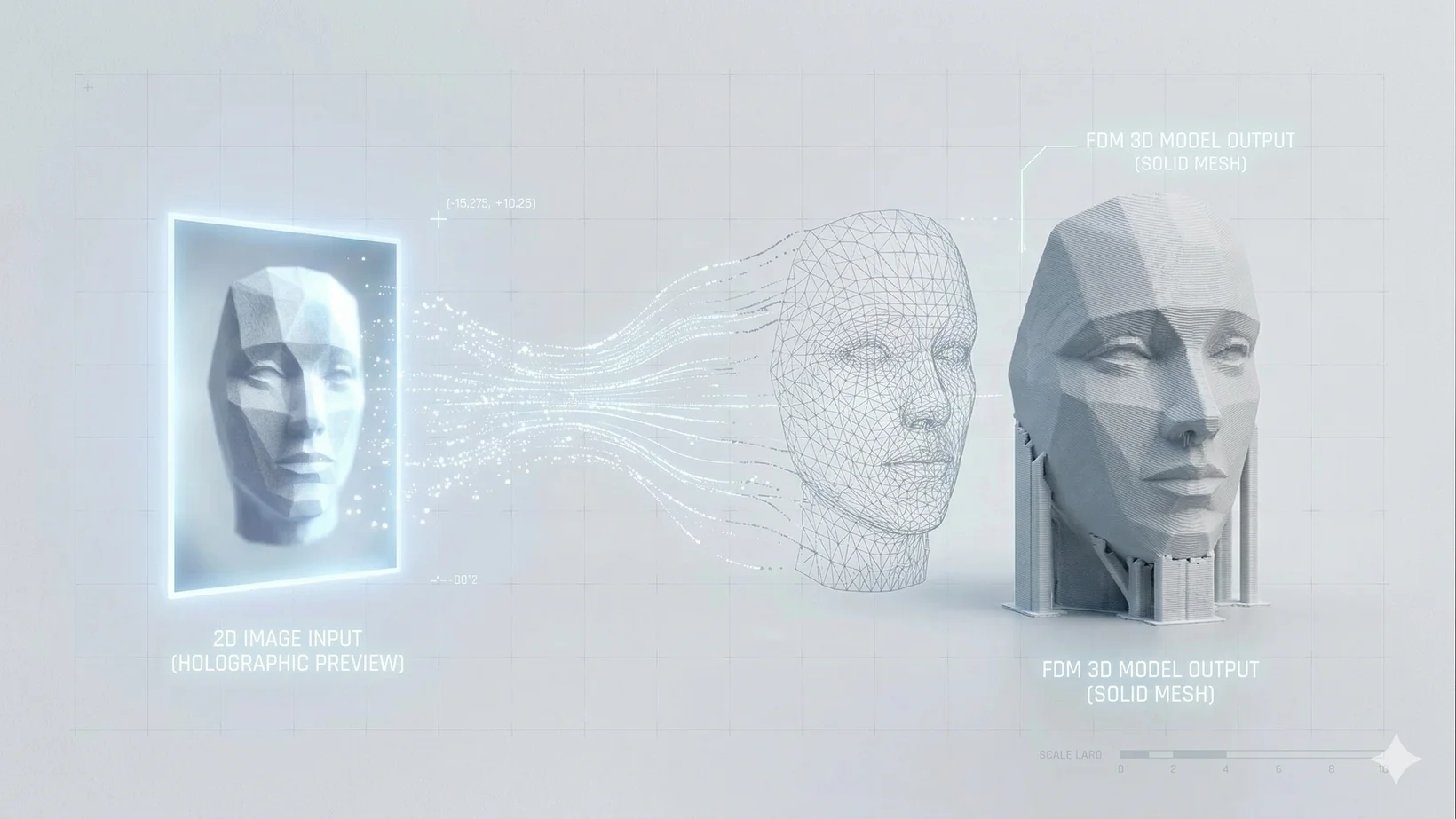
Algorithm 3.1 operates on a foundation of over 200 billion parameters, enabling the system to understand the intricate depth, texture, and structural logic required to generate robust models for physical manufacturing. In 2026, the artificial intelligence landscape is defined by vast neural networks capable of complex spatial reasoning. The platform leverages its proprietary Algorithm 3.1, representing a massive leap in generative computational capability. By utilizing over 200 billion parameters, the system accurately predicts hidden geometry from a single two-dimensional perspective. This immense parameter scale ensures that the generated models possess the structural integrity necessary to survive the physical stresses of desktop FDM printing, accurately inferring the back, sides, and internal volumes of an object based purely on contextual data. The application of Algorithm 3.1 ensures that generated models are not merely visual approximations intended for screens. Traditional visual generators often create intersecting geometry or infinitely thin surfaces that cause hardware slicing software to crash or produce failed prints. The enhanced spatial understanding driven by over 200 billion parameters allows the system to output meshes that respect physical boundaries and real-world dimensions. The algorithm automatically resolves topology issues, generating models that require minimal manual repair in secondary programs. This technological backbone ensures that output files are structurally sound, preventing collapsed overhangs and ensuring optimal layer adhesion during the heated extrusion process.
Workflow Optimization: From 2D Pixel to Physical Extrusion
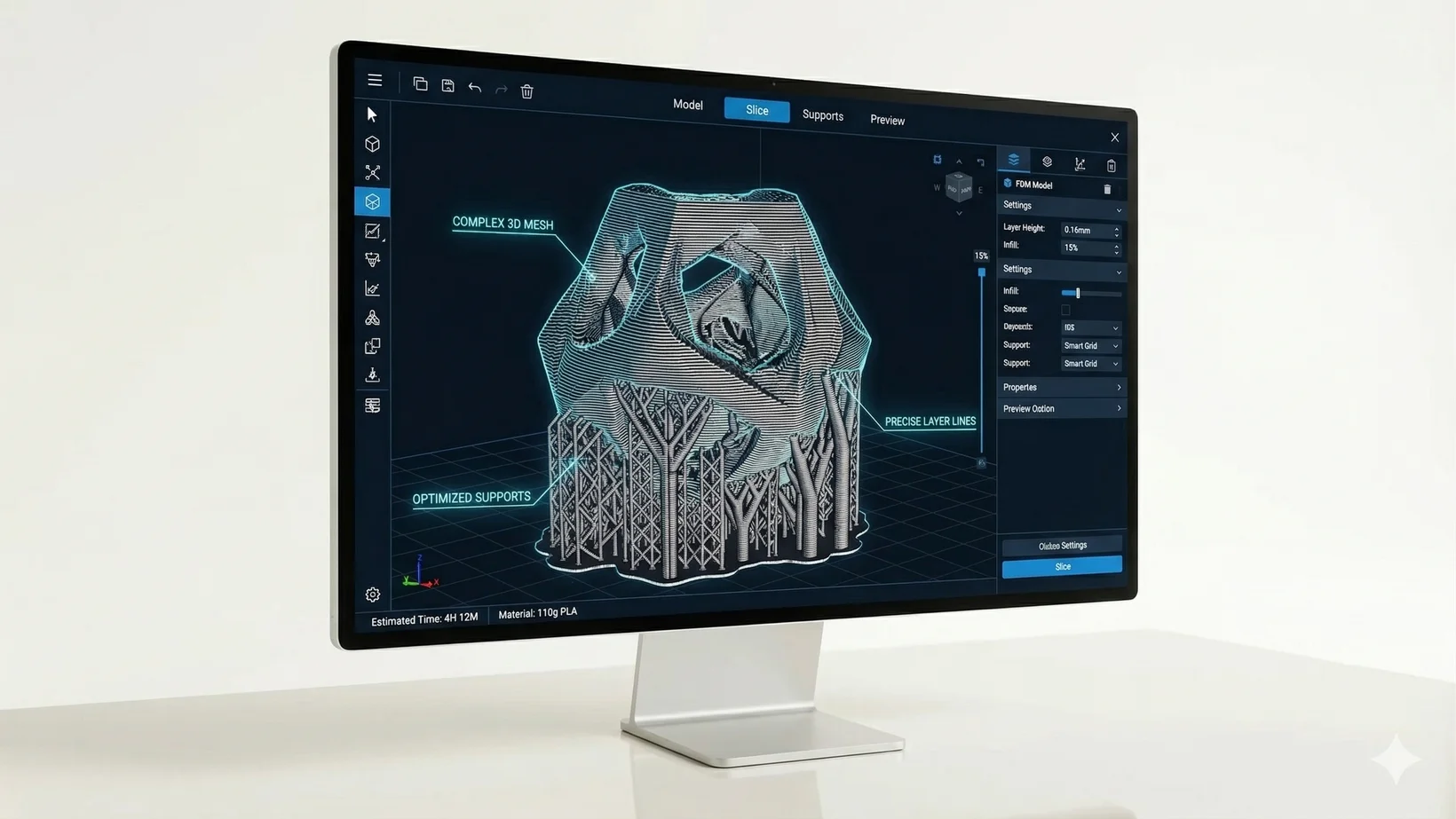
Models generated by an AI image to 3D model conversion tool optimized for desktop FDM printers require minimal post-processing, as the system outputs manifold geometry that seamlessly integrates with standard slicing software for immediate physical production. The digital-to-physical workflow relies heavily on the quality of the exported mesh. When flat images are processed, the resulting three-dimensional models are exported using comprehensive formats. The platform supports exporting models via 3D format conversion in USD, FBX, OBJ, STL, GLB, 3MF formats. These formats are universally accepted by slicing programs like Ultimaker Cura, PrusaSlicer, and Lychee Slicer. A high-quality generation process ensures that these files contain no floating vertices or micro-holes in the geometry. The system streamlines this transition by applying automatic retopology, reducing unnecessary polygon counts while meticulously preserving critical surface details that give the object its visual character. Once the optimized model is imported into slicing software, the physical parameters of the desktop FDM printer must be configured. Standard industry practices in 2026 dictate a layer height of 0.1mm to 0.3mm, depending on the desired balance between fine resolution and print speed. Infill density typically ranges between 15% and 25%, often utilizing gyroid or cubic structural patterns to maximize strength-to-weight ratios. Because the initial mesh generated by the AI 3D model generator is optimized for fabrication, slicers can efficiently calculate support structures for overhangs exceeding the standard 45-degree threshold. Furthermore, physical post-processing—such as removing supports, sanding through a progression of 120 to 400 grit, and applying filler primer—becomes significantly easier when the foundational model is generated with precise geometric logic.
Independent Product Lines: Tripo Studio vs. Tripo API
Tripo Studio and Tripo API operate as completely independent product lines with separate billing and infrastructure, ensuring that web-based creators and enterprise developers receive tailored, scalable solutions without overlapping subscription constraints. When deploying generative artificial intelligence at scale, organizations must strictly distinguish between individual creator workflows and backend enterprise architectures. The AI 3D editor provides an intuitive, web-based interface equipped with highly interactive features. Users can leverage Intelligent Segmentation to break models into editable, distinct components, or utilize advanced mapping and automated texturing via 4K texture generation. The studio is designed specifically for artists, designers, and hobbyists who require direct visual manipulation and iterative refinement of their generated assets before initiating a print. Conversely, the Tripo API serves developers and enterprise platforms requiring programmatic access to raw generation capabilities. It is crucial for integrators to understand that the Tripo API is a completely independent product line. API access is never an add-on feature of the Studio platform; it operates with its own distinct infrastructure and billing system. For instance, purchasing an advanced tier in the web tool does not grant a user access to enterprise API endpoints. This strict product line distinction ensures that large-scale manufacturing operations, software integrators, and automated web platforms can scale their usage based on actual computational demand, entirely independent of consumer-facing web platform constraints.
Economic Feasibility, Credits, and Commercial Rights
The platform utilizes a credit-based economy to ensure standardized resource allocation. Economic feasibility remains a primary consideration for users adopting an AI image to 3D model conversion tool optimized for desktop FDM printers into their daily operations. The system standardizes its currency exclusively as credits, ensuring a clear, predictable, and transparent usage metric across all types of model generation. The Free plan provides 300 credits per month. This tier provides ample opportunity for educational exploration, personal hobbyist projects, and hardware testing. However, 3D models generated under Tripo's Free plan do not support commercial use. For professional fabricators, independent game developers, and commercial design studios, the Pro plan ($19.90/month) provides 3,000 credits per month. This substantial increase in credits accommodates high-volume asset generation, iterative rapid prototyping, and advanced multi-view processing. Crucially, the Pro subscription unlocks commercial rights, allowing businesses to legally monetize the printed physical objects or digital assets they produce within their commercial endeavors. This structured economic model ensures that both casual makers and professional enterprises have access to state-of-the-art generation capabilities tailored directly to their specific legal requirements and production volumes. For more details, visit our Pricing page.
FAQ
1. What is the difference between Tripo Studio and Tripo API?
Tripo Studio and Tripo API operate as completely independent product lines. The API is not an add-on to the Studio platform; it operates with its own distinct infrastructure and billing system designed for enterprise scaling.
2. How does the pricing model work and what are the credit limits?
The Free plan provides 300 credits per month. The Pro plan ($19.90/month) provides 3,000 credits per month. For more details, please visit our Pricing page.
3. Can I use the models generated for commercial purposes?
3D models generated under Tripo's Free plan do not support commercial use. Commercial rights are unlocked with the Pro plan.
4. What export formats are supported?
The platform supports exporting models via 3D format conversion in USD, FBX, OBJ, STL, GLB, 3MF formats.
