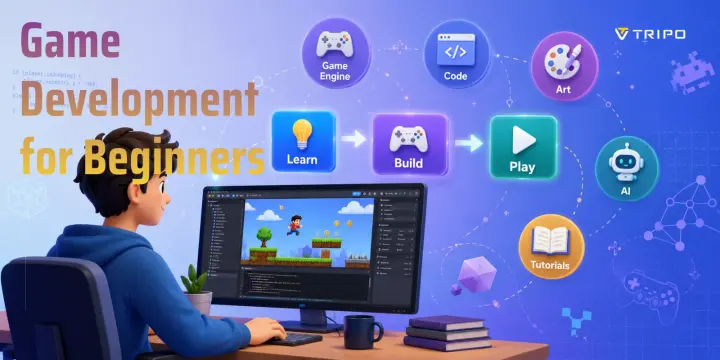
Game Development for Beginners: How to Make Your First Game
TL;DR
- Pick one free game engine and stick with it.
- Start with a tiny game like Pong or Flappy Bird.
- Learn by building, not just watching tutorials.
- Use free resources and AI tools to speed up asset creation.
- Finish small projects, then gradually build bigger ones.
A complete beginner can make a game by following a small, practical path: pick one free, beginner-friendly game engine (Godot, Unity, or a no-code tool like GDevelop), follow tutorials to learn the basics, then build one tiny game like Pong or Flappy Bird. This guide gives you a clear, step-by-step roadmap.
Is Game Development Hard for Beginners?
The short answer is no—but it does take practice. Like learning a musical instrument or a new language, game development has a learning curve. The good news is that getting started in 2026 is far easier than it was just a few years ago. Free game engines, thousands of high-quality tutorials, active online communities, no-code development platforms, and AI-powered tools have removed many of the barriers that once made game creation feel intimidating. If you're wondering how to get into game development with no experience, you don't need a computer science degree or years of technical knowledge. You simply need the willingness to learn one step at a time.
Many beginners assume they must become an expert programmer, a professional artist, and a game designer before making their first project. In reality, successful beginners focus on learning the basics while keeping their first game intentionally small. Modern engines such as Godot and Unity include visual editors, built-in physics, animation systems, and asset libraries that let you create playable prototypes quickly. If coding feels overwhelming, beginner-friendly no-code or low-code tools can teach game logic visually before you move on to scripting. AI tools can also help generate placeholder art, simple 3D assets, textures, or sound effects so you can concentrate on understanding how games work instead of creating every asset from scratch.
You also do not need to be great at math or drawing to begin. Basic arithmetic and logical thinking are enough for many beginner projects, and you'll naturally learn more concepts as your games become more advanced. Likewise, plenty of successful indie developers use free asset packs, simple geometric shapes, pixel art, or AI-assisted artwork while learning. Your goal isn't to build the next blockbuster on day one—it's to finish a small game that teaches you the complete development process. Every finished project builds confidence and skills, making the next one easier than the last.
What You Actually Need to Start (and What You Don't)
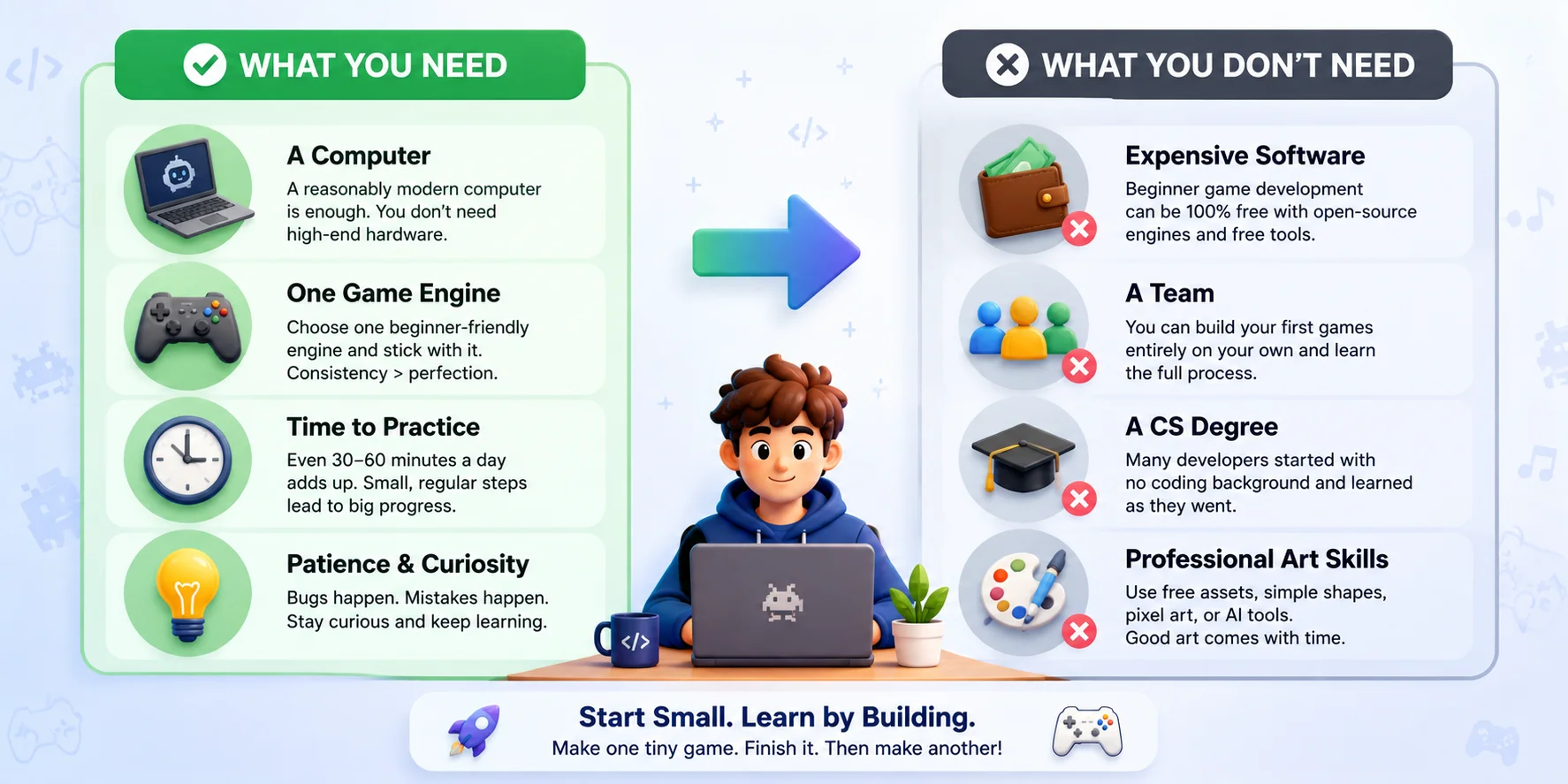
Many beginners overestimate what it takes to make a game. In reality, you can build your first playable project with surprisingly little. Focus on learning the fundamentals instead of collecting expensive software or waiting until you feel "ready." Here's what you actually need—and what you can safely ignore for now.
What You Need
- A reasonably modern computer. You do not need a high-end gaming PC. Most beginner-friendly engines run well on a typical Windows, macOS, or Linux laptop with at least 8 GB of RAM.
- One game engine. Pick a single beginner-friendly engine such as Godot, Unity, or a no-code option like GDevelop. Avoid switching tools every week—consistency matters more than finding the "perfect" engine.
- Time to practice. Even 30–60 minutes a day is enough to make steady progress. Small, regular sessions help you build skills faster than occasional marathon weekends.
- Patience and curiosity. Bugs, failed prototypes, and confusing error messages are a normal part of learning. Treat each one as a lesson rather than a setback.
What You Don't Need (Yet)
- Professional art skills. Free asset packs, simple shapes, pixel art, or AI-generated placeholder assets are more than enough for a first game.
- A team. Many developers create their first projects entirely on their own to learn the complete workflow.
- A big budget. Beginner game development can be completely free using open-source engines, free learning resources, and community assets.
- A computer science degree. Plenty of successful indie developers started by building small games and learning programming as they went.
Understand the Four Main Pieces of a Game
Every game is built from a few core components. At a high level, you'll work with game design (rules and gameplay), code (how the game functions), art and assets (characters, environments, UI, and animations), and audio (music and sound effects). You don't need to master all four before you begin—your first project only needs a basic version of each. As your skills grow, you can gradually improve every part or collaborate with others. If you'd like to understand how these pieces fit into a complete production pipeline, see our Game Development Process guide.
What You Actually Need to Start
How to Choose Your First Game Engine
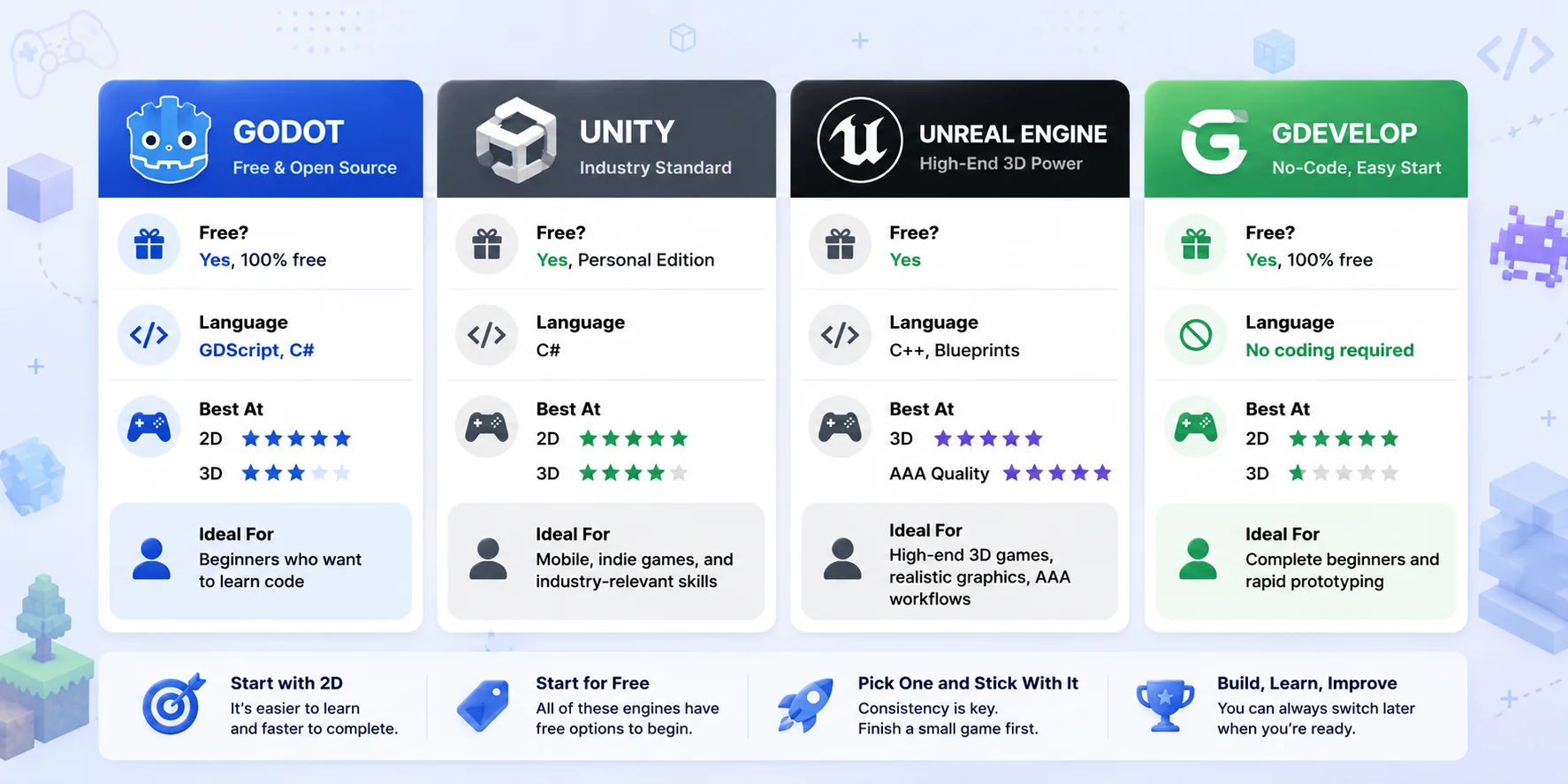
Choosing your first game engine can feel overwhelming because every tool claims to be the best. In reality, there is no perfect engine for every beginner. The right choice depends on what you want to build and how you prefer to learn. If your goal is simply to make your first game, prioritize an engine that has plenty of tutorials, a welcoming community, and a workflow that feels comfortable. Most importantly, pick one engine and stick with it until you've completed a small project. Constantly switching tools slows your progress far more than choosing the "wrong" engine.
| Game Engine | Free? | Language | Best For | 2D / 3D |
|---|---|---|---|---|
| Godot | Yes | GDScript, C# | Beginners who want to learn programming | Excellent 2D, Good 3D |
| Unity | Personal Edition | C# | Mobile, indie games, and beginners who want industry-relevant skills | Excellent 2D & 3D |
| Unreal Engine | Yes | C++, Blueprints | High-end 3D games, realistic graphics, AAA workflows | Primarily 3D |
| GDevelop | Yes | No coding | Complete beginners and rapid prototyping | Mainly 2D |
| Construct 3 | Free trial / Paid | No coding | Browser-based 2D games and education | 2D |
Godot
Godot is a free, open-source engine that's especially strong for 2D games. Its lightweight editor and beginner-friendly GDScript make it an excellent choice if you want to learn programming while building games. It's ideal for hobby projects, indie games, and anyone looking for a completely free starting point.
Unity
Unity is one of the most popular beginner game development software options, with a huge library of tutorials and community resources. Using C#, it supports both 2D and 3D development and is widely used for mobile and indie games. Its Personal plan is free for eligible individuals and small teams, making it a solid long-term choice if you want industry-relevant skills.
Unreal Engine
Unreal Engine is known for high-quality 3D graphics and powerful built-in tools. While its Blueprint visual scripting system helps beginners, the editor is more complex than Godot or Unity, and commercial projects may need to consider Epic's royalty terms once they become successful. It's best suited to learners who want to focus on realistic 3D or AAA-style game development.
GDevelop & Construct 3
GDevelop and Construct 3 are designed for beginners who want to make games without writing code. Their visual event systems let you build gameplay using drag-and-drop logic, making them especially useful for learning game design concepts, building simple 2D games, and creating quick prototypes.
Choose Your First Game Engine
A Beginner's Roadmap: From Zero to Your First Game
Learning game development is much easier when you follow a clear sequence instead of jumping randomly between tutorials. Many beginners spend months watching videos without ever finishing a project. A better approach is to learn only what you need for your current game, complete that game, and then gradually take on bigger challenges. The roadmap below keeps you moving forward while avoiding the biggest beginner trap: feature creep—adding more and more ideas until the project becomes impossible to finish.
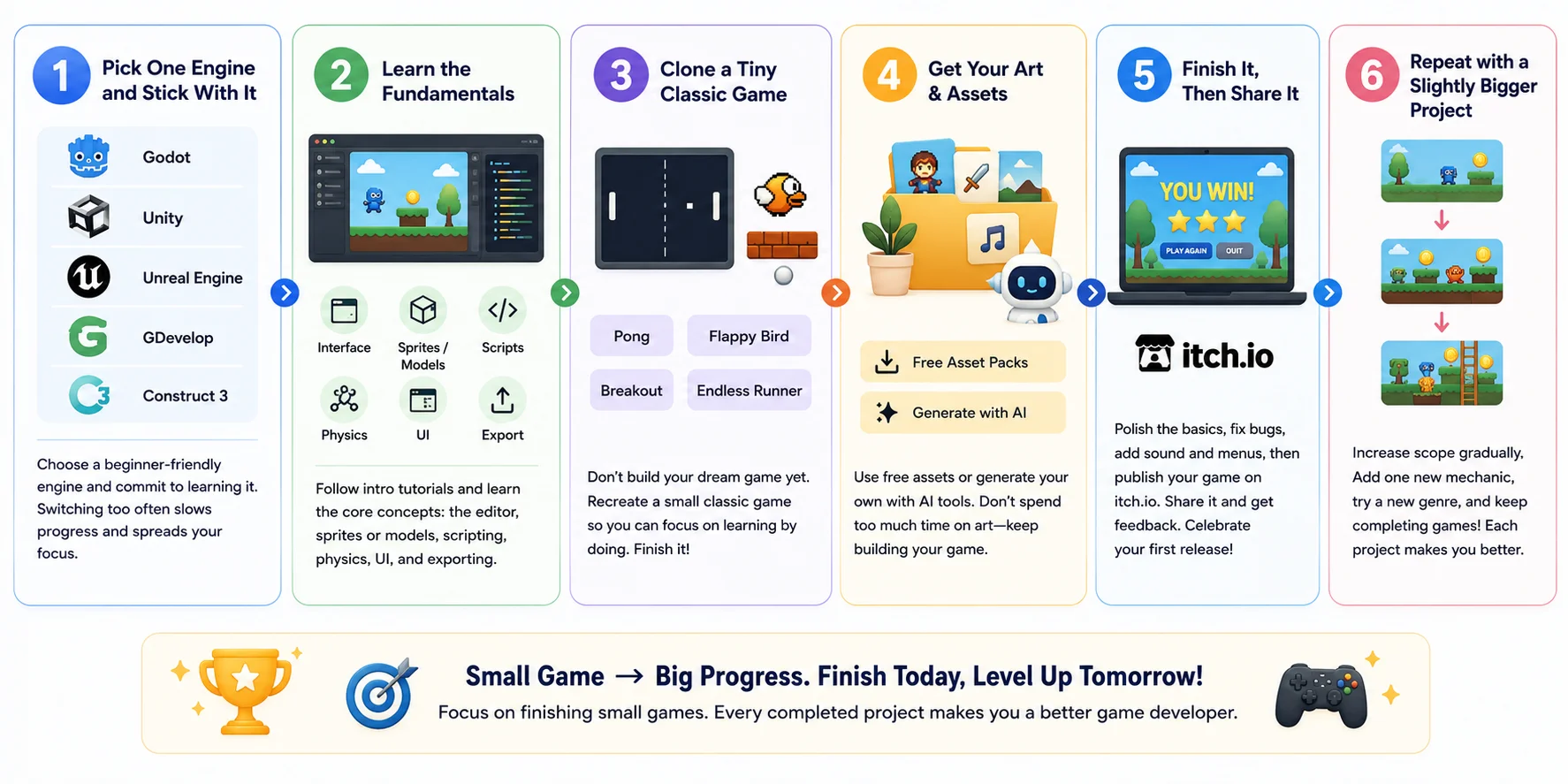
Step 1: Pick One Engine and Stick With It
Choose a beginner-friendly engine such as Godot, Unity, GDevelop, or Construct 3, then commit to using it for your first project. Resist the temptation to switch every time you see a new tutorial or YouTube comparison. Every engine teaches the same core concepts—game objects, input, collisions, scenes, and scripting. Once you've finished one complete game, learning another engine becomes much easier.
Step 2: Learn the Fundamentals
Start with an official beginner tutorial that introduces the editor, scenes, sprites or 3D models, scripting, physics, UI, and exporting a project. Don't try to memorize every feature. Focus on understanding how to move an object, detect collisions, play sounds, keep score, and restart a level. These building blocks appear in almost every game you'll make later.
Step 3: Clone a Tiny Classic Game
Instead of designing your dream game, recreate a simple classic such as Pong, Flappy Bird, Breakout, or a basic endless runner. Cloning an existing game removes the pressure of inventing new mechanics and lets you concentrate on programming and game design fundamentals. Keep the scope small enough that you can finish it within a few days or weeks. Remember: a completed small game teaches far more than an unfinished ambitious one.
Step 4: Get Your Art and Assets
Your first game doesn't need custom artwork. Download free sprites, icons, sound effects, and music from trusted asset libraries, or create simple placeholder graphics using basic shapes. If you want something more unique, AI tools can quickly generate concept art, textures, or simple 3D assets that you can customize later. The goal is to keep building your game rather than spending weeks making perfect art before the gameplay works.
Step 5: Finish It and Share It
Polish the basics before adding new features. Fix obvious bugs, improve the controls, add simple menus and sound effects, then export your game and publish it on a platform like itch.io. Sharing your work—even if it's small—helps you gain feedback, build confidence, and complete the full development cycle from idea to release.
Step 6: Build Something Slightly Bigger
After finishing your first game, don't immediately jump into a massive open-world RPG or multiplayer project. Instead, increase the difficulty gradually. Add one new mechanic, experiment with a different genre, or create a game that's about twice as large as your previous one. This steady progression builds real skills while preventing burnout. Every completed project becomes a foundation for the next, and after several small games, you'll have the experience and confidence to tackle much larger ideas.
Beginner Game Development Roadmap
Best First-Project Ideas (Start Tiny)
Your first game should be small enough to finish quickly. Recreating a simple classic helps you learn core game development skills without getting distracted by complex design. The goal isn't originality—it's completing a project and building confidence.
| Project | What You'll Learn |
|---|---|
| Pong | Player movement, collisions, scoring, game loop |
| Flappy Bird | Input, physics, obstacles, score tracking |
| Tetris | Grid systems, rotation, game state management |
| Simple Platformer | Character movement, jumping, physics, level design |
| Clicker Game | UI, upgrades, progression, saving data |
Build It Step by Step
No matter which game you choose, build it in small milestones:
- Display your player.
- Make it move.
- Add obstacles or enemies.
- Add scoring and a game over screen.
- Polish with simple art, sound, and menus.
A finished small game is always more valuable than an unfinished dream project. Complete one, learn from it, then move on to the next slightly bigger challenge.
Overcoming the Art & Asset Barrier (Without Being an Artist)
For many beginners, coding isn't the biggest obstacle—art is. You might finish a movement system or game mechanics, only to realize you have no characters, environments, or 3D models to put into your game. As a result, many promising projects stall, not because of programming, but because finding or creating suitable assets takes far longer than expected.
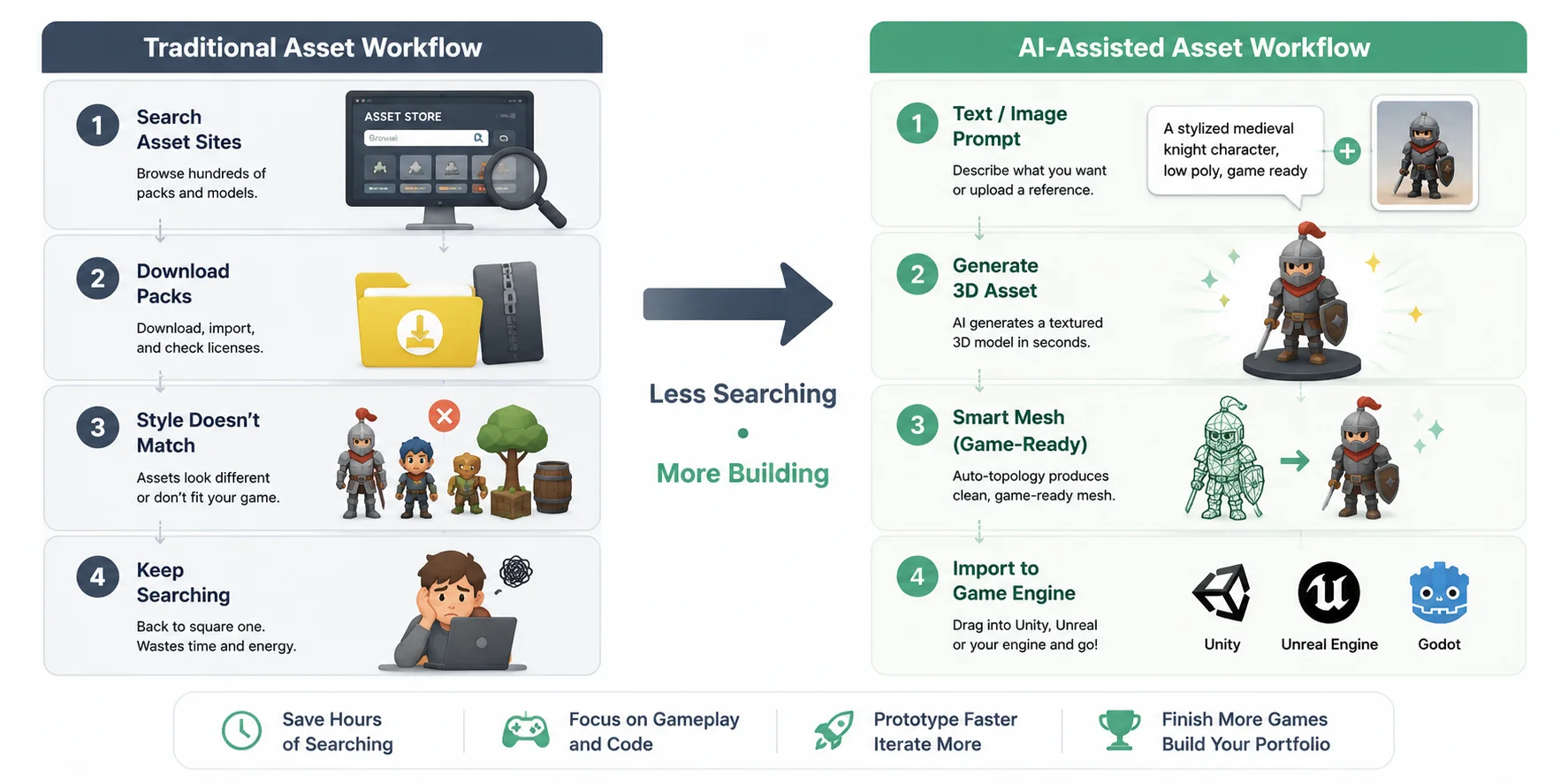
The traditional solution is to use free asset libraries such as itch.io and OpenGameArt. These sites offer thousands of sprites, sound effects, UI packs, and 3D models that are perfect for learning. However, they also have limitations. Assets often vary in style, quality, and licensing, and you may spend hours searching for something that matches the look of your project—or discover that the asset you need simply doesn't exist.
A newer option is to use AI-generated assets alongside traditional libraries. Instead of searching through hundreds of downloads, you can generate a custom asset from a short text prompt or a reference image. Modern AI tools can create textured 3D models in seconds, and some platforms also provide game-ready topology through features such as Smart Mesh, making the models much easier to bring into a game engine. Rather than replacing traditional workflows, these tools can speed up prototyping and help beginners fill gaps in their projects more efficiently.
For solo developers, this can make a big difference. Instead of spending weeks learning 3D modeling before building a game, you can focus on gameplay, programming, and level design while using AI or free asset packs as temporary or even final art. As your skills improve, you can always replace placeholder assets with your own creations later.
If you'd like to generate custom models instead of searching asset libraries, explore Tripo AI Text to 3D for prompt-based creation, or use Tripo AI Smart Mesh to convert AI-generated models into cleaner, game-ready meshes before importing them into your engine. The goal isn't to skip learning forever—it's to remove the biggest roadblock so you can keep finishing games and improving your development skills.
Traditional vs AI-Assisted Asset Workflow
Free Resources to Learn Game Development
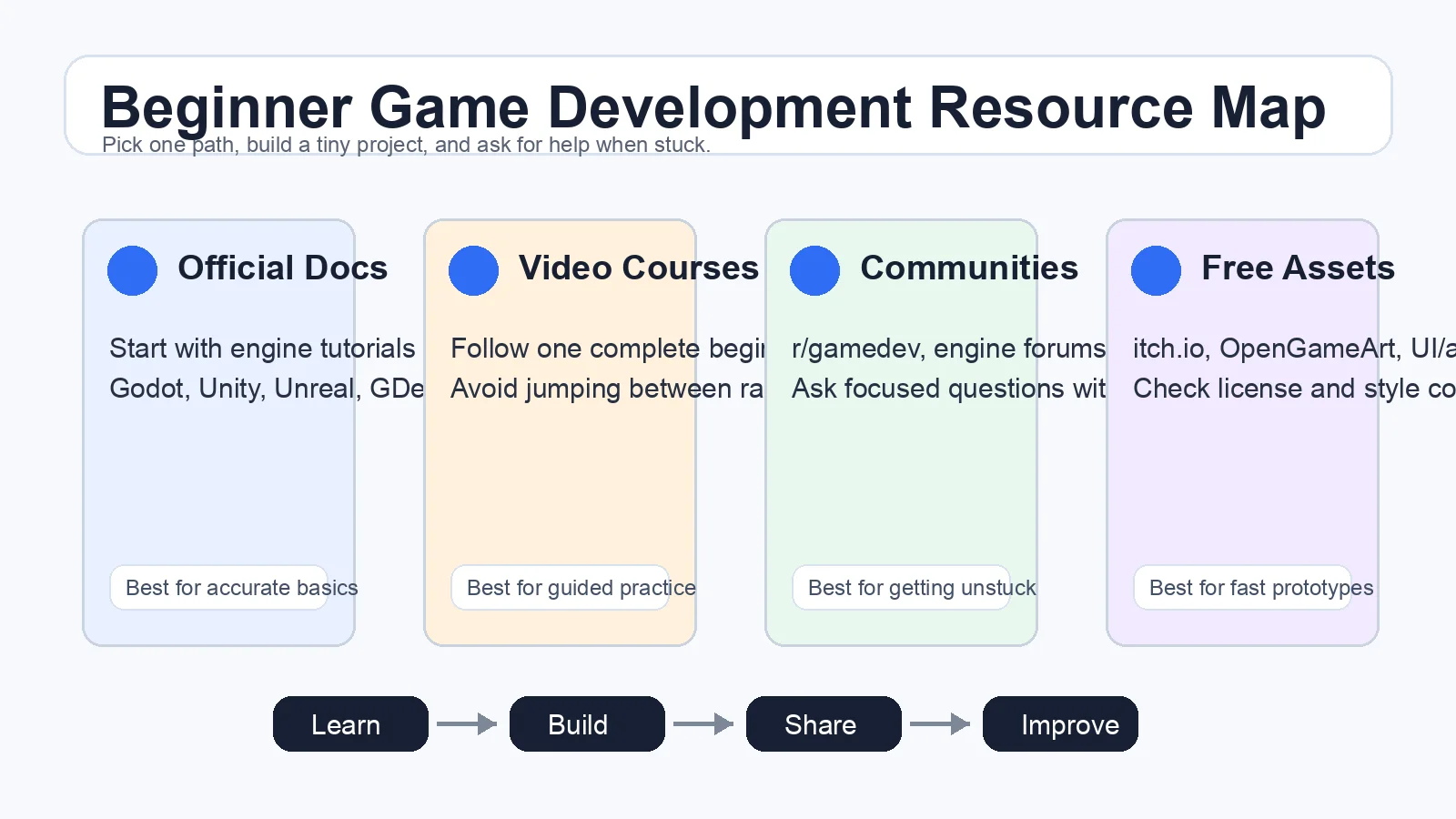
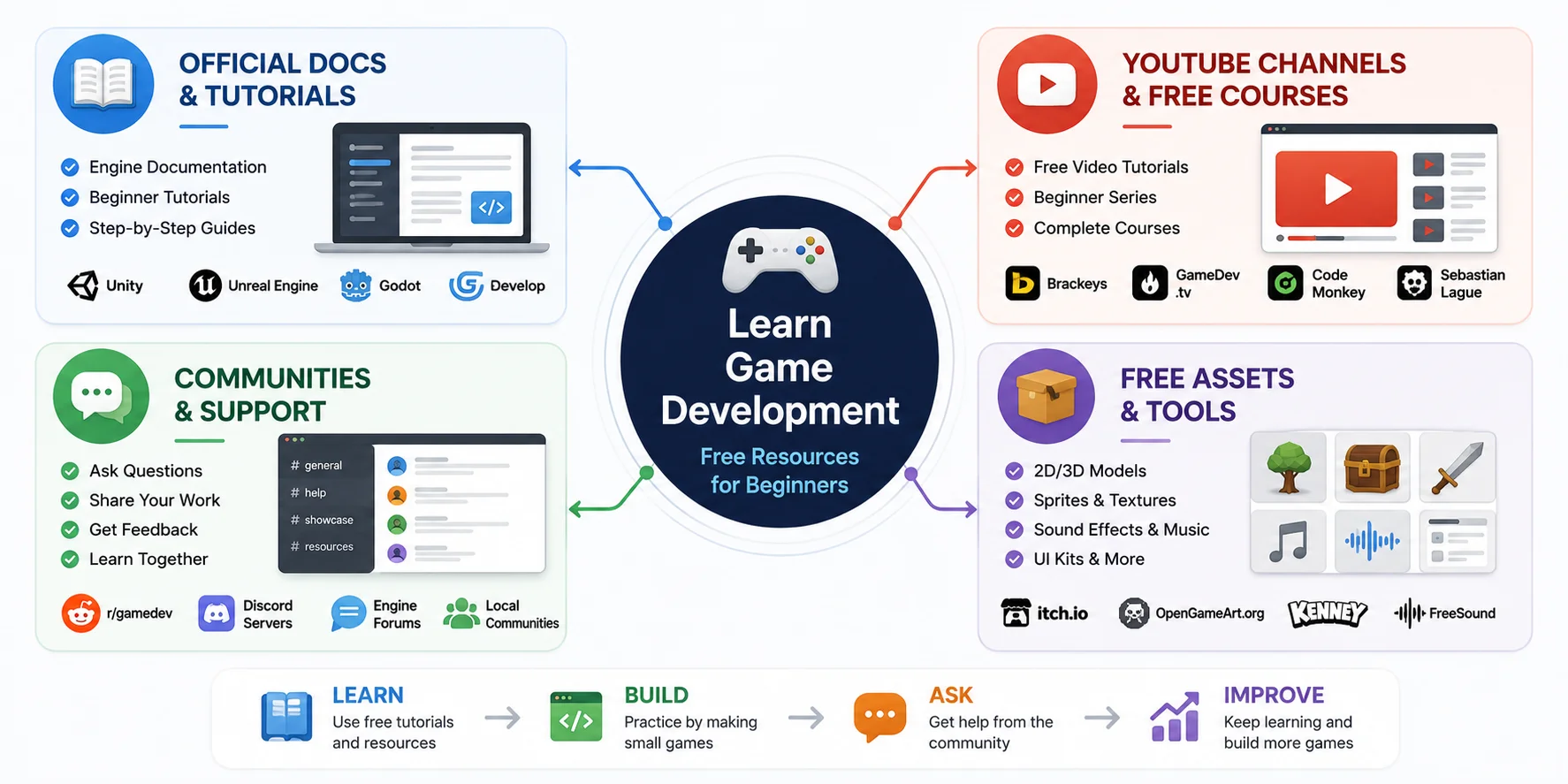
You don't need to spend hundreds of dollars to learn game development. Some of the best beginner resources are completely free, and combining official documentation with tutorials and community support is often more effective than relying on a single course. When you get stuck, ask questions—every developer started as a beginner.
Official Documentation & Tutorials
Start with your engine's official documentation and beginner tutorials. They're free, always up to date, and teach features the way the engine was designed to be used.
Free Video Courses
YouTube offers thousands of beginner-friendly tutorials covering Godot, Unity, Unreal Engine, and GDevelop. Follow a complete beginner series instead of jumping between random videos to build skills step by step.
Developer Communities
Don't struggle alone. Communities such as r/gamedev, official engine forums, and Discord servers are great places to ask questions, get feedback, and learn from other developers' experiences.
Free Game Assets
You don't have to create every asset yourself. Websites like itch.io and OpenGameArt provide free sprites, 3D models, sound effects, music, and UI packs that are perfect for prototypes and first projects.
Learn by Building
The best free learning resource is your own project. Read a tutorial, apply what you learned immediately, solve the next problem, and repeat. Building small games consistently will teach you far more than passively watching videos alone.
Frequently Asked Questions
How do I start game development as a beginner?
Choose one beginner-friendly engine, complete an official tutorial, and build a small game like Pong or Flappy Bird. Focus on finishing projects rather than making a large game. Each completed project builds your skills and confidence.
Is AI replacing game developers?
No. AI helps developers create assets, prototype ideas, and automate repetitive tasks, but it does not replace game design, programming, or creative decision-making. It's best viewed as a productivity tool rather than a substitute for developers.
Should I learn C++ or C# for game development?
Most beginners should start with C# because it's easier to learn and widely used in Unity. C++ is more powerful and common in Unreal Engine and AAA development, but it has a steeper learning curve. Start with one language based on the engine you choose.
Conclusion
The hardest part of game development is starting—so pick one engine, build something tiny this week, and finish it. And when art is the thing holding you back, you can generate game-ready 3D models from a text prompt or image with Tripo AI and drop them straight into your engine.