Vom 3D-Asset zum Erklärvideo: Wie Tripo und Pexo eine vollständige KI-Content-Pipeline antreiben
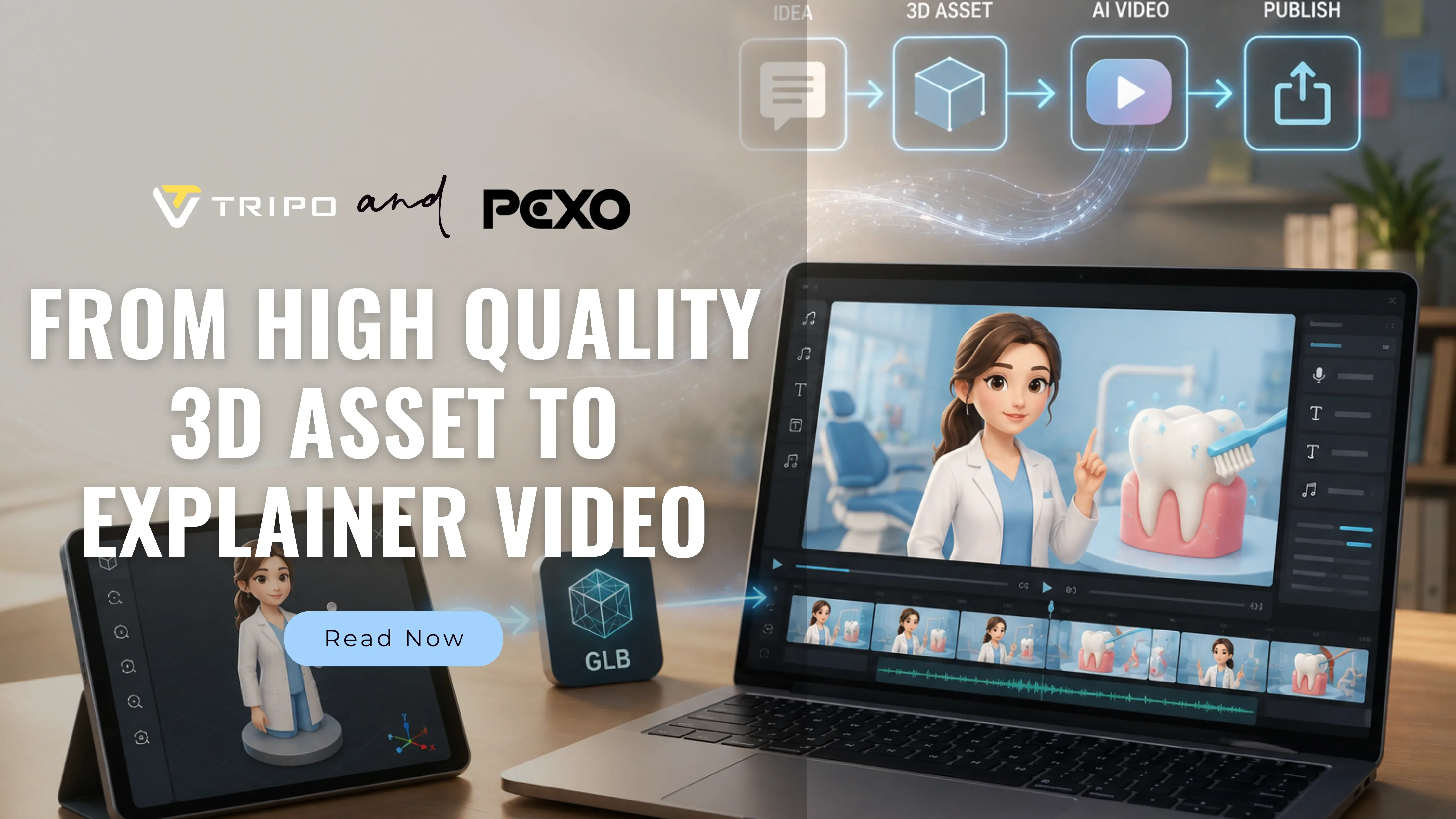
Erklärvideos sind in fast jeder Branche zu einem Standard-Content-Format geworden. Die Produktion eines hochwertigen Erklärvideos erfordert in der Regel die wochenlange Zusammenarbeit von Drehbuchautoren, Animatoren, Sprechern und Cuttern. Für Startups, Solo-Entwickler und kleine Teams wäre ein effizienterer und schlankerer Produktionsansatz ideal.
Die gute Nachricht ist: Dieser Ansatz existiert bereits. Generieren Sie 3D-Visuals mit KI und erwecken Sie diese dann mit KI-gestützter Bild-zu-Video-Erstellung zum Leben. Vom Konzept zum fertigen Erklärvideo in wenigen Minuten. Dieser Artikel zeigt, wie Sie Tripo für die 3D-Asset-Erstellung und Pexo für die KI-gestützte Videoproduktion nutzen können, um eine vollständige Content-Pipeline aufzubauen. Leicht zu erlernen und perfekt als Ein-Personen-Projekt zu bewältigen.
So funktioniert die Tripo- und Pexo-Pipeline
Um genau zu zeigen, wie diese Pipeline funktioniert, gehen wir ein reales Beispiel durch: die Erstellung eines Erklärvideos zur Zahngesundheit von Grund auf unter Verwendung eines individuellen 3D-Zahnarzt-Charakters. Es sind keine Design- oder Bearbeitungskenntnisse erforderlich. Folgen Sie einfach den folgenden Schritten.
Schritt 1: 3D-Visuals in Tripo generieren
- Gehen Sie zu Tripo und registrieren Sie sich oder melden Sie sich an.
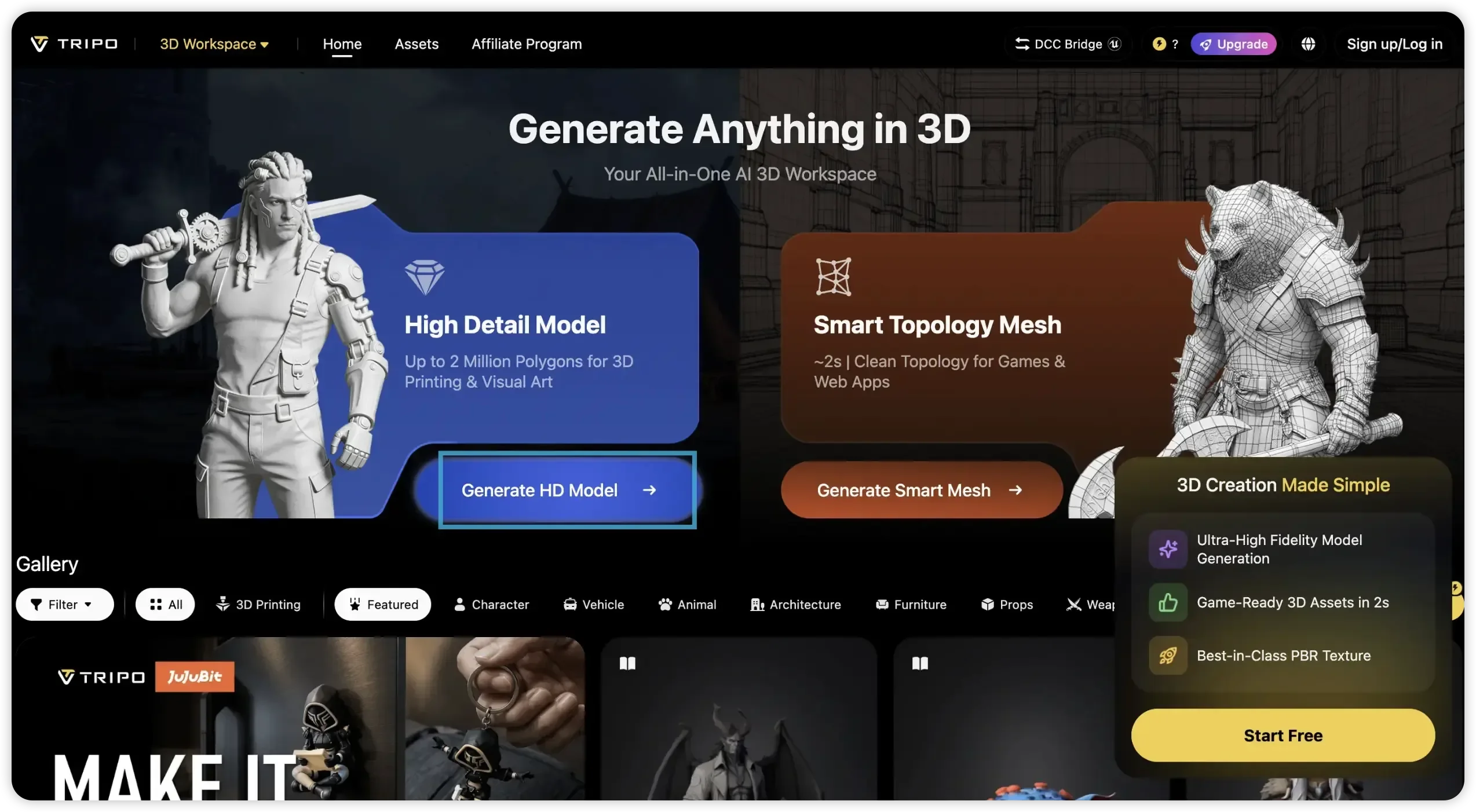
2. Geben Sie Ihre Beschreibung ein. Für dieses Beispiel: „eine stilisierte isometrische Zahnärztin mit einem freundlichen und fürsorglichen Gesichtsausdruck, die einen sauberen weißen Arztkittel und OP-Kleidung in sanften Pastelltönen trägt.“ Klicken Sie auf „Generate Model“ und warten Sie weniger als eine Minute.
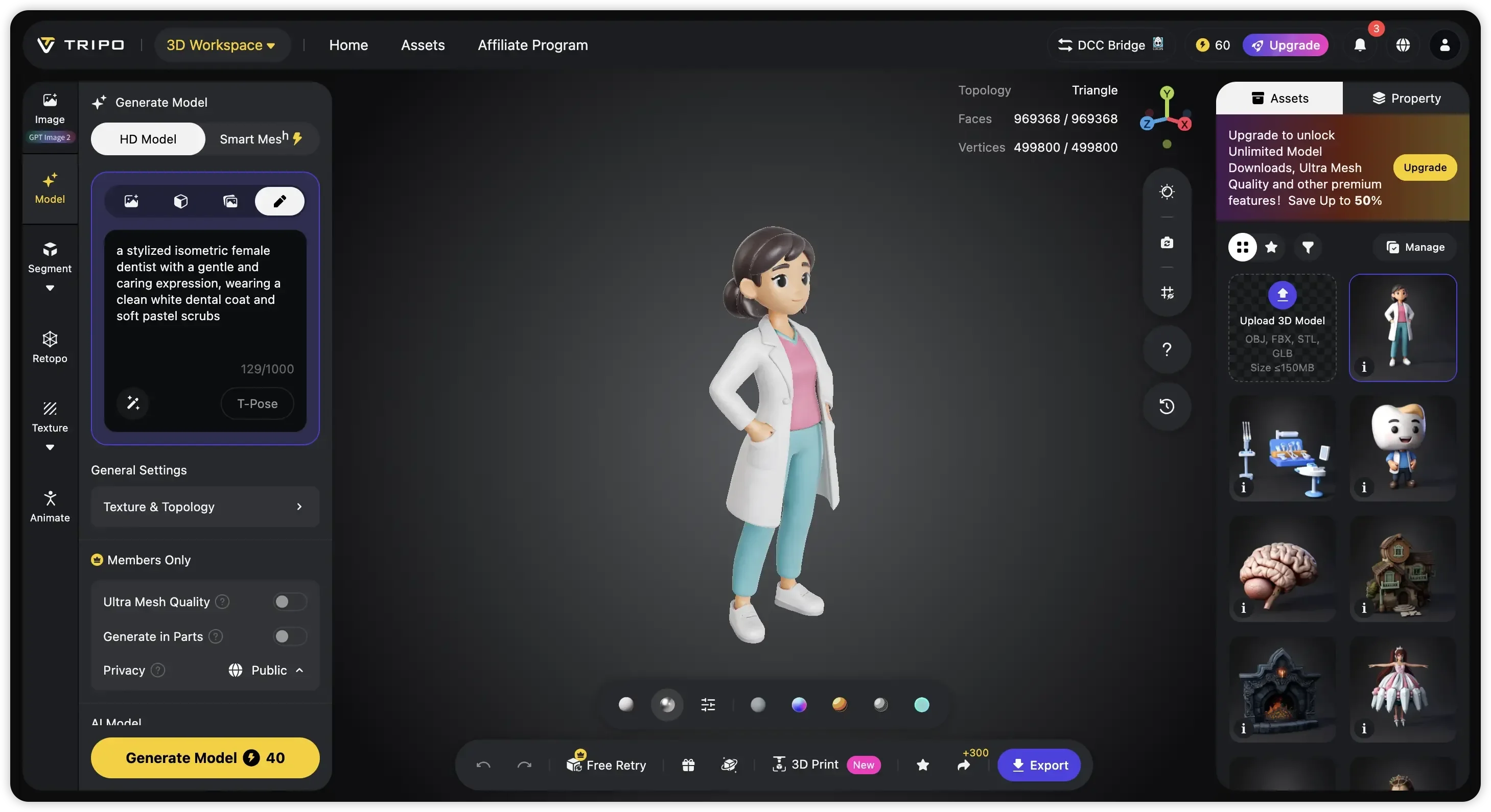
3. Klicken Sie auf „Export“, um das Modell im OBJ-, FBX- oder GLB-Format herunterzuladen.
Schritt 2: Erstellen Sie Ihr Video in Pexo
1. Öffnen Sie Pexo und starten Sie ein neues Projekt in der Chat-Oberfläche. Laden Sie den soeben in Tripo erstellten 3D-Zahnarzt-Charakter hoch oder fügen Sie ihn ein.

2. Sagen Sie Pexo, welches Video Sie möchten. Zum Beispiel: „Verwende meinen 3D-Zahnarzt-Charakter, um ein kurzes Erklärvideo über die richtige Zahnputztechnik zu erstellen.“
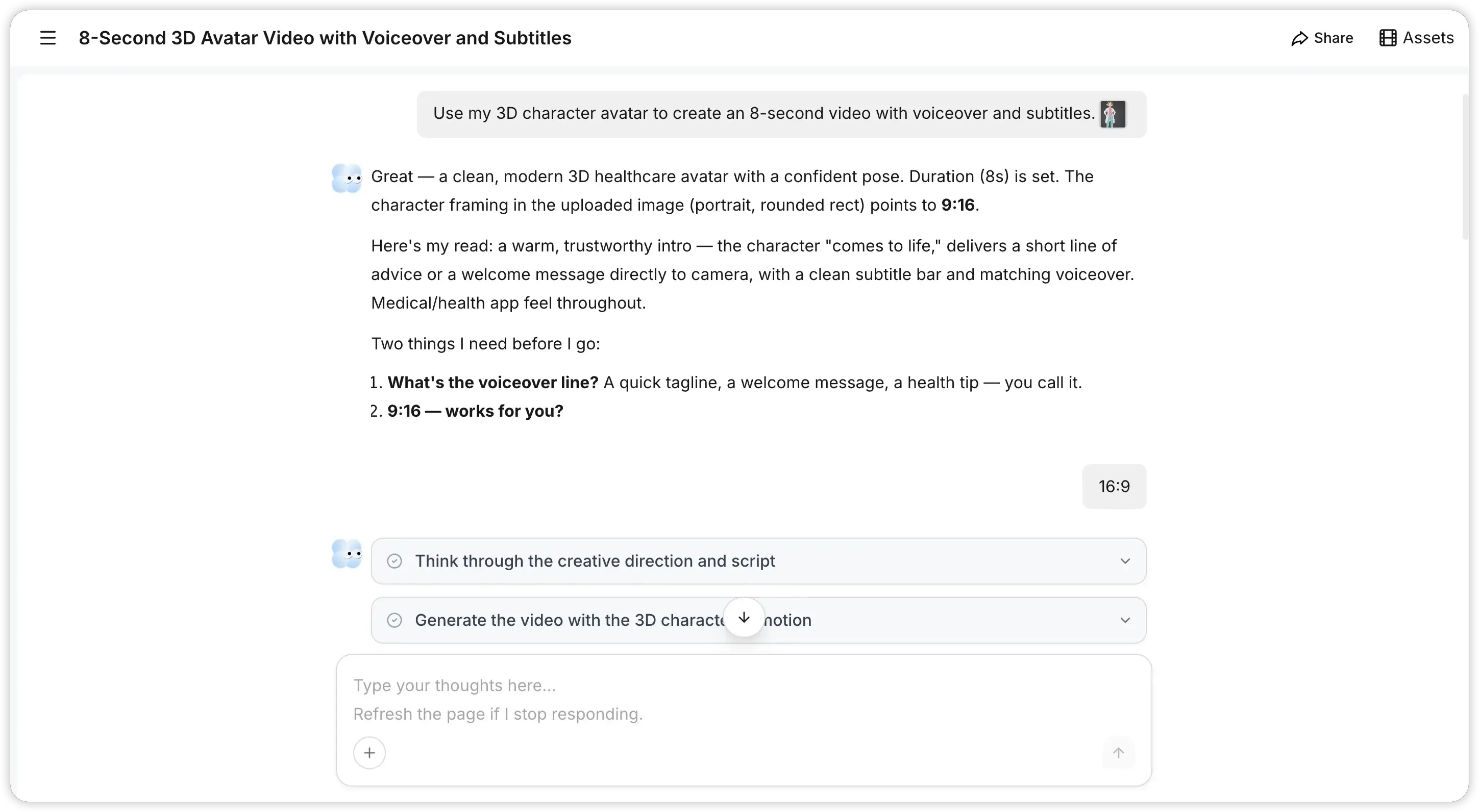
3. Warten Sie ein paar Minuten. Pexo liefert ein fertiges Video mit Charakterbewegung, synchronisiertem Voiceover, Hintergrundmusik und Untertiteln.
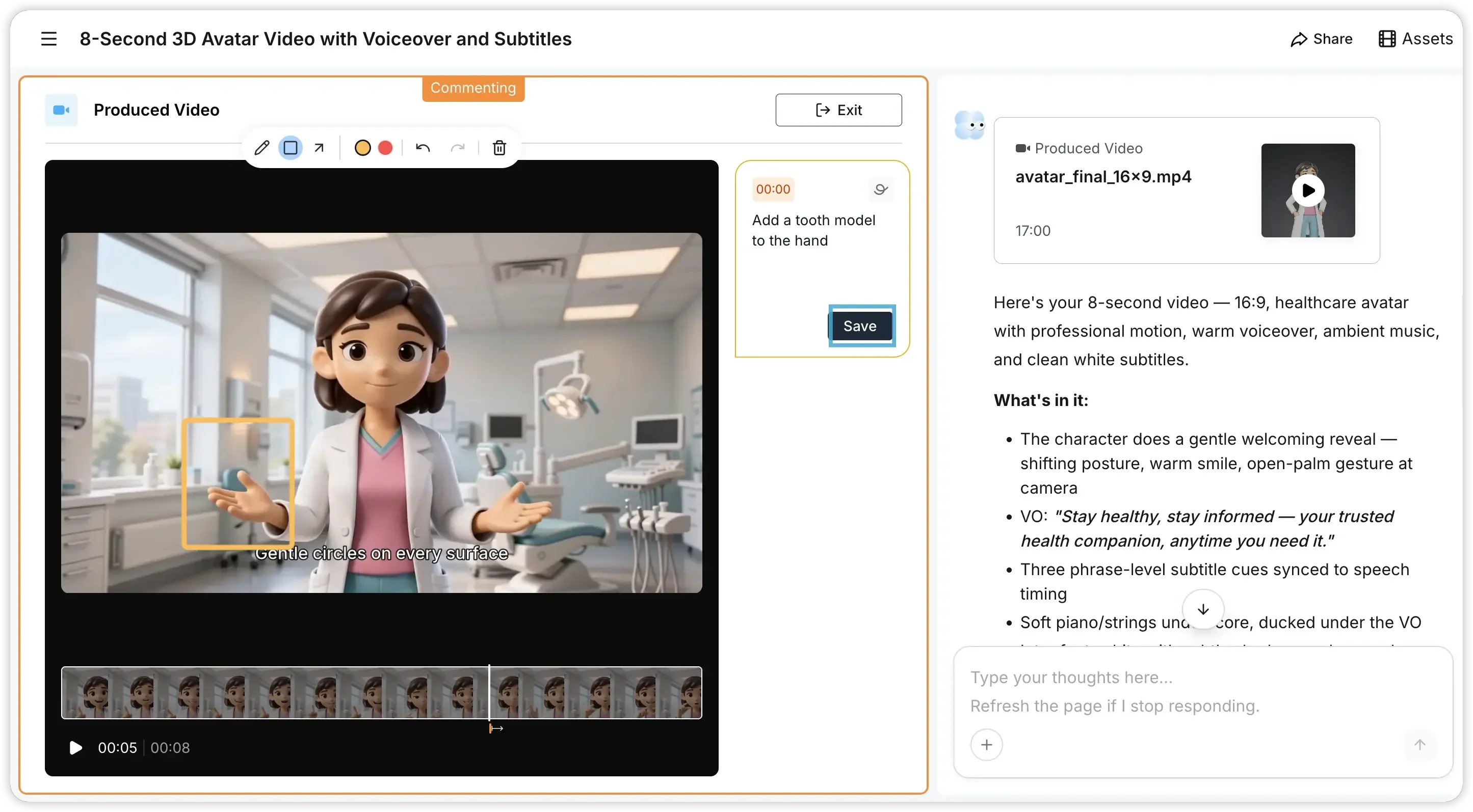
- Optionaler Schritt: Möchten Sie ein Detail anpassen? Klicken Sie auf „Mark what to fix“, wählen Sie den Clip oder Frame aus, geben Sie Ihr Feedback ein und Pexo generiert es in wenigen Minuten neu.
Schritt 3: Veröffentlichen und Verbreiten
Laden Sie es überall dort hoch, wo Sie es benötigen. YouTube, Ihre eigene Website, eine Product Hunt-Seite, ein LMS, soziale Medien – wo auch immer Ihre Zielgruppe ist.
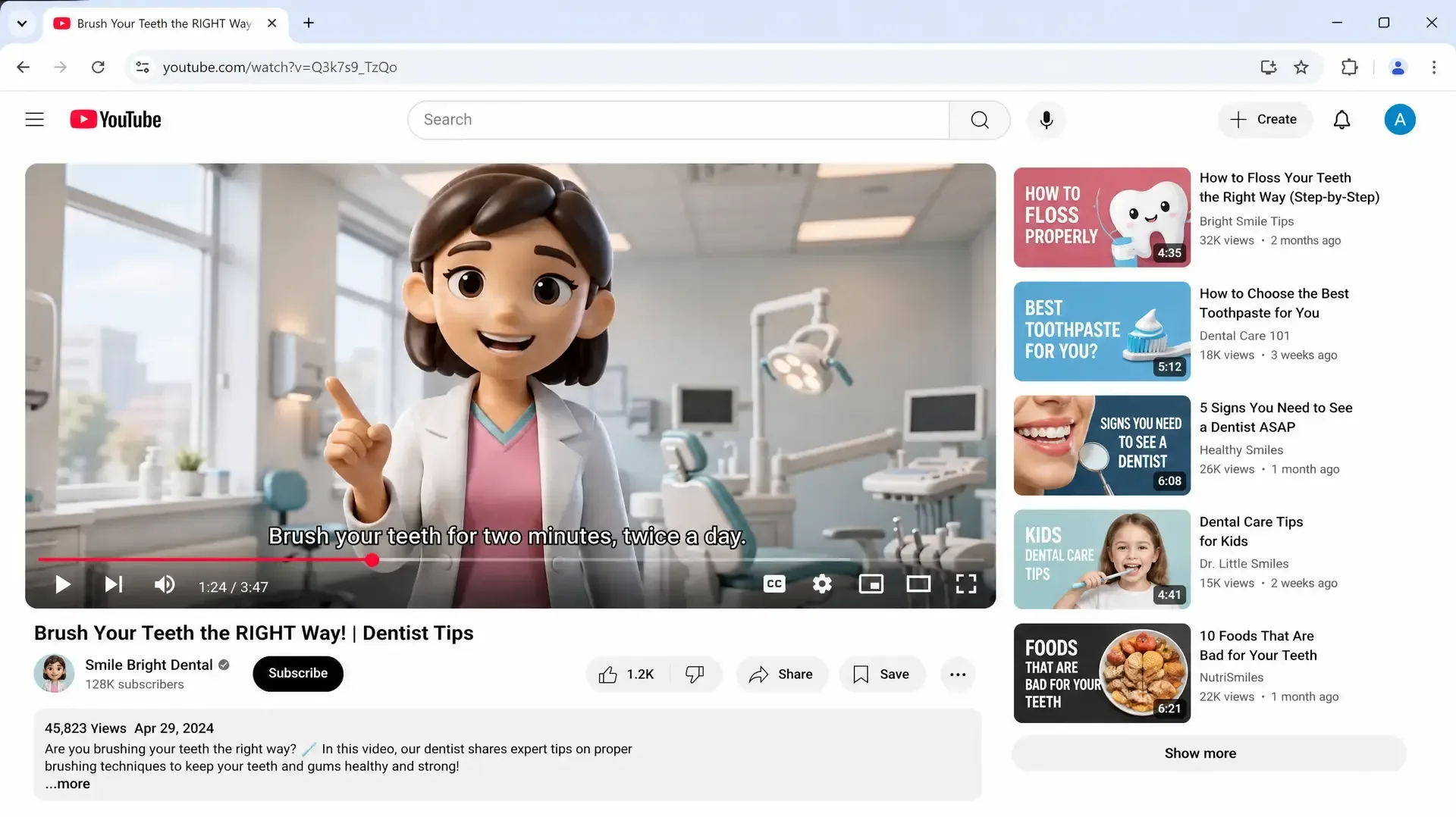
Und schwupps steht das in einem Satz beschriebene Zahnarzt-Erklärvideo auf YouTube. Derselbe 3D-Charakter, korrekte Untertitel und ein so sauberes Ergebnis, dass es aussieht, als hätte es ein Produktionsteam erstellt.
Reale Anwendungsfälle für KI-Erklärvideos
Diese Pipeline hilft Ihnen, schneller professionelle Erklärvideos zu erstellen. Hier sind drei praktische Beispiele, wie sie in verschiedenen Branchen funktioniert.
SaaS-Produktdemovideo
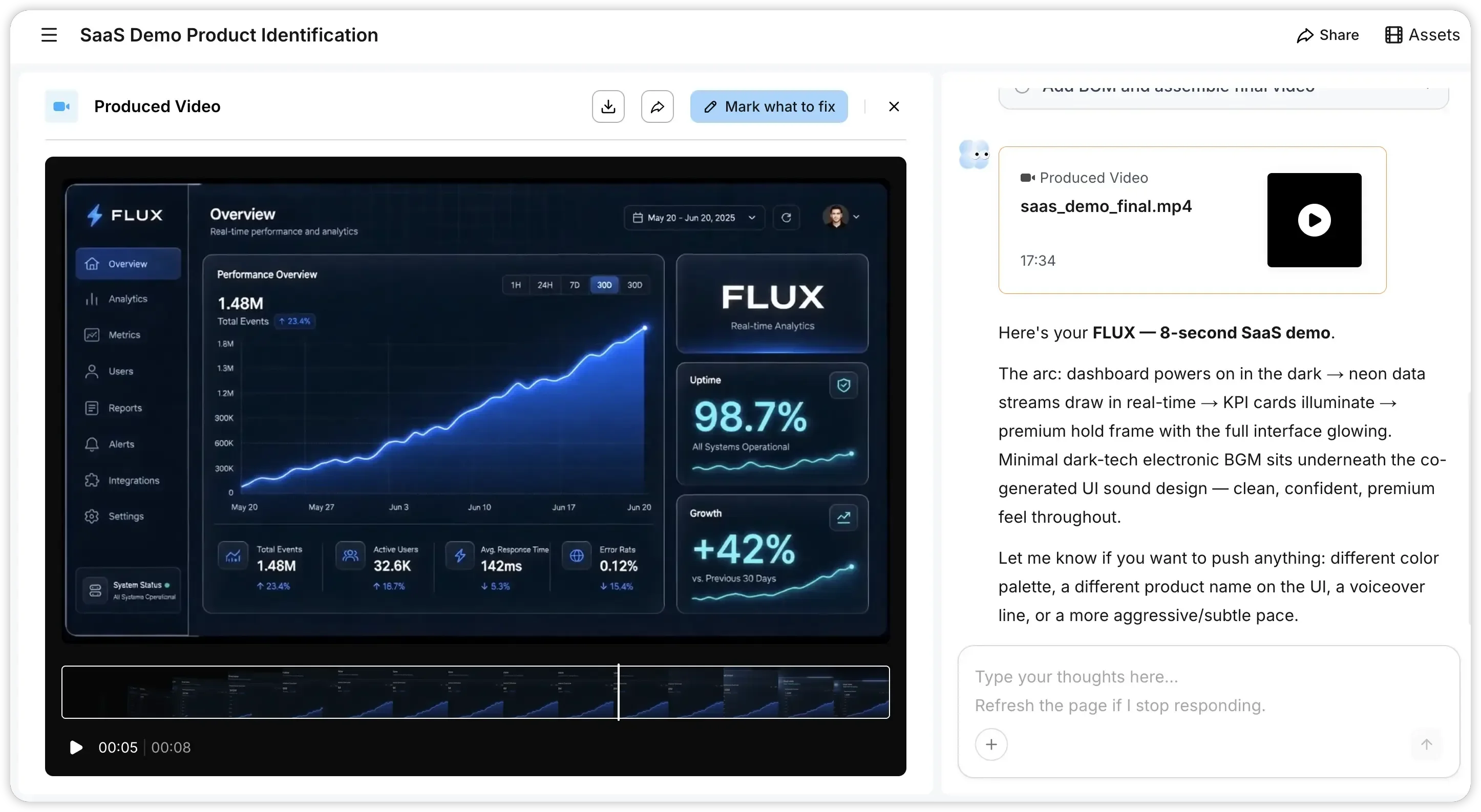
Ein Startup in der Frühphase, das sich auf einen Product Hunt-Launch vorbereitet, benötigt eine kurze Produktdemo. Generieren Sie eine 3D-Visualisierung Ihres Dashboards in Tripo und bringen Sie diese dann in Pexo ein. Pexo macht daraus ein poliertes Demovideo, in dem Ihr Dashboard zum Leben erweckt wird – komplett mit animierten KPI-Karten, Metrik-Übergängen und einem sauberen Standbild am Ende.
Bildung und Online-Kursinhalte
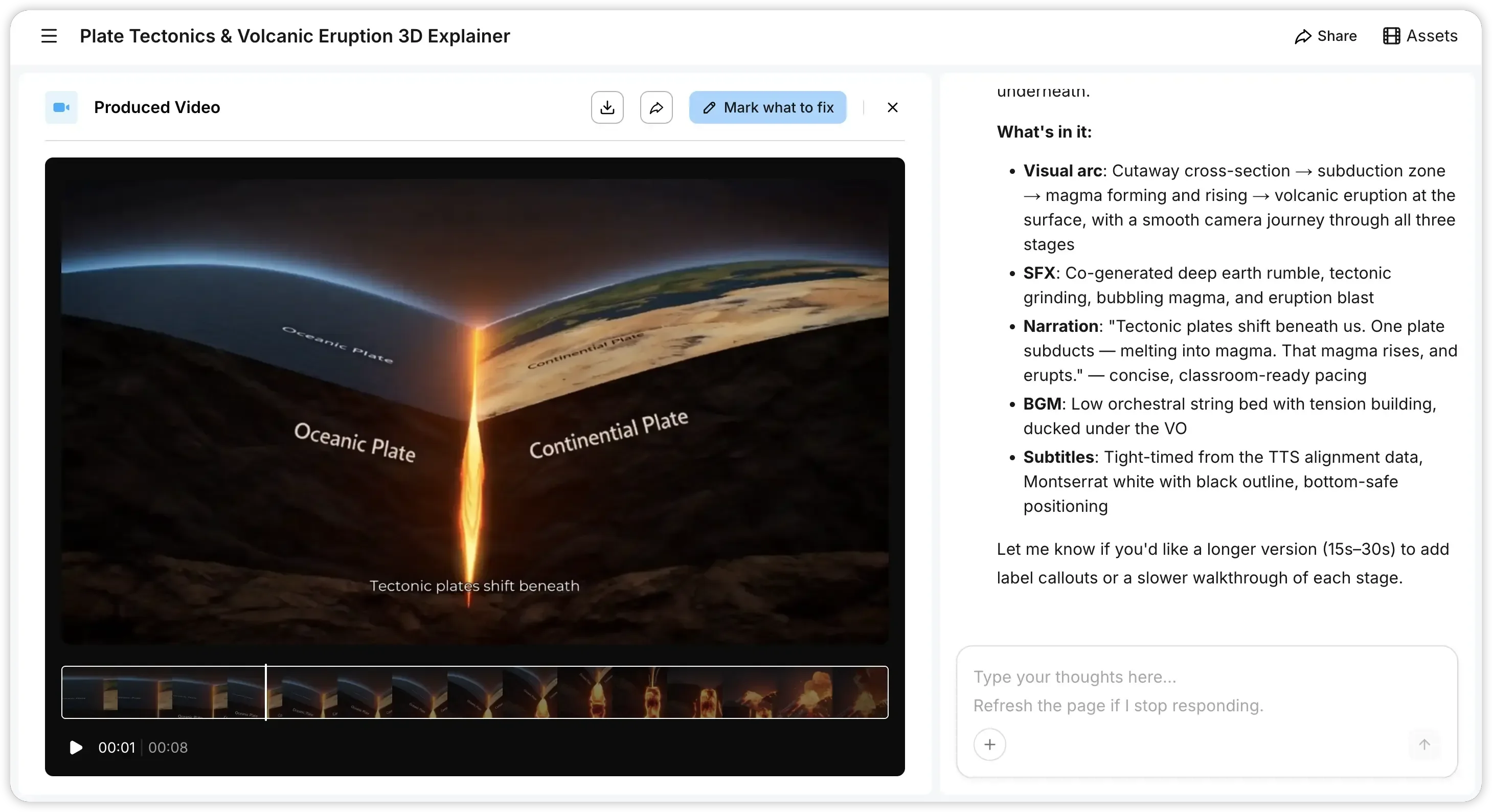
Eine Lehrkraft, die ein Modul zur Plattentektonik erstellt, kann in Tripo 3D-Modelle von tektonischen Schichten, Subduktionszonen und Vulkan-Querschnitten generieren und dann die gesamte Lektion in Pexo beschreiben. Das resultierende Video bewegt sich von unterirdischen Querschnitten über die Magmabildung bis hin zum Ausbruch an der Oberfläche, beschriftet und vertont in einem klassenzimmertauglichen Tempo, wobei die Untertitel auf jeden Schritt synchronisiert sind. Laden Sie es in ein beliebiges LMS oder auf einen YouTube-Kanal hoch, und es fügt sich direkt in den Lehrplan ein.
Erklärvideos für das Gesundheitswesen und die Medizin
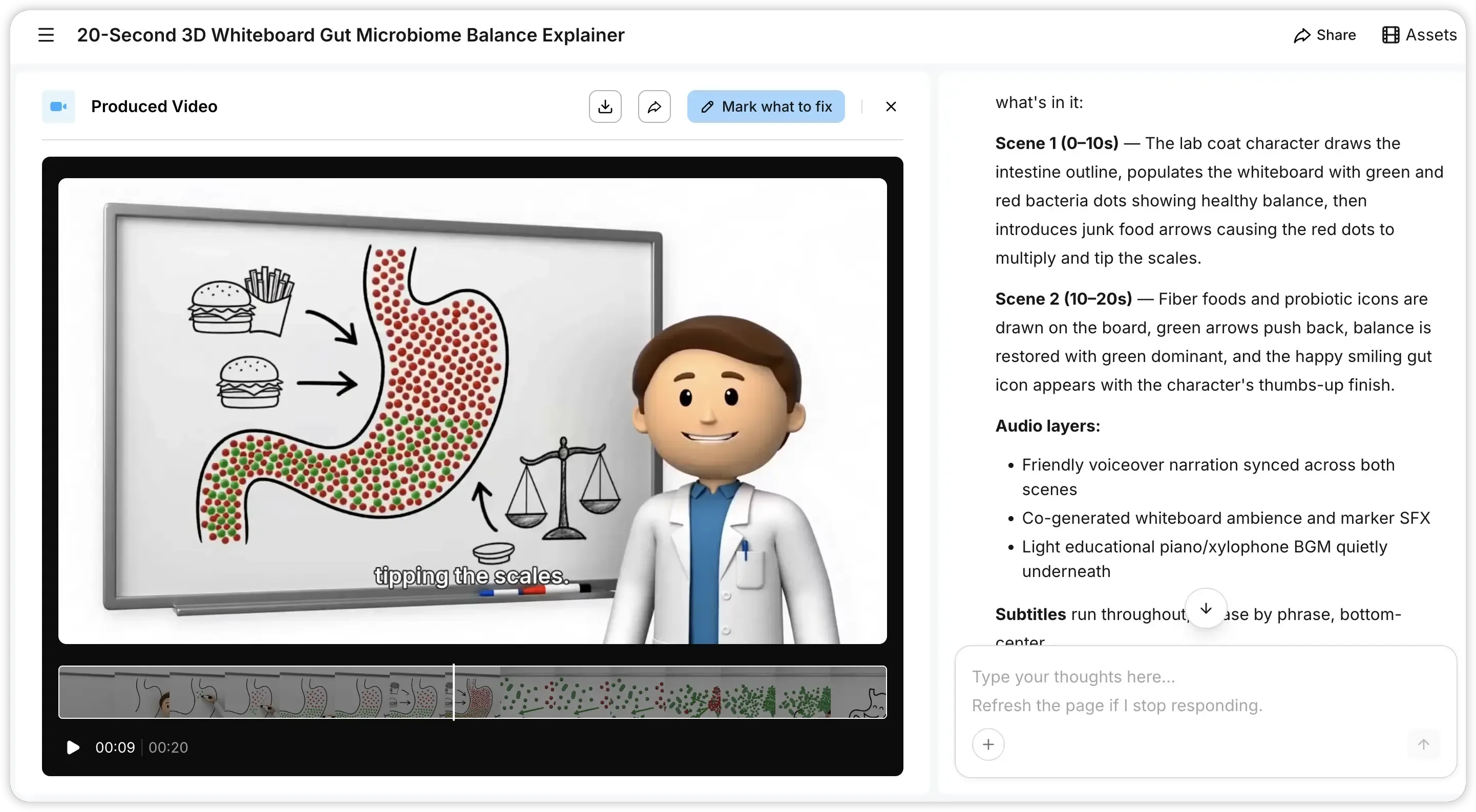
Eine Gesundheitsmarke muss Patienten das Gleichgewicht des Darmmikrobioms verständlich erklären. Generieren Sie einen 3D-Charakter im Arztkittel in Tripo, importieren Sie ihn in Pexo und beschreiben Sie das Thema. Pexo erstellt ein Erklärvideo im Whiteboard-Stil, in dem Ihr 3D-Charakter erklärt, wie die Ernährung das bakterielle Gleichgewicht beeinflusst – mit farbcodierten Visualisierungen, fließenden Übergängen zwischen den Abschnitten, Vertonung und Untertiteln, die Satz für Satz mitlaufen. Derselbe 3D-Charakter kann für eine ganze Reihe von Videos zur Patientenaufklärung wiederverwendet werden, indem einfach das Skript in Pexo geändert wird.
Warum diese KI-Videopipeline besser funktioniert als die traditionelle Produktion
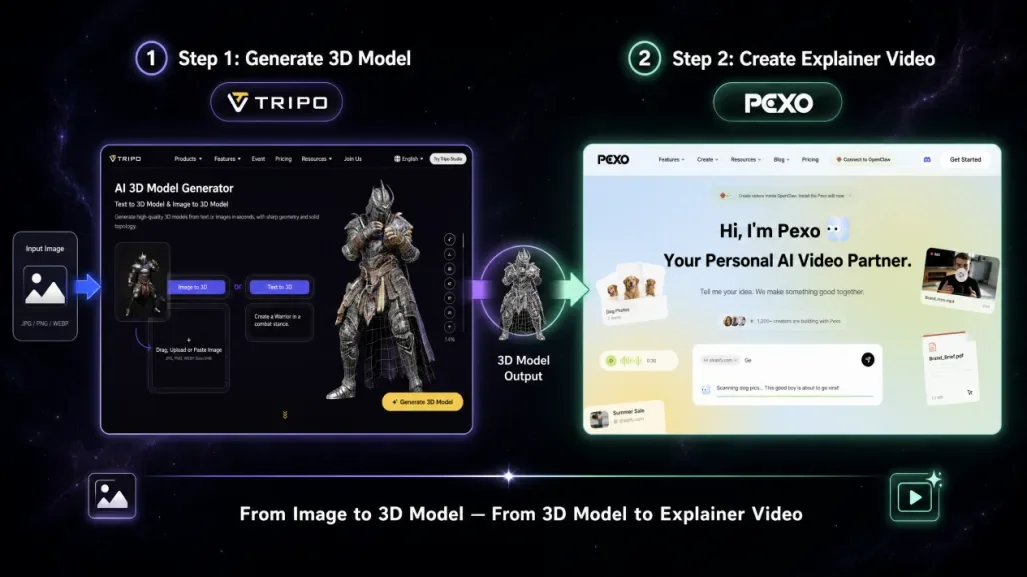
Jedes Tool schließt eine andere Lücke im Produktionsprozess.
Zusammengeführt ist der Unterschied zu einem traditionellen Workflow erheblich:
| Traditionelle Produktion | Tripo + Pexo Pipeline | |
|---|---|---|
| Zeitrahmen | 2 bis 6 Wochen | Unter 1 Stunde |
| Kosten | 3.000 + | Ein Bruchteil der Kosten |
| Erforderliche Fähigkeiten | Drehbuch, Animation, Bearbeitung, Voiceover | Nur Beschreibungen in natürlicher Sprache |
| Iterationsgeschwindigkeit | Tage pro Überarbeitung | Minuten pro Überarbeitung |
| Individuelle Visuals | Erfordert 3D-Artist oder Stock-Material | KI-generiert, passend zu Ihrem genauen Konzept |
Der praktische Vorteil ist, dass beide Tools vollständig mit natürlicher Sprache funktionieren. Sie beschreiben bei jedem Schritt, was Sie möchten, und die Tools erledigen den Rest. Alles, was Sie brauchen, ist eine klare Vorstellung von Ihrem Thema und Ihrer Zielgruppe.
Fazit
Die wirkliche Veränderung liegt nicht in einem einzelnen Tool. Es ist das, was passiert, wenn man sie miteinander verknüpft. Tripo übernimmt den 3D-Part, Pexo macht daraus ein fertiges Video, und Sie konzentrieren sich einfach auf das, was Sie eigentlich sagen wollen. Was früher ein Team und einige Wochen Arbeit erforderte, schafft heute eine einzelne Person in einer Mittagspause. Wenn Sie ein Konzept im Kopf haben, das sich hervorragend als Video eignen würde, können Sie es jetzt tatsächlich in der Mittagspause umsetzen.
FAQ
Kann ich Tripo und Pexo auch ohne Erfahrung in der Videobearbeitung zusammen nutzen?
Ja, das können Sie. Tripo und Pexo sind auch ohne Vorkenntnisse einfach zu bedienen. Bei Tripo beschreiben Sie, was Sie benötigen, und es erstellt ein 3D-Modell. In Pexo erklären Sie dann das gewünschte Video. Es kümmert sich um alles, einschließlich Animation, Voiceover und Untertiteln. Sie müssen sich nicht mit der Materie auskennen.
Welche Arten von Erklärvideos funktionieren mit dieser Pipeline am besten?
Diese Pipeline eignet sich gut für jedes Thema, das visuell leichter zu verstehen ist als in Textform. Sie deckt ein breites Spektrum an Anwendungsfällen ab, von SaaS-Produktdemos und Unterrichtsstunden bis hin zu medizinischen Erklärungen, technischen Übersichten und Investor Pitches. Wenn Sie bereits genau wissen, wie die Visuals aussehen sollen, können Sie sie mit dieser Pipeline erstellen, anstatt sich mit dem zufrieden zu geben, was in einer Stock-Bibliothek verfügbar ist.
Wie lange dauert es, ein Erklärvideo mit Tripo und Pexo zu erstellen?
Es dauert weniger als eine Stunde, ein Video zu erstellen. Sie können Änderungen vornehmen und erhalten in wenigen Minuten eine neue Version. Die meiste Zeit verbringen Sie damit, darüber nachzudenken, was Sie sagen möchten, anstatt darauf zu warten, dass Tripo und Pexo arbeiten. Überarbeitungen gehen schnell.