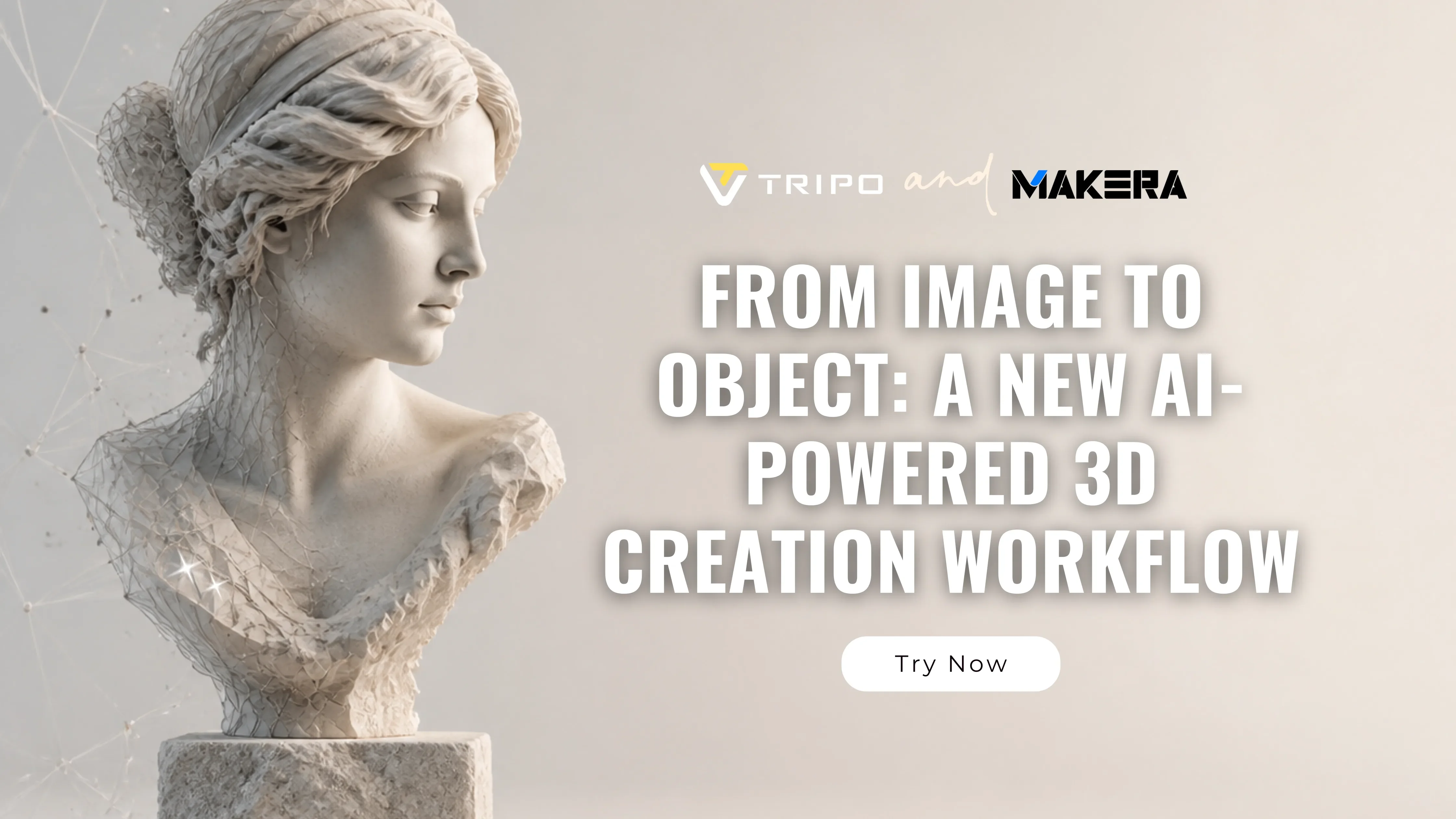
Von Bild zu Objekt: Ein neuer KI-gestützter 3D-Erstellungs-Workflow
KI verändert rasant, wie 3D-Inhalte erstellt werden. Was früher stundenlanges Modellieren in komplexer Software erforderte, kann heute mit einem einfachen Prompt oder einem einzelnen Bild beginnen. Doch der eigentliche Wandel betrifft nicht nur die schnellere Generierung von 3D-Modellen - sondern das, was danach passiert.
Es entsteht ein neuer kreativer Workflow, in dem KI-generierte Assets nahtlos von der Idee zur Zusammenarbeit und schließlich in physische Form übergehen. Diese Entwicklung definiert neu, wie Creator, Designer und Maker an die 3D-Produktion herangehen.
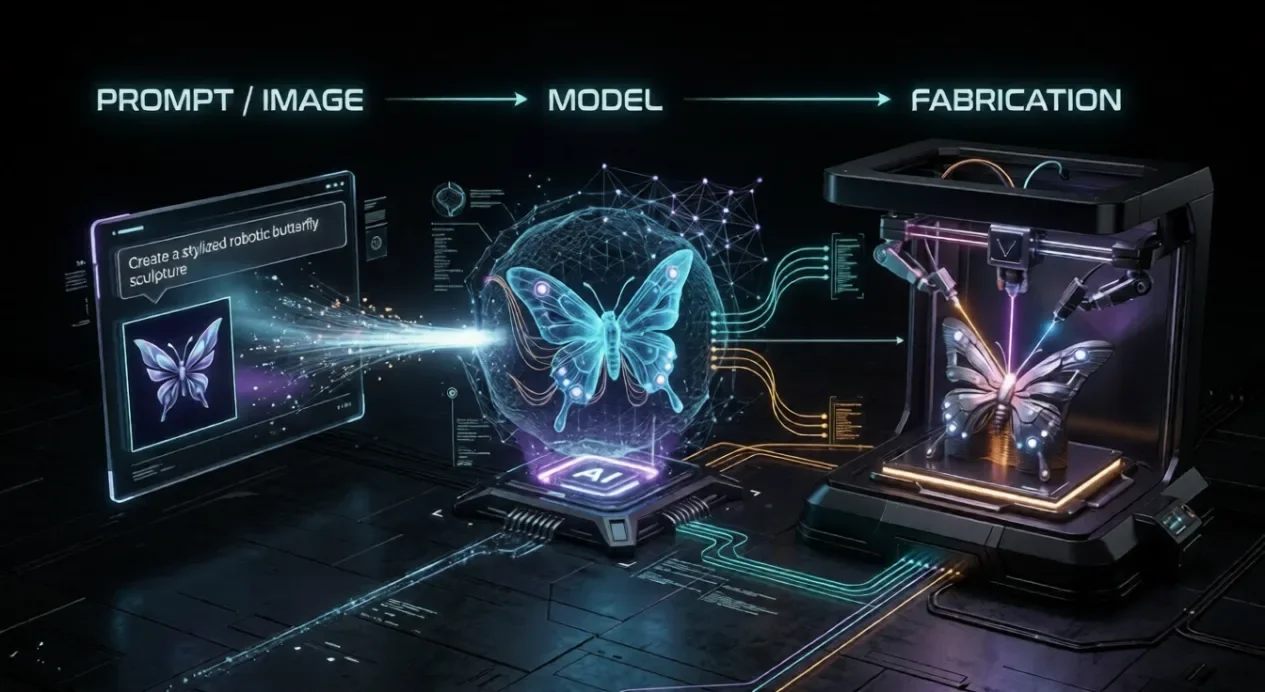
Von der Generierung zu kreativen Workflows
Frühe KI-3D-Tools konzentrierten sich vor allem auf die Generierung: Text oder Bilder in Modelle umzuwandeln. Heute erweitert sich der Fokus hin zu vollständigen kreativen Workflows.
Anstatt die 3D-Generierung als eigenständigen Schritt zu behandeln, beginnen Creator, sie in eine umfassendere Pipeline zu integrieren:
- Modelle aus Prompts oder Bildern generieren
- Innerhalb von Creator-Communities teilen und weiterentwickeln
- Assets für reale Anwendungen anpassen
- Digitale Designs in physische Form bringen
Dieser Wandel macht KI von einer Ein-Klick-Neuheit zu einer praktischen kreativen Infrastruktur.
Plattformen wie Makerables werden mit dieser Idee im Hinterkopf entwickelt. Als kommende Community für Maker führt Makerables ein AI Craft-Ökosystem ein, das eine AI Gallery, Image-to-Model-Tools, Relief-Generierung und vollständige 3D-Generierungsfunktionen umfasst.
Innerhalb dieses sich entwickelnden Workflows können Tools wie Tripo als einer der integrierten Partner für die Modellgenerierung dienen und zu einer stärker vernetzten und flexibleren 3D-Erstellungspipeline beitragen.
Ein neuer Workflow: Vom Prompt zur physischen Erstellung
Ein moderner KI-gestützter 3D-Workflow lässt sich eher als kontinuierlicher Kreislauf denn als linearer Prozess verstehen:
1. Idee oder Prompt (Text, Skizze oder Referenzbild) 2. KI-gestützte 3D-Generierung (z. B. Tripo) 3. Optionale Verfeinerung und Anpassung 4. Veröffentlichung und Zusammenarbeit 5. Physische Fertigung
Dieser Ansatz ermöglicht es Creator, sich flexibel zwischen digitalen und physischen Ausgaben zu bewegen und Reibung in jedem Schritt zu reduzieren.
Schritt 1. 3D-Modelle mit KI generieren
KI-Generierungstools wie Tripo ermöglichen es Creator, Ideen schnell mithilfe von Text-to-3D- oder Image-to-3D-Workflows in 3D-Assets umzuwandeln.
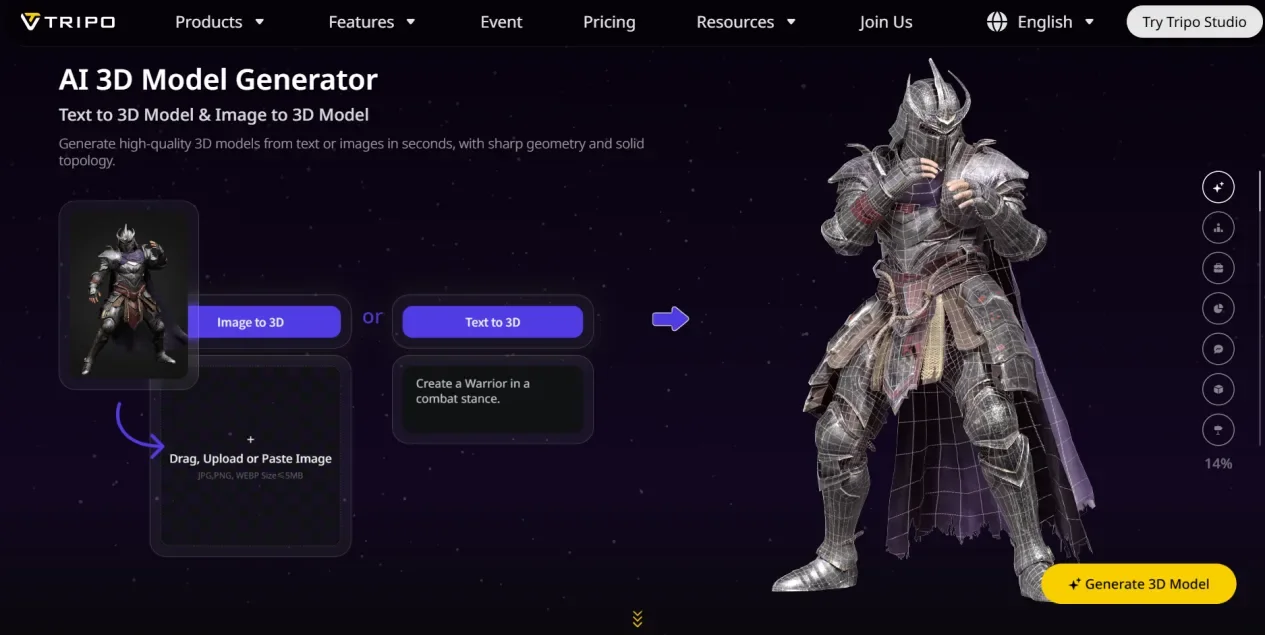
Zum Beispiel kann ein Designer ein Graustufenbild für eine Reliefschnitzerei hochladen und innerhalb weniger Minuten ein 3D-Reliefmodell generieren. Dadurch verkürzt sich der Weg vom Konzept zur nutzbaren Geometrie erheblich.
Dank dieser Zugänglichkeit ist die KI-Generierung nicht auf erfahrene Modellierer beschränkt. Sie öffnet die Tür für eine deutlich breitere Gruppe von Creatorn.
Schritt 2. In Makerables teilen und weiterentwickeln (Bald verfügbar)
Sobald ein Modell erstellt ist, wächst sein Wert durch Iteration und Kontext.
Makerables ist als Plattform konzipiert, auf der Creator Projekte und Kreationen veröffentlichen, erkunden und darauf aufbauen können. Im AI Craft-Bereich können Nutzer mit KI-generierten Modellen in Formaten wie Reliefs und vollständigen 3D-Objekten arbeiten.
Gleichzeitig ermöglicht die Model Library es Creatorn nicht nur, ihre Arbeiten zu teilen, sondern auch Modelle anderer zu entdecken und zu beziehen. Funktionen wie Community-Challenges und punktbasierte Belohnungen fördern zusätzlich die Teilnahme und die kontinuierliche Kreation.
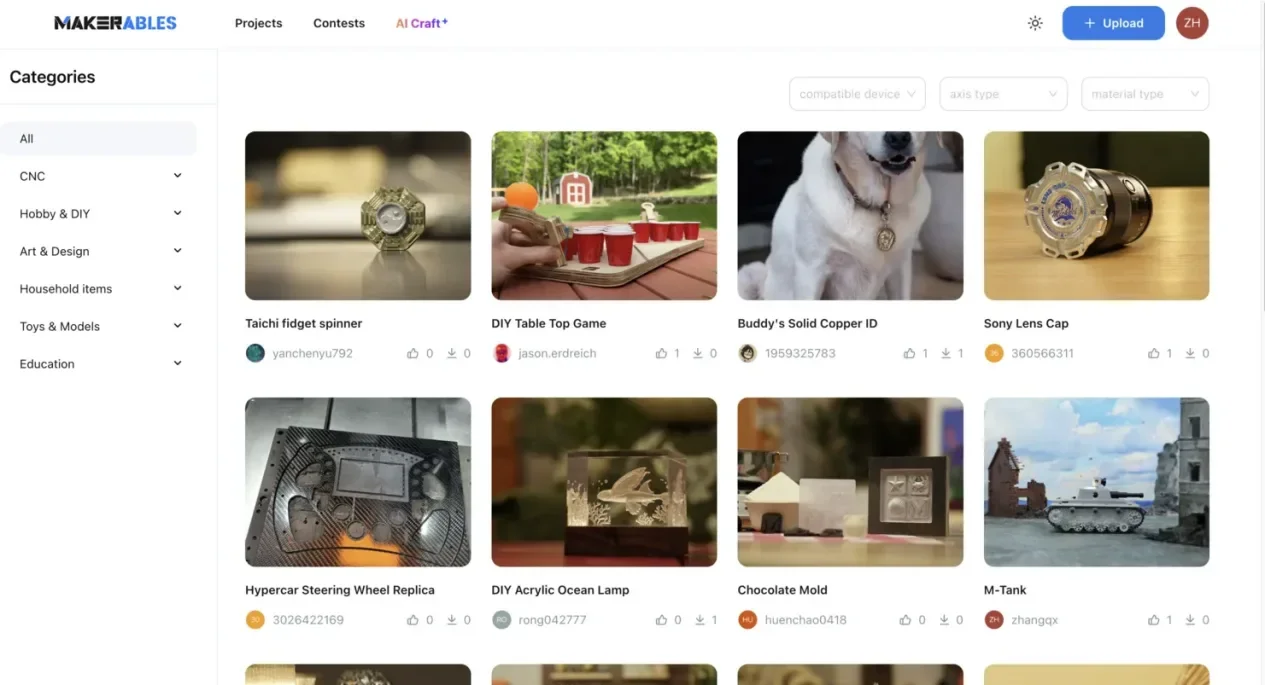
Anstatt Modelle als fertige Endergebnisse zu behandeln, fördert die Plattform:
- Modelle mit der Community teilen
- Feedback und Verbesserungen erhalten
- Bestehende Designs remixen und anpassen
- Durch die Arbeiten anderer neue Anwendungsfälle entdecken
Diese kollaborative Ebene verwandelt einzelne Ergebnisse in sich entwickelnde kreative Assets.
Schritt 3. Von digitalen Modellen zu physischen Objekten
Einer der spannendsten Aspekte dieses Workflows ist die Möglichkeit, digitale Modelle in die physische Welt zu bringen.
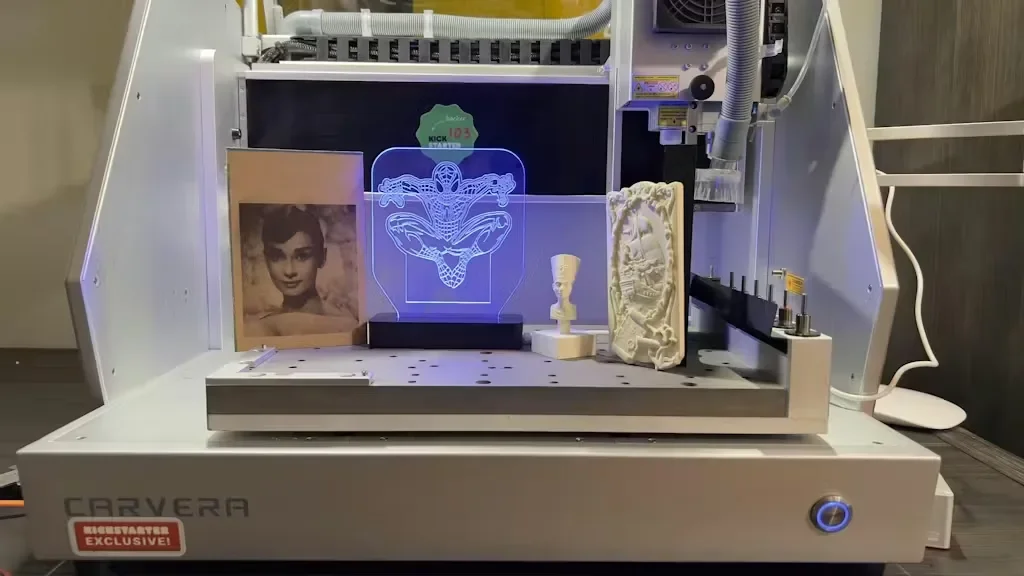
KI-generierte Assets können verwendet werden, um mit digitalen Fertigungsmethoden wie CNC-Fräsen und Gravieren greifbare Objekte zu schaffen. Reliefmodelle können beispielsweise direkt in geschnitzte Oberflächen umgesetzt werden, während 3D-Formen in physische Prototypen oder dekorative Objekte angepasst werden können.
Tools wie Makera CNC-Maschinen machen diesen Prozess im Desktop-Maßstab zugänglich und ermöglichen es Creatorn, aus digitalen Designs reale Ergebnisse ohne industrielle Infrastruktur zu produzieren.
In dieser Phase werden KI-generierte Modelle zu:
- Gravierten Kunstwerken und dekorativen Paneelen
- Aus Bildern abgeleiteten Reliefschnitzereien
- Funktionalen Prototypen
- Kleinserienprodukten
Damit ist die Verwandlung vom Konzept zum Objekt abgeschlossen.
Anwendungsfälle aus der Praxis
Dieser integrierte Workflow unterstützt eine breite Palette kreativer Anwendungen:
- DIY-Creator können KI-generierte Muster in individuelle Wandkunst oder gravierte Designs verwandeln
- Spieleentwickler können physische Versionen digitaler Assets für Visualisierung oder Promotion prototypisch umsetzen
- Etsy-Verkäufer können KI-generierte Designs in einzigartige, herstellbare Produkte umwandeln
- Lehrkräfte können End-to-End-Erstellungsworkflows vom Prompt bis zur physischen Ausgabe vermitteln
Über all diese Szenarien hinweg liegt der entscheidende Vorteil nicht nur in der Geschwindigkeit, sondern in der durchgängigen Kontinuität des gesamten kreativen Prozesses.
Die Rolle vernetzter Ökosysteme
Mit der Weiterentwicklung von KI-Tools werden isolierte Funktionen zunehmend durch vernetzte Ökosysteme ersetzt.
Statt zwischen getrennten Tools zu wechseln, profitieren Creator von Workflows, in denen Generierung, Zusammenarbeit und Fertigung miteinander verknüpft sind. Integrationen zwischen Tools wie Tripo und Plattformen wie Makerables weisen in diese Richtung - dorthin, wo verschiedene Teile der Pipeline nahtlos zusammenarbeiten.
Ein solches Ökosystem ermöglicht:
- Schnellere Iterationszyklen
- Sinnvollere Nutzung generierter Assets
- Einen reibungsloseren Übergang von digitaler zu physischer Erstellung
Die Zukunft des KI-gestützten Machens
Mit Blick nach vorn wird sich die Beziehung zwischen KI und digitaler Fertigung weiter vertiefen. 3D-Assets werden in nahezu Echtzeit von der Generierung in die Produktion übergehen, mehr Creator werden in der Lage sein, herstellbare Designs ohne traditionelle CAD-Kenntnisse zu erstellen, und Plattformen werden zunehmend direkt mit Fertigungs-Workflows verbunden sein. In diesem Umfeld entwickelt sich KI von einem Tool zur Content-Generierung zu einer echten Grundlage für das Machen.