Die 6 besten Meshy-Alternativen für die KI-3D-Generierung (2026)
TL;DR
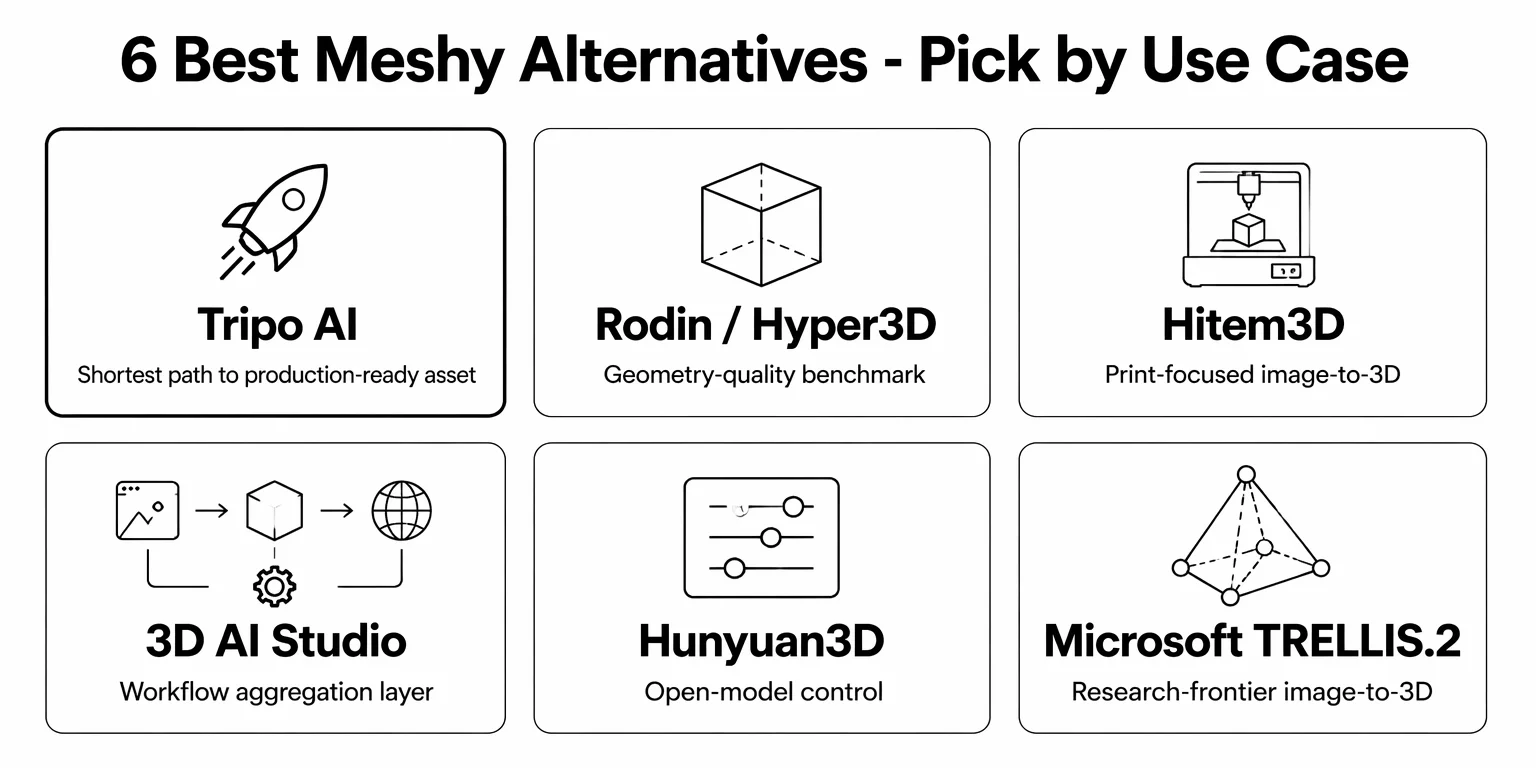
Tripo AI ist 2026 die stärkste Meshy-Alternative — schnellere Generierung, sauberere Topologie, umfassendere Workflow-Unterstützung und bessere Integration für den 3D-Druck.
Hyper3D Rodin ist einen Versuch wert, wenn hochdetaillierte Geometrie für dich Priorität hat.
Hitem3D eignet sich am besten für druckorientiertes Image-to-3D, nicht für eine vollständige Game- oder Animationsproduktion.
3D AI Studio passt zu Einsteigern, die einen browserbasierten, reibungsarmen Einstieg und Zugriff auf mehrere Modellfamilien suchen.
Hunyuan3D ist die beste Open-Source-Option für Teams mit technischen Ressourcen.
Microsoft TRELLIS.2 ist die Wahl an der Forschungsfront für technische Nutzer, die auf neueren 3D-Generierungsmethoden aufbauen.
Meshy bleibt eine leistungsfähige Plattform mit einer großen Community, fällt aber bei der Geschwindigkeit der Low-Poly-Generierung, der Flexibilität beim Rigging und der Workflow-Tiefe zurück.
Meshy ist einer der bekanntesten Namen in der KI-3D-Generierung. Die ausgefeilte Oberfläche, die große Creator-Community und die zuverlässigen Text-to-3D- und Image-to-3D-Workflows haben dem Tool eine treue Nutzerbasis eingebracht. Aber es ist nicht die einzige Option — und für viele Workflows nicht die beste.
Ob du an die Grenzen von Meshy bei der Modellqualität gestoßen bist, seine strukturierte Low-Poly-Generierung als zu langsam empfindest oder einfach vergleichen möchtest, was es sonst noch gibt, bevor du dich auf ein Abo festlegst — dieser Leitfaden behandelt die stärksten Meshy-Alternativen 2026. Jedes Tool wird nach Modellqualität, Generierungsgeschwindigkeit, Workflow-Tiefe, Ökosystem-Unterstützung und Preis bewertet.
Neu bei Tripo? Vergleiche Tarife und die Limits der kostenlosen Stufe auf der Preisseite von Tripo AI, bevor du dich für ein Tool entscheidest.
Warum nach einer Meshy-Alternative suchen?
Meshy funktioniert gut für kreative Projekte, Concept-Art und Game-Assets — und Game-Entwickler bilden seine größte professionelle Nutzerbasis. Doch in realen Produktions-Workflows treten oft konkrete Lücken zutage:
- Unsaubere Topologie und UVs. Die Mesh-Topologie von Meshy muss häufig in Blender oder ZBrush bereinigt werden, bevor sie in Unity oder Unreal läuft, und ihre UVs werden oft als „ziemlich chaotisch" beschrieben. Es gibt kein Smart-Mesh-Äquivalent, um game-taugliche Topologie automatisch zu erzeugen.
- Langsame Low-Poly-Generierung. Die strukturierte Low-Poly-Generierung von Meshy dauert 5–8 Minuten pro Modell, und die Erfolgsraten sinken bei komplexen Objekten deutlich.
- Einschränkungen beim Rigging. Meshy unterstützt nur biped Rigging mit Begrenzung der Face-Anzahl und lässt mehrbeinige Charaktere sowie High-Poly-Rigs außen vor.
- Datenrichtlinie für das Training. Die Nutzungsbedingungen von Meshy geben ausdrücklich an, dass Inhalte von Nicht-Enterprise-Nutzern zum Modelltraining verwendet werden dürfen — ein Problem für Creator, die an proprietären oder kommerziellen Assets arbeiten.
Diese Lücken machen Meshy nicht unbrauchbar, aber sie machen es sinnvoll, das Tool mit Alternativen zu vergleichen, bevor du dich auf einen Workflow festlegst.
Kurze Antwort: Tripo AI vs. Meshy vs. der Rest
Jedes Tool in dieser Liste hat eine andere Stärke. Die Tabelle ordnet gängige Anwendungsfälle dem Tool zu, das sie am besten meistert — auf Basis von Generierungsgeschwindigkeit, Topologie-Ausgabe, Rigging-Umfang und Workflow-Tiefe, die in der Aufschlüsselung unten behandelt werden.
| Anwendungsfall | Beste Wahl |
|---|---|
| Animationsfertige Charaktere (biped + quadruped) | Tripo AI |
| Saubere Game-Engine-Topologie (Smart Mesh) | Tripo AI |
| 3D-Druck — wasserdicht + mehrfarbig | Tripo AI |
| Fotorealismus / Hard Surfaces (Film, Cinematic) | Rodin AI |
| Hard-Surface-Bildvorlagen → saubere Topologie für den Druck | Hitem3D |
| Mehrere KI-Engines vergleichen, bevor man sich festlegt | 3D AI Studio |
| Schnellstes Open-Source-Image-to-3D + volles PBR, MIT-Lizenz | Trellis (Microsoft) |
| Lokale GPU / Open Source mit Texteingabe + Polygon-Kontrolle | Hunyuan3D |
Warum Tripo AI das stärkste Meshy-Upgrade ist
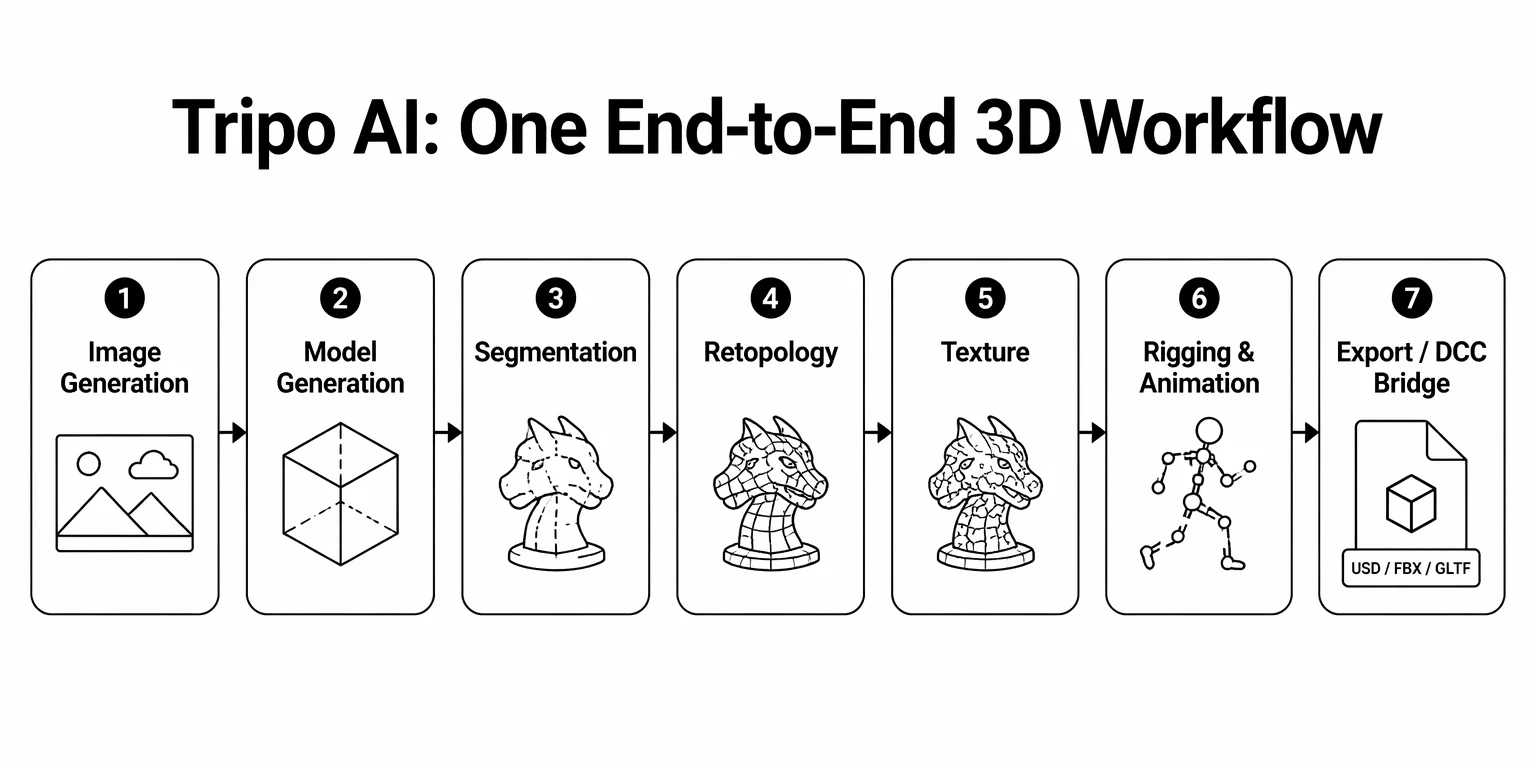
Jedes Tool hier kann etwas gut, aber Tripo ist das einzige, das den gesamten Weg von der Idee bis zum produktionsfertigen Asset in einem einzigen Workspace abdeckt. Seine Module arbeiten als flexible End-to-End-Pipeline zusammen:
Image Generation → Model Generation → Segmentation → Retopology → Texture → Rigging & Animation → Export / DCC Bridge
Du musst keiner festen Reihenfolge folgen — kombiniere die Module, die dein Workflow braucht. Wo dir die meisten Tools ein rohes Mesh übergeben und dann aufhören, trägt Tripo das Asset bis zum fertigen, nutzbaren Ergebnis. Die detaillierte Aufschlüsselung unten zeigt genau, wo sich diese Tiefe auszahlt.
Detaillierte Aufschlüsselung: Die 6 besten Meshy-Alternativen
1. Tripo AI
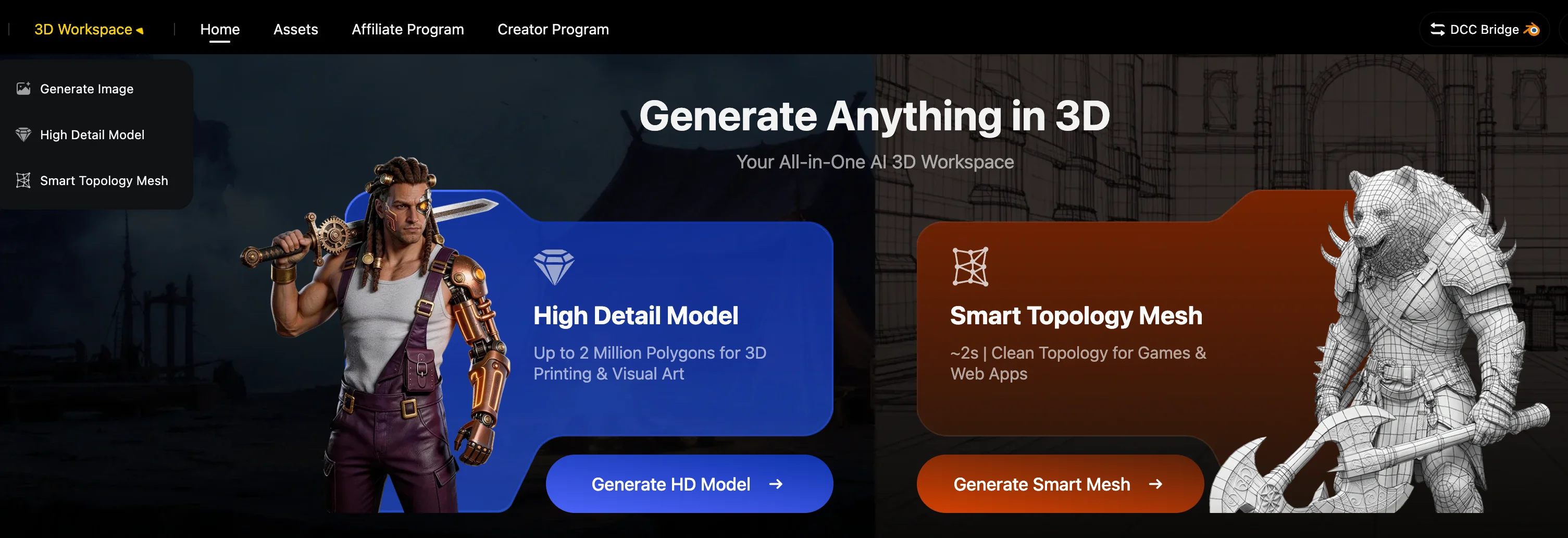
Am besten für: Teams, die den kürzesten Weg vom generierten Modell zum nutzbaren Asset wollen.
Tripo ist die insgesamt beste Meshy-Alternative, weil es nicht bei der Generierung aufhört. Tripo bietet Abdeckung über High-Poly-Ausgabe, Low-Poly-Topologie, Split/Editing, Rigging, Animation, DCC-Übergabe, Druck und Reparatur-Support hinweg. Die offizielle 8K-Texture-Seite von Tripo fügt einen neueren Textur-Vorteil hinzu: echte 8192×8192-BaseColor-Ausgabe in unter 2 Minuten, mit 8192×8192 BaseColor sowie 4096×4096 Normal- und ORM-Maps im 8K-Export. Die öffentliche API-Seite listet Multi-Image to 3D, Image to Model, Text to Model, Animation, Styles und Post-Processing auf.
Der konkreteste Vorteil ist die Low-Poly-Geschwindigkeit. Tripo Smart Mesh ist auf saubere Low-Poly-Topologie in etwa 2 Sekunden ausgelegt, während Meshy 5–8 Minuten und Rodin rund 15 Minuten für komplexe Low-Poly-Workflows braucht. Das zählt für Game-Props, Live-Content, Web-3D, XR und jede Pipeline, in der die Iterationsgeschwindigkeit das Output-Volumen bestimmt.
Tripo hat hier auch den umfassendsten Charakter-Workflow: High-/Low-Poly-Rigging, biped und mehrbeinige Kreaturen sowie biped/mehrbeinige Animation. Das verschafft ihm einen klareren Vorsprung gegenüber Meshy, wenn das Asset kein Standard-Humanoid ist.
Für Open-Source-Glaubwürdigkeit hat Tripo außerdem TripoSR in seinem Umfeld — ein offizielles Open-Source-Modell für schnelle Feedforward-3D-Rekonstruktion aus einem einzigen Bild, gemeinsam entwickelt von Tripo AI und Stability AI. Das Repository nennt MIT-Lizenzierung, vortrainierte Modelle, eine Online-Demo und Generierung in unter 0,5 Sekunden auf einer NVIDIA A100 GPU.
Pro: der umfassendste Workflow hier. Smart Mesh liefert saubere Low-Poly-Topologie in etwa 2 Sekunden, mit sowohl Triangle- als auch Quad-Ausgabe. 8K Texture liefert echte 8192×8192 BaseColor, Rigging deckt biped und mehrbeinige Charaktere ab, und 8 DCC-Bridge-Plattformen plus 3D-Druck und Reparatur tragen das Asset bis in die Produktion. Nach ISO/IEC 27001 zertifiziert, mit TripoSR als zusätzlichem Open-Source-Forschungs-Footprint.
Kontra: komplexe Assets brauchen weiterhin eine Prüfung; die fortgeschrittenen Steuerungen könnten für Gelegenheitsnutzer mehr sein, als sie benötigen.
Wähle Tripo, wenn: Topologie, Rigging, Export, Druck oder ein API-to-Production-Workflow der Grund sind, warum du Meshy verlässt.
2. Rodin / Hyper3D
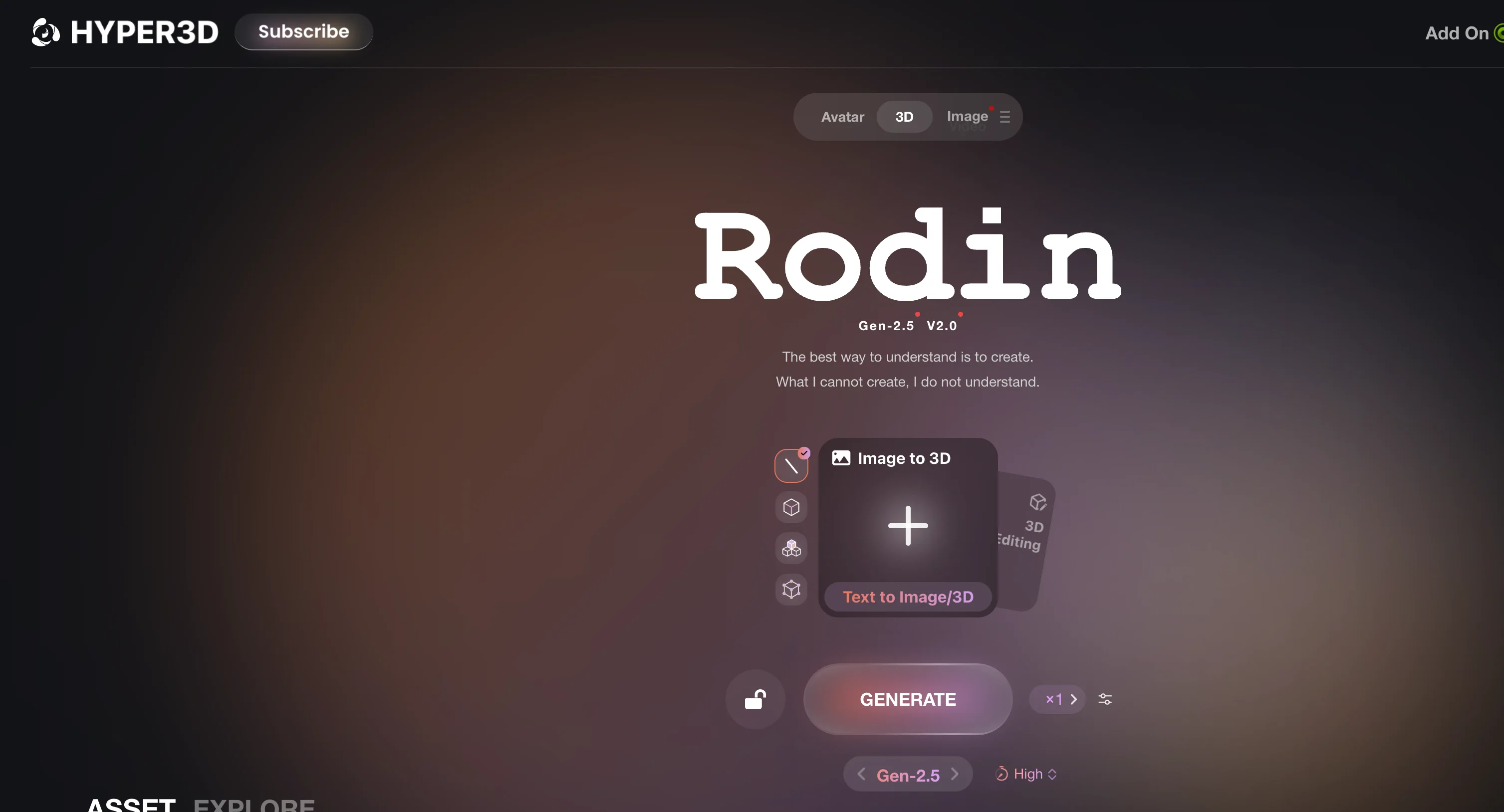
Am besten für: Geometrie-orientierte Tests.
Rodin gehört in die engere Auswahl, wenn Geometrietreue oberste Priorität hat. Es ist nicht die einfachste Einsteiger-Option, aber es lohnt sich, es gegen Tripo und Meshy hinsichtlich Formqualität, hochdetaillierter Formen und professionell wirkender Ausgabe zu benchmarken.
Der Kompromiss ist die Workflow-Breite. Rodins komplexer Low-Poly-Workflow läuft rund 15 Minuten, und es sticht bei der Tiefe von Rigging-, Animations- oder 3D-Druck-Workflows nicht hervor. Es listet allerdings 8 DCC-Bridge-Export-Plattformen, sodass es für übergabelastige Nutzer relevant bleibt.
Pro: ein starker High-Fidelity-Benchmark, gestützt auf eine solide Anzahl an DCC-Übergaben.
Kontra: schwächere Eignung für Low-Poly-Geschwindigkeit, Rigging-, Animations- und Druck-Workflows.
Wähle Rodin, wenn: du einen Geometrie-Qualitäts-Benchmark willst und das 3D-Können hast, das heruntergeladene Mesh zu prüfen.
3. Hitem3D / Hi3D
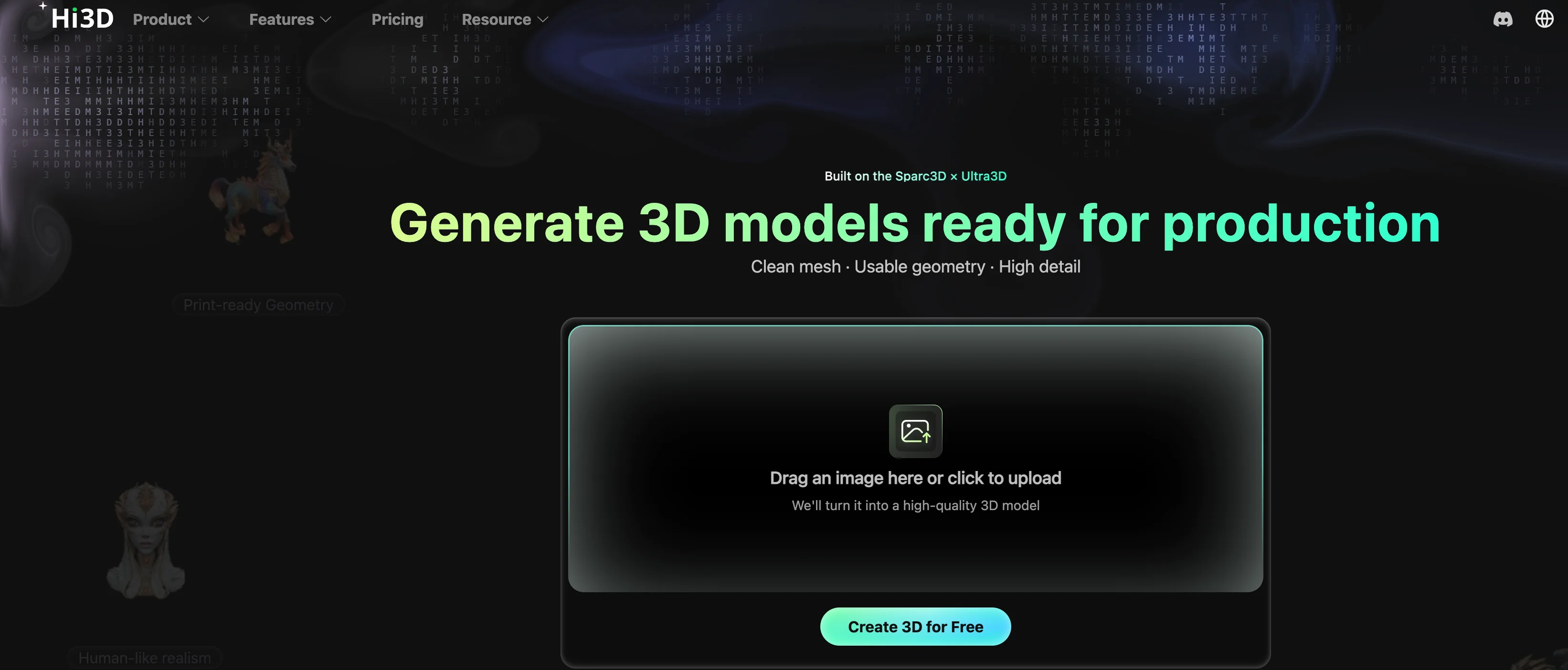
Am besten für: druckorientierten Image-to-3D-Vergleich.
Hitem3D (auch Hi3D genannt) ist erwähnenswert, weil es in derselben praktischen Zone wie Meshy konkurriert: browserbasiertes Image-to-3D, Exporte und einfache nachgelagerte Nutzung. Die öffentliche Website von Hi3D betont druckfertige Geometrie, scharfe Kanten, menschenähnlichen Realismus, PBR-Texturen, Web Studio, API Platform, Image to 3D, Multi-view to 3D, Relief und Segmentation.
Auf der Produktionsseite hat Hitem keine vergleichbare intelligente Low-Poly-Funktion, sticht bei Rigging oder Animation nicht hervor und kann bei komplexen High-Poly-Strukturen an Grenzen stoßen. Es ist ein Benchmark für druckorientierte Generierung, nicht der breiteste Produktions-Workflow.
Pro: druckfertige Positionierung; PBR-Texturen; API Platform; nützlicher Vergleichspunkt für Image-to-3D und Druck.
Kontra: schwächer für topologie-orientierte, rigging-lastige oder komplexe Produktions-Assets.
Wähle Hitem3D, wenn: dein Hauptvergleich druckorientiertes Image-to-3D ist, nicht die vollständige Game- oder Animationsproduktion.
4. 3D AI Studio
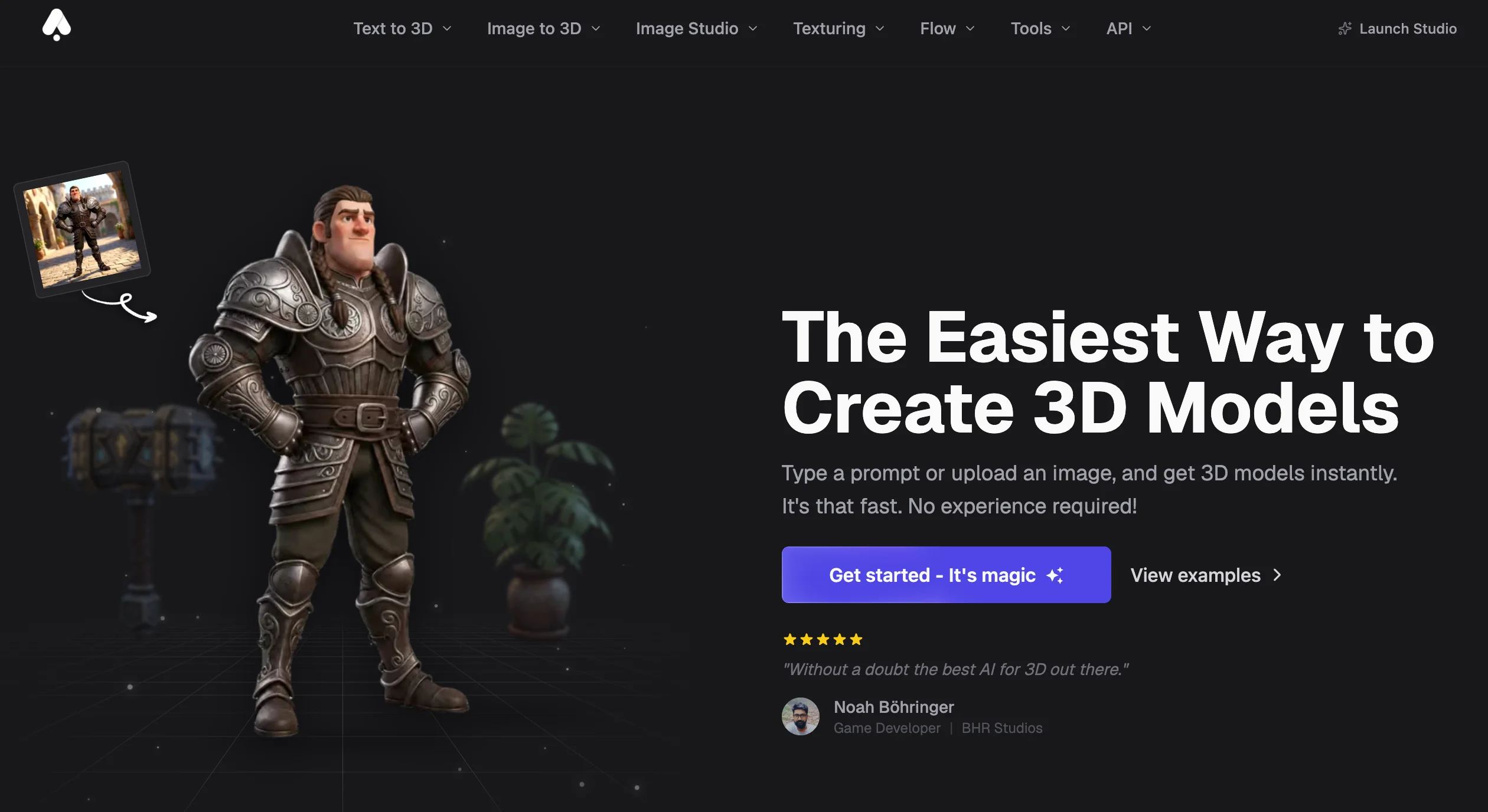
Am besten für: Workflow-Aggregation.
3D AI Studio unterscheidet sich von einem einzelnen First-Party-Generierungsmodell. Sein Wert liegt darin, Generierung, Texturierung, Retopology, Reparatur, Rendering und Formatkonvertierung in einer API oder Oberfläche zu bündeln. Seine API-Dokumentation beschreibt 33 Dokumente über 7 Kategorien sowie Unterstützung für Hunyuan 3D Pro/Rapid, TRELLIS.2, Tripo, Mesh-Tools, Bilderstellung und asynchrone JSON-Workflows.
Das macht es nützlich für Teams, die Zugriff auf mehrere Modellfamilien wollen, ohne jeden Connector selbst zu bauen. Der Kompromiss ist Transparenz: Du musst wissen, welches zugrunde liegende Modell das Asset erzeugt, welche Rechte gelten und wie stabil die Ausgabe im großen Maßstab ist.
Pro: eine breite API-Oberfläche, die Modelle und Workflows aggregiert und Generierung, Mesh-Tools, Rendering und Formatkonvertierung hinter einer Oberfläche bündelt.
Kontra: die Differenzierung hängt vom zugrunde liegenden Modell ab; prüfe Modelleigentum, API-Details, Preise und Datenrichtlinie.
Wähle 3D AI Studio, wenn: du eher eine Workflow-Schicht als einen einzelnen Modellanbieter willst.
5. Hunyuan3D
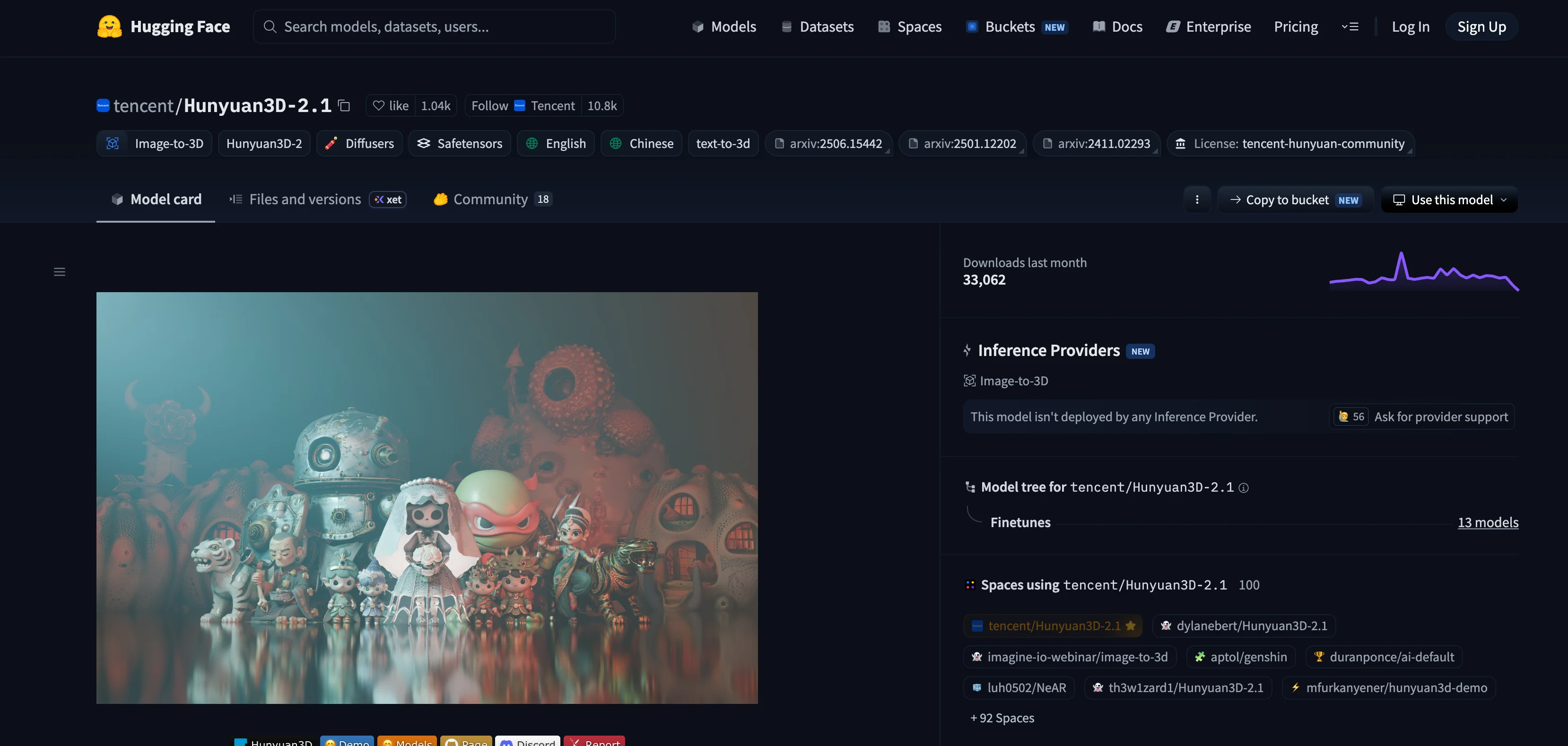
Am besten für: Open-Model-Kontrolle.
Hunyuan3D ist der stärkste Open-Model-Benchmark in dieser Liste. Tencents Hunyuan3D 2.0 beschreibt ein System mit zwei Foundation-Komponenten: Hunyuan3D-DiT für die Shape-Generierung und Hunyuan3D-Paint für die Textursynthese. Hunyuan3D 2.1 wurde im Juni 2025 als produktionsfertiges 3D-Asset-Generierungsmodell veröffentlicht.
Für technische Teams liegt der Wert in der Kontrolle: lokale Workflows, Modellinspektion und Anpassung. Für Gelegenheits-Creator sind die Kosten Einrichtung, GPU-/Infrastrukturarbeit und manuelle Bereinigung. Hunyuan3D unterstützt Low-Poly-Topologie und biped/quadruped Binding, aber komplexe Modelle können unvollständig sein und Limits bei der Face-Anzahl spielen weiterhin eine Rolle.
Pro: Open-Model-Ökosystem; starke Forschungsdynamik; nützlich für selbst gehostete oder technische Workflows.
Kontra: weniger ausgefeilt als SaaS-Tools; Einrichtung und Bereinigung sind Teil der realen Kosten.
Wähle Hunyuan3D, wenn: dir Kontrolle und Self-Hosting wichtiger sind als ein ausgefeilter Browser-Workflow.
6. Microsoft TRELLIS.2
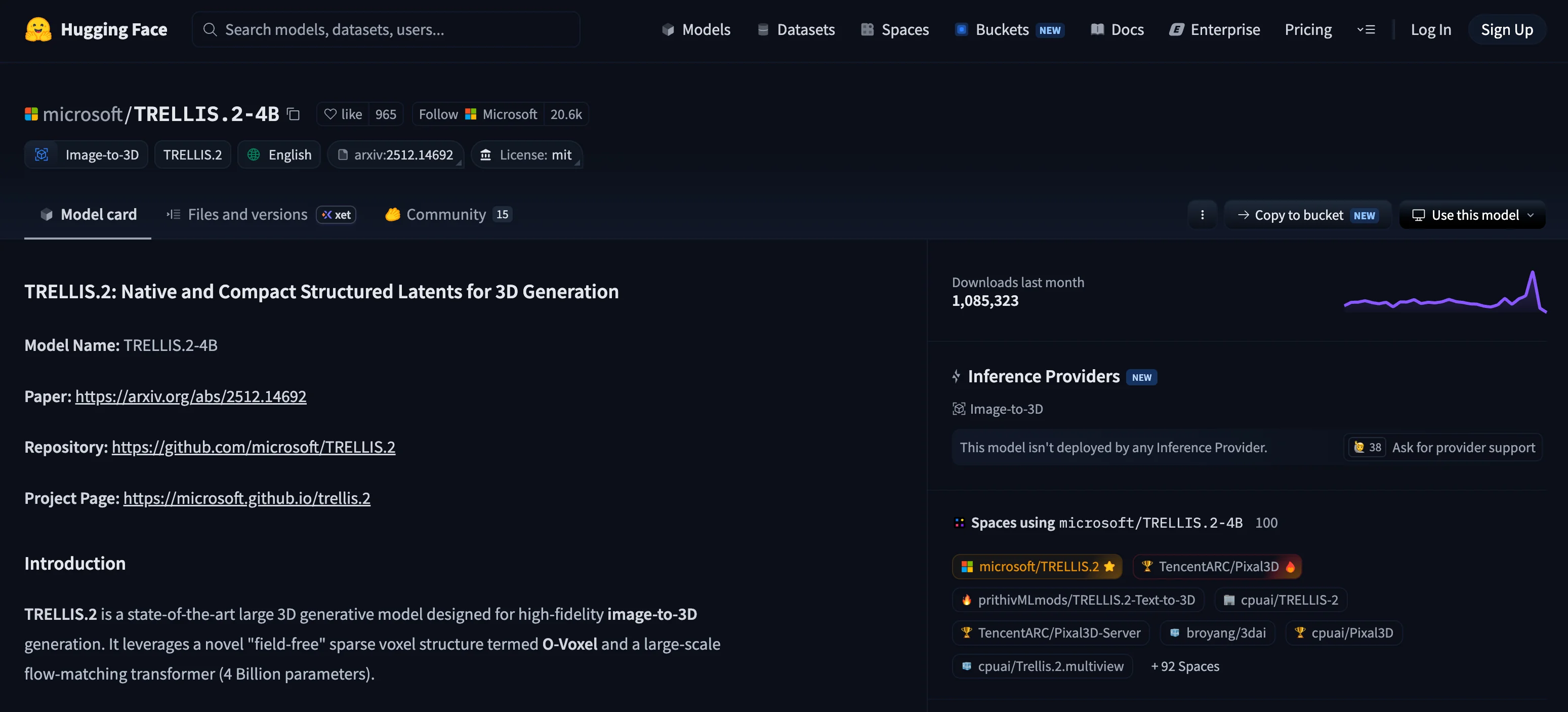
Am besten für: Image-to-3D an der Forschungsfront.
Microsoft TRELLIS.2 ist für die meisten Creator kein direkter Meshy-Ersatz. Es ist ein forschungsorientiertes Image-to-3D-Modell für technische Nutzer, die neuere 3D-Generierungsmethoden untersuchen oder darauf aufbauen wollen.
Die konkreten Spezifikationen sind der Grund, warum es hierher gehört: Microsofts Projektseite beschreibt ein Modell mit 4 Mrd. Parametern, das vollständig texturierte Assets erzeugt, mit veröffentlichten Zeiten von etwa 3 Sekunden bei 512³, 17 Sekunden bei 1024³ und 60 Sekunden bei 1536³ auf einer NVIDIA H100. Die Modellkarte auf Hugging Face nennt Einzelbild-Eingabe und 3D-Asset-Ausgabe als Mesh mit PBR-Materialien.
Pro: ein Open Model mit 4 Mrd. Parametern und starkem Forschungswert. Es generiert bis zu 1536³ Voxel-Auflösung und gibt PBR-fertige Assets aus.
Kontra: kein ausgefeilter SaaS-Workflow; technische Einrichtung und Nachbearbeitung sind zu erwarten.
Wähle Microsoft TRELLIS.2, wenn: du Forschungskontrolle willst und den technischen Workflow bewältigen kannst.
Häufig gestellte Fragen
Gibt es etwas Besseres als Meshy AI?
Für die meisten Produktions-Workflows ja. Tripo AI führt bei Topologie-Geschwindigkeit, Rigging-Umfang (biped und mehrbeinig vs. nur biped), Texturierung und End-to-End-Workflow. Für Geometrie-Qualitäts-Benchmarking ist Rodin einen direkten Test wert; für Open-Model-Kontrolle passt Hunyuan3D besser. „Besser" hängt von der Aufgabe ab, für die du Meshy verlässt.
Welche Alternative ist am schnellsten für Low-Poly-Game-Assets?
Tripo AI. Sein Smart Mesh erzeugt saubere Low-Poly-Topologie in etwa 2 Sekunden, verglichen mit 5–8 Minuten bei Meshy und rund 15 Minuten bei Rodin für komplexe Low-Poly-Workflows. Für Game-Props und Iteration in großem Volumen ist dieser Unterschied in der Durchlaufzeit entscheidend.
Welche Meshy-Alternative unterstützt Auto-Rigging für nicht-humanoide Charaktere?
Tripo AI. Es bewältigt High- und Low-Poly-Rigging für biped und mehrbeinige Kreaturen, mit biped und mehrbeiniger Animation. Meshys Auto Rig deckt nur biped Humanoide ab. Hunyuan3D unterstützt biped und quadruped Binding, aber mit Limits bei der Face-Anzahl; Rodin, Hitem3D und TRELLIS.2 haben kein Rigging-Modul.
Kann ich einen KI-3D-Generator lokal ohne Abo betreiben?
Ja. Hunyuan3D ist Open Source und läuft auf deiner eigenen GPU, und Microsoft TRELLIS.2 ist ein Forschungsmodell mit 4 Mrd. Parametern, das texturierte Meshes lokal ausgibt. Beide tauschen Feinschliff und Komfort gegen Kontrolle — rechne mit technischer Einrichtung, GPU-Anforderungen und manueller Bereinigung.
Lohnt sich Meshy 2026 noch?
Für viele Creator ja — Meshy erzeugt weiterhin nutzbare Modelle, und Meshy 6 hat starke Bewertungen erhalten. Die Frage ist, ob es zu deinem Workflow passt. Die wiederkehrenden Reibungspunkte sind unsaubere Topologie und UVs, die bereinigt werden müssen, Credits, die bei intensiver Iteration schnell aufgebraucht sind, nur biped Rigging und eine Datenrichtlinie (Abschnitt 2.9), die das Training mit Nicht-Enterprise-Inhalten erlaubt. Wenn eines davon deine Pipeline blockiert, wird dir wahrscheinlich eine der obigen Alternativen besser dienen.
Fazit
Die richtige Meshy-Alternative hängt davon ab, wo dein aktueller Workflow ins Stocken gerät. Wenn die Antwort „alles nach der Generierung" lautet — Topologie, Rigging, Export, Druck — ist Tripo AI das vollständigste Upgrade, das die gesamte Pipeline in einem einzigen Workspace abdeckt, mit der schnellsten Low-Poly-Durchlaufzeit dieser Tools. Wenn du einen Geometrie-Benchmark, Open-Model-Kontrolle oder Methoden an der Forschungsfront brauchst, verdienen Rodin, Hunyuan3D und TRELLIS.2 jeweils einen Platz in der engeren Auswahl.
Starte mit der kostenlosen Stufe von Tripo (200 Credits/Monat, bis zu 8 Modelle) und teste sie gegen dieselben Vorlagen, die du heute durch Meshy laufen lässt. Der Unterschied zeigt sich am schnellsten im direkten Vergleich.