Tripo DCC Bridge for Blender:安裝與快速開始

Bridge 介紹
Tripo3D Blender Bridge 是一款輕量級 add-on,可將 Blender 直接連接到 Tripo studio frontpage。透過這個 bridge,你可以即時將瀏覽器中生成的模型直接傳送到 Blender,不需要手動下載、匯入或額外步驟。它旨在簡化藝術家與設計師的工作流程,讓你專注於創作,而不是在檔案之間來回處理。
需求
- OS: Windows、Mac
- Blender: 4.1.0 或更新版本
- Browser:
- 支援 Google Chrome 116+、Edge 116+、Opera 102+
- 不支援其他瀏覽器
- 預設匯出設定:
- pack_uv: false
- export_vertex_colors: false
- pivot_to_center_bottom: true
- texture map: Current Maximum
逐步安裝
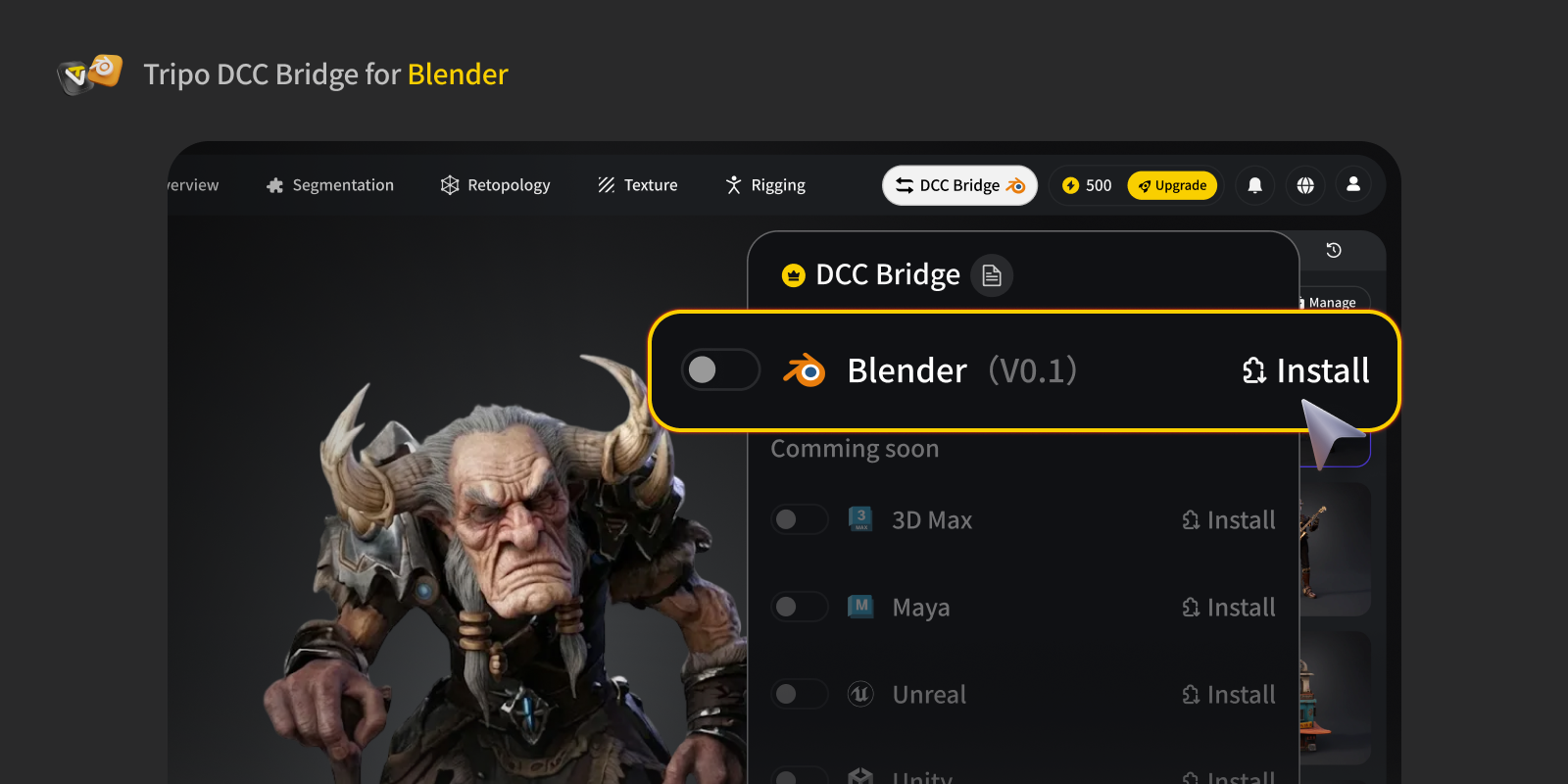
Step 1: 前往 Tripo Studio 並下載 Tripo3D Blender Bridge ZIP 檔案。
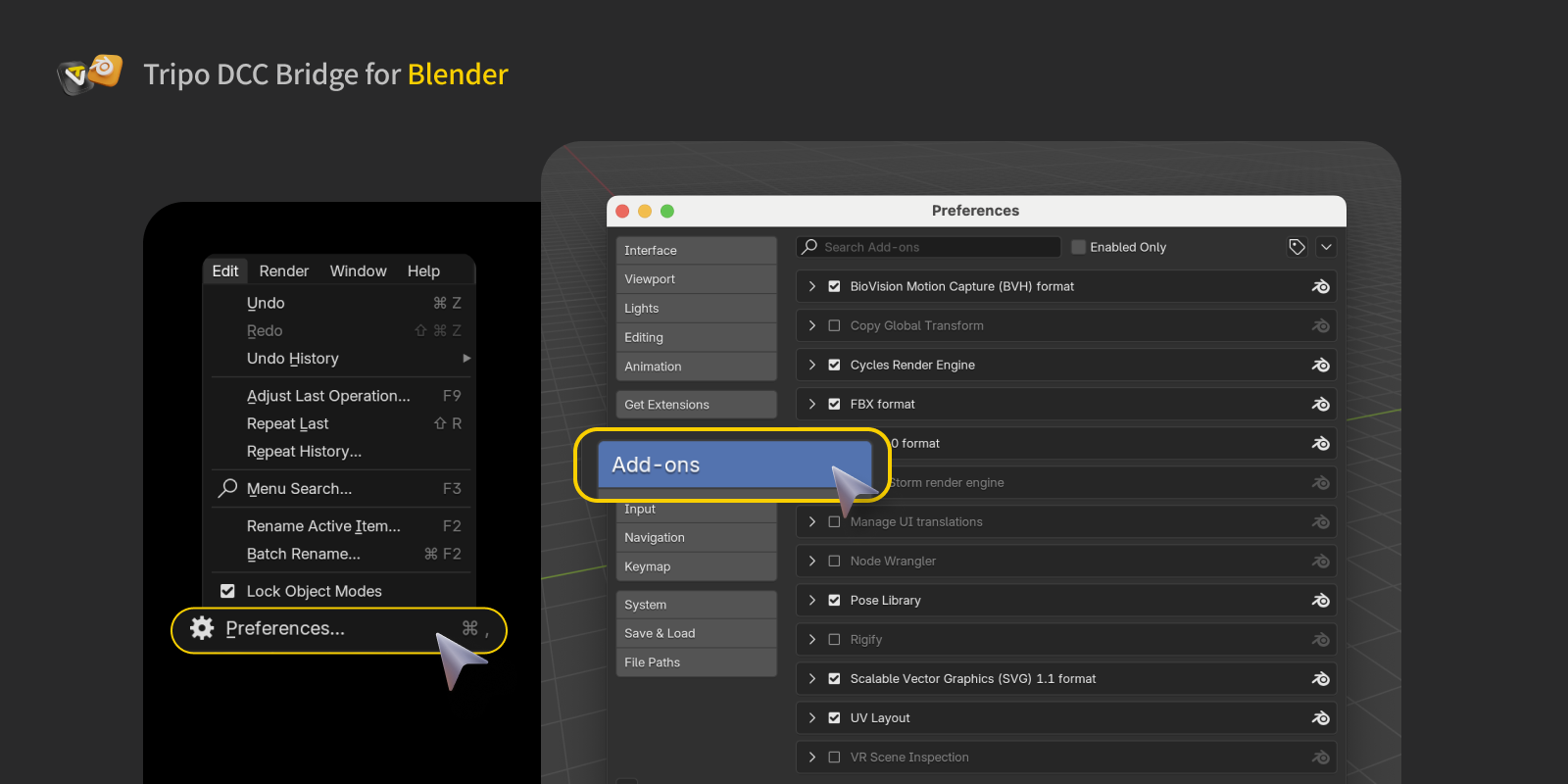
Step 2: 在 Blender 中,點擊 Edit → Preferences → Add-ons。
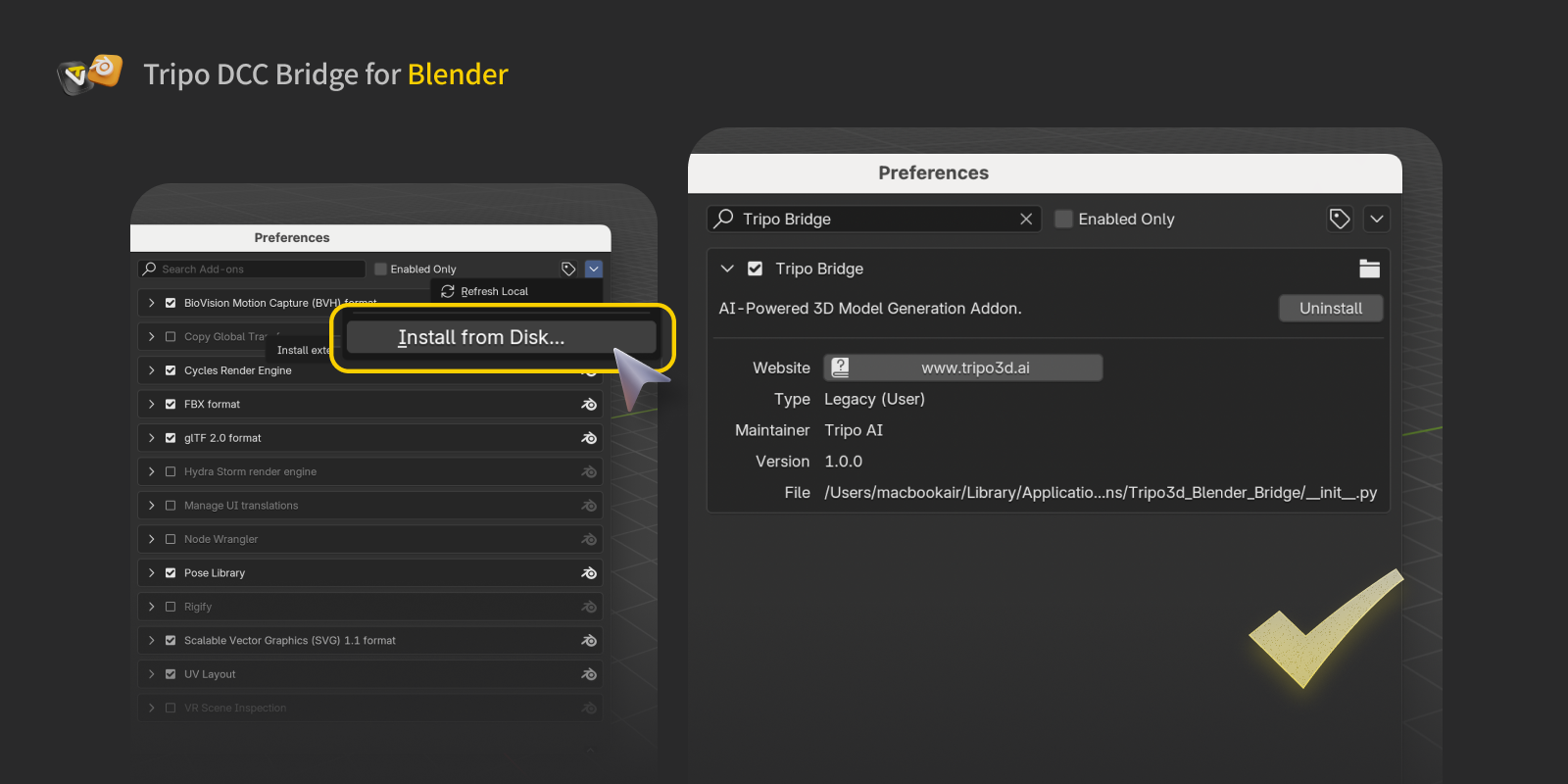
Step 3:
- 點擊 Install from Disk,找到下載的 ZIP file(不要解壓縮),然後啟用 add-on。
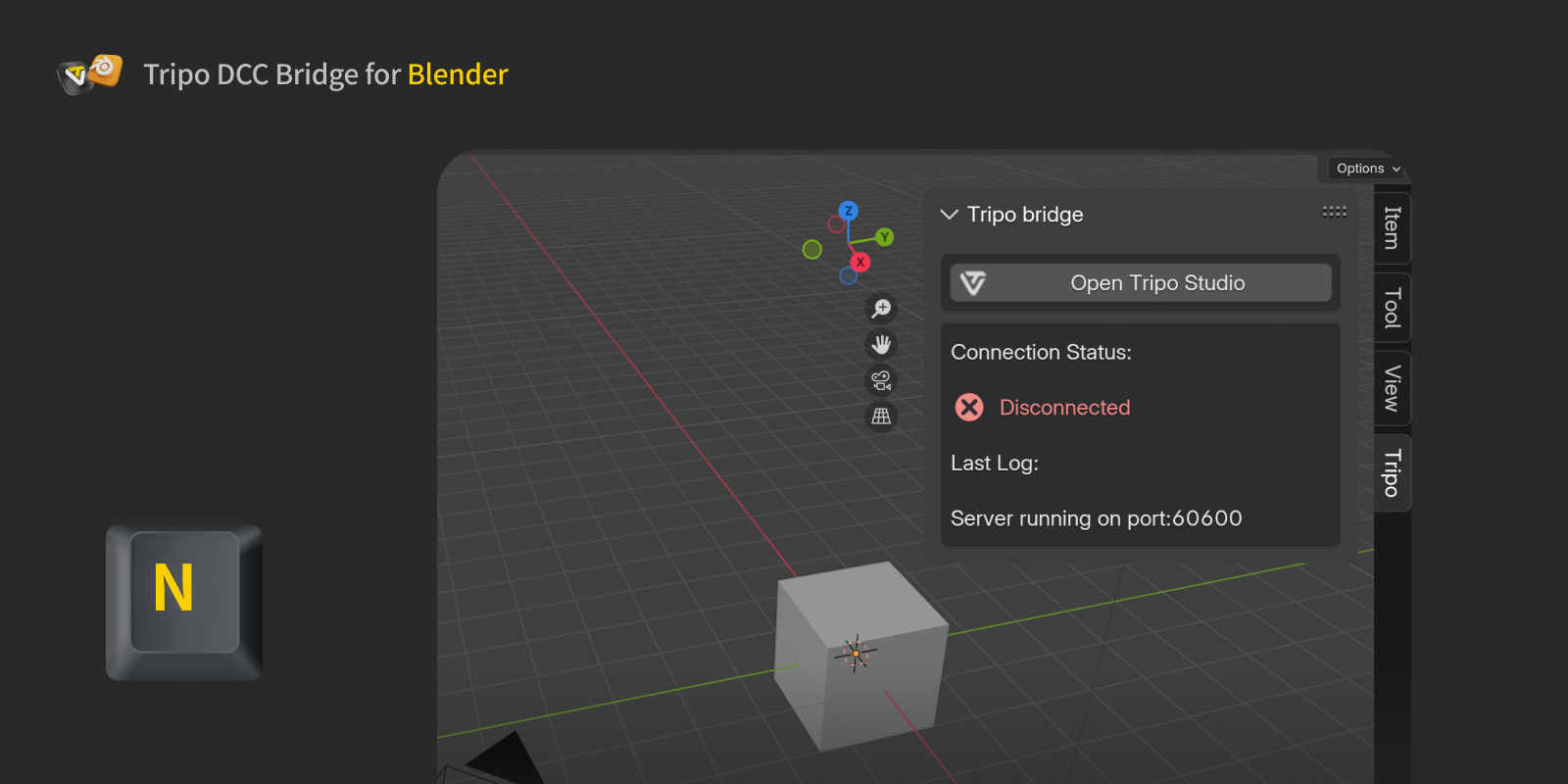
- 接著按下 N 以檢查 Tripo bridge 面板。
Step 4:
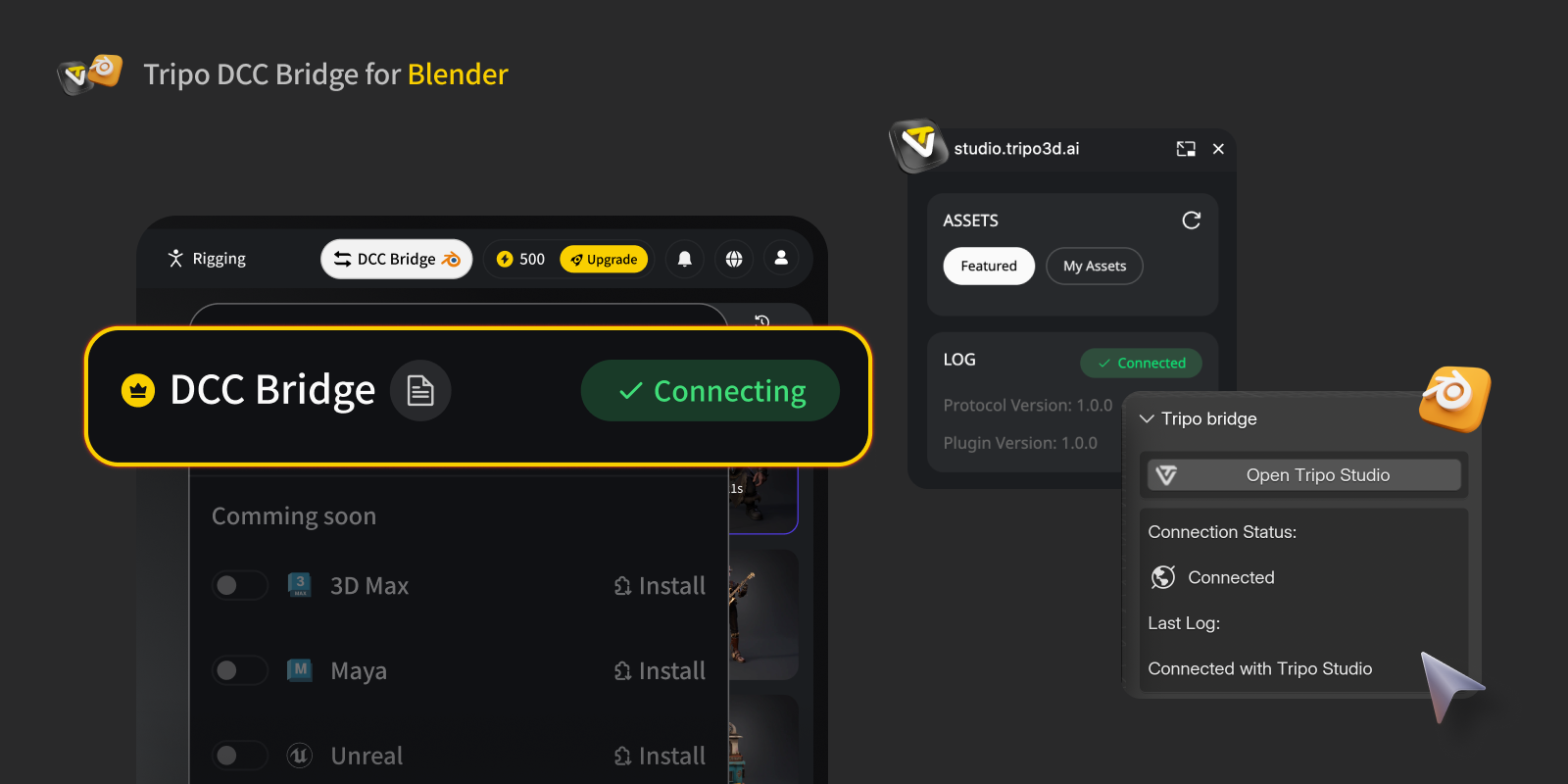
- 開啟 Tripo Studio 網站,點擊 DCC Bridge 按鈕,並啟用 Blender plugin。
- 確認連線已正確設定。
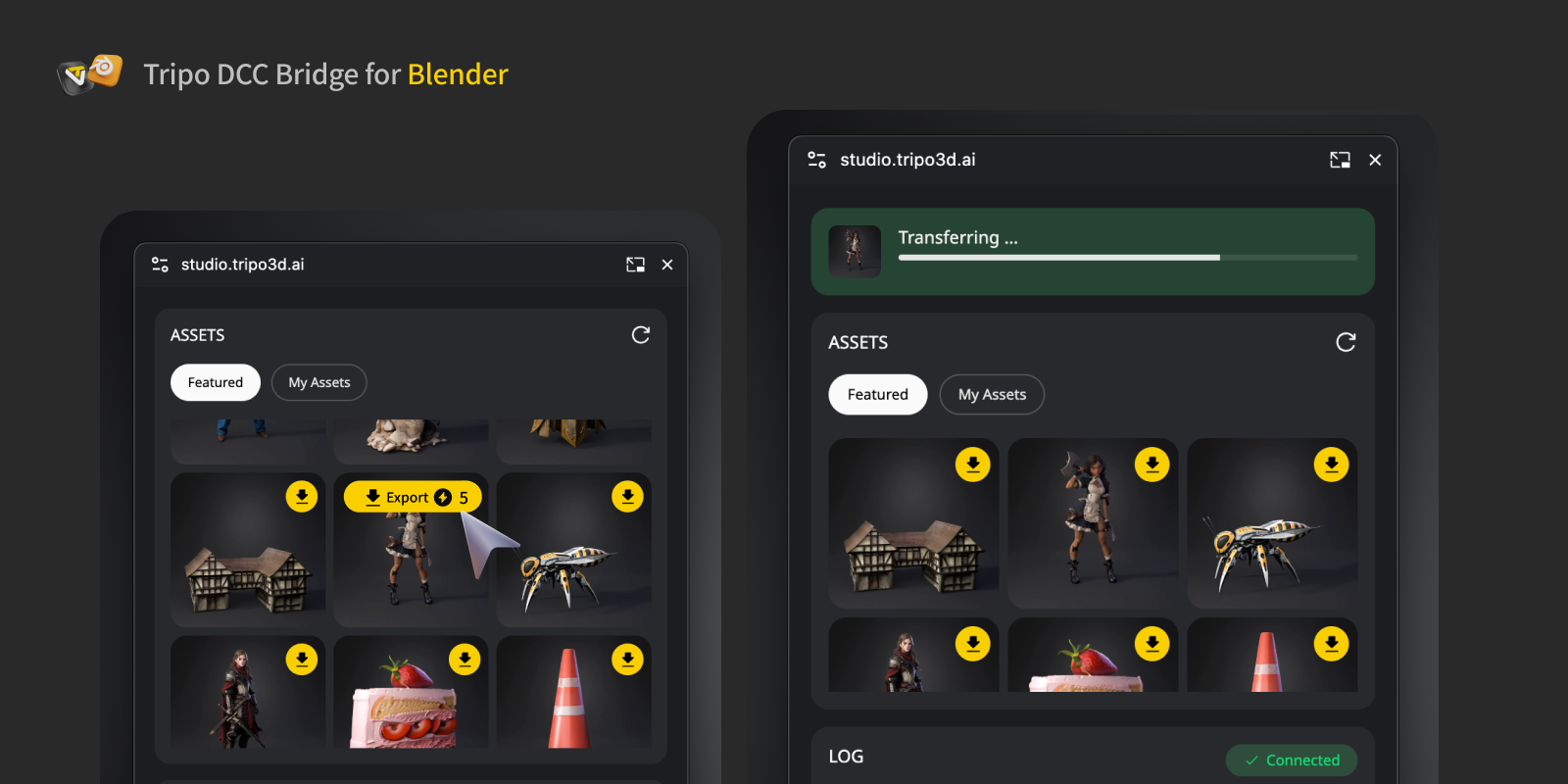
- 在迷你視窗中按下 Export 按鈕。
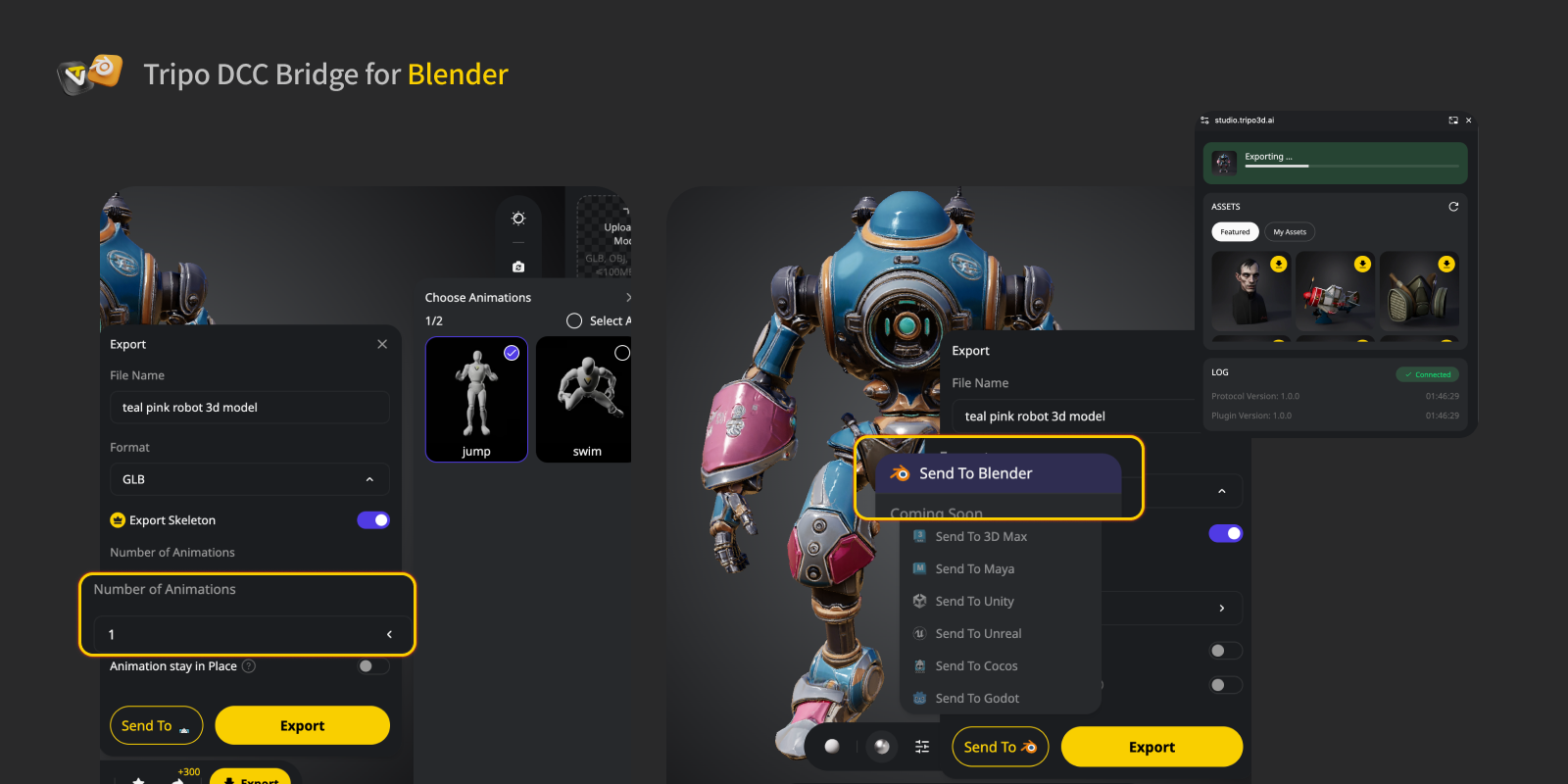
- 如果你想匯出動畫,請在 export panel 中選擇要匯出的動畫,然後點擊 Send 傳送至指定的 DCC。
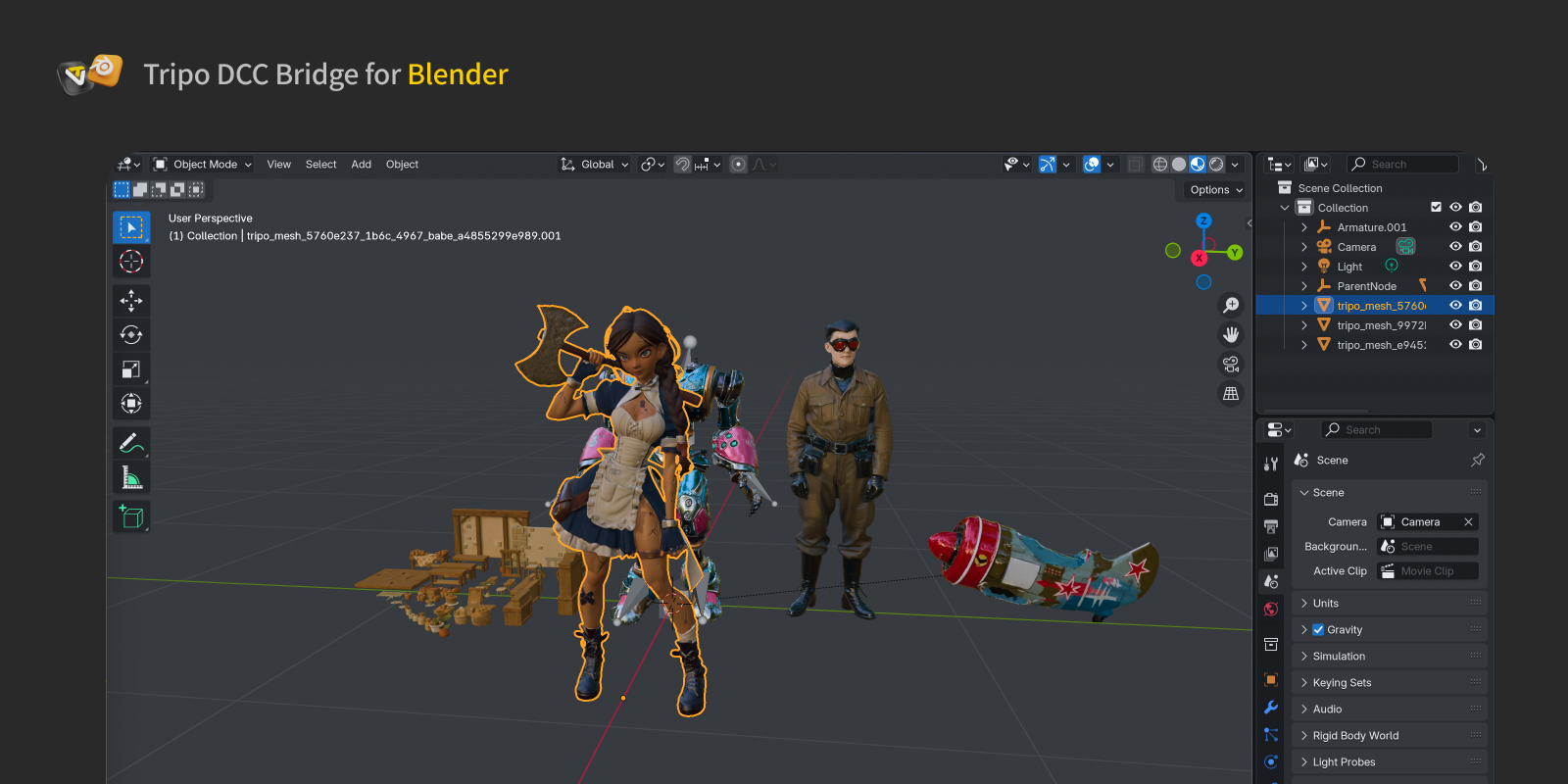
Step 5: 你現在可以在 Blender 中看到來自網站的模型。
FAQs
Q: 我可以同時將資料傳輸到多個 Blender instances 嗎?
A: 不可以。連線只會識別第一個啟動的 Blender instance。開啟多個 instances 會導致 "Port already in use" 錯誤。
Q: 我已更新 plugin,但新的 Tripo Bridge 顯示 "All connections closed" 且無法連線。我該怎麼辦?
A: 重新啟動 Blender,並在 Add-ons preferences 中重新啟用 plugin。請確認 Tripo Bridge Log 顯示 "Server running on port XXXX",以確認連線成功。


.webp?x-oss-process=image%2Fresize%2Cw_720%2Fformat%2Cwebp%2Fquality%2Cq_80)
