如何將 AI 生成的 3D 資產匯入 Babylon.js 和 Three.js
想像一下:你剛剛用 AI 3D model generator 技術在幾秒內建立了一個驚豔的 3D 模型,但現在卻卡在不知道如何把它帶到網頁上。無論你正在打造互動式產品展示、網頁遊戲,或沉浸式 AR 體驗,將你的 AI 生成傑作匯入熱門 Web 框架,都不應該像火箭科學一樣困難。
這正是我們今天要解決的問題,而且不是一種,而是兩種方法。我們會先從一個令人興奮的 AI 加速捷徑開始,讓你的模型在幾分鐘內上線,接著深入傳統程式碼方法,給想要完整控制權的人使用。已有超過 200 萬名創作者使用 Tripo AI 在短短 8-10 秒內生成專業 3D 模型,現在就一起探索將 AI generated 3D assets 匯入 Babylon.js 和 Three.js 的最快方式。
快速 AI 捷徑:使用 Cursor AI 匯入你的 3D 模型
這就是改變遊戲規則的地方:你不再需要撰寫數百行程式碼。像 Cursor AI 這樣的 AI-powered development tools 可以在幾分鐘內為你生成完整的整合設定,也包含建立 ai generated 3d models 這類任務。這個方法非常適合設計師、行銷人員,以及任何想在沒有深厚 JavaScript 知識的情況下快速製作原型的人。
為什麼選擇 AI 捷徑方法?
- 閃電般快速:把數小時的 coding 變成 5 分鐘設定
- 新手友善:沒有 coding 經驗?沒問題
- 降低錯誤:AI 會處理 loader configuration 等複雜部分
- 即時測試:立刻看到你的 AI generated 3D models web integration
步驟教學:Cursor AI 方法
1. 匯出你的 Tripo AI 模型
使用 Tripo Studio 或 Tripo AI 平台時:
- 從文字或圖片生成你的模型
- 點擊 export 按鈕
- 選擇 GLB 格式(建議用於 Web)
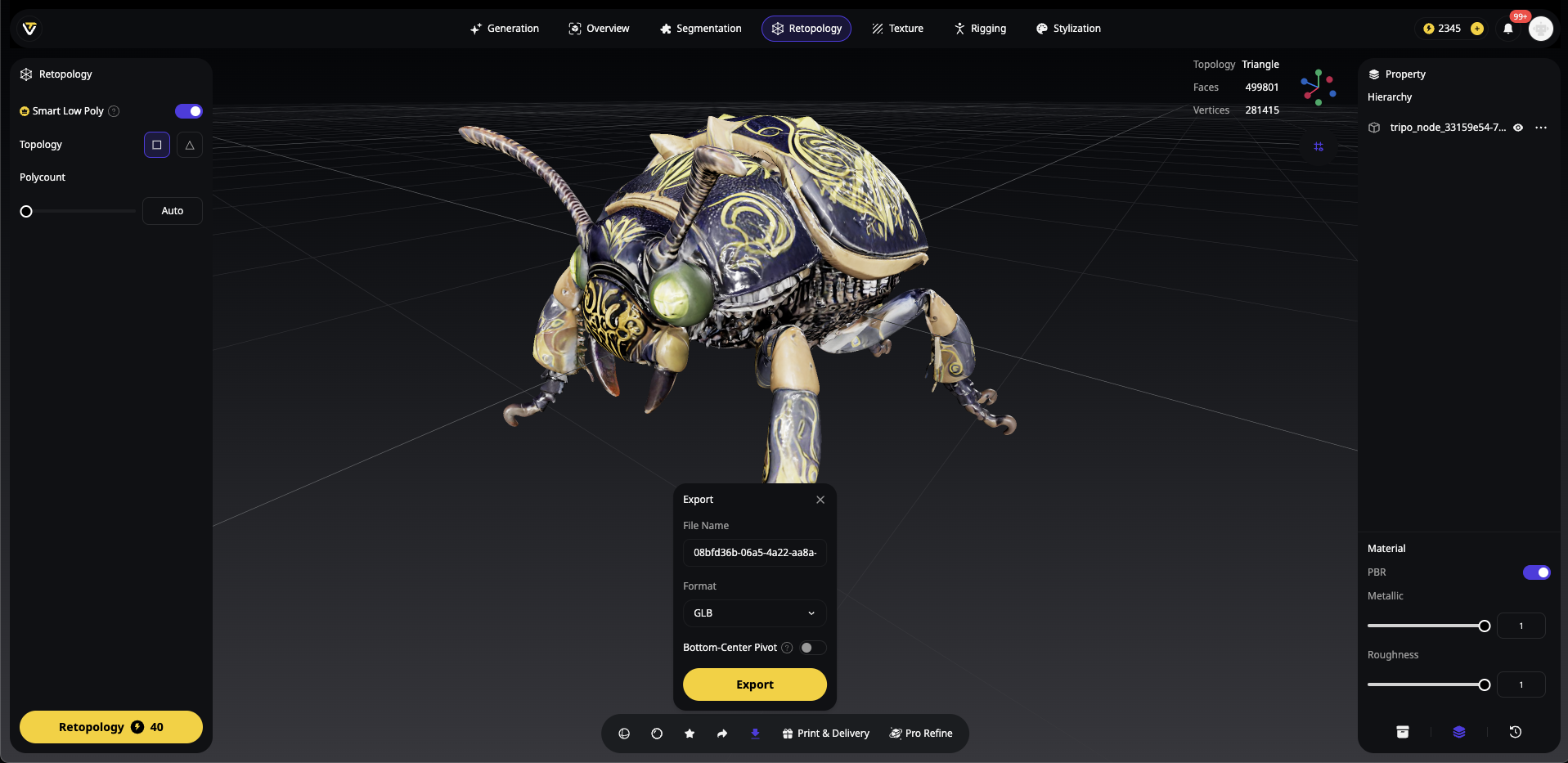
替代格式:OBJ、FBX、STL 或 USDZ
建立新的專案資料夾,並將你的 GLB 模型放入 models 子資料夾:
my-3d-project/
├── models/
│   └── your-tripo-model.glb
└── (empty for now)
Step 2:開啟 Cursor AI 並建立你的 Prompt
啟動 Cursor AI 並開啟你的專案資料夾。使用這個強大的 prompt 來生成所有內容:
Create a complete web application that displays a GLB 3D model located at './models/your-tripo-model.glb'.

Requirements:
1. Set up both Babylon.js and Three.js examples in separate HTML files
2. Include all necessary dependencies via CDN
3. Add proper lighting, camera controls, and responsive canvas
4. Implement orbit controls for user interaction
5. Add loading progress indicators
6. Create an index.html with links to both examples
7. Include error handling for failed model loads
8. Add comments explaining each section
9. Make it work with 'python -m http.server' for local testing

The model should be centered, properly lit, and rotatable with mouse controls.
Step 3:套用 AI 生成的程式碼
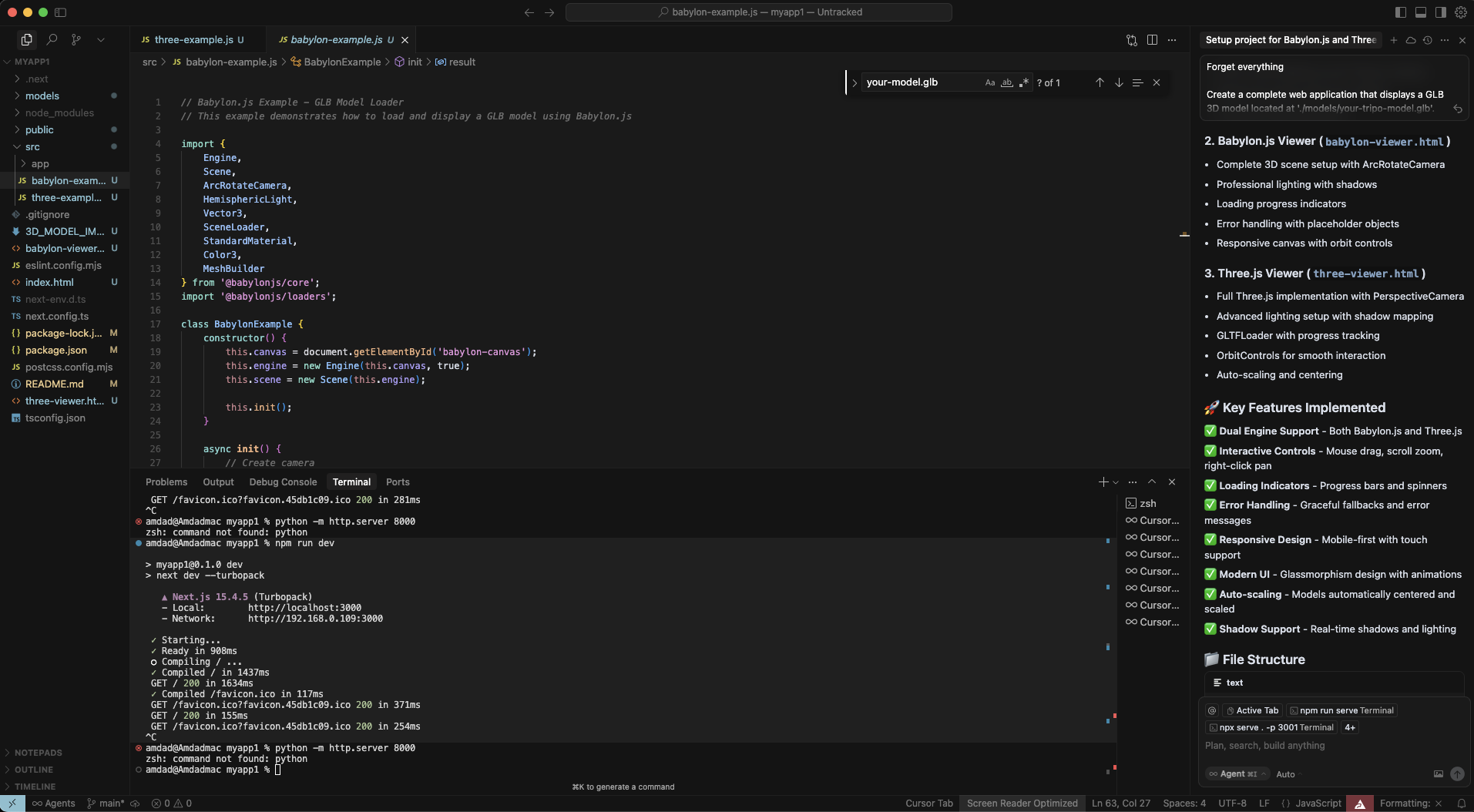
Cursor AI 會生成多個檔案。檢查並接受變更:
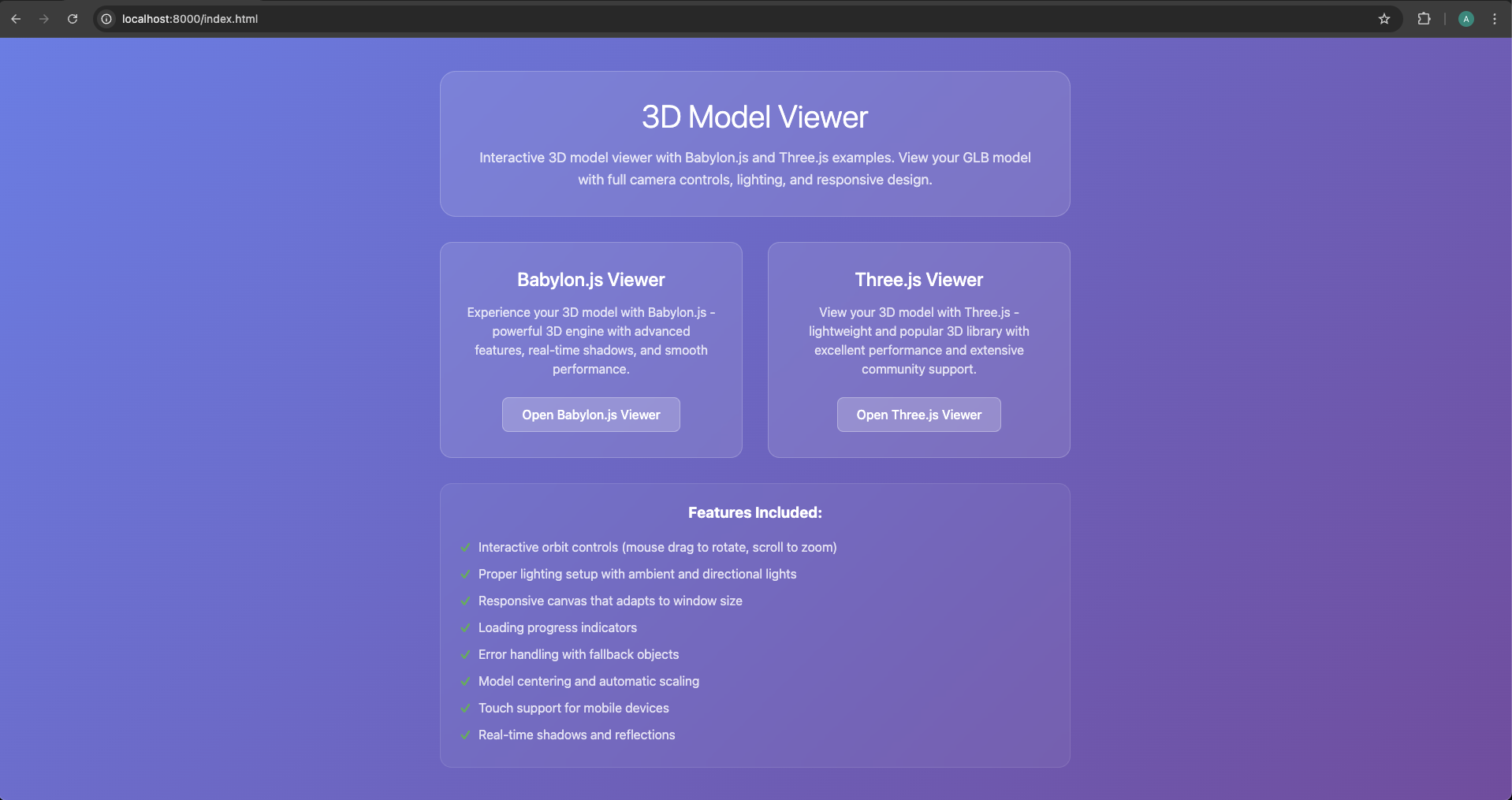
index.html - 含有兩個選項的 landing page
babylon-example.html - Babylon.js 實作
three-example.html - Three.js 實作
可能還會有包含說明的 README.md
Step 4:測試你的整合
在專案資料夾中開啟 terminal 並執行:
python -m http.server 8000
# Or if you prefer Node.js:
npx http-server
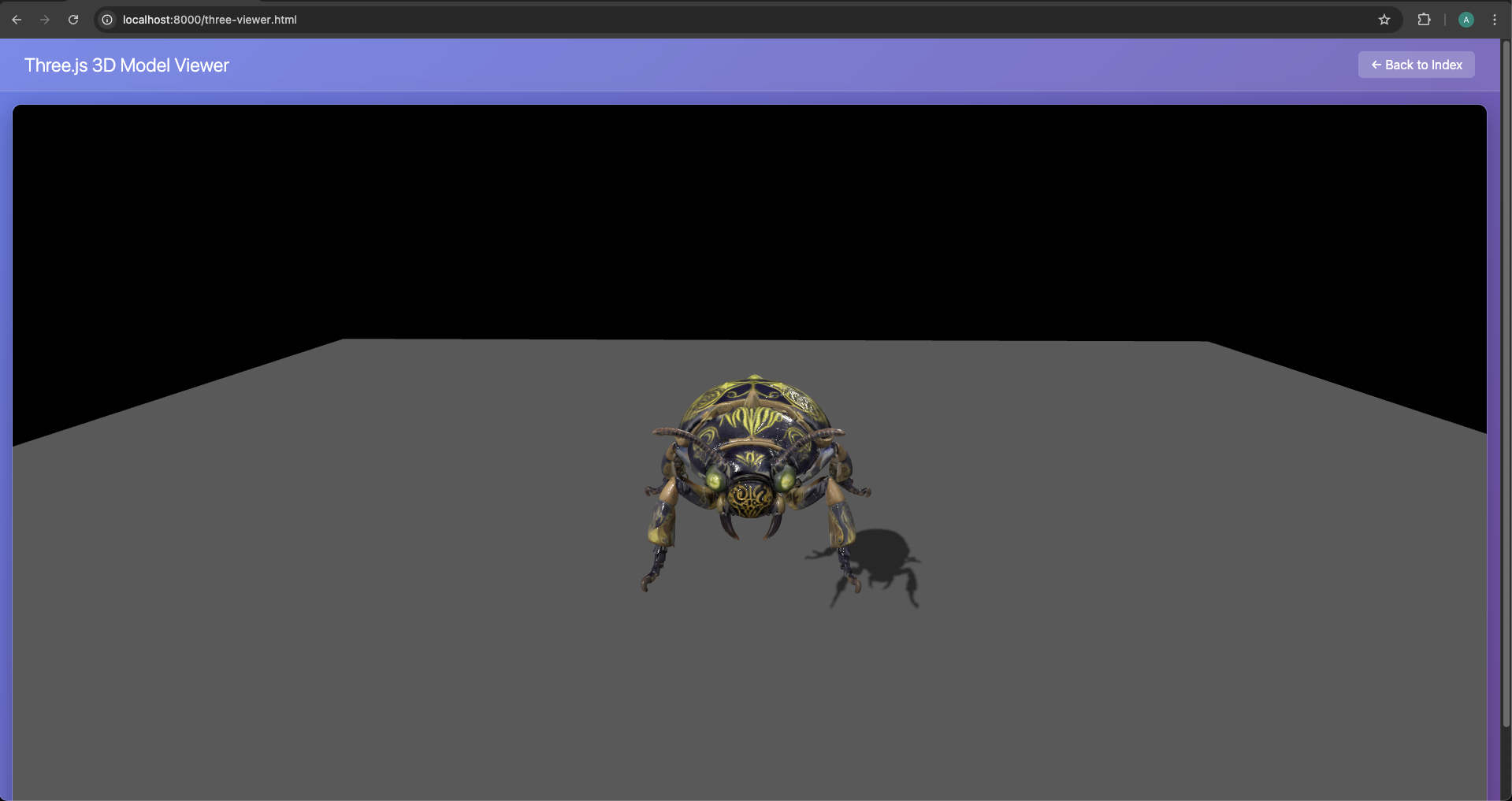
前往 http://localhost:8000,點擊任一範例即可看到你的模型!
Step 5:透過 AI 協助進行客製化
需要修改嗎?直接詢問 Cursor AI:
"Add a skybox background to the Three.js example"
"Make the model rotate automatically in Babylon.js"
"Add shadow effects to both examples"
"Implement a loading screen with percentage"
Cursor AI 的真實輸出範例
以下是 Cursor 可能為你的 Three.js 實作生成的內容:
_// Three.js Example - GLB Model Loader_
_// This example demonstrates how to load and display a GLB model using Three.js_

import * as THREE from 'three';
import { GLTFLoader } from 'three/examples/jsm/loaders/GLTFLoader.js';
import { OrbitControls } from 'three/examples/jsm/controls/OrbitControls.js';

class ThreeExample {
    constructor() {
        this.container = document.getElementById('three-container');
        this.scene = new THREE.Scene();
        this.camera = new THREE.PerspectiveCamera(75, window.innerWidth / window.innerHeight, 0.1, 1000);
        this.renderer = new THREE.WebGLRenderer({ antialias: true });
        this.renderer.setSize(window.innerWidth, window.innerHeight);
        this.container.appendChild(this.renderer.domElement);
        this.init();
    }
    **init**() {
        this.camera.position.set(5, 5, 5);
        this.camera.lookAt(0, 0, 0);
        const ambientLight = new THREE.AmbientLight(0x404040, 0.6);
        this.scene.add(ambientLight);
        const directionalLight = new THREE.DirectionalLight(0xffffff, 0.8);
        directionalLight.position.set(10, 10, 5);
        this.scene.add(directionalLight);
        this.controls = new OrbitControls(this.camera, this.renderer.domElement);
        this.controls.enableDamping = true;
        this.loadModel();
        window.addEventListener('resize', () => {
            this.camera.aspect = window.innerWidth / window.innerHeight;
            this.camera.updateProjectionMatrix();
            this.renderer.setSize(window.innerWidth, window.innerHeight);
        });
        this.animate();
    }
    **loadModel**() {
        const loader = new GLTFLoader();
        loader.load('models/your-model1.glb', (gltf) => {
            this.scene.add(gltf.scene);
            this.centerModel(gltf.scene);
        }, undefined, (error) => {
            console.error('Error loading model:', error);
        });
    }
    **centerModel**(model) {
        const box = new THREE.Box3().setFromObject(model);
        const center = box.getCenter(new THREE.Vector3());
        model.position.sub(center);
    }
    **animate**() {
        requestAnimationFrame(() => this.animate());
        this.controls.update();
        this.renderer.render(this.scene, this.camera);
    }
}

document.addEventListener('DOMContentLoaded', () => new ThreeExample());
export default ThreeExample;
方法比較:AI 捷徑 vs 傳統 Coding
傳統方法:手動實作
雖然 AI 捷徑非常適合快速開始,但專業開發者通常需要完整控制權。接下來看看 Babylon.js 3D model import 和 Three.js load 3D models 的傳統做法。
Babylon.js:完整手動設定
Step 1:專案結構
手動建立你的專案:
mkdir babylon-3d-project
cd babylon-3d-project
npm init -y
npm install --save babylonjs babylonjs-loaders
Step 2:HTML 基礎
<!DOCTYPE html><html><head><title>Babylon.js - Tripo AI Model</title><style>html, body { overflow: hidden; width: 100%; height: 100%; margin: 0; padding: 0; } #renderCanvas { width: 100%; height: 100%; touch-action: none; }</style></head><body><canvas id="renderCanvas"></canvas><script src="https://cdn.babylonjs.com/babylon.js"></script><script src="https://cdn.babylonjs.com/loaders/babylonjs.loaders.min.js"></script><script src="app.js"></script></body></html>
Step 3:JavaScript 實作
手動方式會建立 engine、scene、camera、lighting、shadow、ground,並透過 BABYLON.SceneLoader.ImportMeshAsync 從 ./models/your-tripo-model.glb 匯入模型。匯入後,請處理 mesh shadows、關閉必要材質的 backFaceCulling、置中並縮放模型,以及自動調整 camera 以符合模型大小。也建議加入錯誤處理、resize handling 和 mobile performance optimization。
Three.js:專業實作
針對 Three.js load 3D models,完整手動方法包含:設定 THREE.Scene、PerspectiveCamera、WebGLRenderer、OrbitControls、ambient/directional lights、ground plane、LoadingManager、GLTFLoader,以及可選的 DRACOLoader。載入 ./models/your-tripo-model.glb 後,請將模型置中、縮放至合適大小、啟用 shadows、將 AI 生成模型的材質設為 THREE.DoubleSide,並在模型有 animations 時使用 THREE.AnimationMixer 播放。
為 Web Performance 最佳化 AI 生成模型
無論你使用 AI 捷徑或手動方法,最佳化 AI generated 3D models web performance 都至關重要。以下是確保體驗流暢的方法:
- 使用 glTF 進行格式最佳化
glTF model import format 是 Web 3D 的黃金標準。載入時可最佳化 textures、設定 mipmap filter、啟用 anisotropy,並為 geometry 計算 bounding sphere 以改善 culling。
- Level of Detail (LOD) System
為不同裝置實作 LOD,可根據 camera distance 切換 high-detail、medium-detail、low-detail 模型,提升效能並保持視覺品質。
- Texture Compression
在上傳 GPU 前壓縮與縮放 textures,可降低記憶體使用量,同時盡量維持畫質。常見做法包括調整到 power-of-two 尺寸、建立 CanvasTexture、啟用 mipmaps。
- Performance Monitoring
追蹤 FPS、memory usage、draw calls,並根據 FPS 自動降低或提高品質。例如 FPS 低於 30 時降低 shadow、texture 或 model detail;高於 55 時再提高品質。
Production Deployment 最佳實務
- Asset Pipeline Automation
建立 build process,自動為 Web 最佳化 3D 模型:
// package.json{"scripts": {"optimize-models": "gltf-pipeline -i ./models/raw/*.glb -o ./models/optimized/ -d","build": "npm run optimize-models && webpack"}}
- CDN Deployment
從 CDN 提供模型以提升全球載入效能,並透過 GLTFLoader 從 ${MODEL_CDN}${modelName} 載入模型。
- Progressive Loading Strategy
根據使用者互動載入模型。可建立 queue、priority、loadedModels cache,先預載 hero model 或 environment,再於使用者點擊時載入額外模型。
- Memory Management
正確釋放未使用資產以避免 memory leaks。移除模型時應 dispose geometry、material,以及 map、normalMap、roughnessMap、metalnessMap、aoMap 等 textures。
常見陷阱與解法
Troubleshooting Guide
Device-Specific Optimizations
建立 DeviceOptimizer 可偵測 mobile、GPU 和 WebGL renderer。Mobile 可降低 pixel ratio、關閉 shadows、限制 texture size;desktop 可保留更高品質;Intel GPU 等較保守環境可使用較低 precision 或 medium quality。
與現代 Frameworks 整合
React Integration Example
React 版本通常會使用 useRef 掛載 canvas,並在 useEffect 中建立 Three.js scene、camera、renderer、lights、OrbitControls 和 GLTFLoader。載入 modelUrl 後將模型加入 scene、自動置中,並在 cleanup 中移除 resize listener、移除 canvas、dispose renderer。
Vue.js Integration
Vue 版本可建立 TripoModelViewer.vue,在 mounted() 中呼叫 initThree() 和 loadModel(),透過 props 接收 modelUrl、width、height,並在 beforeDestroy() 中釋放 Three.js resources。
Performance Benchmarking
追蹤並最佳化你的 AI generated 3D models web performance:可建立 PerformanceBenchmark 量測 loadTime、frameRate、memoryUsage、drawCalls,並輸出包含平均 frame rate、平均 memory MB 和 draw calls 的 report。
結論:3D Web Development 的未來
我們已介紹兩種將 AI generated 3D assets 匯入 Web frameworks 的強大方法。搭配 Cursor AI 的 AI-assisted shortcut 讓 3D web development 更民主化,使沒有深厚 coding 知識的創作者也能使用;同時,傳統手動方法提供專業開發者在複雜應用中所需的細緻控制。
Tripo AI 的即時 AI 3D model generator 能力結合現代 Web frameworks,創造了前所未有的機會:
- 快速原型製作:從想法到互動式 3D 只需幾分鐘,而非數週
- 成本效率:不必每個專案都聘請昂貴的 3D artists
- 可擴展性:生成並部署數千個獨特模型
- 可近用性:任何人都能建立專業 3D Web experiences
無論你正在打造具備 3D product views 的 e-commerce site、web-based game,或 educational platform,從 Tripo AI 到 Web deployment 的工作流程從未如此順暢。Algorithm 2.5 可在短短 8-10 秒內生成驚豔模型,再加上本文介紹的 import methods,你已具備創造幾年前仍難以想像的體驗所需的一切。
準備好用 AI-powered 3D content 改造你的 Web projects 了嗎?加入已在使用 Tripo AI 的 200 多萬名創作者。免費生成你的第一個模型,並在幾分鐘內讓它在瀏覽器中活起來。Web 3D 的未來不在於複雜工作流程,而在於立即將想法變成現實。
今天就開始創作,探索為什麼 Tripo AI 是全球開發者與設計師的首選。你的下一個突破性 3D Web experience,只差幾次點擊!