3D-Visuals mit Tripo & Mootion in kinoreife KI-Videos verwandeln
Einführung
Von KI generierte Visuals werden auf Creator-Plattformen immer häufiger. Von Anime-Edits bis hin zu Kinotrailern haben Creator heute Zugriff auf Tools, die die Produktionszeit drastisch verkürzen.
Eine Herausforderung bleibt jedoch: Visuals zu generieren ist erst der Anfang.
Statische Bilder in emotional ansprechende Videoinhalte zu verwandeln, erfordert Bewegung, Timing, Storytelling und Workflow-Design. Deshalb lösen sich viele Creator von der Abhängigkeit von nur einem einzigen KI-Tool. Stattdessen bauen sie modulare KI-Workflows auf.
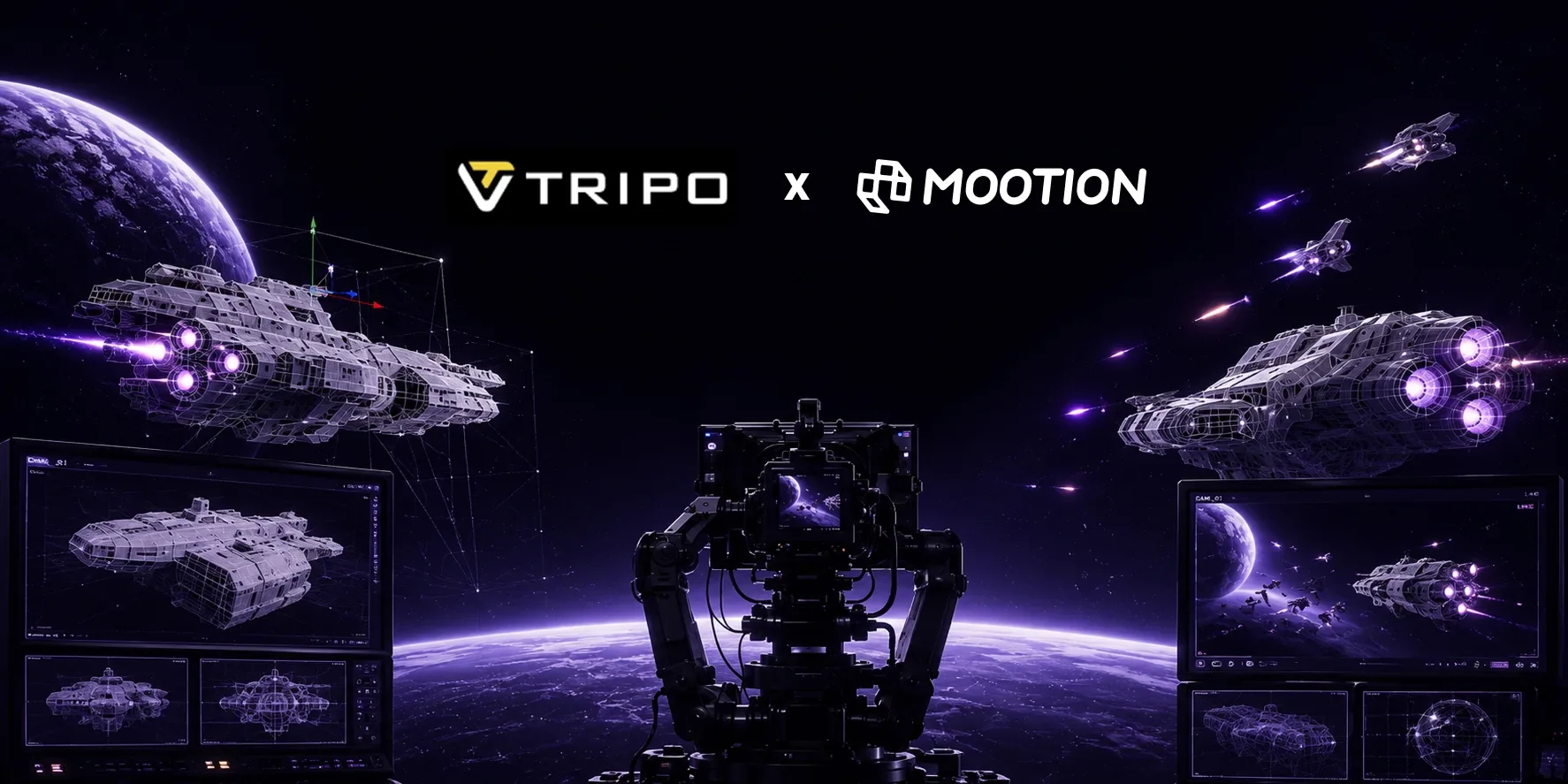
In diesem Blog zeigen wir einen praktischen Workflow mit Tripo für die Generierung visueller Assets und Mootion AI für kinoreife Animation und Storytelling.
Dieser Workflow eignet sich besonders gut für:
- TikTok-Creator
- YouTube-Shorts-Creator
- KI-Filmemacher
- Creator ohne Gesicht im Content
- Indie-Storyteller
Warum KI-Video-Workflows wichtig sind
Die Zukunft der KI-Erstellung ist zunehmend workflow-getrieben.
Die meisten erfolgreichen Creator verlassen sich nicht mehr auf eine einzige Plattform, um eine gesamte Produktionspipeline abzuschließen.
Stattdessen kombinieren sie Generierungs-Tools, Animationstools und Storytelling-Systeme. Dieser Ansatz sorgt für schnellere Iteration, mehr kreative Flexibilität, skalierbare Content-Produktion und eine bessere visuelle Konsistenz. Für Short-Form-Creator ist Workflow-Geschwindigkeit oft ein Wettbewerbsvorteil. Creator, die Ideen schnell testen, häufig veröffentlichen und die visuelle Qualität beibehalten können, erzielen auf Social-Plattformen meist bessere Ergebnisse. Und viele Creator animieren heute generierte Szenen oft in Mootion.
Deshalb kann die Kombination von Tripo und Mootion zu einem äußerst effektiven Creator-Workflow werden.
Schritt 1: Visuelle Assets mit Tripo generieren
Was ist Tripo?
Tripo ist ein KI-gestütztes Tool, mit dem Nutzer detaillierte 3D-Charaktere aus einfachen Text-Prompts oder Bildreferenzen generieren können. Mit seiner intuitiven Oberfläche und seinen leistungsstarken Modellierungsfunktionen ist Tripo ideal für Künstler und Nicht-Künstler gleichermaßen, die Prototypen oder einzigartige Charakterdesigns schnell erstellen möchten.
Die wichtigsten Vorteile von Tripo:
- Sofortiges 3D aus Text oder Bildern
- Schnell, einfach und zeitsparend
- Perfekt für Rapid Prototyping & Iteration
So erstellst du einen 3D-Charakter in Tripo
Einen 3D-Charakter in Tripo Studio zu erstellen ist einfach und schnell. Nutzer können entweder einen detaillierten Text-Prompt eingeben oder ein Konzeptbild hochladen, um den Generierungsprozess zu starten. Für die besten Ergebnisse solltest du das Aussehen des Charakters, den Kleidungsstil, die Persönlichkeit und das visuelle Gesamtthema klar definieren — zum Beispiel „cyberpunk female hacker with neon jacket and holographic accessories“ oder „anime-style fantasy mage with glowing staff and silver armor“.
Sobald der Prompt oder das Bild hochgeladen ist, erzeugt Tripos KI-gestützter text-to-3D- oder image-to-3D-Workflow automatisch innerhalb von Sekunden einen stilisierten 3D-Charakter inklusive Geometrie und Texturen. Nutzer können das Ergebnis anschließend verfeinern, Varianten neu generieren und das finale Modell in Formaten wie GLB, FBX oder GLTF exportieren — zur Verwendung in Blender, Unity, Unreal Engine, VRChat, Games, XR-Erlebnissen oder kreativen Produktions-Workflows.
Schritt 2: Die visuellen Assets in Mootion hochladen
Was ist Mootion?
Mootion ist eine revolutionäre, KI-gestützte Videoplattform, die sich auf die Erstellung hochwertiger Langform-Videos von mehr als 2 Minuten spezialisiert hat. Sie ermöglicht es Nutzern, einfache Text-Prompts, Skripte, Bilder, Audio und Videos in narrative Videos mit konsistenten Visuals, Charakteren und Timing zu verwandeln — ideal für Storyteller, Educators und Marketer. Mootion AI kombiniert diese Premium-Funktionen mit einer intuitiven Oberfläche und macht professionelle Videoproduktion für alle zugänglich.
Wie verwandelt man Visuals in Videos in Mootion?
Du hast zwei Möglichkeiten, den Generierungs-Workspace von Mootion zu betreten
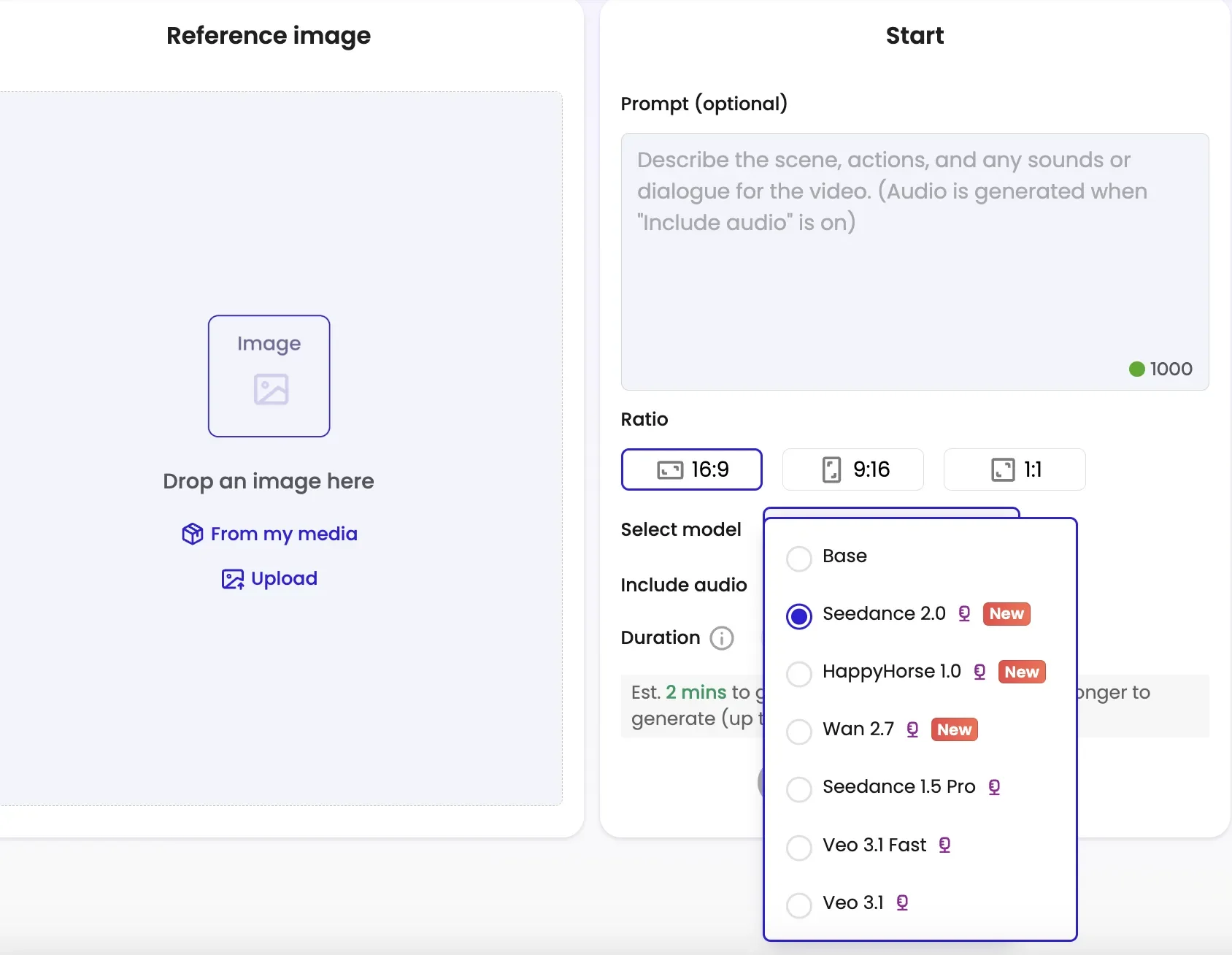
- Option 1: Beginne, indem du zum Abschnitt AI Tools navigierst und Image-to-Video auswählst.
Lade dein von Tripo generiertes visuelles Asset hoch und gib einen beschreibenden Prompt ein. Du kannst verschiedene Modelle flexibel auswählen, um spezifische ästhetische Anforderungen zu erfüllen.
- Option 2: Einstieg über den Mainstream-Workspace.
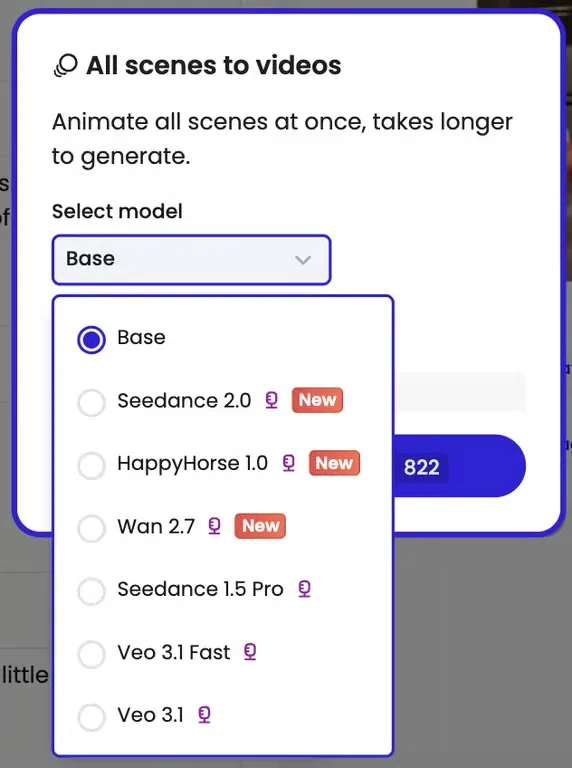
Du kannst ein Modell für alle Szenen auswählen oder je Szene unterschiedliche Modelle wählen, um spezifische ästhetische Anforderungen zu erfüllen.
Schritt 3: Modellauswahl & Animation
Wähle das SOTA-Modell, das zu deiner Vision passt. Wähle HappyHorse 1.0 für kinoreife Beleuchtung und sanfte Kamerabewegungen oder Seedance 2.0 für native Audio-Synchronisierung und narrative Kontrolle. Für Projekte mit vielen Charakteren bietet Wan 2.7 außergewöhnliches character locking. Wähle das Seitenverhältnis und die Dauer des Videos.
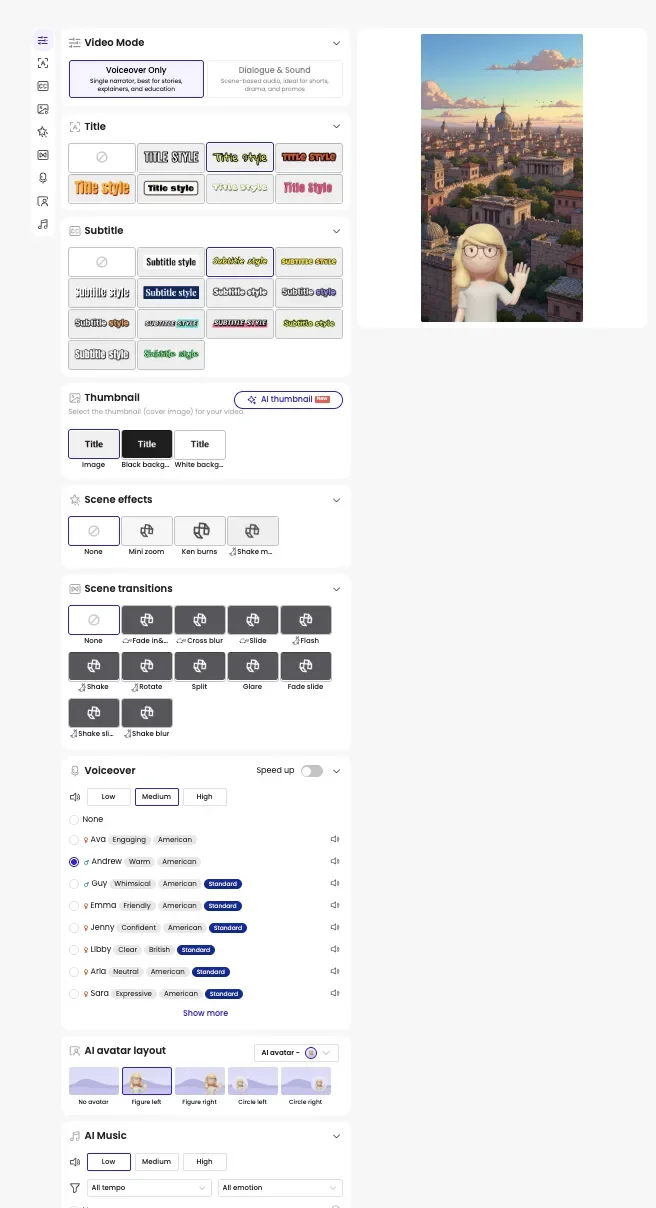
Wenn du Mootion über Option 2 (Mainstream-Workspace) aufrufst, kannst du es konfigurieren, indem du die Stile für Titel, Untertitel, Szeneneffekte und Übergänge, Voiceover, AI avatar layout und AI music auswählst. Außerdem kannst du dein eigenes Thumbnail mit dem AI thumbnail generator erstellen.
Glückwunsch! Am Ende wird ein herunterladbares HD-Video mit perfekt synchronisiertem Audio und Bild generiert.
Empfohlener Workflow
Ein einfacher Creator-Workflow könnte so aussehen:
- Szenen-Assets in Tripo generieren
- Die stärkste visuelle Sequenz auswählen
- Bilder in Mootion importieren
- Bildunterschriften und Laufzeiten jeder animierten Szene anpassen, wenn Creator den Weg über den Haupt-Creation-Stream wählen
- Szenenübergänge, Szeneneffekte, Voiceover, AI avatar, AI music sowie Titel- und Untertitelstile auswählen
- Videoformate exportieren
Die Kombination aus Asset-Generierung und Animation reduziert die Produktionszeit im Vergleich zu traditionellen kreativen Pipelines erheblich.
Tipps für den kreativen Workflow
Fokus auf Storytelling, nicht nur auf Visuals
Viele KI-generierte Videos sehen visuell beeindruckend aus, schaffen es aber nicht, emotionale Bindung aufzubauen.
Starkes Storytelling ist oft wichtiger als technische Komplexität.
Creator sollten an Folgendes denken:
- Szenenübergänge und Effekte
- narrative Klarheit
- Videomodus: nur Voiceover oder Dialog & Sound
Wiederverwendbare Workflow-Systeme aufbauen
Erfolgreiche Creator verwenden oft wieder:
- Prompt-Strukturen
- visuelle Stile
Das hilft, die Produktionseffizienz mit der Zeit zu steigern.
Schnell iterieren
Ein großer Vorteil von KI-Workflows ist das schnelle Experimentieren.
Creator können testen:
- unterschiedliche Prompts
- Szenenübergänge und Effekte
- visuelle Stile
Fazit
KI-Videoerstellung wird zunehmend workflow-orientiert.
Anstatt sich auf ein einziges Tool zu verlassen, kombinieren Creator spezialisierte Plattformen, um skalierbare Produktionssysteme aufzubauen. Tripo für die visuelle Generierung und Mootion AI für kinoreife Animation zu nutzen, ermöglicht es Creatorn, viel schneller vom Konzept zum Short-Form-Video zu gelangen.
Während sich Creator-Workflows weiterentwickeln, werden modulare KI-Produktionspipelines wahrscheinlich zu einem zentralen Bestandteil des digitalen Storytellings.
FAQ
Können Anfänger diesen Workflow nutzen?
Ja. Sowohl Tripo als auch Mootion senken die technischen Hürden im Vergleich zu traditioneller Animations- und 3D-Software deutlich.
Welche Arten von Creatorn profitieren am meisten von diesem Workflow?
Anime-Creator, KI-Filmemacher, TikTok-Creator, Short-Form-Storyteller, Indie-Creator und Creator ohne Gesicht im Content.
Ist dieser Workflow für TikTok und Reels geeignet?
Ja. Der Workflow ist besonders für die Produktion von vertikalen Short-Form-Videos optimiert.
Warum mehrere KI-Tools kombinieren statt nur eine Plattform zu nutzen?
Unterschiedliche KI-Tools sind oft auf unterschiedliche Teile des kreativen Prozesses optimiert. Die Kombination schafft mehr Flexibilität und qualitativ hochwertigere Ergebnisse.