Tripo DCC Bridge for ZBrush:安裝與快速入門

Tripo3D ZBrush Bridge 是一款輕量級外掛程式,可將 ZBrush 與 Tripo Studio 直接連接。透過此外掛程式,您可以輕鬆地將瀏覽器中生成的模型直接傳送至 ZBrush,無須手動下載。模型傳輸完成後,請依照下方與 ZBrush 版本相符的說明進行匯入。匯入後,模型會顯示在 ZBrush 的 Tool 面板和 LightBox 中。這個簡化流程讓藝術家和設計師能專注於建模與場景組裝,而不是檔案管理。
需求
- OS: Windows、Mac
- ZBrush: 2022+
- Browser:
- 支援 Google Chrome 116+、Edge 116+、Opera 102+
- 不支援其他瀏覽器
- Default Import Settings:
- Pivot: Center Bottom
- Auto Material Creation: Enabled
- Auto Asset Placement: Enabled
- Vextex color: Enable
逐步安裝
Step 1:
從 Tripo Studio 下載適用於您作業系統的 Tripo3D ZBrush Bridge 套件。
Step 2:
解壓縮下載的套件,然後開啟與您的 ZBrush 版本相符的資料夾:
- ZBrush 2022–2025: 開啟
22-25/。 - ZBrush 2026: 開啟
26/。
所選資料夾中包含:
Tripo3DBridgeData(資料夾)Tripo3DBridge.zsc(檔案)
將該資料夾和檔案複製到 ZBrush 的外掛程式目錄:
(範例)
- Windows,ZBrush 2022:
C:\Program Files\Pixologic\ZBrush 2022\ZStartup\ZPlugs64 - macOS,ZBrush 2022:
/Applications/ZBrush 2022/ZStartup/ZPlugs64
Step 3:
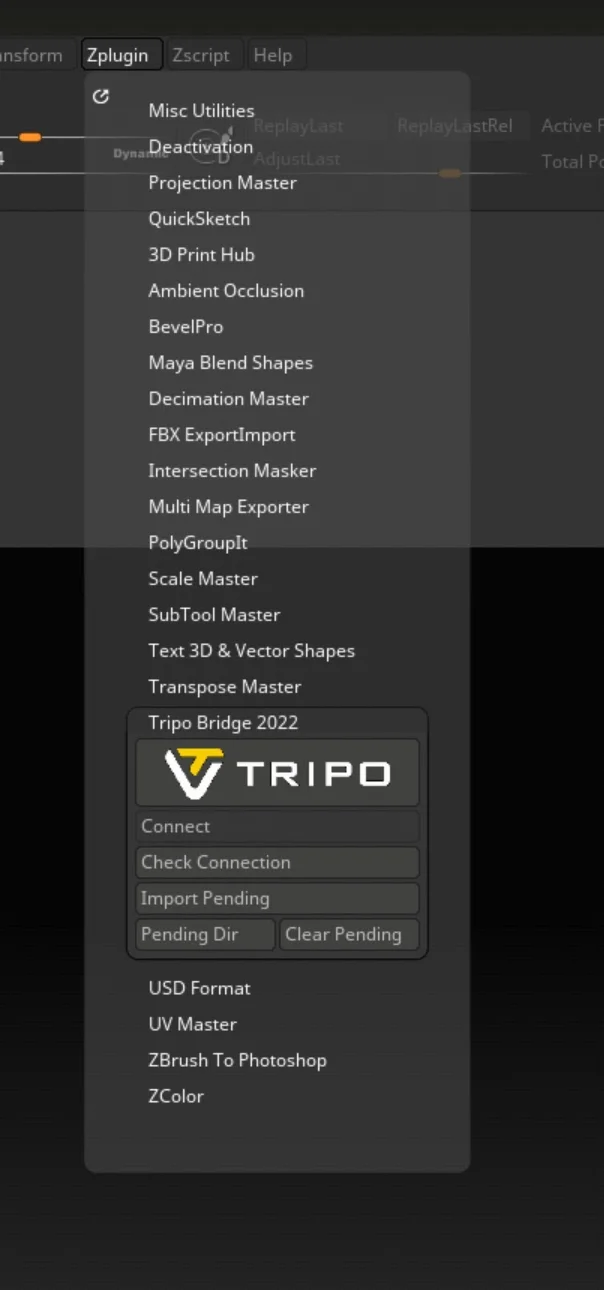
啟動或重新啟動 ZBrush,以載入新安裝的 plugin。在 ZBrush 2022–2025 中,請從 ZPlugin 選單開啟 Tripo Bridge 面板;面板只能停留在下拉選單中,無法停靠到介面側邊。在 ZBrush 2026 中,請點擊 Open Panel。當 Connect button 變為可用狀態時,表示 Bridge service 正在執行。其餘連線步驟在支援的版本中相同。
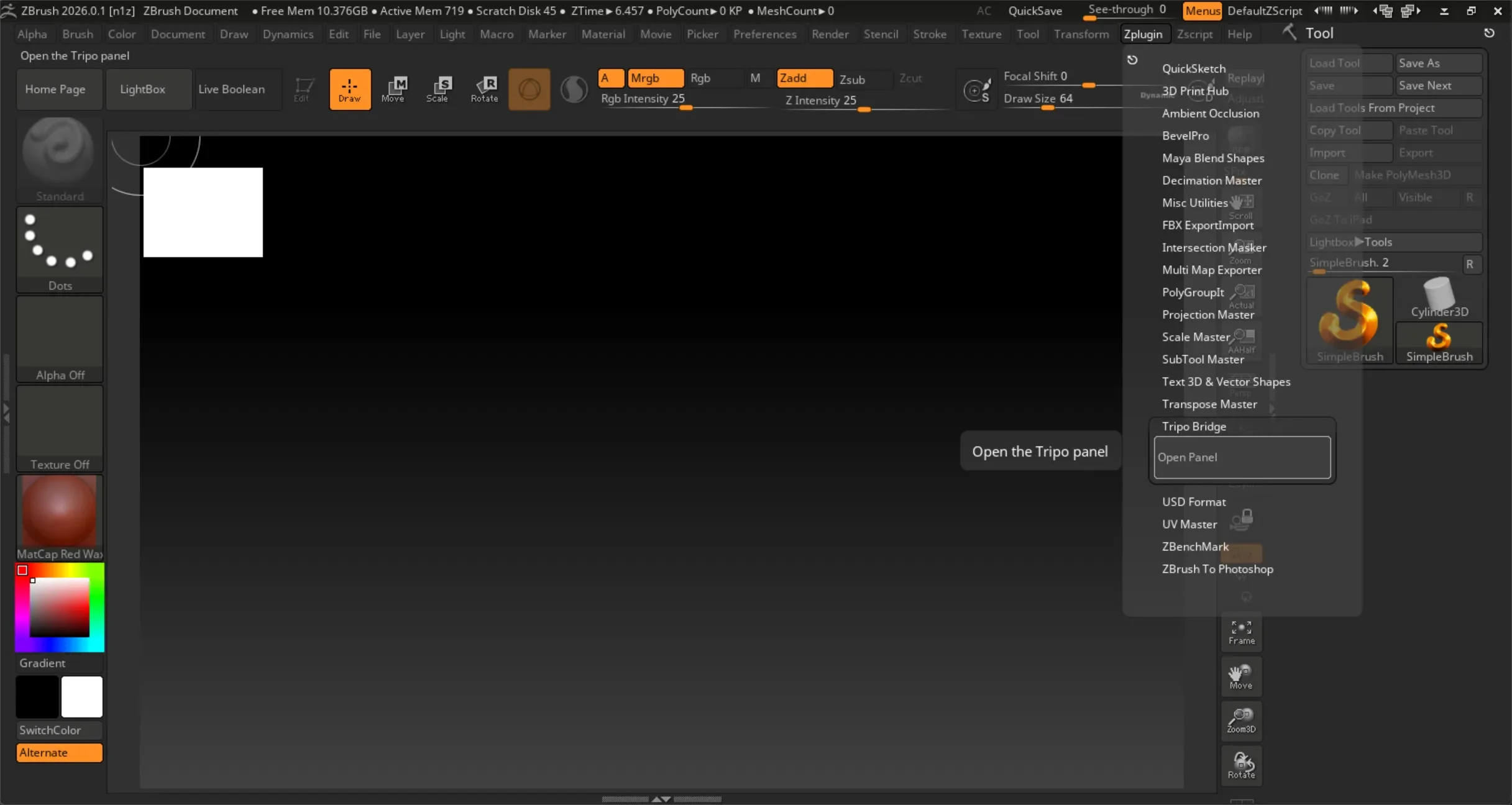
點擊 Open Panel。面板開啟後,Bridge service 會自動啟動。當 Connect button 變為可用狀態時,表示 ZBrush Bridge service 已在 ZBrush 端啟動。
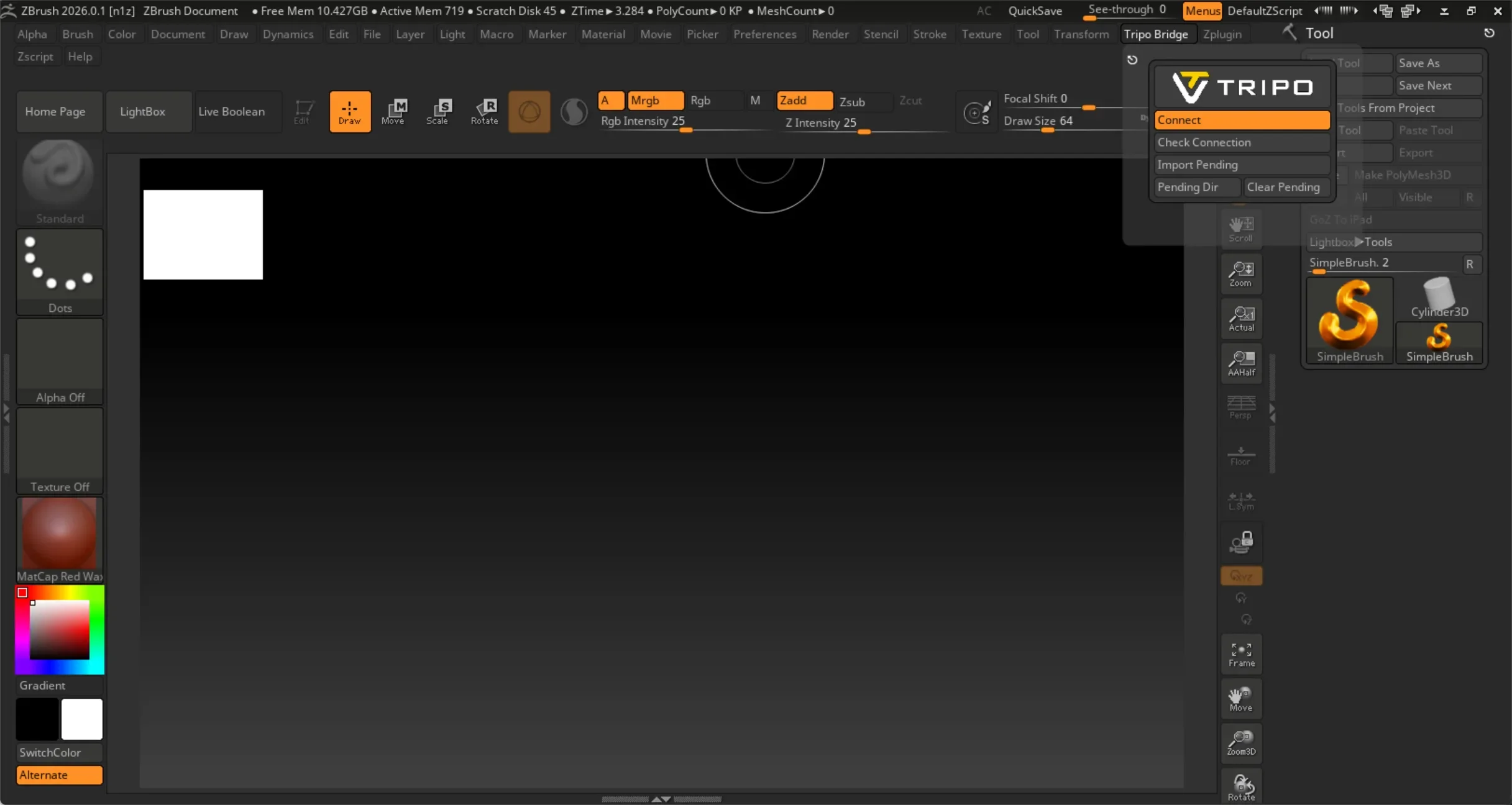
點擊釘選按鈕(面板左上角)將 UI 停駐到應用程式右側。
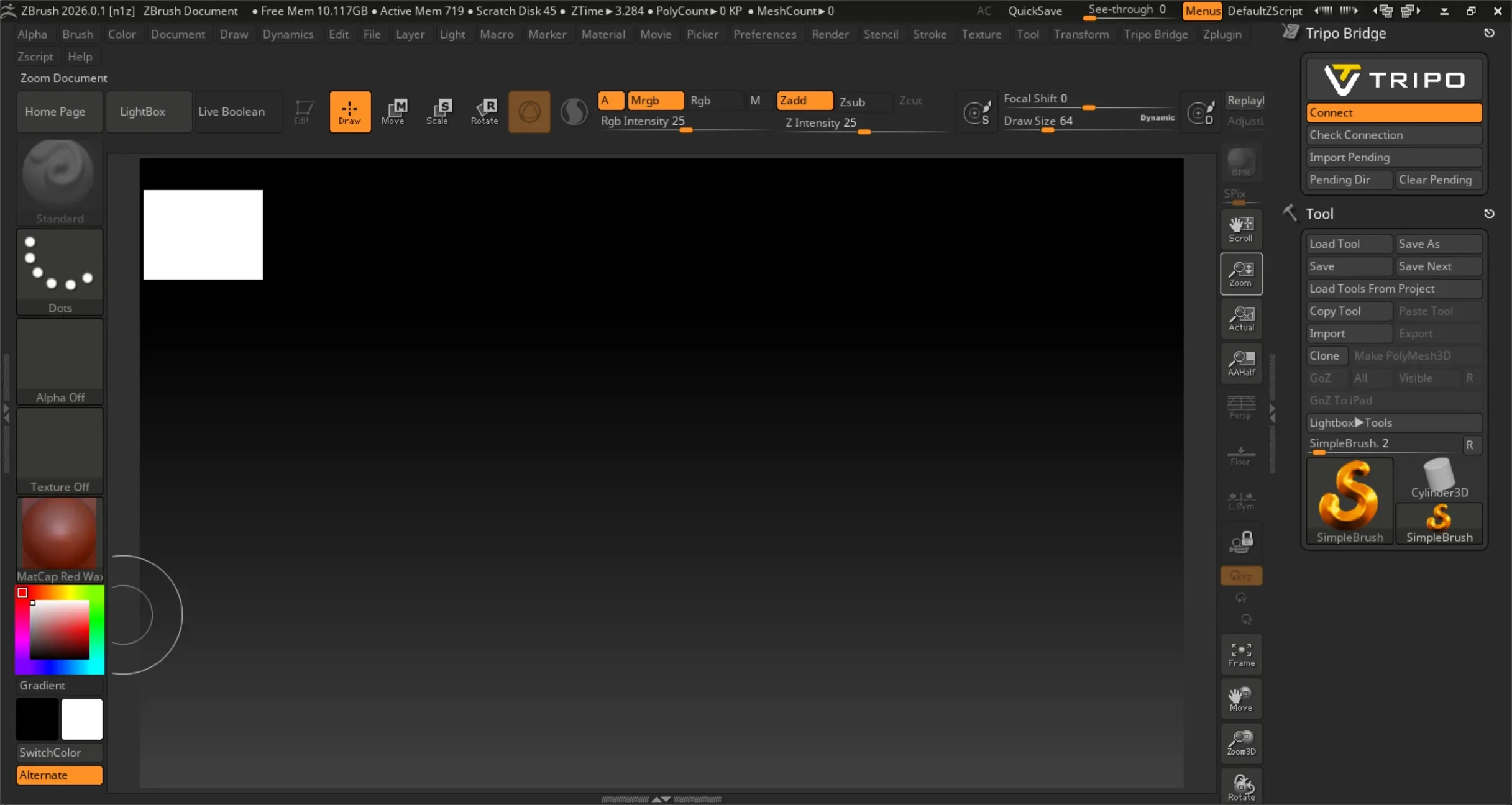
連接到網頁瀏覽器時,Bridge service 必須保持執行。模型傳輸期間請勿關閉 ZBrush,並保持 Connect button 為啟用狀態。
Step 4:
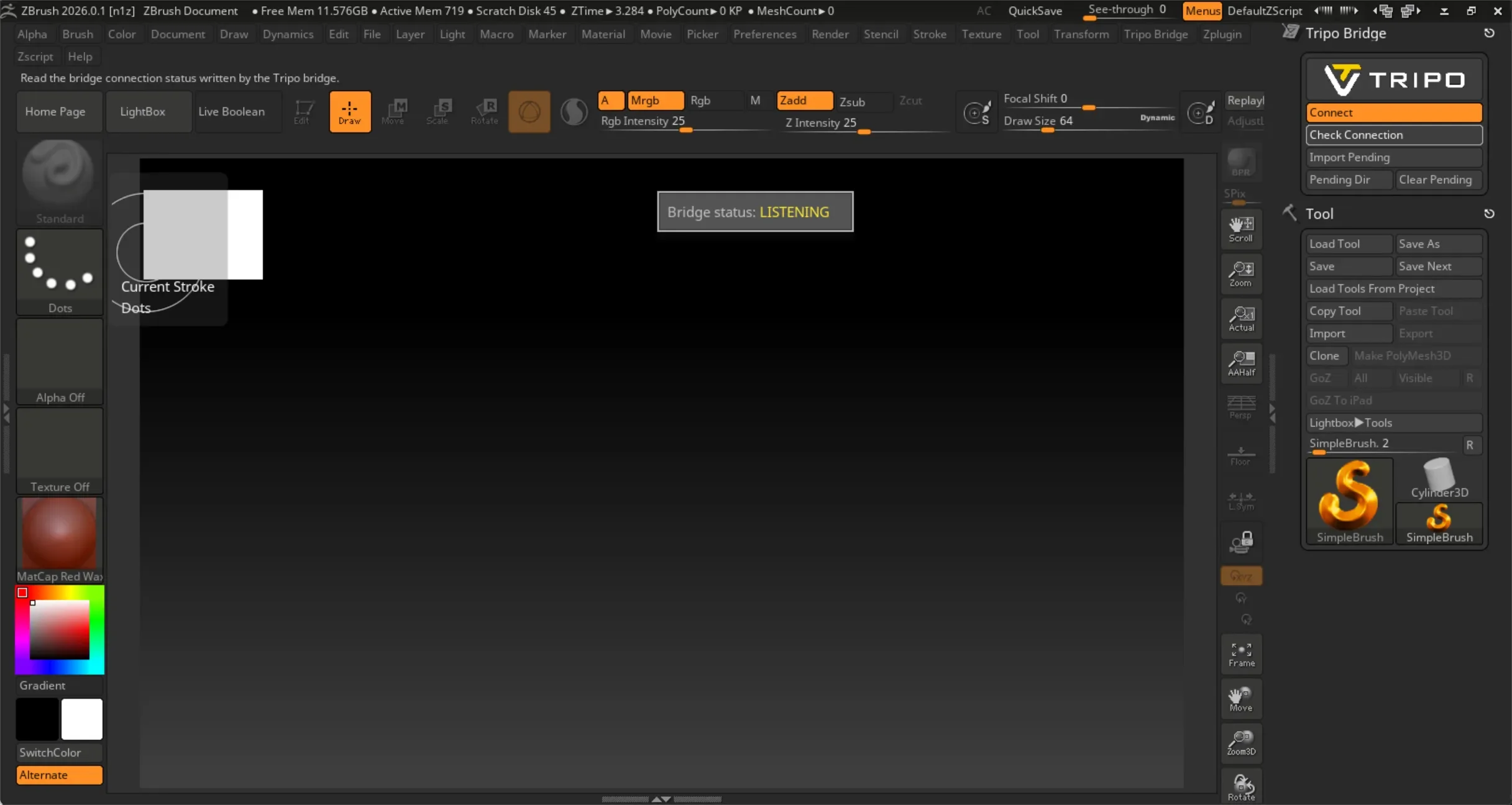
點擊 Check Connection button,驗證 ZBrush Bridge 與 Tripo Studio 網頁之間的連線。
如果彈出視窗顯示「Bridge status: listening」,表示網頁端尚未啟動 Bridge service。
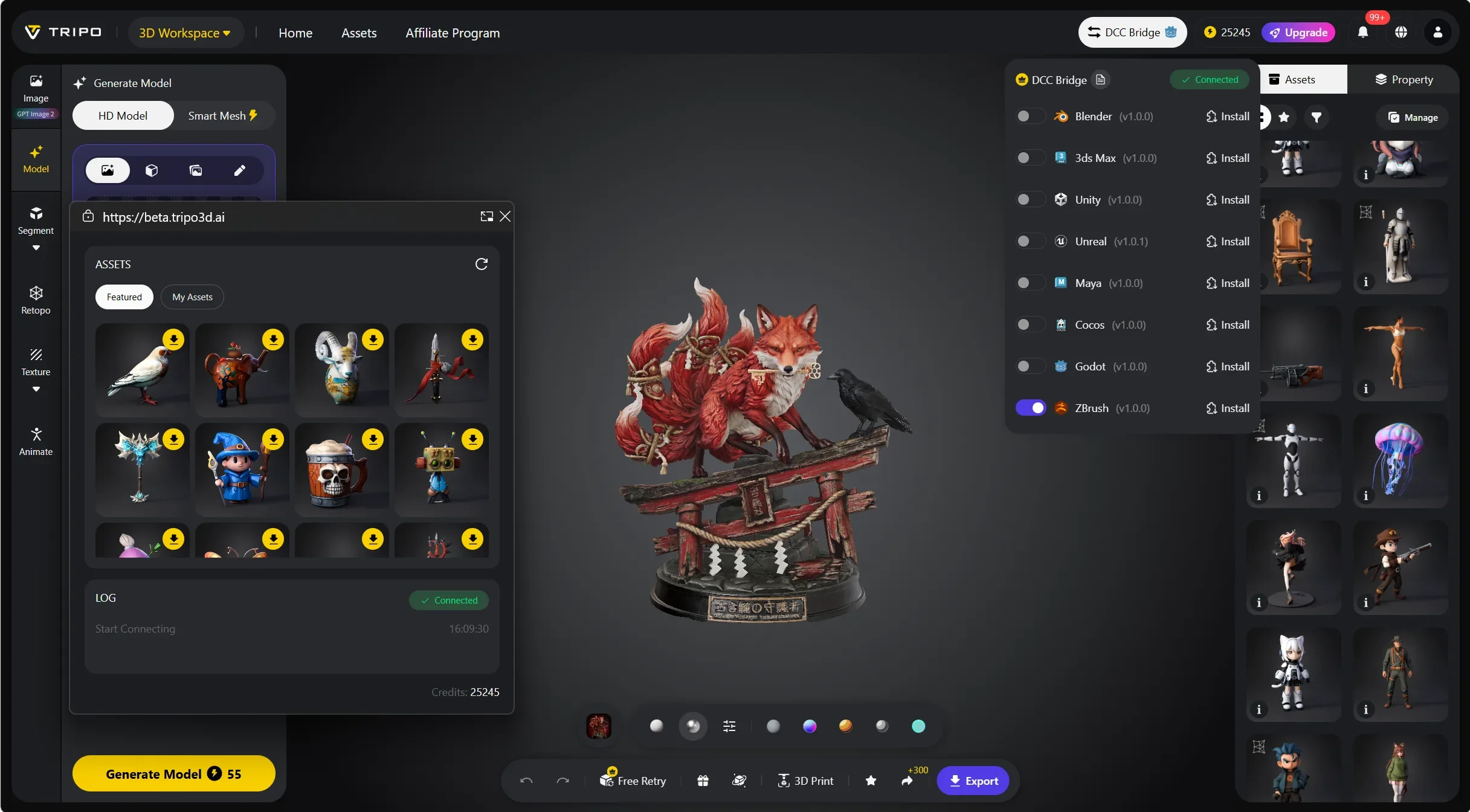
在瀏覽器中開啟 Tripo Studio 網站,點擊 DCC Bridge 按鈕,並啟用 ZBrush plugin。
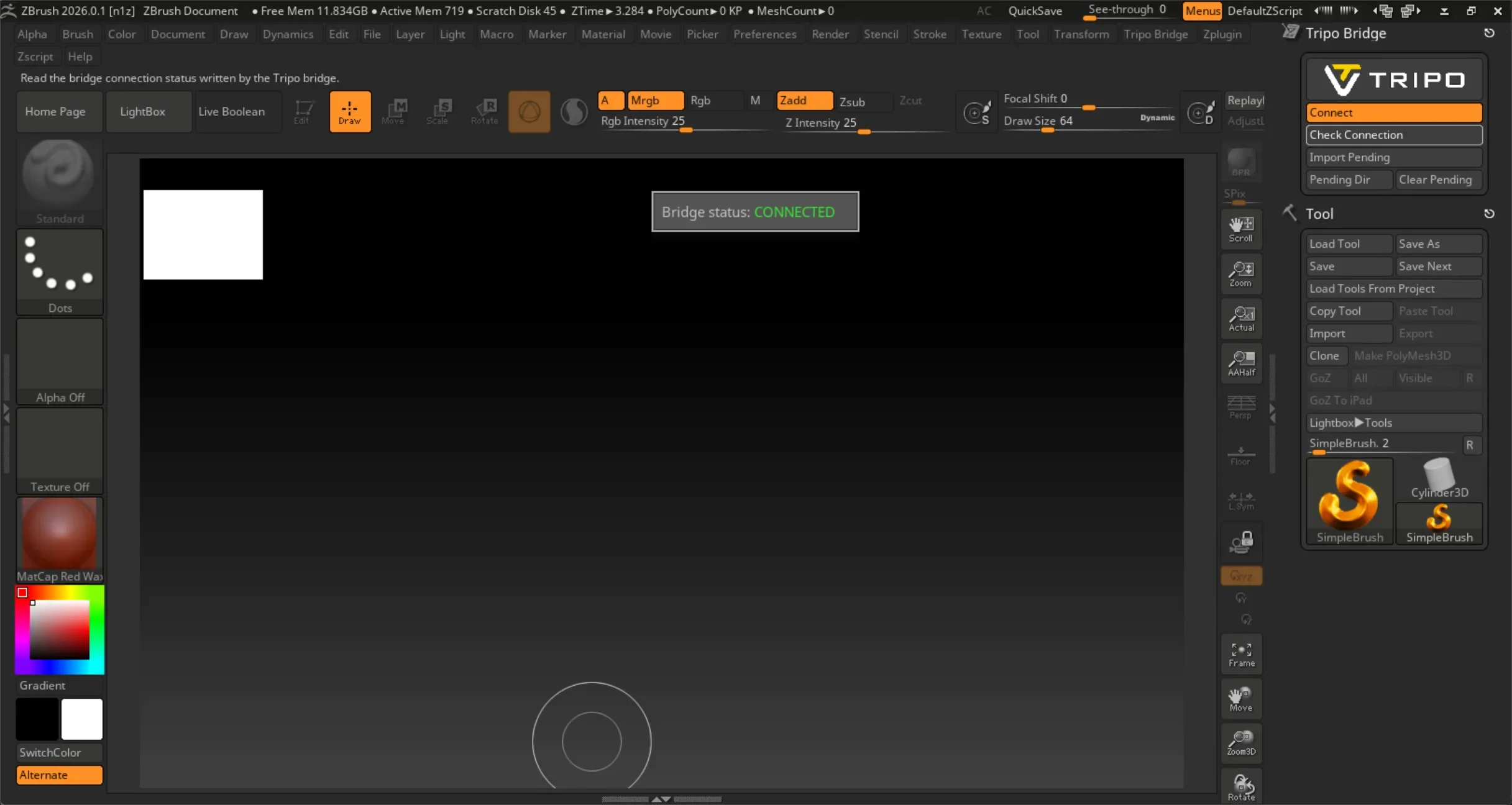
此時檢查連線狀態。它應該會顯示「Bridge status: connected」。
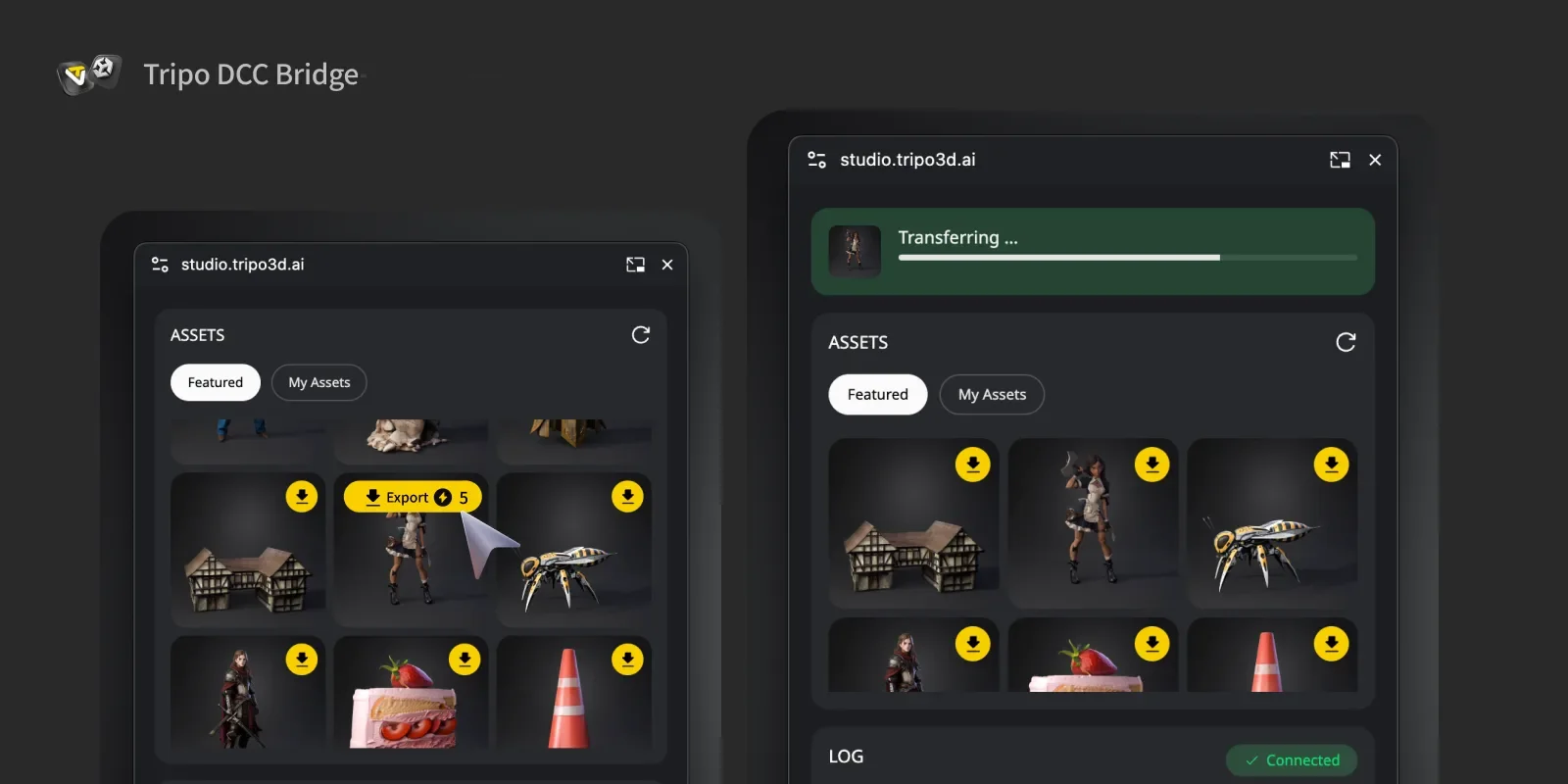
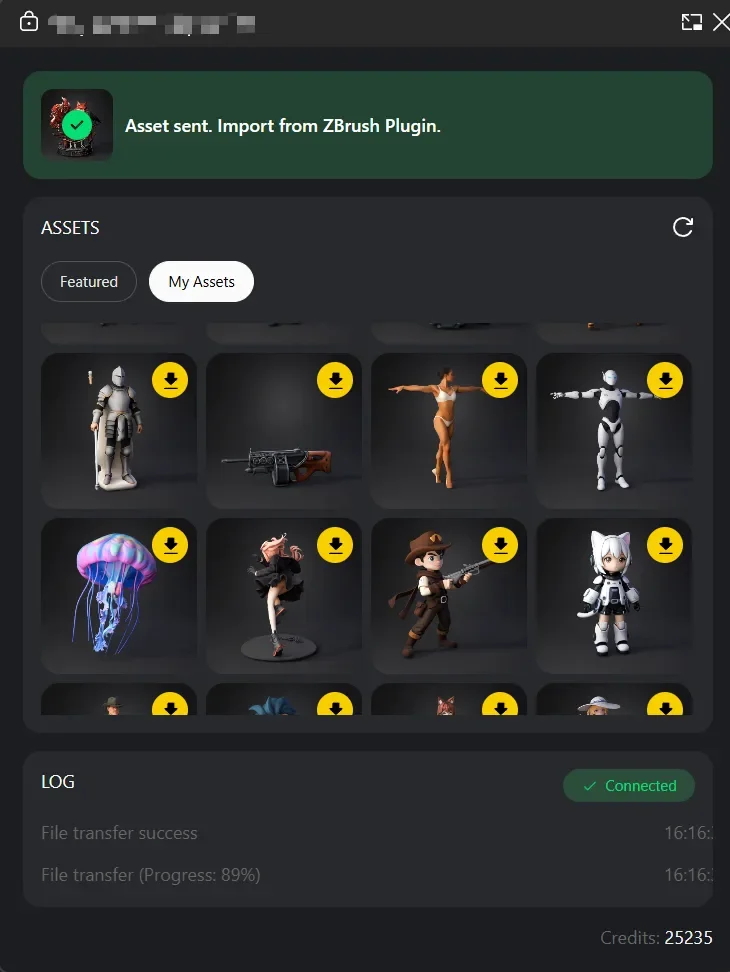
選擇一個模型。在迷你視窗中按下 Export 按鈕。傳輸完成後,系統會提示你在 ZBrush plugin 中接收模型資產。
Step 5:
傳輸完成後,請依照您的 ZBrush 版本匯入模型:
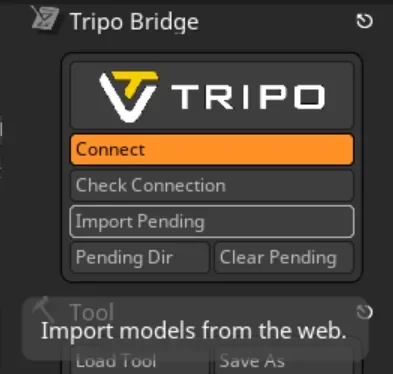
- ZBrush 2022–2025: 在 Tripo Bridge 面板中按一下 Import Pending。
- ZBrush 2026: 在面板中選取已傳輸的待處理項目,然後將其匯入。
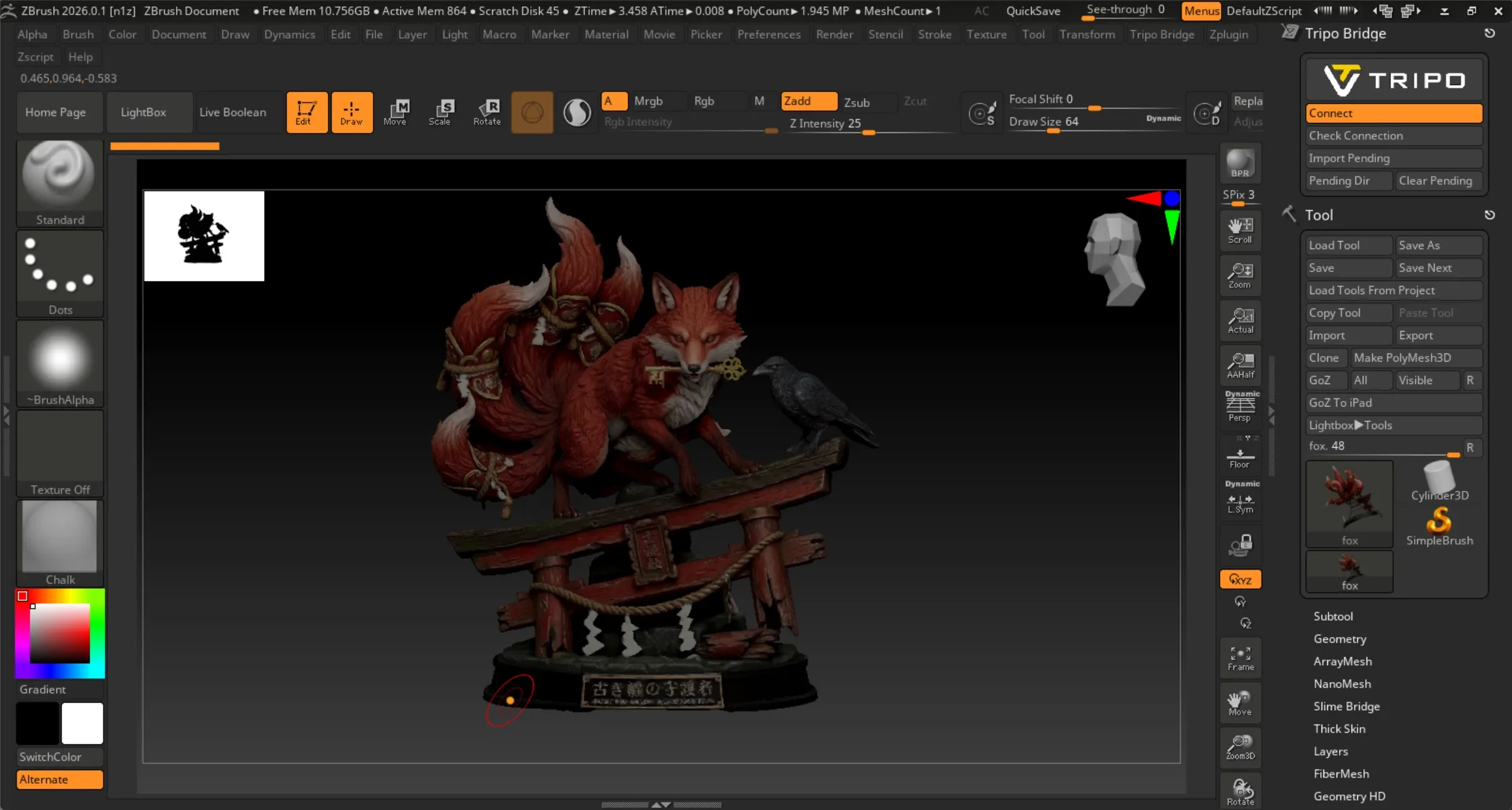
現在你可以在 ZBrush 的 Tool palette 和 LightBox 中看到模型。
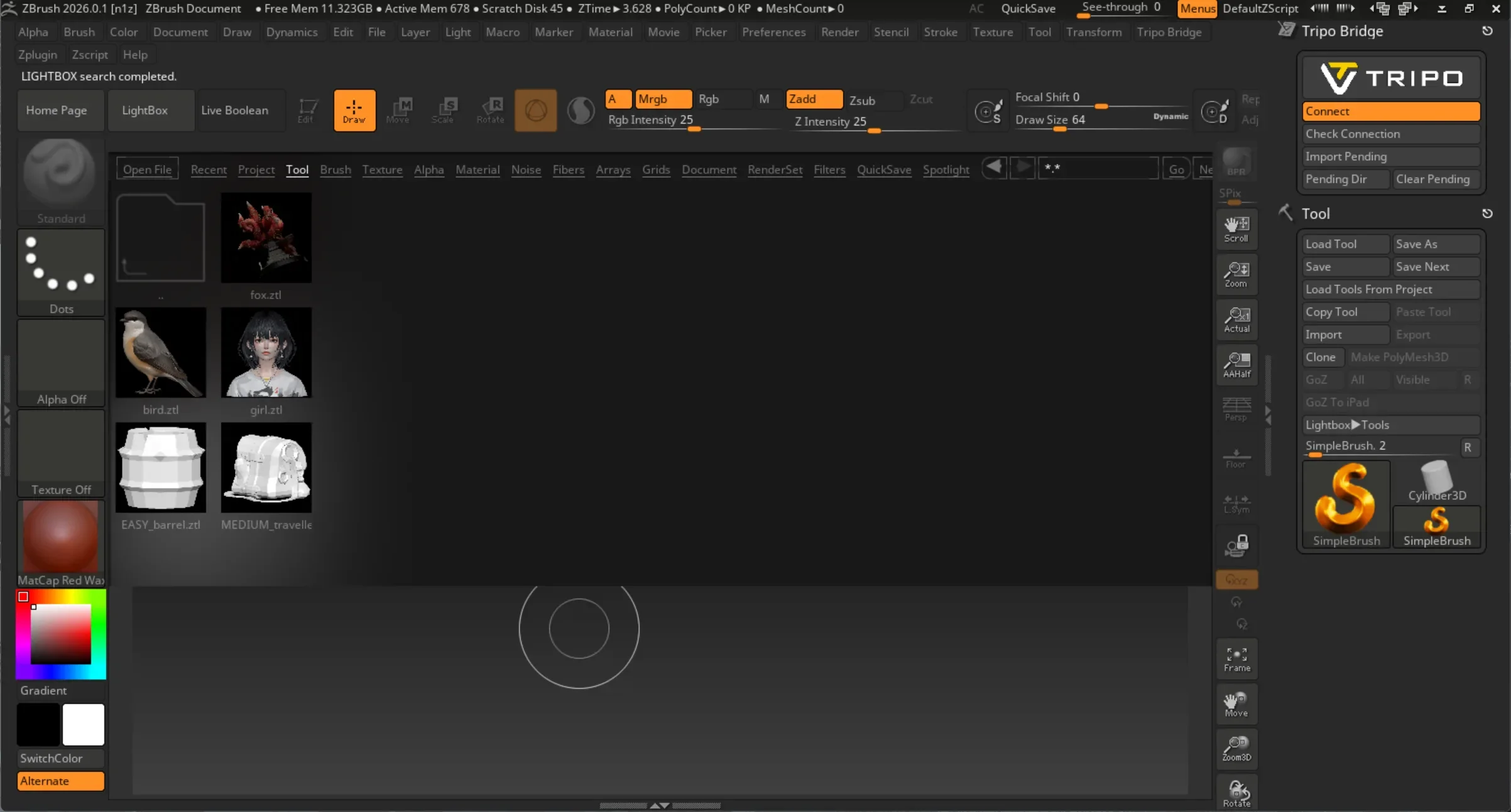
你可以在 LightBox/Tool/Tripo 中找到已匯入的 Tripo 模型。
FAQs
問:如何在 ZBrush 2022–2025 中匯入已傳輸的模型?
答:傳輸完成後,在 Tripo Bridge 面板中按一下 Import Pending。按一下 Pending Dir 可開啟用來儲存待處理傳輸檔案的暫存資料夾。
Q: 如何切換 Tripo Bridge 的語言?
A: 前往 plugin 目錄並開啟 Tripo3DBridgeData 資料夾。找到 lang.txt,並將文字變更為你想要的語言代碼:en、fr、jp、es、de、zn 或 ko。(例如,如果你想使用中文,只需在檔案中輸入 zn。)儲存並重新啟動 ZBrush。
Q: 我可以同時將資料傳輸到多個 ZBrush instance 嗎?
A: 不可以。連線只會識別第一個啟動的 ZBrush。