AI Game Studio: How Studios Use AI to Make Games (2026)
TL;DR
- An AI game studio is a human-led team leveraging AI for full game development workflows.
- It differs from Google AI Studio, a Gemini prototyping tool, not a game studio.
- AI accelerates prototyping and automation without replacing human design judgment.
- AI 3D asset generation efficiently produces placeholder game resources for early iteration.
- Tripo AI converts text and images into high-quality, production-ready 3D models.
- AI game development requires human validation for quality, compliance and player experience.
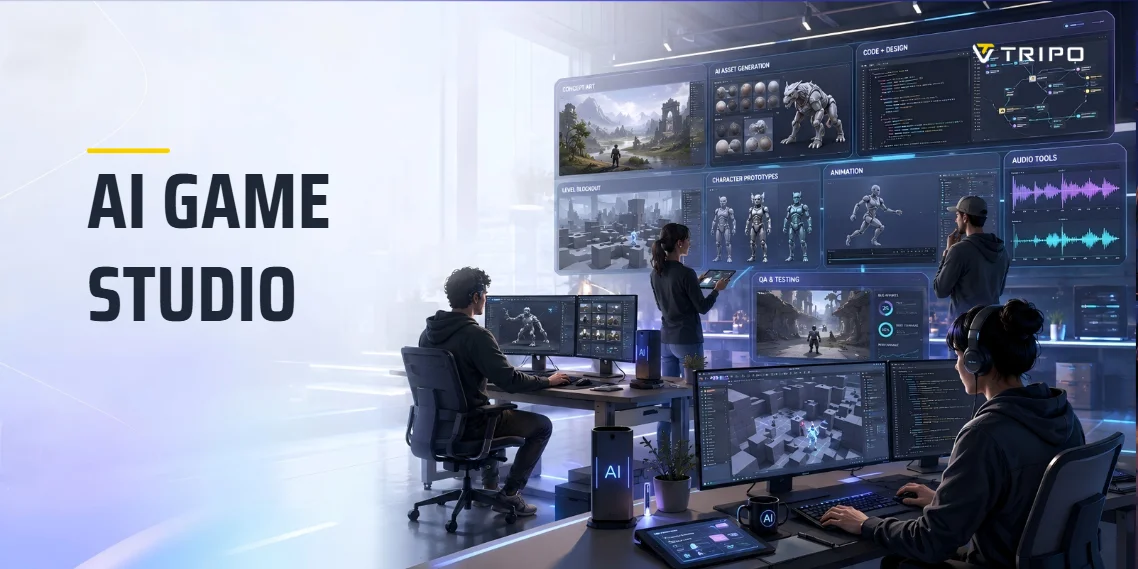
An "AI game studio" usually means a game studio—often a small or solo team—that uses AI across the development pipeline to design, code, create art and 3D assets, and test games faster. Note: it's easily confused with Google AI Studio, a separate Gemini prototyping tool. This guide covers the first meaning.
What Is an AI Game Studio? (And How It Differs From Google AI Studio)
An AI game studio is not necessarily a company that makes games entirely with AI. More often, it is a studio that uses AI as part of a human-led production workflow.
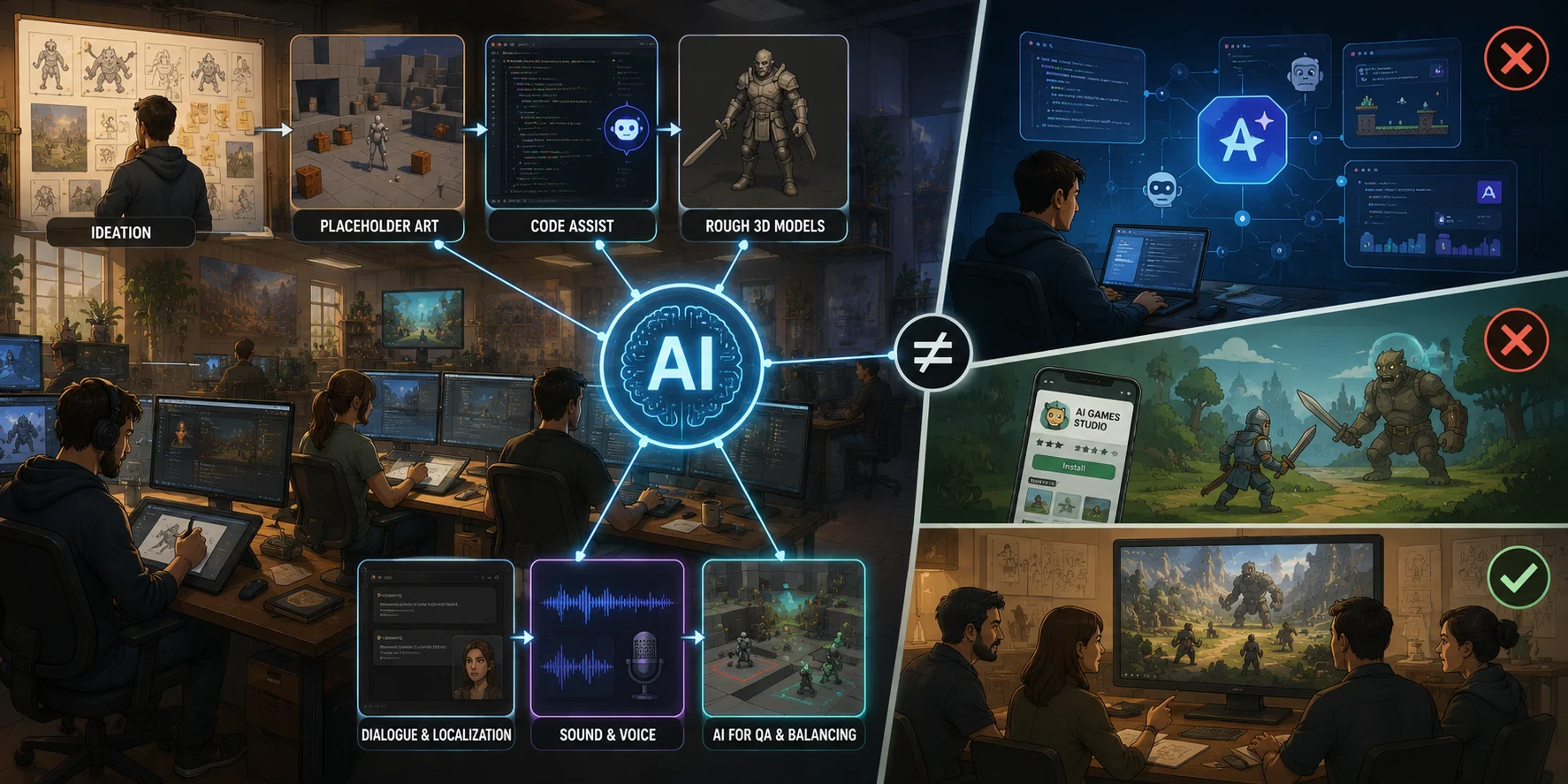
That can mean many things:
- using AI to brainstorm mechanics, quests, or character ideas;
- generating placeholder art for early tests;
- getting code suggestions while scripting gameplay;
- creating rough 3D models before final art exists;
- drafting dialogue or localization passes;
- producing temporary sound effects or voice lines;
- using AI agents or simulations for QA and balancing.
The key idea is that AI becomes part of the pipeline, not the creative director of the whole project.
This is different from Google AI Studio. Google AI Studio is a web-based environment for working with Gemini models, testing prompts, generating code, and building AI-powered apps. A developer might use it to prototype a game-like app, generate scripts, or experiment with AI behavior, but it is not itself a game studio.
There is also a Google Play developer named AI Games Studio, which is simply a mobile game publisher with a similar name. That is a naming coincidence, not the general concept this article is about.
So when this guide says "AI game studio," it means a human team using AI tools to make games faster, not a specific Google product or one named company.
How Game Studios Use AI Across the Pipeline
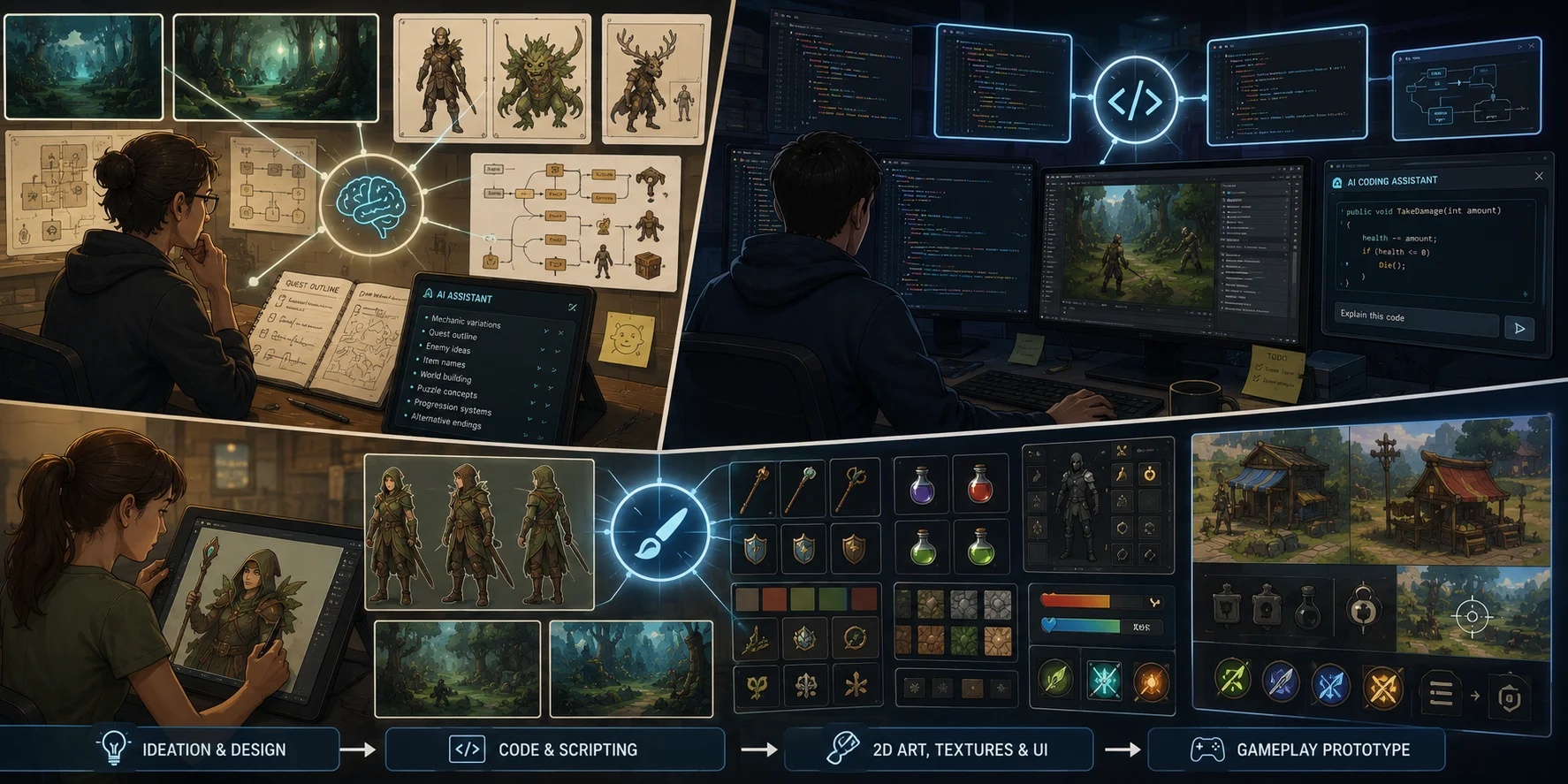
Ideation and design
Game ideas rarely arrive fully formed. Designers need to explore mechanics, fantasy, progression, player goals, enemy types, quest structures, levels, and narrative hooks.
AI tools can help by generating:
- mechanic variations;
- quest outlines;
- character backstories;
- item names;
- worldbuilding prompts;
- level themes;
- puzzle concepts;
- economy structures;
- onboarding flows;
- alternative endings.
This does not mean a designer should copy the first answer. AI is strongest as a sparring partner. It can help a designer produce ten rough directions quickly, then the human team chooses, edits, rejects, and combines ideas.
For example, a small RPG team might ask an AI assistant for five ways to make a "poison forest" area mechanically different from previous zones. The output may include visibility reduction, poison-resistant enemies, healing-resource scarcity, or environmental puzzles. The designer then decides which ideas support the game's core loop.
The risk is generic design. AI often produces familiar patterns because it learns from existing material. Good designers use it to expand options, not to replace taste.
Code and scripting
Code assistance is one of the most common uses of AI in game production. Developers use AI coding tools to write small functions, debug errors, explain unfamiliar APIs, generate boilerplate, create editor scripts, or translate logic between languages.
In games, this can apply to:
- player movement scripts;
- inventory logic;
- UI behavior;
- enemy state machines;
- camera controls;
- save systems;
- procedural generation helpers;
- shader experiments;
- build scripts;
- testing utilities.
For solo developers, AI coding assistants can reduce friction when learning Unity, Unreal Engine, Godot, or custom tools. For experienced developers, they can accelerate repetitive work.
However, AI-generated code still needs review. Games are interactive systems with performance constraints, platform requirements, physics timing, memory limits, and edge cases. A script that works in a tiny prototype may fail in a production project with networking, save data, asset streaming, or console certification rules.
The best practice is to treat AI code as a draft, not as trusted architecture.
2D art, textures, and UI
2D art generation is one of the most visible uses of generative AI. Studios use it for mood boards, concept exploration, item icons, texture ideas, UI references, sprite experiments, and marketing mockups.
For early production, AI can help answer visual questions quickly:
- What should this faction feel like?
- What color palette fits this biome?
- What might a desert shopkeeper look like?
- What icon language fits our crafting system?
- How should three different weapon tiers differ visually?
This is especially useful before a final art direction is locked. A director can compare visual routes before asking artists to create polished assets.
But the limitations are real. AI art may produce inconsistent details, unclear silhouettes, strange hands, mismatched UI styles, and assets that do not fit a specific production pipeline. It can also create legal and ethical concerns depending on training data, output similarity, and platform policy.
For a professional studio, AI-generated art is usually best used as reference, ideation, or placeholder material unless the tool's licensing and the studio's art standards are fully understood.
3D assets and characters
3D asset creation is one of the biggest bottlenecks for small game teams. A playable prototype often needs props, doors, chests, rocks, weapons, furniture, creatures, buildings, and characters long before the team has final art.
Traditionally, even a simple 3D asset may require modeling, UVs, textures, topology cleanup, optimization, collision setup, and engine import. Characters require even more work: topology, rigging, skin weights, animations, and testing in motion.
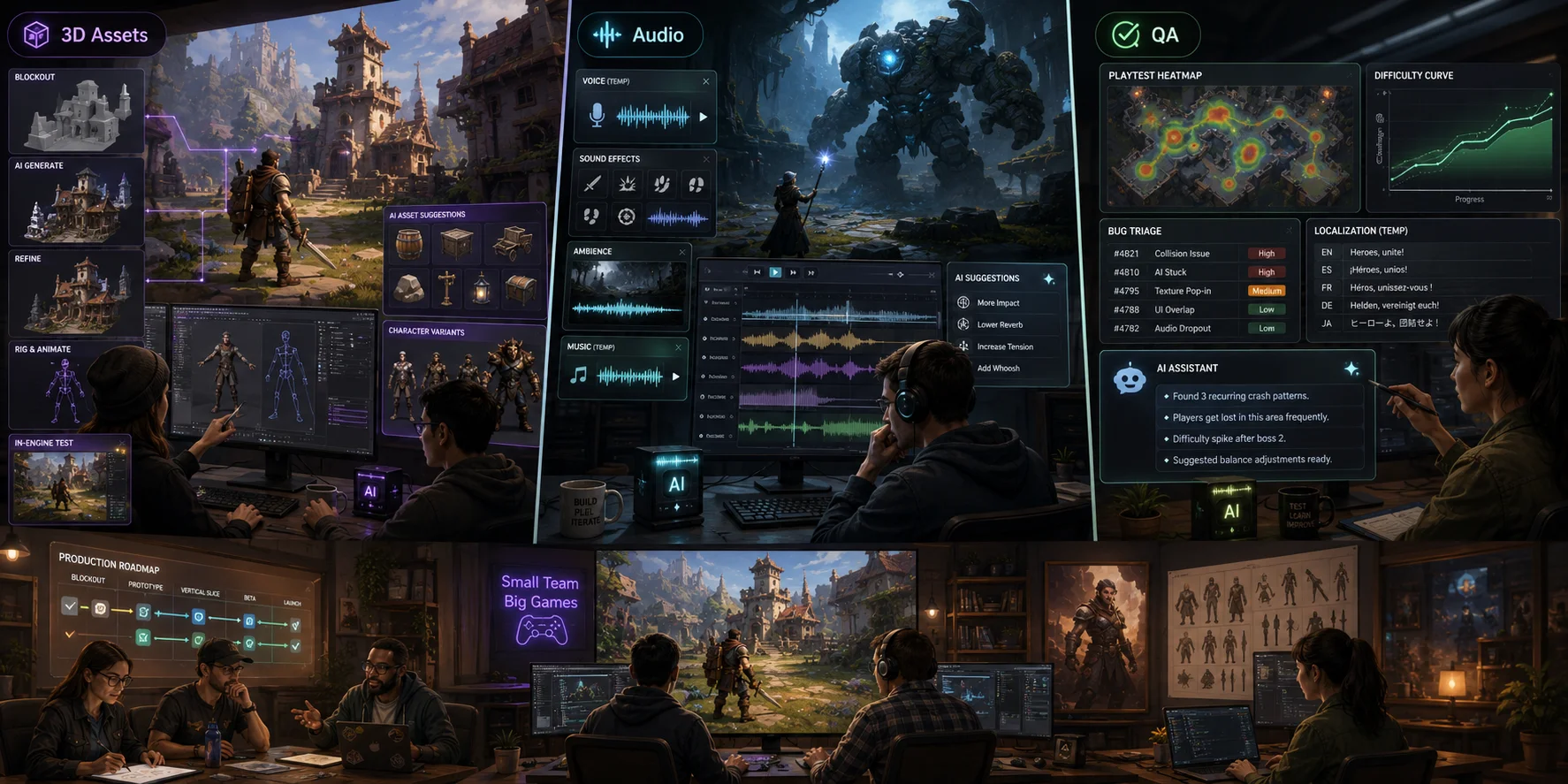
AI 3D asset tools are becoming important because they help studios create starting meshes from prompts or reference images. They are not magic final-art machines, but they can provide a faster first draft for prototyping and early layout.
A designer can block out a level with placeholder props instead of waiting for an artist. A small studio can test creature scale, interaction distance, camera framing, or collision readability before commissioning final assets.
The best use case is speed-to-playability. AI 3D tools help teams answer design questions earlier.
Audio, music, and voice
Audio is another area where small teams often lack capacity. A game may need menu sounds, footsteps, impact sounds, creature noises, environmental ambience, music loops, temporary voice lines, and localized dialogue.
AI tools can help generate:
- placeholder sound effects;
- music direction drafts;
- temp voiceover;
- creature vocalization ideas;
- ambience references;
- dialogue timing tests;
- localization drafts.
For production, teams still need to check licensing, performance quality, emotional tone, and integration. Audio also has strong identity value. A generic track may work for a prototype, but a memorable game often needs a more deliberate sound direction.
AI can reduce blank-page time. It should not flatten the game's identity.
QA, playtesting, balancing, and localization
QA and playtesting are often under-resourced in small studios. AI can help by summarizing bug reports, generating test cases, simulating player behavior, clustering feedback, checking localization strings, and identifying balance issues.
Potential uses include:
- automated test-case drafts;
- bug report summarization;
- crash log triage;
- balance simulations;
- AI agents playing through levels;
- localization consistency checks;
- player feedback analysis;
- difficulty curve inspection.
This is one of the most practical areas for AI because testing produces large amounts of structured and semi-structured data. AI can help teams find patterns faster.
Still, AI cannot replace human playtesting. A bot may detect that a level is impossible to complete, but it cannot fully judge whether the level feels tense, fair, funny, confusing, or emotionally satisfying.
The AI Tool Landscape by Category
There is no single "best AI game studio tool." A modern AI-assisted pipeline is usually a stack of specialized tools. The right choice depends on your engine, team size, budget, genre, art style, and tolerance for legal or technical risk.
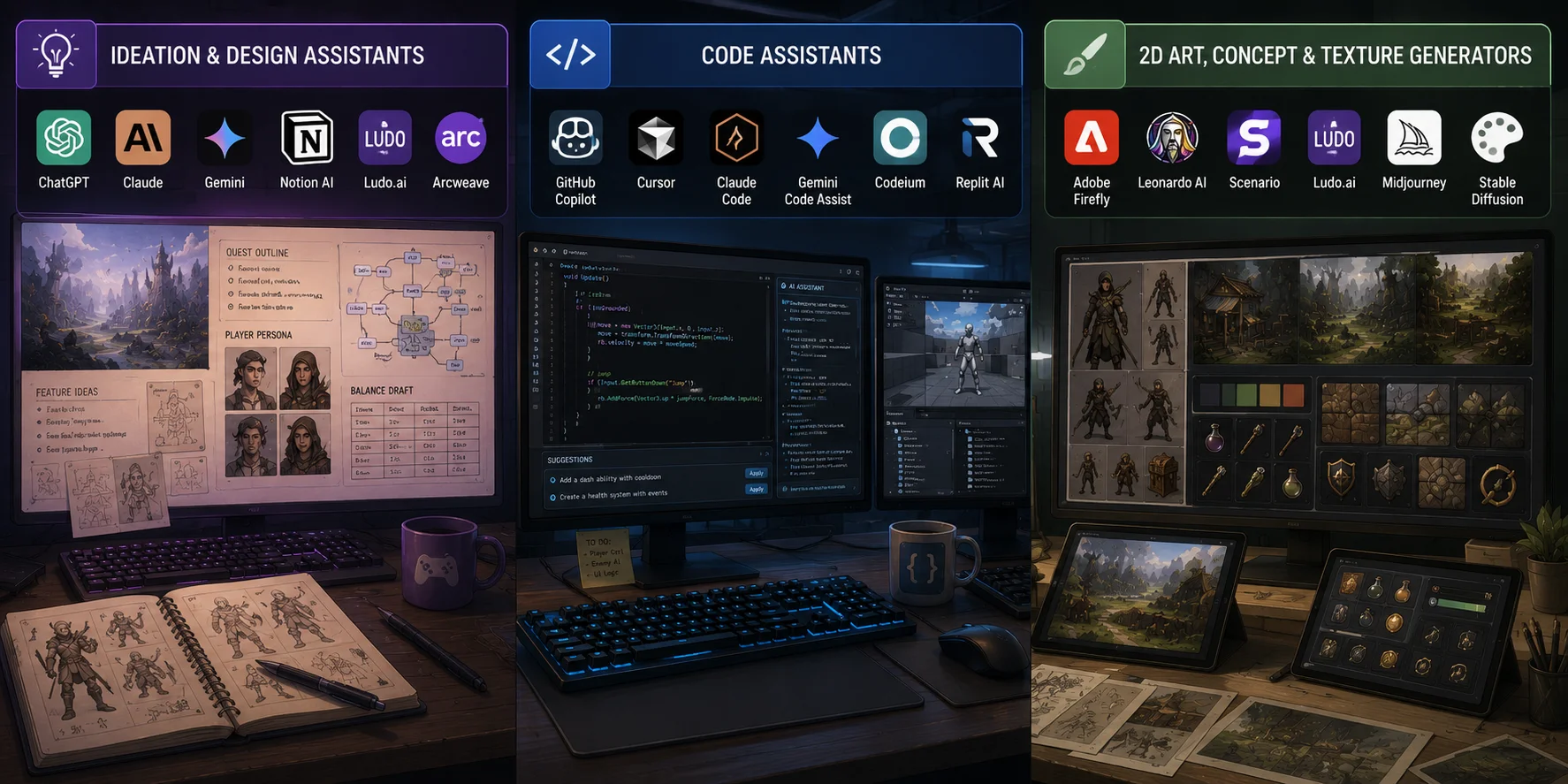
Ideation and design assistants
These tools help with brainstorming, documentation, narrative exploration, design alternatives, and production planning.
Common examples include:
- ChatGPT;
- Claude;
- Gemini;
- Notion AI;
- Ludo.ai;
- Arcweave or other narrative planning tools with AI support.
Use them for early ideation, feature briefs, quest outlines, character sketches, player personas, balance-table drafts, and naming variations.
Best use case: moving from vague idea to structured design options.
Main caution: outputs can be generic. Designers still need to decide what fits the game.
Code assistants
Code tools help with scripting, debugging, refactoring, and learning engine APIs.
Common examples include:
- GitHub Copilot;
- Cursor;
- Claude Code;
- Gemini Code Assist;
- Codeium;
- Replit AI;
- engine-specific AI assistants where available.
For game developers, these tools can help write Unity C# scripts, Unreal Blueprint logic descriptions, Godot GDScript examples, editor tools, build helpers, or debugging explanations.
Best use case: speeding up small implementation tasks and helping developers understand unfamiliar code.
Main caution: generated code may be inefficient, insecure, or unsuitable for production architecture.
2D art, concept, and texture generators
2D generation tools help with visual exploration, concept art, UI references, texture ideas, icons, and marketing mockups.
Common examples include:
- Adobe Firefly;
- Leonardo AI;
- Scenario;
- Ludo.ai;
- Midjourney;
- Stable Diffusion workflows;
- texture-specific tools and material generators.
Best use case: exploring art direction and producing temporary visual material.
Main caution: style consistency, licensing, and production readiness require careful review.
AI 3D Asset Generation
3D asset generation deserves its own category because it solves a specific pain point: small teams need many assets before they have the budget or time for a full 3D pipeline.
AI text-to-3D and image-to-3D tools can generate draft models from prompts or reference images. These outputs can support early prototypes, level blockouts, creature tests, props, collectibles, stylized objects, and fast visual iteration.
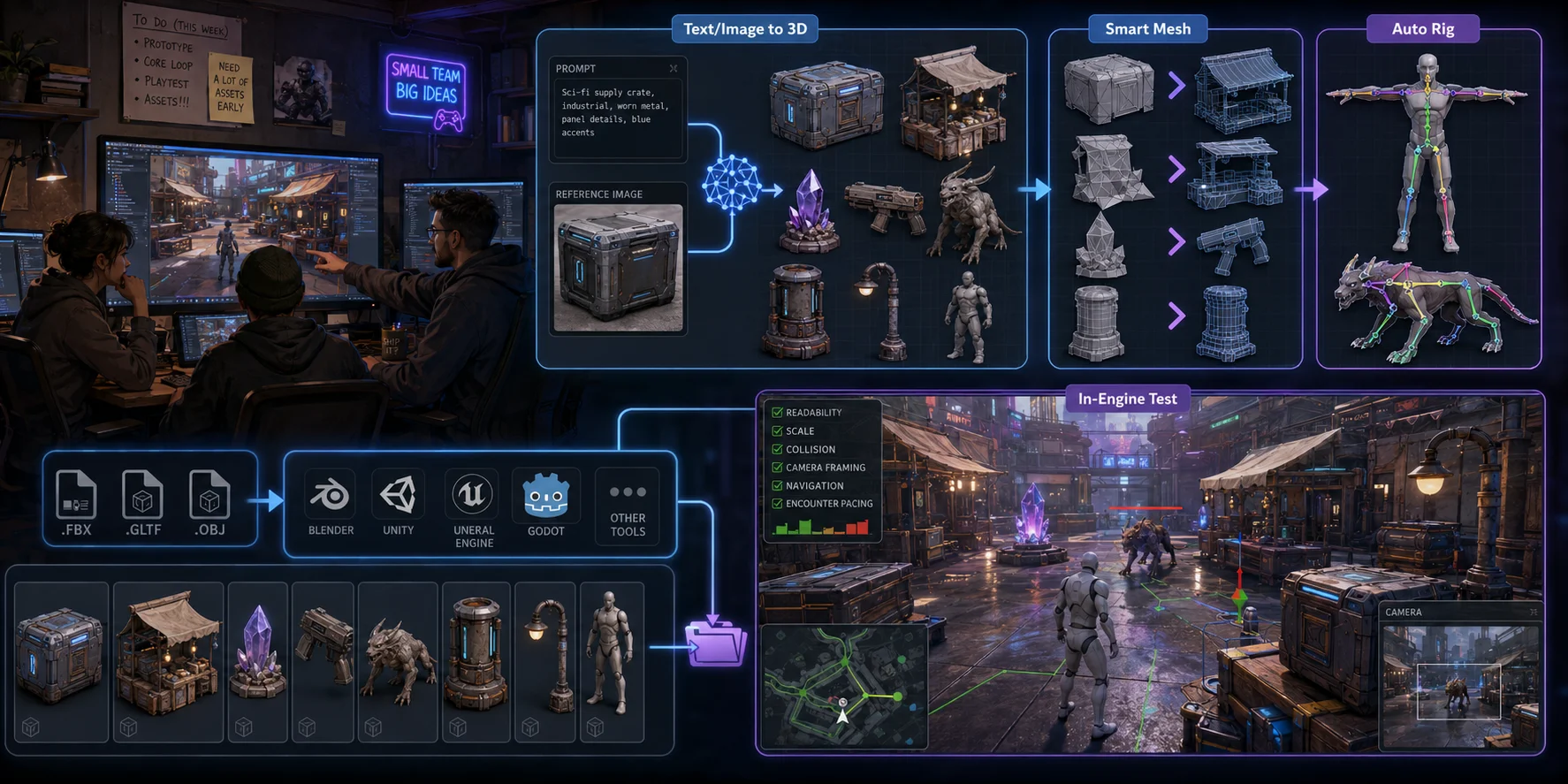
For real-time workflows, Tripo AI Smart Mesh is designed to "automatically generate clean, optimized topology." According to Tripo, it produces "structured meshes, efficient polygon distribution, and outputs ready for real-time production pipelines," with "Game-ready meshes generated in seconds." Its comparison guidance lists Smart Mesh at approximately 5,000 polygons by default and positions it for game assets, real-time apps, and Web3D.
This can be useful when a team needs a recognizable placeholder object rather than a gray cube: a sci-fi crate, market stall, collectible, enemy silhouette, weapon concept, or environmental prop. The goal is to test gameplay questions earlier, such as player readability, collision scale, camera framing, navigation, or encounter pacing.
Tripo also supports character preparation workflows. You can upload existing GLB or OBJ models and use its Auto Rig feature to generate skeletal bindings for animation. However, the official limitation matters: "Auto Rig currently supports T-pose humanoid characters and standard standing quadruped animals only." Rigged models can be exported as FBX, GLB, or OBJ for Blender, Maya, Unity, Unreal, or Mixamo. Auto Rig uses 20 credits.
For pipeline integration, Tripo states that it provides plugins and integrations for Blender, Unity, Unreal Engine, ComfyUI, Cocos, and Godot. Before shipping any generated asset, teams should still review topology, UVs, materials, pivot placement, scale, polygon count, collision, animation deformation, and commercial-use requirements.
Real Examples and Case Studies
The AI game studio idea is not just theory. Developers are already experimenting with AI across the production pipeline.
One example comes from a developer who used Google AI Studio to build a turn-based strategy game without writing code manually. The project began as an experiment and grew into a game focused on territory control, resources, and combat. This example is useful because it shows what Google AI Studio can do in a game-like prototyping context, while also reinforcing the distinction between Google's tool and the broader idea of an AI-assisted game studio.
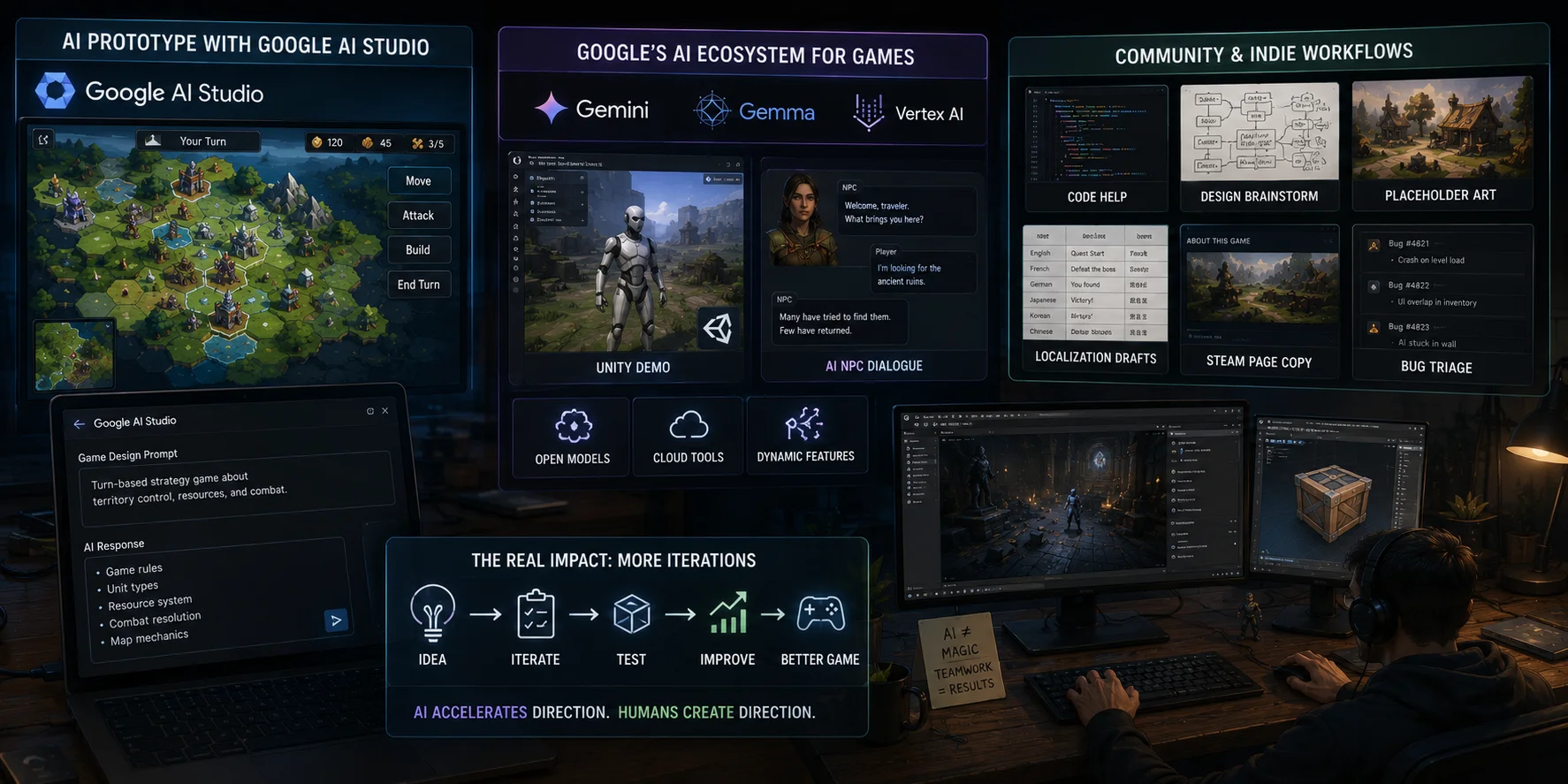
Google has also been actively promoting AI workflows for game developers through its Gemini and Gemma ecosystem. Examples include open models, Unity-related demos, AI-powered NPC dialogue concepts, and cloud-based tools for dynamic game features. These examples point toward a future where AI is used not only outside the game but also inside the runtime experience.
Community spaces also show how smaller teams are using AI. Developers often describe using AI for code help, design brainstorming, placeholder art, localization drafts, Steam page copy, bug triage, and marketing text. The pattern is usually practical rather than futuristic: AI saves time on tasks that are repetitive, unfamiliar, or blocked by limited team capacity.
The most realistic case study is not "AI made a whole game instantly." It is "AI helped a small team move through more iterations."
That distinction matters. The studios that benefit most are often the ones that already know what they are trying to build. AI accelerates direction; it does not create direction by itself.
Pros, Cons, and Limitations of AI Game Studios
AI can be powerful, but it is not automatically good for every studio or every game.
Pros
Faster prototyping: Small teams can test more ideas in less time.
Lower early production cost: Placeholder assets, temp audio, draft code, and design documents can be created faster.
More variation: Designers can explore more mechanics, art directions, names, characters, and level concepts before committing.
Better small-team leverage: Solo developers and micro-studios can cover more production areas than before.
Less blank-page friction: AI is helpful when a team needs a starting point, not a final answer.
Cons and limitations
Quality is inconsistent: AI outputs may need heavy cleanup.
Style consistency is difficult: A game needs coherent art direction, not random good-looking assets.
Legal and copyright risks remain: Tool terms, training data, input rights, and platform policies all matter.
Player perception can be negative: Some players and developers are skeptical of generative AI, especially when it appears to replace human craft.
Overuse can flatten originality: If everyone uses similar prompts and tools, outputs may feel generic.
Technical cleanup is still required: Meshes, code, textures, audio, and localization all need review.
The strongest AI workflows are human-led. AI generates options, drafts, and accelerators. Humans decide what belongs in the game.
Is It Legal to Make a Game With AI?
In general, using AI tools to help create a game is not automatically illegal. The important questions are whether you have the rights to the inputs you use, whether the tool permits commercial use, whether the output creates copyright or trademark risk, and whether your publishing platform has AI-related disclosure or content rules.
For AI-generated assets, keep a clear record of prompts, source images, reference material, generation history, and any manual edits. Avoid using protected characters, recognizable brand assets, copyrighted artwork, or images you do not have permission to upload.
Tripo's copyright policy states: "As long as the source materials used for model generation (such as uploaded images or text-generated concepts) are free of copyright disputes, all 3D models generated through Tripo... are fully authorized for commercial use... The copyright of generated models exclusively belongs to you."
That statement includes important limitations. Free-plan users' models may be displayed on the Tripo homepage, and users may not use Outputs to create products or services that directly compete with VAST. Review the current terms, plan conditions, and platform policies before using any generated model in a commercial release.
This is general information, not legal advice. For a game with meaningful commercial exposure, licensed IP, user-generated content, or significant revenue expectations, consult a qualified lawyer before launch.
Frequently Asked Questions
What game studios are using AI?
Many studios use AI in some parts of the workflow, especially for coding assistance, localization, QA support, design ideation, and internal tools. Public adoption varies because some studios disclose AI usage while others keep internal pipelines private. The most common pattern is selective AI support inside a human-led pipeline.
Is AI Studio still free?
This usually refers to Google AI Studio, not an "AI game studio." Google AI Studio has a free tier for experimentation, but API access, rate limits, billing rules, and production deployment costs can change. Check Google's official pricing page for the most current free-tier limits before planning a production budget.
Is there an AI that can build games?
There are AI tools that can generate code, prototypes, assets, dialogue, levels, and game-like apps from prompts. However, a complete commercial game still requires human direction, testing, design judgment, art review, optimization, publishing work, and legal checks. AI can help build parts of a game, but it does not reliably replace a full development process.
Is it legal to make a game with AI?
Generally, yes, but legality depends on tool terms, training and input rights, output similarity, commercial licenses, and platform policies. Use assets you have the right to use, avoid copyrighted characters or brands, keep documentation, and review each tool's terms before shipping.
Can AI replace game developers?
Not in the current state of the tools. AI can automate repetitive tasks, generate drafts, and speed up prototyping, but it cannot replace the judgment, taste, and systems thinking that game development requires. Most studios use AI to help developers do more, not to reduce headcount—at least for now.
What is the best AI tool for game development?
There is no single best tool—it depends on what you need. For code, GitHub Copilot and Cursor are widely used. For 2D art, Adobe Firefly and Midjourney are common starting points. For 3D assets, Tripo AI handles text-to-3D and image-to-3D with game-ready topology. For audio, tools like ElevenLabs and Suno cover voice and music. Most studios run a small stack of specialized tools rather than one all-in-one solution.
How do I start an AI game studio?
Start with a clear game concept, then identify which parts of production you want AI to support—code, art, 3D assets, audio, or QA. Pick a game engine (Unity, Unreal, or Godot are common choices), then build a small AI tool stack around it. Most successful AI-assisted studios start lean: one or two developers using AI to cover areas they otherwise could not staff.
Can one person make a game with AI?
Yes, and it is increasingly common. Solo developers use AI for code assistance, concept art, placeholder 3D assets, temp audio, and localization drafts—covering roles that would normally require a small team. The tradeoff is that AI-generated content still needs review and direction. A solo developer with good taste and strong design judgment can ship a complete game; AI handles the production volume that would otherwise be out of reach.
Conclusion
An AI game studio is not a studio that removes humans from game development. It is a team that uses AI to move faster across ideation, code, art, 3D assets, audio, testing, and localization.
For small teams, 3D asset creation is one of the clearest bottlenecks AI can help with. When you need game-ready placeholder models or character drafts for a prototype, Tripo AI Studio can turn text or images into 3D assets so your team can test gameplay ideas sooner.
