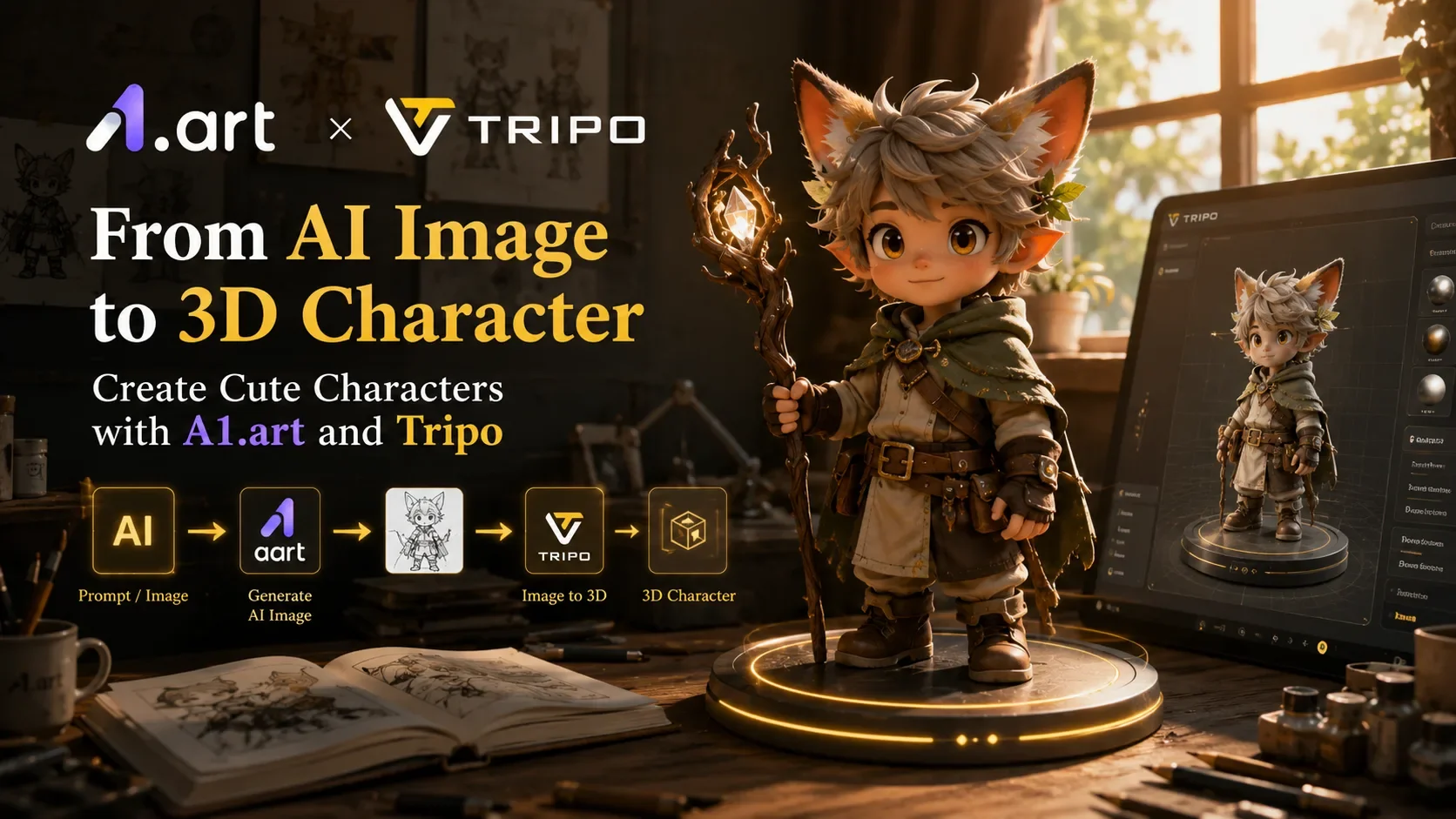
D’une image IA à un personnage 3D : créez de jolis personnages avec a1.art et Tripo
Créer des personnages 3D originaux était autrefois un processus long, impliquant concept art, illustration, modélisation, texturing et d’innombrables cycles d’itération. Pour les créateurs indépendants, les développeurs de jeux, les marketeurs et les passionnés, concevoir un personnage personnalisé à partir de zéro nécessitait souvent des compétences spécialisées et des logiciels coûteux.
Aujourd’hui, l’IA est en train de transformer ce flux de travail.
Avec les outils créatifs IA modernes, vous pouvez générer un concept de personnage en quelques minutes et le transformer en modèle 3D sans expérience traditionnelle en modélisation. En combinant les puissantes capacités de génération d’images de a1.art avec la technologie Image-to-3D de Tripo, les créateurs peuvent passer rapidement de l’idée à un asset 3D finalisé.
Dans ce tutoriel, nous allons parcourir un flux de travail simple pour créer des personnages mignons, des mascottes et des créatures stylisées. D’abord, vous générerez une image de personnage de haute qualité à l’aide d’un générateur d’images IA. Ensuite, vous convertirez cette image en un modèle 3D entièrement abouti à l’aide de Tripo.
Que vous créiez un personnage de jeu, une mascotte virtuelle, un concept de figurine de collection ou du contenu pour les réseaux sociaux, ce flux de travail offre une manière rapide et accessible de donner vie à vos idées.
Ce que vous allez créer
À la fin de ce tutoriel, vous aurez :
- Une image de personnage personnalisée générée par IA
- Plusieurs variantes de design parmi lesquelles choisir
- Un modèle 3D complet généré à partir de votre design préféré
- Un asset téléchargeable prêt pour le rendu, l’animation, le développement de jeux ou l’impression 3D
Voici le flux de travail complet :
Text Prompt → A1.art → AI Character Image → Tripo → 3D Character Model
Commençons par l’étape la plus importante : créer un design de personnage solide.
Étape 1 : Générer des concepts de personnages avec a1.art
La qualité de votre modèle 3D final commence par la qualité de votre image source.
Avant de créer un asset 3D, vous aurez besoin d’un design de personnage clair et visuellement attrayant. C’est là que a1.art devient un élément essentiel du flux de travail.
a1.art est une plateforme créative propulsée par l’IA qui aide les utilisateurs à générer des images, illustrations, avatars, personnages et assets visuels grâce à une grande variété d’applications IA spécialisées. Au lieu de s’appuyer sur un seul modèle d’image ou sur des flux de travail compliqués, les utilisateurs peuvent explorer des milliers d’outils IA conçus pour différentes tâches créatives.
Pour la création de personnages, a1.art propose plusieurs approches qui fonctionnent particulièrement bien pour une conversion ultérieure en 3D.
Option 1 : Utiliser la Text-to-Image AI
La façon la plus rapide de commencer est d’utiliser un flux de travail text-to-image AI.
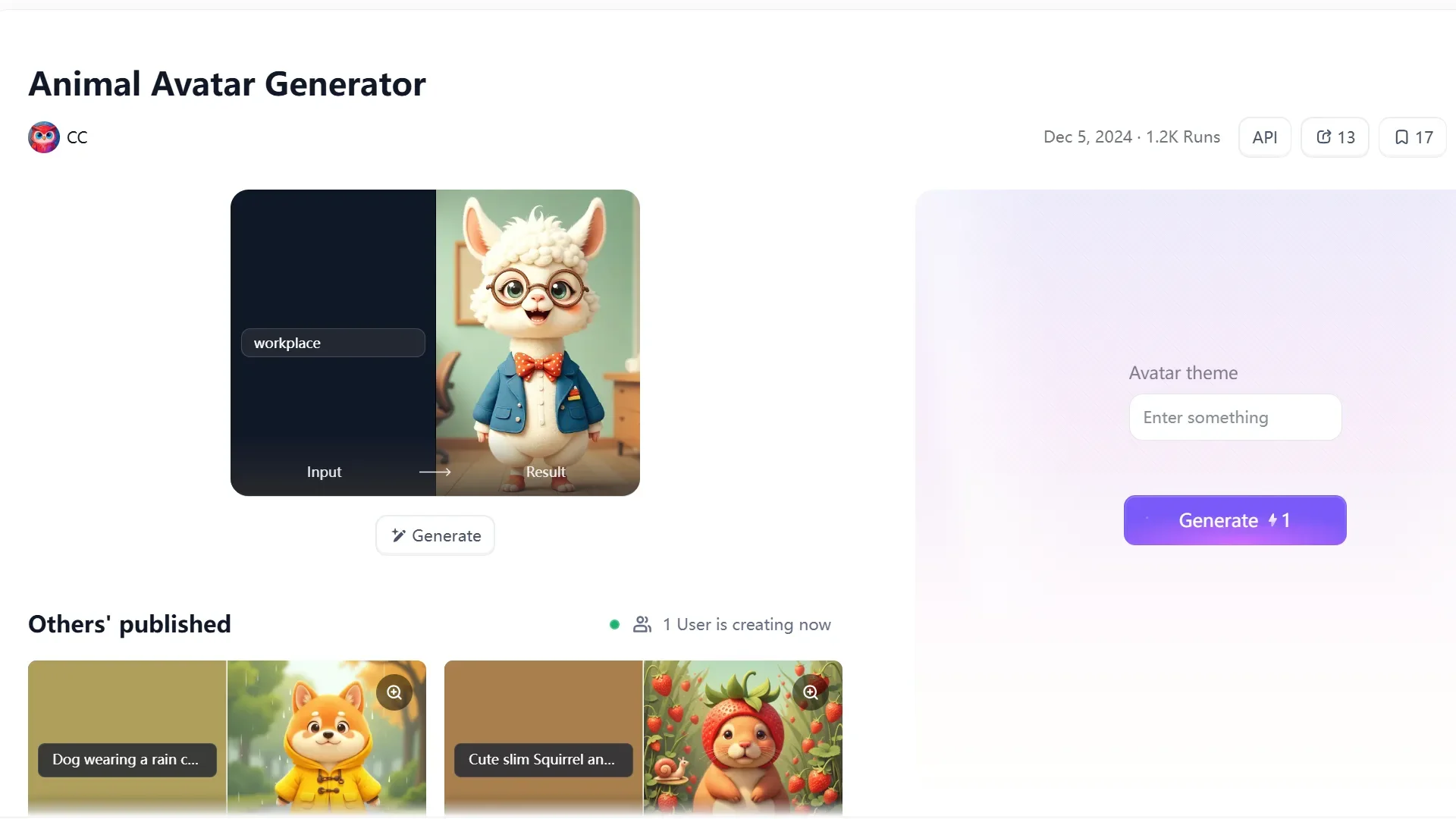
Décrivez simplement le personnage que vous souhaitez créer, et a1.art peut générer plusieurs interprétations visuelles en quelques secondes.
Par exemple, vous pouvez utiliser des prompts tels que :
Cute chibi sheep explorer, oversized backpack, cartoon style, collectible toy design, large expressive eyes, soft lighting, forest background.
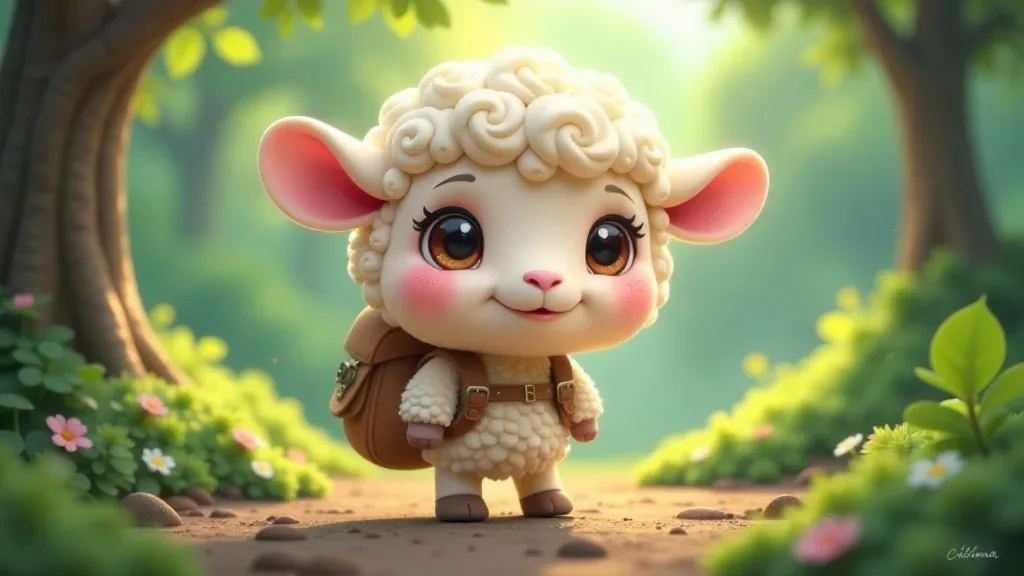
Ou :
Fantasy fox wizard, colorful robe, adorable proportions, stylized character design, game mascot, high detail, front-facing pose.

L’un des avantages d’utiliser un AI image generator est la possibilité d’explorer rapidement différentes directions créatives. Au lieu de vous engager sur un seul design, vous pouvez générer des dizaines de concepts et comparer les styles, couleurs, accessoires et expressions.
Lorsque vous créez des images qui seront ensuite converties en modèles 3D, tenez compte des bonnes pratiques suivantes :
- Utiliser un arrière-plan propre ou simple
- Garder le personnage entièrement visible
- Éviter les poses en mouvement extrêmes
- Conserver des silhouettes claires
- Utiliser des vues de face ou en trois quarts
- Veiller à ce que les accessoires principaux restent visibles
Ces détails aident à créer une meilleure géométrie lors de l’étape de génération 3D.
Option 2 : Affiner des concepts existants avec Image-to-Image AI
Tous les créateurs ne commencent pas avec un prompt textuel.
De nombreux artistes disposent déjà de croquis, d’images de référence, de mood boards ou de concepts de personnages antérieurs. Dans ces situations, image-to-image AI peut être une excellente solution.
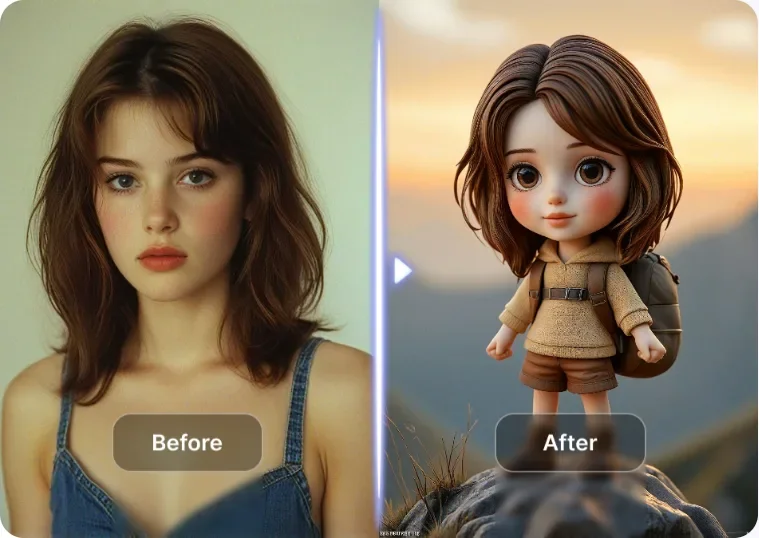
Avec le flux de travail image-to-image de a1.art, vous pouvez téléverser une image existante et la transformer en un design de personnage soigné tout en préservant sa structure et son identité d’origine.
Cette approche est particulièrement utile pour :
- Les refontes de personnages
- Le développement de mascottes de marque
- Les personnages de livres pour enfants
- Le concept art pour jeux
- Les concepts de jouets et d’objets de collection
- La création d’avatars personnels
Par exemple, la photo d’une personne réelle peut devenir une illustration de personnage à l’aspect professionnel, prête pour une conversion 3D. Cela permet aux créateurs de combiner leurs propres idées artistiques avec la rapidité et la flexibilité de la génération d’images propulsée par l’IA.
Découvrez des outils spécialisés de création de personnages
L’une des fonctionnalités qui rendent a1.art particulièrement utile est son vaste écosystème d’applications IA spécialisées.
Plutôt que d’écrire des prompts complexes à chaque fois, les utilisateurs peuvent explorer des outils conçus spécifiquement pour la création de personnages.
Les catégories populaires incluent :
- AI Character Generator
- Anime Character Generator
- Cartoon Character Generator
- Avatar Creator
- Mascot Generator
- Fantasy Character Generator
- Sticker Generator
- Animal Character Creator
Ces applications spécialisées simplifient le processus créatif et aident les utilisateurs à obtenir des résultats cohérents même sans expérience en prompt engineering.
Pour les débutants, cela peut réduire considérablement la courbe d’apprentissage.
Pour les créateurs expérimentés, cela offre une voie plus rapide vers l’expérimentation et l’itération.
Générer plusieurs variantes avant de passer à la 3D
L’un des plus grands avantages de la génération d’images par IA est l’itération rapide.
Le design de personnages traditionnel exige souvent des heures de révisions manuelles. Avec a1.art, générer des versions alternatives ne prend que quelques clics.
Essayez d’expérimenter avec :
- Différents styles de vêtements
- Diverses palettes de couleurs
- Des expressions faciales alternatives
- De nouveaux accessoires
- Différentes espèces animales
- Des thèmes fantasy et science-fiction
Par exemple, un simple personnage de renard peut rapidement évoluer en :
- Un sorcier fantasy
- Un explorateur futuriste
- Un capitaine pirate
- Une créature magique
- Une mascotte de jeu
Créer plusieurs versions vous permet d’identifier le concept le plus fort avant d’investir du temps dans la génération 3D.
Cette étape est souvent négligée, mais elle peut améliorer considérablement le résultat final.
Étape 2 : Sélectionner la meilleure image pour la conversion 3D
Après avoir généré plusieurs concepts de personnages, il est temps de choisir la version qui fonctionnera le mieux en 3D.
Toutes les images ne produisent pas la même qualité une fois converties en modèle 3D.
Lorsque vous évaluez vos designs, recherchez :
✅ Des proportions corporelles claires
✅ Une silhouette de personnage forte
✅ Des membres et accessoires visibles
✅ Un éclairage cohérent
✅ Un minimum de distractions en arrière-plan
✅ Une pose de face ou en angle
Les personnages aux formes nettes et lisibles se convertissent généralement avec plus de succès en assets 3D.
Si nécessaire, revenez sur a1.art et générez des variantes supplémentaires jusqu’à être satisfait du design.
N’oubliez pas que consacrer quelques minutes de plus à affiner l’image source peut améliorer de manière significative la qualité du modèle final.
Étape 3 : Convertir votre personnage en modèle 3D avec Tripo
Une fois votre design préféré sélectionné, il est temps de lui donner une troisième dimension.
Ouvrez Tripo et sélectionnez le flux de travail Image-to-3D.
Téléversez l’image de personnage générée dans a1.art et lancez le processus de génération.
Grâce à la technologie avancée de génération 3D par IA de Tripo, le système analyse l’image et crée automatiquement un modèle 3D détaillé.
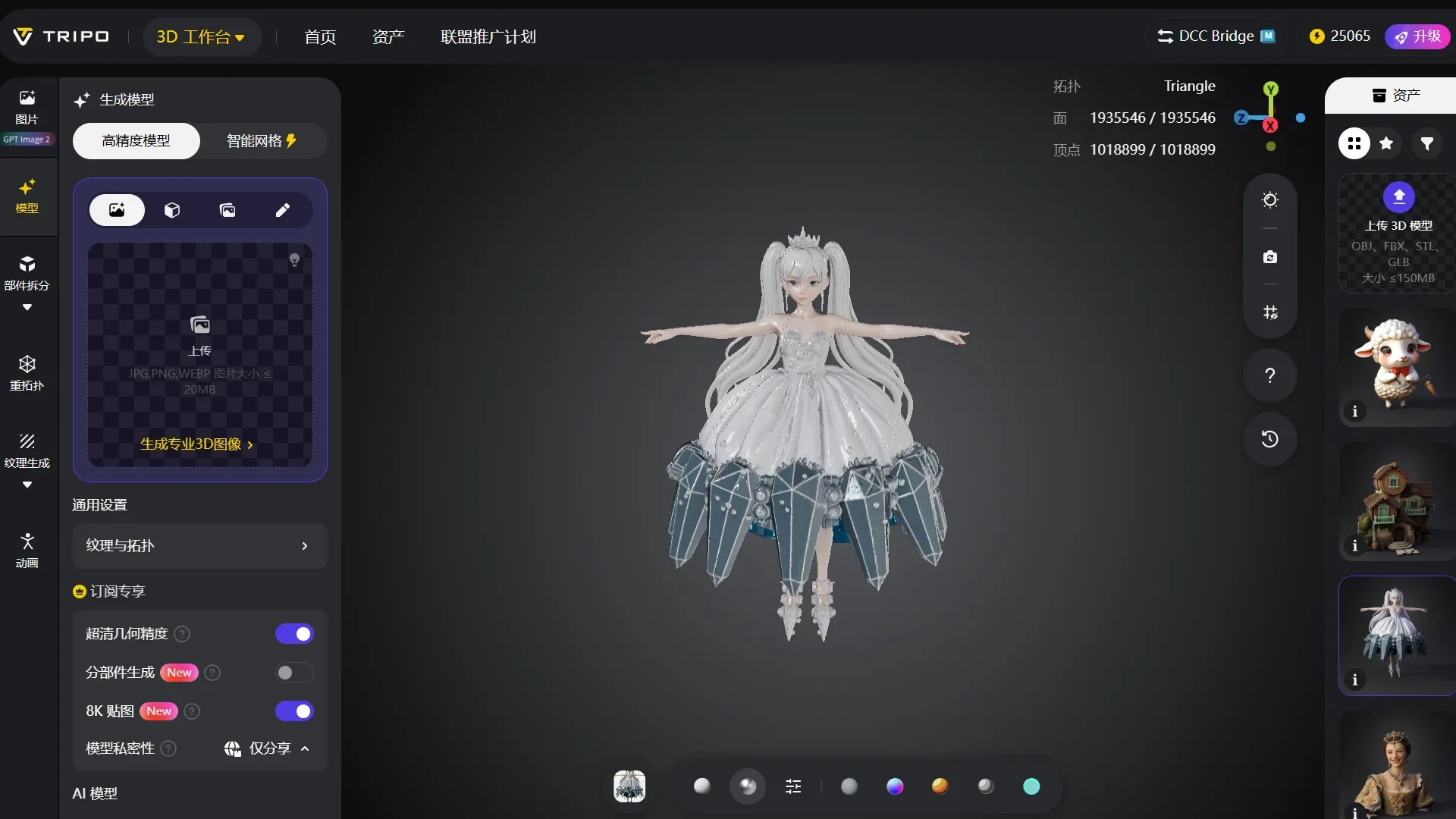
Le système déduit :
- Les proportions du personnage
- La géométrie de surface
- Les caractéristiques stylisées
- La structure visuelle
- Les caractéristiques globales du design
En quelques minutes, vous recevrez un personnage 3D entièrement généré pouvant être prévisualisé, inspecté et exporté pour une utilisation dans des flux de travail créatifs en aval.
Ce qui nécessitait auparavant des heures de modélisation manuelle peut désormais être accompli en quelques minutes.
Cela rend Tripo particulièrement utile pour le prototypage rapide, l’exploration créative et les flux de travail de design en phase initiale.
Étape 4 : Explorer des variantes supplémentaires de personnages
L’un des aspects passionnants de la combinaison de a1.art et Tripo est la possibilité de tester rapidement plusieurs concepts.
Comme la génération d’images est très rapide, les créateurs peuvent facilement comparer différentes directions de personnages.
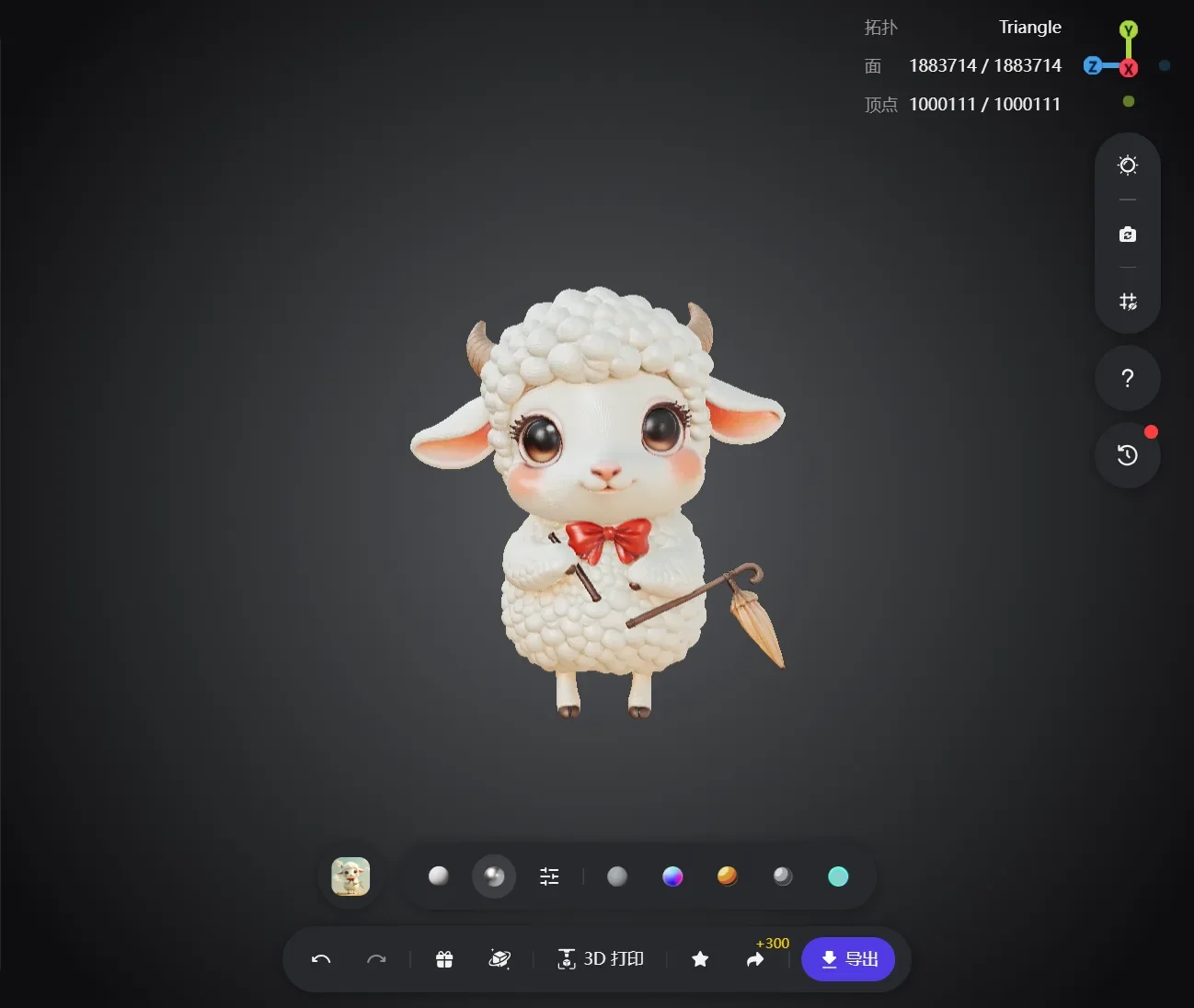
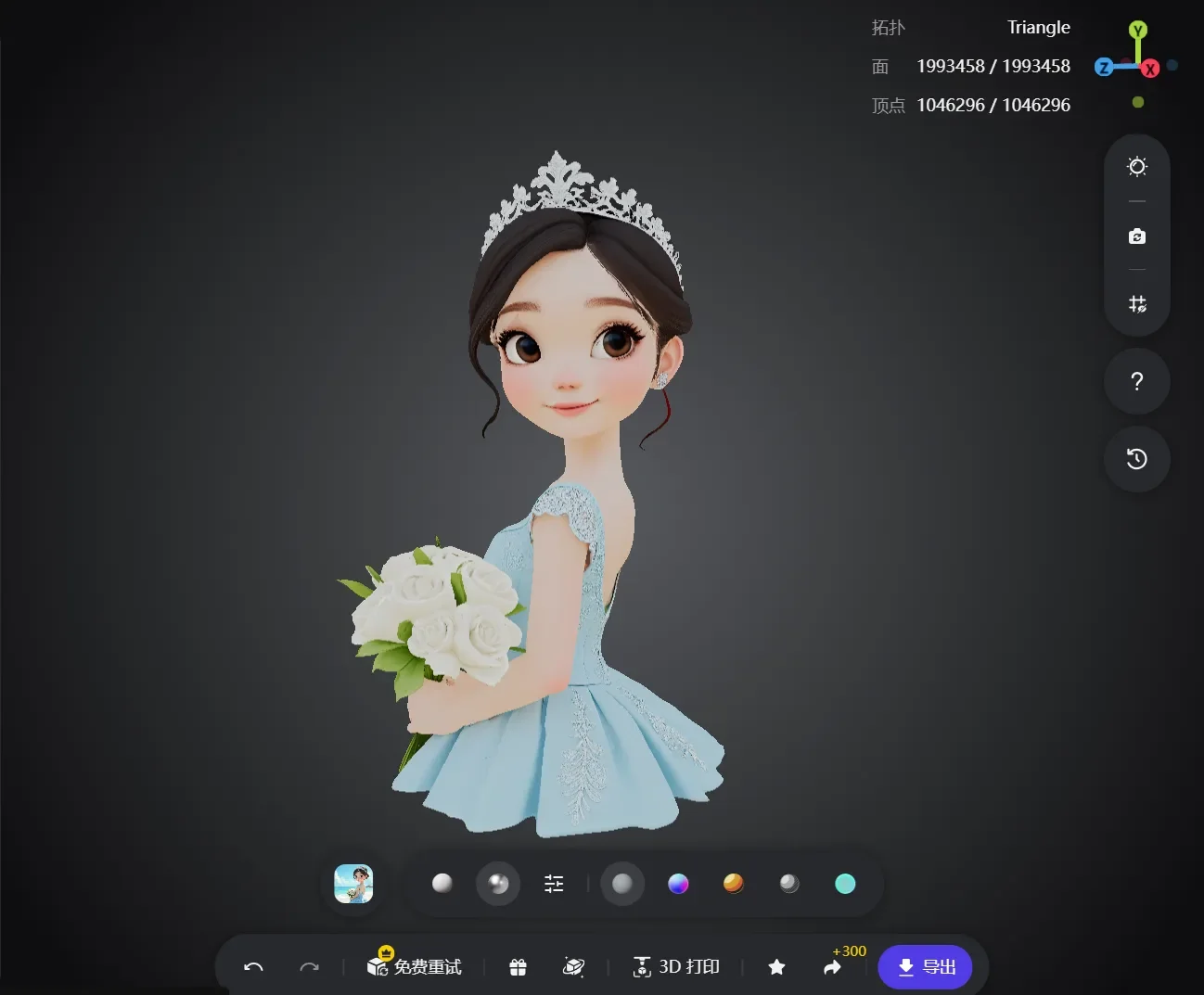
Par exemple, vous pourriez créer :
- Une adorable mascotte animale
- Une créature fantasy
- Un personnage de jouet de collection
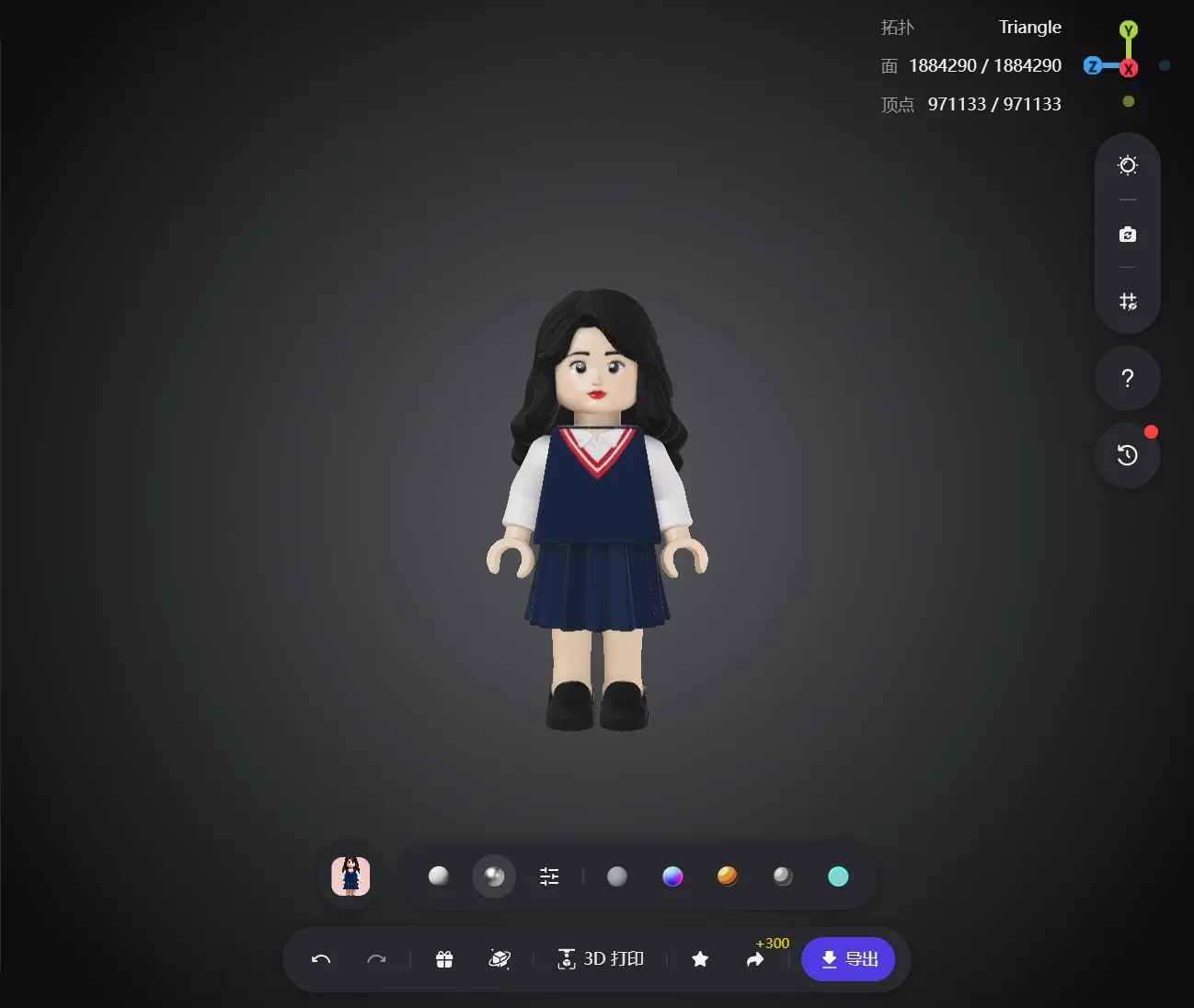
Chaque design peut être converti en un modèle 3D distinct via Tripo.
Ce flux de travail itératif permet aux créateurs d’évaluer leurs idées avant de s’engager sur un asset de production final.
Les studios, développeurs indie et créateurs de contenu peuvent tous bénéficier de ce processus d’expérimentation accéléré.
Étape 5 : Exporter et utiliser votre personnage 3D
Une fois satisfait du résultat généré, exportez le modèle depuis Tripo et intégrez-le à votre flux de travail préféré.
Les cas d’usage possibles incluent :
Développement de jeux
Créez des PNJ stylisés, des compagnons et des mascottes pour des jeux et des expériences interactives.
Impression 3D
Transformez des concepts de personnages en figurines de collection, jouets et prototypes physiques.
Animation
Utilisez des personnages générés pour des courts métrages animés, des vidéos marketing et du contenu pour les réseaux sociaux.
Branding et marketing
Développez des mascottes uniques qui représentent votre marque sur les sites web, dans les campagnes et dans les produits numériques.
Mondes virtuels et XR
Déployez des personnages personnalisés dans la réalité virtuelle, la réalité augmentée et des expériences immersives.
Pourquoi combiner a1.art et Tripo ?
a1.art aide les créateurs à générer rapidement des concepts visuels grâce à la AI image generation, aux flux de travail text-to-image AI, au raffinement image-to-image et à des outils spécialisés de création de personnages.
Tripo transforme ensuite ces concepts 2D en assets 3D exploitables.
Ensemble, ils créent un flux de travail fluide qui réduit considérablement le temps entre l’imagination et l’exécution.
Au lieu de passer par les pipelines traditionnels de concept art et de modélisation, les créateurs peuvent :
- Générer des idées de personnages avec a1.art
- Explorer plusieurs variantes visuelles
- Sélectionner le design le plus fort
- Convertir l’image en modèle 3D à l’aide de Tripo
- Exporter et déployer l’asset final
L’ensemble du processus peut souvent être réalisé en moins d’une heure.
Réflexions finales
Les images générées par IA deviennent l’un des points de départ les plus puissants pour les flux de travail modernes de création 3D.
En combinant le générateur d’images IA flexible de a1.art avec la technologie Image-to-3D de Tripo, les créateurs peuvent rapidement transformer des concepts en personnages 3D entièrement aboutis sans expertise traditionnelle en modélisation.
Que vous créiez une mascotte de jeu, conceviez un jouet de collection, développiez un personnage animé ou exploriez simplement de nouvelles idées créatives, ce flux de travail offre un chemin pratique et efficace de l’imagination à la réalité 3D.
FAQ
Puis-je créer un personnage 3D à partir d’une image générée par IA ?
Oui. Les images générées par IA peuvent servir d’excellents points de départ pour la création de personnages 3D. Dans ce flux de travail, vous pouvez générer un personnage avec a1.art puis convertir l’image en modèle 3D grâce à la technologie Image-to-3D de Tripo. Les designs de personnages propres avec des silhouettes claires produisent généralement les meilleurs résultats.
Puis-je utiliser mon propre croquis ou image de référence ?
Absolument. a1.art prend en charge les flux de travail Image-to-Image AI, vous permettant de téléverser des croquis, du concept art ou des designs de personnages existants et de les transformer en illustrations soignées. Ces images affinées peuvent ensuite être importées dans Tripo pour la génération 3D.
Quels types de personnages fonctionnent le mieux pour la conversion Image-to-3D ?
Les personnages avec des arrière-plans simples, des membres visibles, des proportions claires et des silhouettes fortes produisent généralement les meilleurs résultats en 3D. Les personnages chibi, les mascottes, les animaux cartoon, les créatures fantasy et les personnages de jeu stylisés sont tous d’excellents candidats à la conversion.
Ai-je besoin d’une expérience en modélisation 3D pour utiliser ce flux de travail ?
Non. a1.art et Tripo sont tous deux conçus pour rendre la création de contenu accessible aux créateurs de tous niveaux. Vous pouvez générer une image de personnage dans a1.art et la transformer en modèle 3D avec Tripo sans utiliser de logiciel de modélisation 3D traditionnel.
Puis-je générer plusieurs variantes de personnages avant de créer un modèle 3D ?
Oui. L’un des plus grands avantages de la création propulsée par l’IA est l’itération rapide. a1.art permet aux utilisateurs de générer plusieurs versions d’un personnage avec différentes tenues, couleurs, expressions et styles. Vous pouvez comparer différents concepts avant de sélectionner le meilleur pour la conversion 3D.
Que puis-je faire avec le modèle 3D final ?
Le personnage 3D généré peut être utilisé dans une grande variété de projets, notamment le développement de jeux, l’animation, l’impression 3D, les mondes virtuels, les expériences AR/VR, les campagnes marketing et la création de mascottes de marque.