3D Product Modeling Services: Expert Insights & Best Practices
As a 3D specialist, I’ve seen product modeling transform workflows across industries—from rapid prototyping to immersive marketing. In this article, I break down what 3D product modeling services actually offer, how I approach projects from concept to completion, and the best practices that consistently deliver high-quality results. Whether you’re a designer, developer, or business owner looking to visualize products, you’ll find actionable guidance on choosing providers, optimizing your workflow, and avoiding common pitfalls.
Key takeaways:
- 3D product modeling unlocks rapid visualization and iteration for design, marketing, and manufacturing.
- Clear requirements and references are essential for accurate, production-ready models.
- Optimizing topology and UVs is critical for performance and realism.
- AI-powered tools, like Tripo AI, streamline workflows and reduce manual bottlenecks.
- Evaluate providers based on technical expertise, workflow integration, and communication.
- Collaboration and feedback cycles are key to successful project outcomes.
What Are 3D Product Modeling Services?
3D product modeling services involve creating digital representations of physical products for visualization, prototyping, or marketing. These services cater to a wide range of industries, enabling faster design iterations and more compelling presentations.
Key Applications Across Industries
- E-commerce: Product visualization for online catalogs and AR experiences.
- Manufacturing: Rapid prototyping and virtual testing before production.
- Gaming & XR: Asset creation for interactive environments and simulations.
- Film & Advertising: High-fidelity models for visual effects and promotional materials.
What I’ve found is that the versatility of 3D modeling means clients from vastly different fields can leverage the same core techniques, but with different requirements for detail, realism, and interactivity.
Types of 3D Product Models
- Low-poly models: Optimized for real-time applications (games, AR).
- High-poly models: Used for rendering, animation, or detailed visualization.
- CAD models: Engineering-focused, often for manufacturing or simulation.
- Textured/rigged models: Ready for animation or interactive use.
My recommendation: Always clarify the intended use-case before starting, as it determines the modeling, texturing, and optimization approach.
My Workflow: From Concept to Production-Ready Models
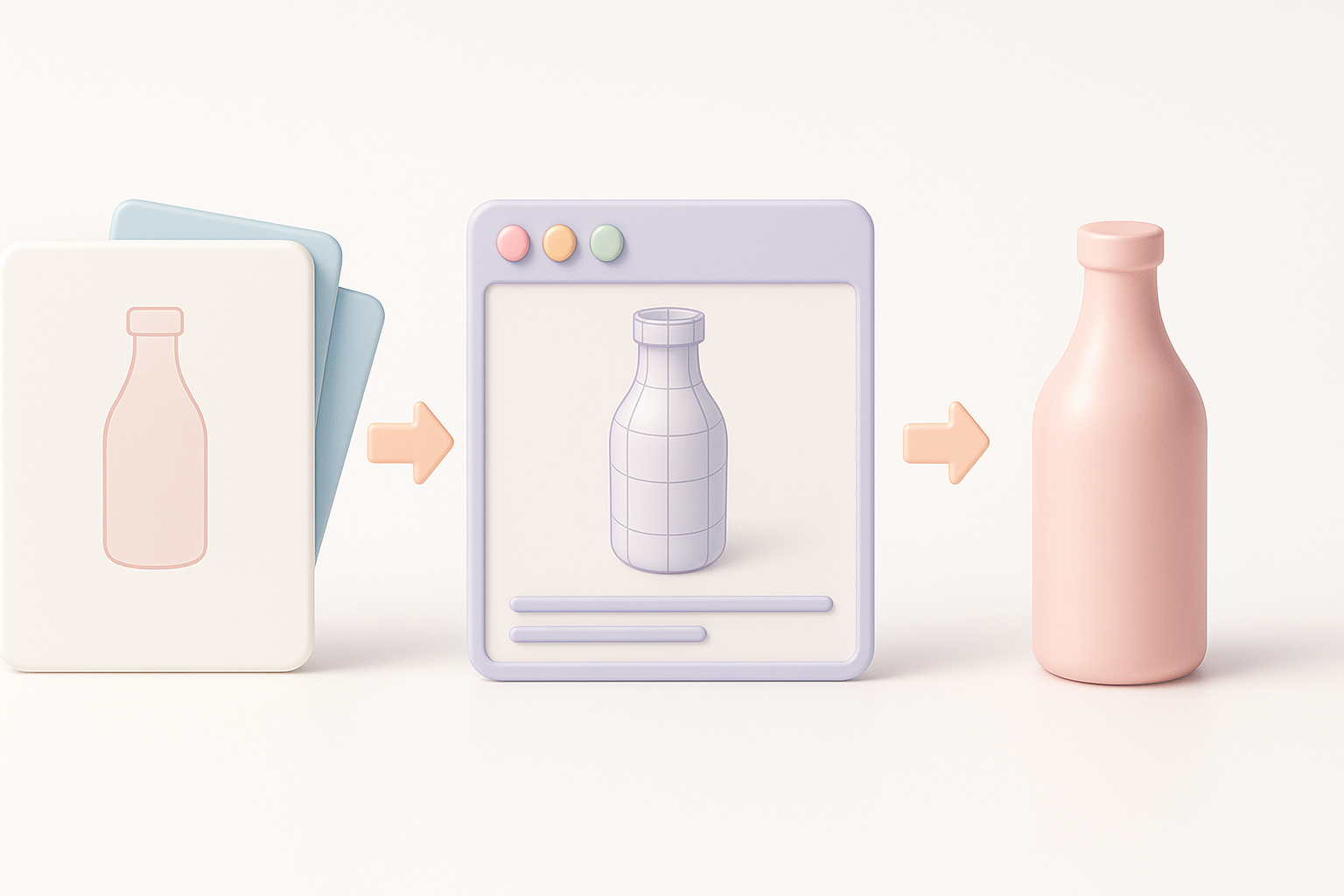
A streamlined workflow is crucial for delivering accurate, production-ready models quickly and efficiently. Here’s how I approach projects.
Gathering References and Defining Requirements
- Collect visual references: Photos, sketches, technical drawings.
- Specify details: Dimensions, materials, target platform (web, AR, game).
- Clarify expectations: Level of realism, animation needs, deadline.
I always start with a checklist:
- Are reference images clear and comprehensive?
- Is the scale and proportion defined?
- What’s the target format and polygon budget?
Step-by-Step Modeling and Texturing Process
- Blocking out the shape: Using basic geometry to establish proportions.
- Detailed modeling: Adding features, optimizing topology.
- UV unwrapping: Preparing the model for texturing.
- Texturing: Applying realistic or stylized materials.
- Rigging (if needed): Adding bones for animation.
- Exporting: Delivering in the required format.
AI-powered platforms like Tripo AI can automate segmentation, retopology, and texturing, speeding up these steps and reducing manual errors. I still review outputs for accuracy and tweak as needed.
Best Practices for High-Quality 3D Product Models
Quality starts with attention to detail and ends with rigorous optimization. Here’s what I focus on.
Optimizing Topology and UVs
- Keep topology clean: Avoid unnecessary triangles; use quads where possible.
- Optimize for target platform: Real-time models need lower poly counts.
- UV layout: Minimize stretching, maximize texture space.
Pitfalls to avoid:
- Overlapping UVs (leads to texture artifacts)
- Dense mesh where not needed (hurts performance)
Ensuring Realism with Materials and Lighting
- Use PBR materials: Physically-based rendering yields realistic results.
- Reference real-world lighting: Match lighting setups to product context.
- Bake or simulate shadows: Adds depth and realism.
I typically create a mini-checklist:
- Are materials matching the reference?
- Is lighting consistent with the intended environment?
- Are textures seamless and high-resolution?
Choosing the Right Tools and Platforms
Selecting the right tools is key to efficiency and quality—especially as AI solutions mature.
AI-Powered Solutions for Streamlined Workflows
AI-driven platforms (like Tripo AI) automate segmentation, retopology, and texturing, allowing me to generate production-ready models from text, images, or sketches in seconds. This is especially valuable for rapid prototyping or when scaling up asset production.
When to use AI tools:
- Tight deadlines
- Large asset volumes
- Iterative concept exploration
When to Use Alternative Methods
Traditional tools and manual workflows still excel in highly custom, complex projects requiring fine control. I often use them when:
- High-end customization is needed
- Unique topology or animation setups are required
- AI outputs need refinement
Tip: Combine AI-generated outputs with manual tweaks for the best balance of speed and quality.
Comparing 3D Product Modeling Service Providers
Not all providers deliver the same level of quality or integration. Here’s how I evaluate them.
Key Criteria for Evaluation
- Technical expertise: Portfolio, software proficiency, industry experience
- Workflow integration: Compatibility with your pipeline and tools
- Communication: Responsiveness and clarity in requirements gathering
- Delivery formats: Support for required outputs (FBX, OBJ, GLTF, etc.)
Checklist:
- Do they offer revision cycles?
- Is their portfolio relevant to your project?
- Can they handle your preferred file formats?
My Experience with Different Approaches
I’ve worked with both boutique studios and larger, AI-enabled platforms. Boutique providers often excel in customization and communication, while AI-driven services shine in speed and scalability. The best results come from clear requirements, active feedback, and leveraging the strengths of both approaches when needed.
Frequently Asked Questions About 3D Product Modeling
Clients often have recurring concerns and questions—addressing these early ensures smoother collaboration.
Common Client Concerns
- How accurate will the model be? Depends on reference quality and requirements clarity.
- What’s the turnaround time? AI tools can deliver in hours; manual work may take days.
- Will it work in my application? Always specify target platform and format.
Tip: Provide detailed references and clarify intended use to avoid revision cycles.
Tips for a Smooth Collaboration
- Set clear milestones: Define review points and deliverables.
- Communicate changes early: Avoid last-minute pivots.
- Review outputs promptly: Timely feedback keeps projects on track.
What I’ve found: The best outcomes stem from proactive communication, detailed briefs, and iterative feedback.
Ready to optimize your 3D product modeling workflow? Focus on clear requirements, leverage AI-powered platforms for speed, and always review outputs for quality.