From 3D Game Assets to Cinematic Game Trailers with Tripo and ACE Studio
Introduction
Creating a successful game today involves much more than building engaging gameplay. Long before launch, developers need to showcase their projects through trailers, gameplay teasers, and social media clips that capture players' attention.
For indie developers and small studios, producing these marketing materials can be just as challenging as developing the game itself. Building high-quality 3D assets requires significant time, while creating cinematic trailers often demands additional expertise in video editing, music production, and sound design.
Fortunately, AI is simplifying both sides of the workflow.
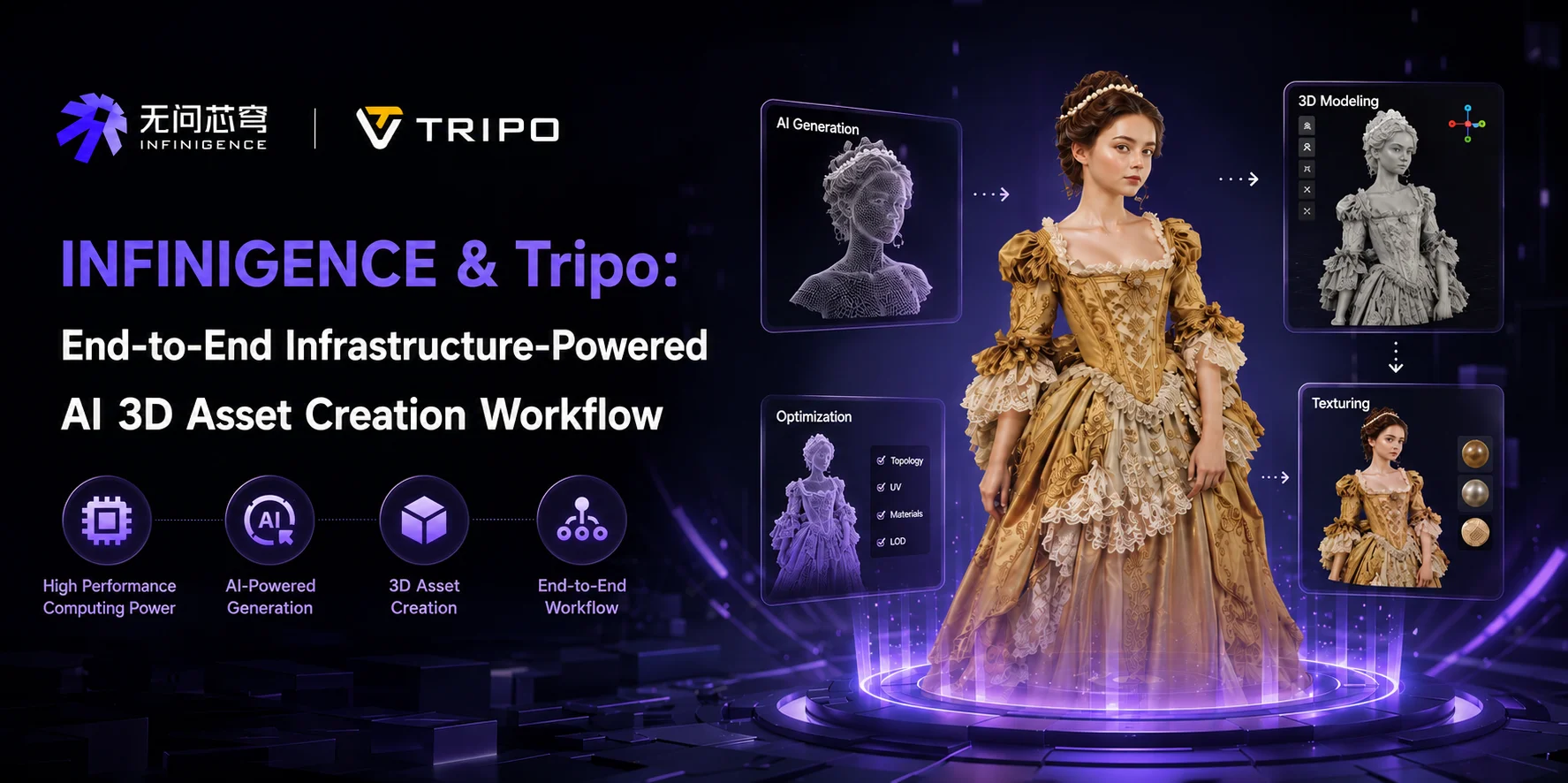
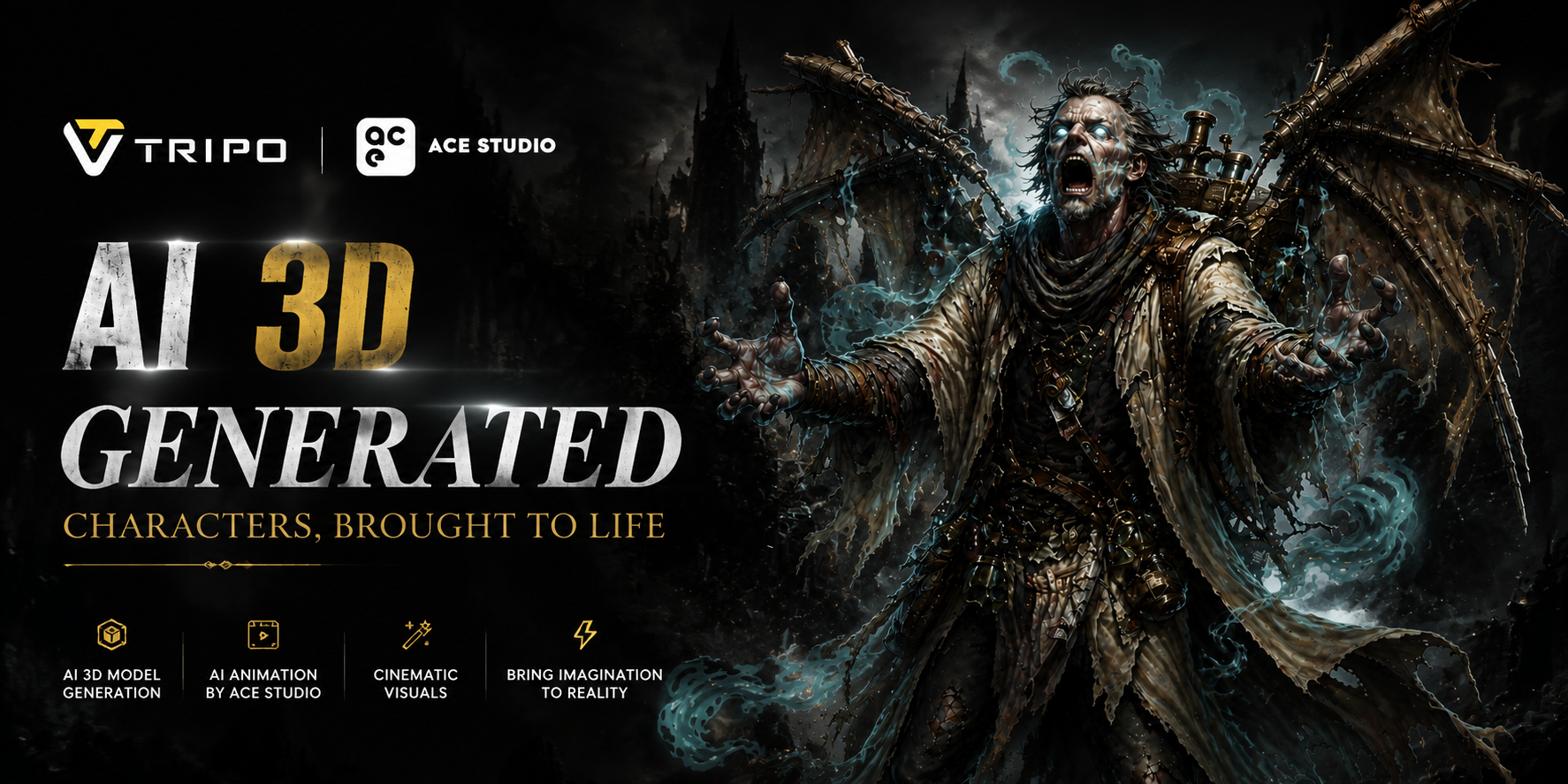
With Tripo, developers can quickly transform concept art into game-ready 3D assets. Once those assets are integrated into a game engine and gameplay footage is captured, ACE Studio Video Composer can automatically generate background music and sound effects that match the video, eliminating much of the manual work traditionally required during post-production.
Rather than treating asset creation and trailer production as separate pipelines, creators can combine these tools into one streamlined workflow — from concept art to a polished promotional video.
In this guide, we'll walk through that workflow step by step.
What is Tripo?
Tripo is an AI-powered 3D generation platform that helps creators produce high-quality 3D models from either text prompts or reference images.
For game developers, one of its most valuable capabilities is Image to 3D, which transforms a single concept image into a complete 3D model within minutes.
Depending on production needs, creators can choose between different generation modes. Smart Mesh is optimized for rapid prototyping and game-ready assets with clean topology, while HD Model provides richer geometry and more detailed textures for hero characters or promotional renders.
Beyond generation, Tripo also supports model optimization, rigging, animation preparation, and export to popular tools such as Blender, Unity, and Unreal Engine, making it easy to move assets into production.
What is ACE Studio Video Composer?
ACE Studio is an AI-powered music creation platform designed to simplify audio production for creators.
Among its growing collection of AI tools, Video Composer is particularly valuable for game developers and content creators.
Instead of composing music before editing a trailer, Video Composer works from the finished video. Creators simply import their edited gameplay footage or cinematic sequence, and the AI analyzes the timeline to understand scene transitions, pacing, movement, and emotional changes.
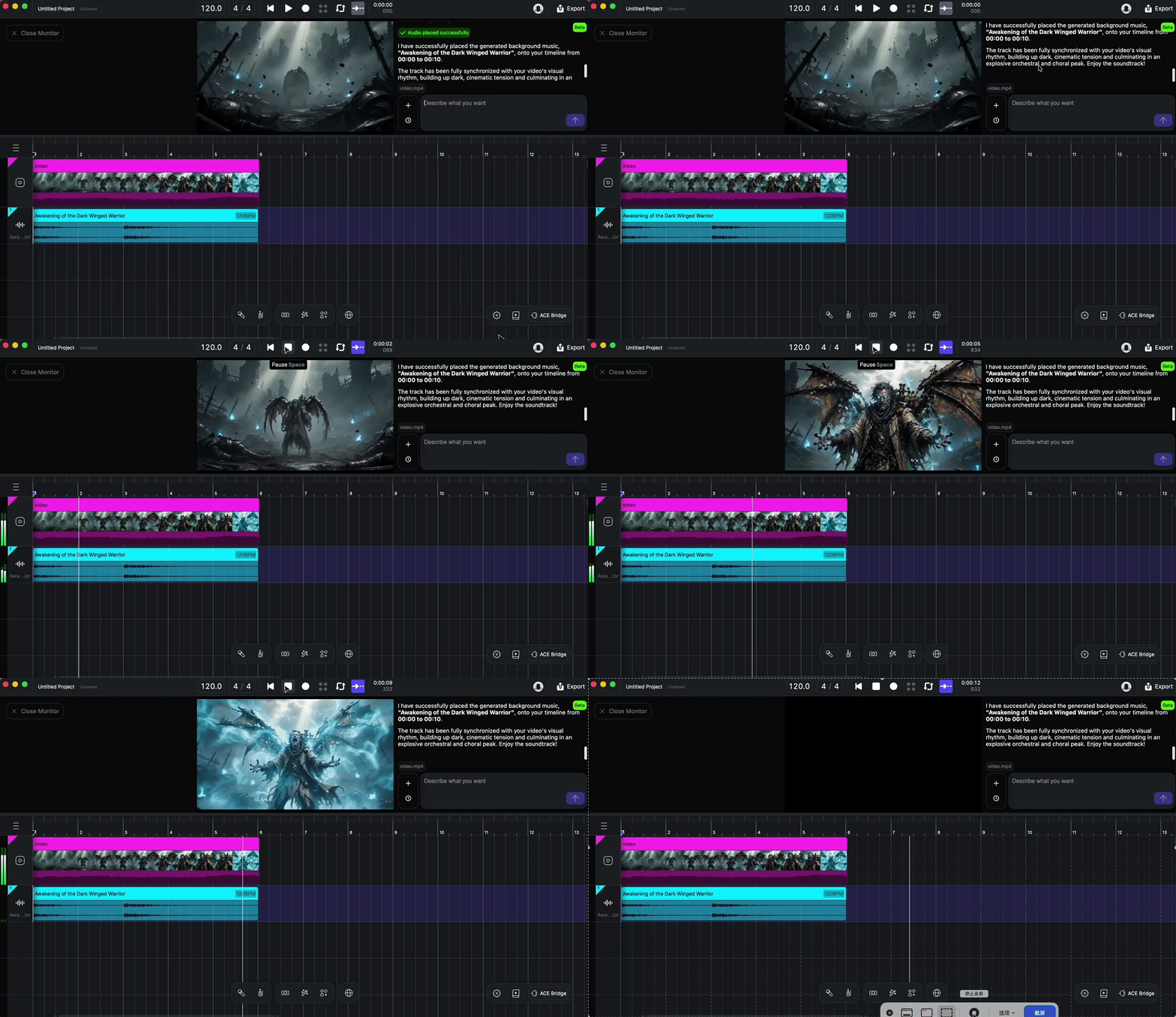
Based on this analysis, Video Composer automatically generates background music and sound effects that fit the video. Rather than exporting a single audio track, it places editable music and sound effect clips directly onto the timeline, allowing creators to further adjust or refine the final result.
This significantly reduces the amount of manual synchronization typically required during trailer production.
Workflow: From 3D Assets to Cinematic Game Trailers
Step 1: Design Your Game Asset
Every memorable game starts with strong visual ideas.
Whether you're creating a playable character, an enemy, a fantasy creature, a weapon, or an environmental prop, the first step is establishing a clear concept.
This doesn't require a fully detailed illustration. A simple concept image that communicates the overall shape, style, and personality of the asset is enough to begin production.
By defining the creative direction early, developers can iterate much faster throughout the rest of the pipeline.
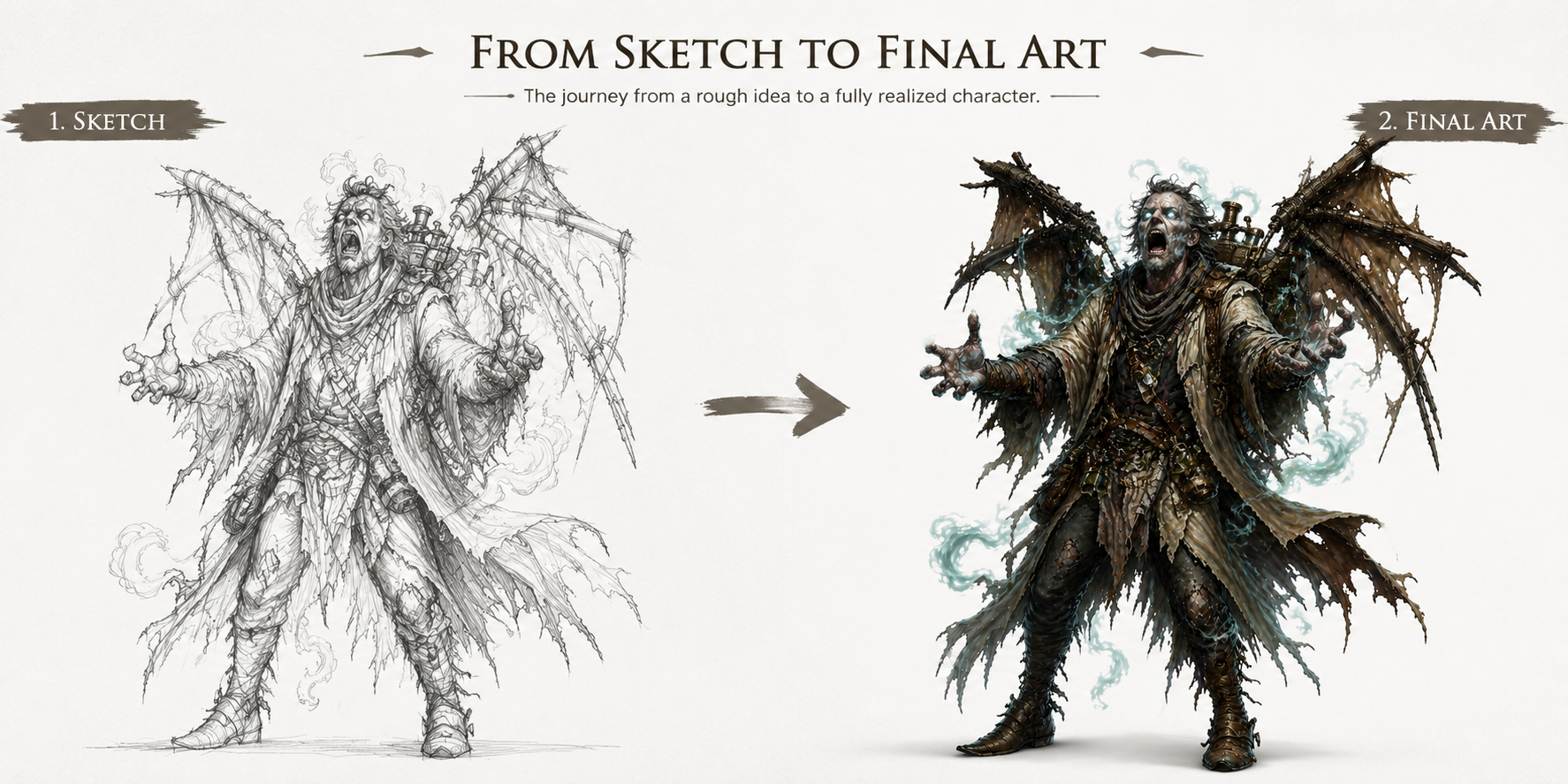
Step 2: Turn Concept Art into 3D Models with Tripo
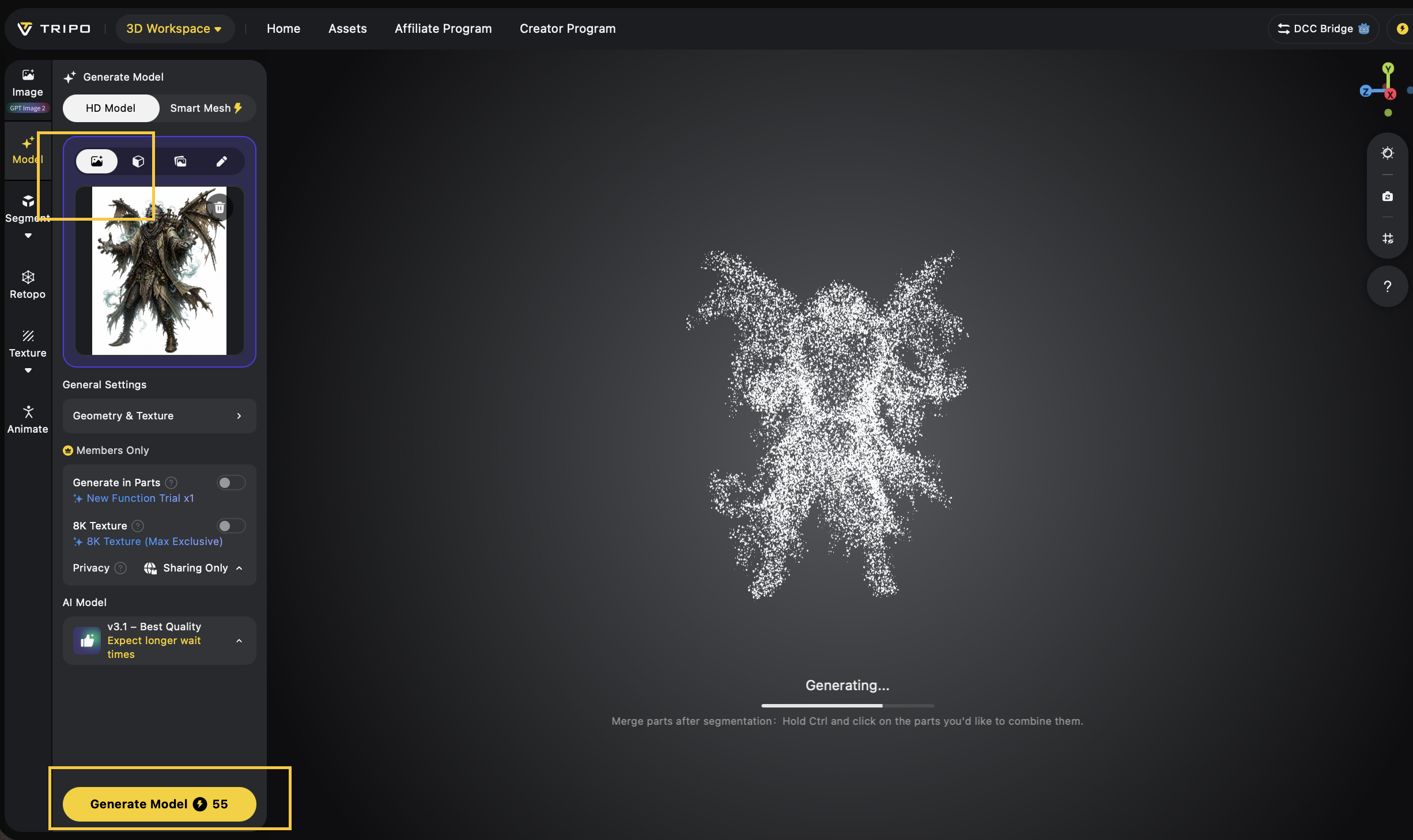
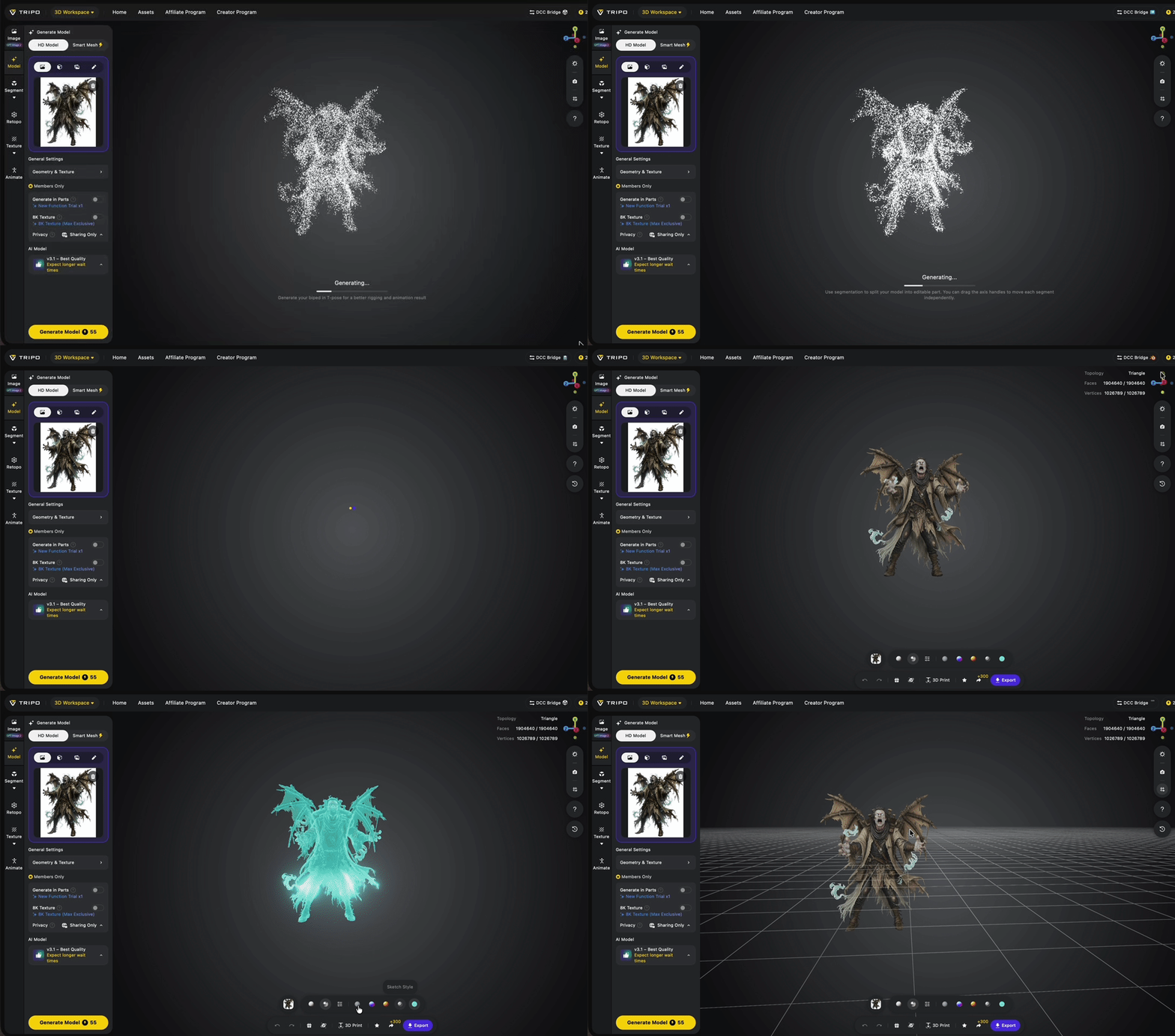
Once the concept artwork is ready, upload it to Tripo's Image to 3D workflow.
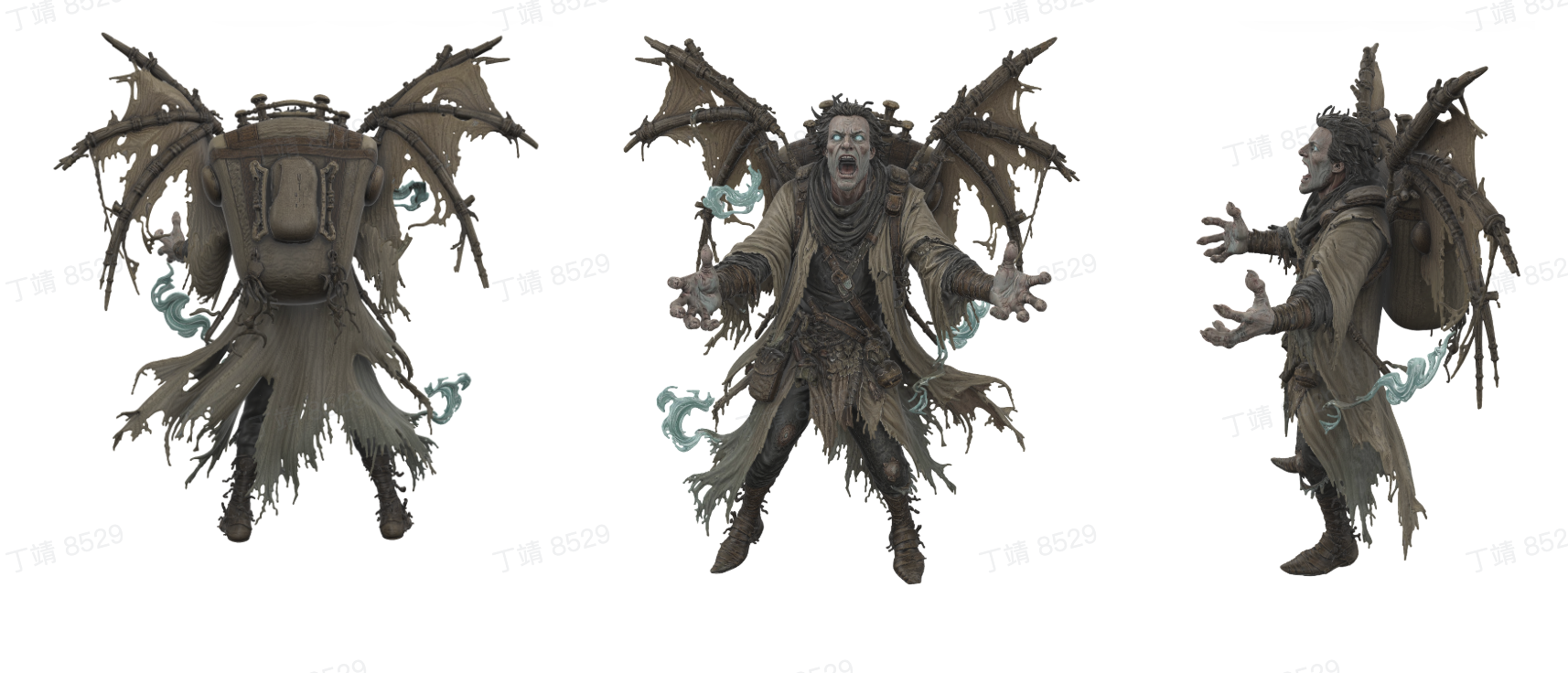
Within seconds, Tripo generates a complete 3D model while preserving the key visual characteristics of the original design.
Developers creating gameplay assets can use Smart Mesh to generate lightweight, optimized models suitable for real-time applications. For projects requiring higher visual quality, HD Model produces richer geometry and more detailed textures that work well for promotional renders and cinematic sequences.
After generation, creators can further refine the model by optimizing topology, preparing it for animation, or exporting it directly into their preferred production pipeline.
Compared with traditional manual modeling, this approach dramatically shortens the time between concept design and playable assets.
Step 3: Build Your Scene and Capture Gameplay
With the 3D assets completed, developers can begin assembling their game scenes.
Characters can be placed inside environments, animations can be applied, lighting can be adjusted, and gameplay interactions can be tested.
Once the scene is ready, record footage for promotional purposes.
Depending on your marketing goals, this footage may include:
- Character reveal videos
- Gameplay demonstrations
- Boss battles
- Environment fly-throughs
- Story-driven cinematic sequences
At this stage, the visuals are complete. The next challenge is creating audio that enhances the emotional impact of every scene.
Step 4: Add Music and Sound Effects with ACE Studio Video Composer
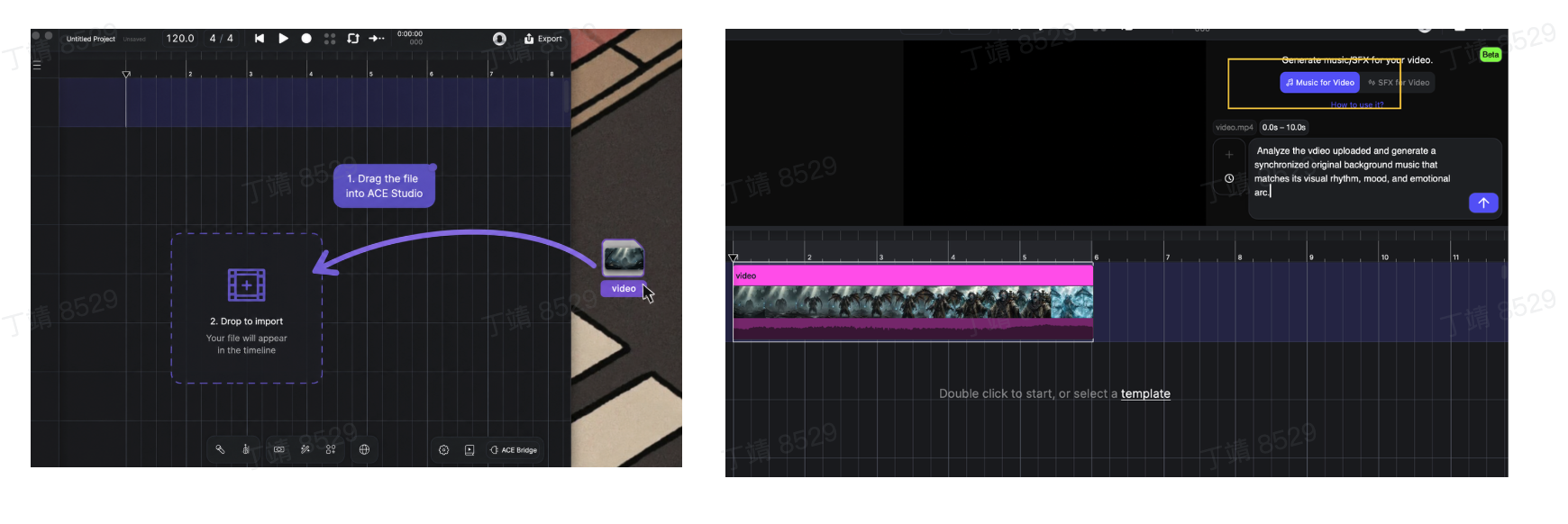
After editing the gameplay footage into a trailer, import the finished video into ACE Studio Video Composer.
Instead of manually searching for royalty-free music or spending hours aligning sound effects with every cut, Video Composer automatically analyzes the uploaded video.
The AI understands visual information such as:
- Scene transitions
- Camera movement
- Character actions
- Visual pacing
- Emotional progression
Using this analysis, Video Composer generates a soundtrack that is tailored specifically to the video.
Background music evolves naturally as scenes change, while sound effects are automatically placed at appropriate moments to reinforce action, transitions, and dramatic reveals.
One of the biggest advantages of Video Composer is that the generated music and sound effects are arranged directly on the editing timeline as editable clips. This gives creators the flexibility to adjust timing, replace individual elements, or continue refining the audio without rebuilding everything from scratch.
For indie developers and marketing teams, this removes one of the most time-consuming parts of trailer production while maintaining creative control.
Step 5: Publish a Professional Game Trailer
Once the visuals and audio are complete, the trailer is ready for distribution.
Developers can publish their finished videos across multiple channels, including:
- Steam store pages
- YouTube
- TikTok
- Instagram Reels
- X (Twitter)
- Kickstarter campaigns
- Game showcases and publisher presentations
Instead of waiting until late in development to create marketing assets, developers can continuously produce high-quality trailers as the project evolves, helping build communities, collect player feedback, and generate excitement long before release.
Use Cases
- Indie Game Development: Small studios can rapidly build both game assets and promotional videos without hiring dedicated modeling or audio production teams.
- Steam Store Marketing: High-quality trailers help communicate gameplay and improve store page presentation.
- Kickstarter Campaigns: Compelling promotional videos can significantly improve crowdfunding campaigns by presenting both polished visuals and immersive audio.
- Social Media Promotion: Short-form gameplay clips with synchronized music are ideal for YouTube Shorts, TikTok, Instagram Reels, and other social platforms.
Tips & Best Practices
- Use clean, high-resolution concept art for the best Image to 3D results.
- Choose Smart Mesh for gameplay assets and HD Model for cinematic showcases.
- Record gameplay at the highest possible quality before importing it into Video Composer.
- Keep trailer pacing consistent to help AI generate smoother musical transitions.
- Review the generated timeline and fine-tune important moments to maximize emotional impact.
Final Thoughts
Creating a great game is only part of the journey. Sharing that game with players through compelling trailers has become an equally important part of modern game development.
By combining Tripo and ACE Studio Video Composer, developers can streamline both asset production and trailer creation within a single AI-powered workflow.
Tripo accelerates the creation of game-ready 3D models from concept art, while ACE Studio automatically generates music and sound effects that complement finished gameplay footage. Together, they reduce production time, simplify creative workflows, and enable developers to produce professional marketing content with fewer resources.
Whether you're preparing a Steam launch, announcing an indie title, or building excitement on social media, this workflow helps transform ideas into polished game trailers more efficiently than ever.
Ready to Build Your Next Game Trailer?
Start by creating high-quality 3D assets with Tripo, then bring your gameplay footage to life with ACE Studio to produce cinematic trailers complete with AI-generated music and sound effects.
Together, they offer a faster, more accessible workflow for modern game development and game marketing.